9 reasons why mac maybe better than windows in an enterprise
Read on to find out why enterprises would do well in deploying mac devices in their workplace.

Get fresh insights, pro tips, and thought starters–only the best of posts for you.
May 6, 2020
8 min read
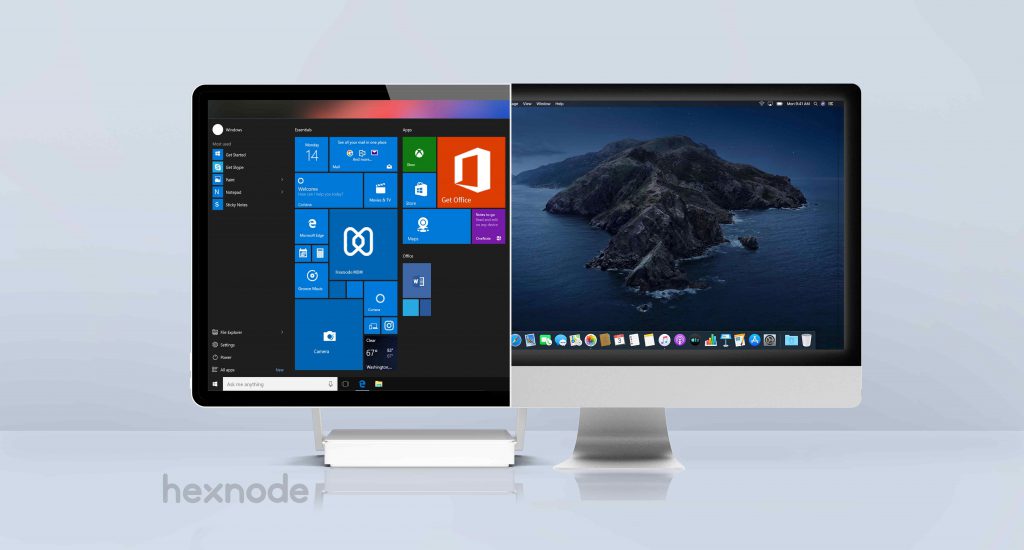
Windows or Mac? It’s a difficult choice. The debate over the merits of Windows PCs and Mac computers has continued for decades. Years ago, the discussion played out in print, whereas today it continues across countless online platforms.
Mac users often praise the platform for its design, intuitive interface, and strong security. Windows users, on the other hand, value its customizability, flexibility, and ease of navigation.
As both operating systems have evolved through years of updates, choosing one based solely on cost has become increasingly difficult. In this blog, we’ll compare the costs of Windows and Mac in enterprise environments and examine the benefits each platform offers businesses.
Even though many organizations choose laptops over desktops to allow their employees more flexibility, desktops are still popular. If you are searching for a new desktop for your employees, you can expect to pay about $400 for a basic model with limited storage capacity. High grade desktops with a larger hard drive can easily cost about $3500.
The price range of desktops can also vary based on its operating system. Models running on windows costs comparatively less than the ones running on a macOS platform. Depending on the feature requirements, the costs of Apple desktops can differ from $1500 to $3500.
Enterprises that support collaboration and remote work often benefit more from deploying laptops.
Entry-level laptops can cost around $300, while high-end models with faster processors and larger storage capacities can cost up to $3,000. Apple laptops generally fall in the middle of this range, with prices between $1,000 and $2,500.
Windows laptops cover a much broader price range, depending on the manufacturer and hardware configuration. They also offer greater flexibility for hardware customization and future upgrades, particularly for components such as graphics cards and storage.
Macs are often perceived as expensive, which is one of the primary reasons many businesses hesitate to adopt them.
A business-grade MacBook or Mac mini setup may cost around $2,000. However, when compared with similarly configured business-grade PCs from vendors such as Dell or Lenovo, the price difference is often relatively small and depends largely on portability and hardware configuration.
Many Windows versus Mac cost comparisons are misleading because they compare enterprise-grade Macs with consumer-grade Windows PCs that lack business-class hardware and capabilities.
Both windows and macOS offer a clear setup experience. Microsoft’s cool feature of letting users install the operating system via Cortana and the ease with which Apple provides its users to upgrade to the latest macOS version through System Preferences makes the setup processes of both these platforms in par with each other. Both these OSes can automatically recognize and install drivers for hardware peripherals like mice, storage and keyboards.
When comparing operating systems and their built-in productivity tools, many users consider macOS to have an advantage.
While Microsoft includes applications such as Sticky Notes, Skype, and Translator, Apple offers strong editing capabilities, Preview, and a broader suite of built-in productivity apps.
Both Windows and macOS have mature third-party software ecosystems. Although Windows has traditionally been associated with business applications and macOS with creative work, both platforms now provide extensive software options for enterprise users.
Mobile device integration is another important factor when comparing Windows and Mac.
Windows has significantly improved its cross-device experience by allowing users to start work on their phones and continue it on their PCs. Android users can also integrate with Windows through Microsoft Launcher to share documents, messages, and webpages across devices.
Apple, however, continues to stand out with its tightly integrated ecosystem and universal apps that work seamlessly across Apple devices.
The Windows 10 product comes in two main versions – Home and Pro. Windows 10 Home, costing $139 is best suited for accomplishing daily tasks that can be achieved on a home computer. Here is a list of features that a Windows 10 Home computer supports.
Windows 10 Pro costs $199.99. It includes all Windows 10 Home features plus additional business benefits. Users can customize devices to meet organizational needs. It also offers greater control over Windows update deployment. The system supports group policies for security and networking rules.
Furthermore, admins can easily set up kiosk mode. Active Directory support helps manage user access to enterprise resources. In comparison, Apple macOS updates have been free since the release of macOS X 10.9 Mavericks.

Macs are well known for providing a more robust security against malware attacks. Apple updates its antimalware signatures frequently to keep its platform safe from various viral and phishing attacks. Somewhere down the line, Windows developed a reputation for being a target to malware attacks. It is true that in the early days Windows was more susceptible to these attacks, however in present times neither operating systems can be completely safe from these vulnerabilities.
The Meltdown and Spectre vulnerabilities are good examples of how both platforms can be affected by hardware-related security issues.
Because Macs used Intel processors for many years, Apple released patches for these vulnerabilities just as Microsoft and other vendors did. Some Apple devices without Intel processors also required operating system updates.
Microsoft also strengthened Windows security after responding to major malware outbreaks such as Melissa, Code Red, Nimda, and Blaster, introducing several built-in security improvements over time.
Enterprise using Windows 10 can keep their business secure with the help of Microsoft 365 security center. It gives a detailed view of the security health of the organization and set alerts when suspicious activities take place. There are three pricing plans available – Business Basic, Business Standard and Business Premium, with the basic plan costing $5 per month/user, standard $12.50 per month/user and business premium costing $20 per month/user.
The latest Mac models has security built into it via the Apple T2 security chip. The secure enclave coprocessor found within the T2 chip provides a solid groundwork for secure boot and encrypted storage capabilities. Though Windows and mac are both susceptible to malware attacks, Macs have been known to provide better security on the long run.

A reliable management solution is essential for both Windows and Mac devices.
With the right management platform, IT administrators can deploy devices, configure settings, and manage operating system updates efficiently.
Both macOS and Windows include built-in security features. macOS provides FileVault, System Integrity Protection (SIP), and Privacy Controls. Meanwhile, Windows offers Windows Defender SmartScreen, Windows Defender Application Guard, and User Account Control.
Both operating systems also provide management frameworks that enable MDM solutions such as Hexnode to manage devices remotely.
Apple Business Manager (ABM) is a web-based platform for IT admins to deploy and manage Mac computers and other Apple devices from a centralized location. Hexnode MDM uses this platform providing IT admins the ease to deploy Mac devices, customize the app settings, and purchase and distribute contents through Hexnode MDM’s console. The integration of ABM with Microsoft Azure Active Directory (AD) allows enterprises to authenticate their employees and create employee accounts with Managed Apple IDs.
Microsoft provides Windows management through Microsoft Intune and System Center Configuration Manager (SCCM). SCCM has long been used to manage Windows PCs, while Intune extends management capabilities to cloud-based environments. Many organizations use both solutions together.
SCCM licensing costs vary, while Intune starts at $6 per user per month, with additional paid add-ons for enhanced security and management capabilities.
Organizations looking for a more affordable alternative can use Hexnode to enroll, manage, and secure devices starting at $1 per device per month.
Hexnode supports Windows 8.1 and later, allowing administrators to apply corporate policies, manage BitLocker encryption, distribute applications, and configure kiosk mode to improve security and productivity.
Choosing between Windows and Mac for enterprise use can be challenging because both platforms offer unique strengths.
The right choice depends on your budget, business requirements, and software preferences.
Windows provides flexibility and broad compatibility, while Macs offer premium hardware, a refined user experience, and strong built-in security. Regardless of the platform you choose, selecting the right management strategy is equally important.