Basic device control tools struggle in modern, multi-device environments, creating security gaps and operational risks as businesses scale. The benefits of UEM for businesses include stronger security, unified visibility, and scalability, enabling robust endpoint security management and centralized endpoint control across all platforms.
Businesses no longer operate within a single-device, single-OS ecosystem, making the benefits of UEM in businesses more relevant than ever. Employees use a mix of smartphones, laptops, desktops, and tablets across iOS, Android, Windows, and macOS. At the same time, remote and hybrid work models have expanded the attack surface, making endpoint visibility and control critical.
Many organizations still rely on basic device control solutions such as standalone Mobile Device Management (MDM) tools or fragmented point solutions. While these tools work in limited environments, they fail to provide the control, scalability, and security required for modern IT operations.
Unified Endpoint Management (UEM) addresses these challenges by consolidating device management, security, and policy enforcement into a single platform. The question is not whether UEM is valuable—but when a business should make the transition.
What Is Basic Device Control and Where It Falls Short
Basic device control typically includes MDM tools and isolated management systems designed to enforce policies on specific device types. These tools provide fundamental capabilities such as device enrollment, basic policy enforcement, and remote actions like locking or wiping devices.
However, these solutions were not built for today’s distributed, cross-platform environments.
Limited Endpoint Security Management Capabilities
Basic tools focus on device-level controls rather than comprehensive security strategies. They lack advanced threat detection, behavioral monitoring, and automated response mechanisms.
As a result, IT teams operate reactively. They respond to threats after they occur instead of preventing them. This approach increases the risk of breaches, data loss, and compliance violations. Without strong endpoint security management, organizations cannot enforce consistent security policies across all devices.
Absence of Centralized Endpoint Control Across Platforms
Most basic solutions operate in silos. Organizations often deploy separate tools for mobile devices, desktops, and other endpoints. This fragmentation creates multiple dashboards, inconsistent policies, and operational inefficiencies.
Without centralized endpoint control, IT teams spend more time switching between tools, troubleshooting inconsistencies, and managing duplicate processes. This lack of unification slows down operations and increases the likelihood of configuration errors.
What Are The Benefits of UEM in Businesses and Why It Matters Today
Unified Endpoint Management consolidates the management of all endpoints into a single platform. It extends beyond traditional MDM by covering desktops, laptops, wearables, and IoT devices, along with mobile devices.
UEM provides a unified framework for device management, application control, security enforcement, and compliance monitoring.
Unified Approach to Endpoint Security Management
UEM platforms integrate security directly into endpoint management. They enable real-time monitoring, automated threat detection, and policy-driven responses.
IT teams can enforce encryption, monitor device health, and apply security patches automatically. This proactive approach strengthens endpoint security management and reduces exposure to vulnerabilities.
Enabling Centralized Endpoint Control from a Single Console
UEM platforms provide a single pane of glass for managing all endpoints. Administrators can deploy policies, monitor device status, and take corrective actions from one interface.
This level of centralized endpoint control eliminates redundancy, improves visibility, and ensures consistency across the organization. It also reduces the operational burden on IT teams.
Key Benefits of UEM for Businesses
The shift to UEM is not just a technological upgrade—it is a strategic move that aligns IT operations with business growth. The benefits of UEM for businesses extend across security, efficiency, and scalability.
Enhanced Endpoint Security Management
UEM platforms strengthen security by integrating multiple layers of protection. They support zero-trust frameworks, enforce compliance policies, and automate patch management.
With continuous monitoring and real-time alerts, IT teams can detect and respond to threats before they escalate. This approach significantly improves endpoint security management and reduces risk exposure.
True Centralized Endpoint Control
UEM eliminates fragmentation by bringing all endpoints under a single management framework. IT teams can configure devices, enforce policies, and monitor performance from one dashboard.
This centralized endpoint control ensures uniform policy enforcement and simplifies administrative tasks. It also enhances governance by providing clear visibility into all managed devices.
Scalability for Growing IT Environments
As businesses expand, their IT environments become more complex. UEM platforms scale seamlessly to accommodate new users, devices, and locations.
Organizations can onboard devices quickly, apply standardized configurations, and maintain control without increasing operational complexity.
Improved IT Efficiency and Cost Savings
Managing multiple tools increases both costs and complexity. UEM reduces tool sprawl by consolidating functionalities into a single platform.
Automation further enhances efficiency by reducing manual tasks such as device provisioning, patching, and compliance checks. This leads to lower operational costs and better resource utilization.
Better User Experience and Productivity
UEM improves the end-user experience by enabling seamless device onboarding and consistent performance. Employees can access applications securely without disruptions.
This balance between security and usability enhances productivity and reduces support requests.
Signs It’s Time to Upgrade to UEM
Not every organization needs UEM immediately. However, specific indicators signal that basic device control is no longer sufficient.
Your Business Is Scaling Rapidly
Growth introduces complexity. More employees, devices, and locations require a scalable management solution.
When IT teams struggle to keep up with onboarding and management tasks, it indicates the need for UEM.
You Struggle with Endpoint Security Management
Frequent security incidents, delayed patching, and compliance challenges highlight gaps in existing systems.
If your organization cannot enforce consistent security policies, it is time to adopt a solution with stronger endpoint security management capabilities.
Lack of Centralized Endpoint Control Is Slowing IT
Fragmented tools create inefficiencies. IT teams spend excessive time managing multiple systems instead of focusing on strategic initiatives.
A lack of centralized endpoint control leads to inconsistent configurations and delayed responses to issues.
Supporting Multiple Operating Systems
Modern workplaces rely on diverse operating systems. Managing them with separate tools increases complexity and risk.
UEM simplifies cross-platform management by providing a unified interface.
Remote or Hybrid Workforce Expansion
Remote work requires secure, reliable access to corporate resources. Basic tools often lack the capabilities needed to monitor and manage devices outside the corporate network.
UEM enables remote management, ensuring security and compliance regardless of location.
Remote work success guide: Conquer your home office & boost productivity
Discover practical remote work strategies to improve productivity, collaboration, and work-life balance.
Basic Device Control vs UEM: A Quick Comparison
Feature
Basic Device Control
UEM
Device Coverage
Limited to specific devices
All endpoints
Endpoint Security Management
Basic controls
Advanced, integrated security
Centralized Endpoint Control
Minimal or fragmented
Unified and comprehensive
Scalability
Limited
High
Automation
Minimal
Extensive
This comparison highlights the operational and strategic advantages of UEM over basic solutions.
How to Transition from Basic Device Control to UEM
Transitioning to UEM requires structured execution to ensure continuity, security, and minimal disruption. Each phase should focus on reducing risk while improving control and visibility across endpoints.
Assess Current IT Infrastructure
Start by auditing your existing device management environment. Identify all tools currently used for managing mobile devices, desktops, applications, and security policies. Document overlaps, inefficiencies, and gaps.
Evaluate:
Device coverage across operating systems
Policy enforcement consistency
Visibility into device health and status
Security controls such as encryption, passcodes, and remote actions
This analysis establishes a baseline and highlights limitations that UEM must address.
Define Security and Management Goals
Translate business requirements into technical objectives. Establish clear priorities for device management, security enforcement, and compliance.
These goals ensure that UEM implementation aligns with operational and regulatory needs.
Choose the Right UEM Solution
Select a UEM platform based on measurable capabilities rather than feature lists alone. The solution must align with your infrastructure and long-term scalability requirements.
Key evaluation criteria:
Support for required operating systems (iOS, Android, Windows, macOS)
Integration with identity providers and enterprise systems
Automation for enrollment, updates, and compliance enforcement
Reporting and audit capabilities
A suitable platform should reduce complexity while improving administrative control.
Plan a Phased Implementation
Avoid full-scale deployment at the outset. Implement UEM incrementally to control risk and validate configurations.
Execution approach:
Start with a pilot group representing different device types and user roles
Configure baseline policies and security settings
Test enrollment workflows and remote management actions
Monitor performance, user impact, and policy effectiveness
After validation, expand deployment in controlled stages. This ensures stability and reduces operational disruption.
Why Hexnode UEM Is Built for Growing Businesses
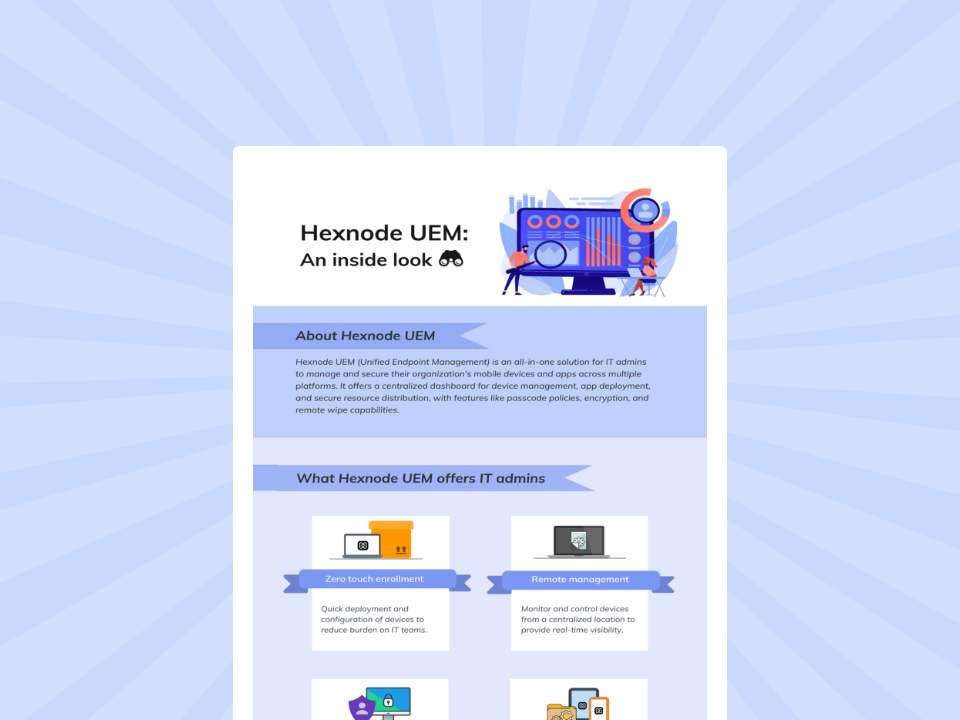
Hexnode UEM provides a structured approach to endpoint management by consolidating device control, policy enforcement, and monitoring into a single platform.
Featured Resource
Hexnode UEM: An inside look
Look at how Hexnode UEM helps IT admins to manage and secure their corporate mobile devices.
Hexnode supports policy enforcement across devices, enabling administrators to configure restrictions, enforce passcodes, and apply security settings based on platform capabilities.
It also provides:
Device compliance configurations aligned with policy requirements
OS update management controls depending on platform support
Remote actions such as device lock, wipe, and reset
These capabilities allow IT teams to maintain consistent security configurations across managed endpoints.
Powerful Centralized Endpoint Control
Hexnode offers a centralized management console where administrators can view device inventory, apply policies, and execute actions.
Core capabilities include:
Unified device monitoring across supported platforms
Policy assignment and configuration from a single interface
Remote troubleshooting and management actions
This structure reduces administrative overhead and ensures consistent enforcement of configurations.
Scalable and Easy to Deploy
Hexnode UEM is a cloud-based platform that enables organizations to manage and secure devices from a centralized web console.
Deployment capabilities include:
Multiple enrollment methods such as manual enrollment, bulk enrollment, and platform-specific programs
Support for onboarding devices across different operating systems
Policy-based configuration during and after enrollment
These features allow organizations to scale device management operations while maintaining control over configurations and workflows.
Conclusion
Basic device control tools cannot meet the demands of modern IT environments. As businesses grow, they face increased complexity, security risks, and operational inefficiencies.
Upgrading to UEM becomes essential when organizations require unified visibility, stronger security, and scalable management. The benefits of UEM for businesses extend beyond IT—they support long-term growth, resilience, and efficiency.
Organizations that adopt UEM position themselves to manage complexity effectively while maintaining control over their entire endpoint ecosystem.
Simplify Endpoint Management at Scale
Strengthen security, simplify device control, and scale confidently with Hexnode UEM.
UEM provides centralized control, enhanced security, scalability, and operational efficiency. It consolidates multiple management functions into a single platform.
When should a company move from MDM to UEM?
A company should transition when it manages multiple device types, faces security challenges, or requires scalable and centralized management.
Content writer at Hexnode. Fueled by good coffee and the occasional cat cuddle, I enjoy crafting content that informs, connects, and resonates. Nothing excites me more than knowing my words have been read, appreciated, and maybe even bookmarked.