Windows registry management enables deep system control through the Windows Registry Editor. However, manual edits, scripts, and Group Policy do not scale well in modern environments. A policy-driven approach allows teams to push registry-backed configurations, enforce settings consistently, and reduce configuration drift. With centralized, internet-based delivery, platforms like Hexnode help organizations manage configurations across endpoints with better visibility, control, and operational efficiency.
Windows registry management is critical for enforcing granular control over system behavior. Its true value lies in the depth of configuration it enables. The Windows Registry exposes many settings that may not be available through standard interfaces or administrative templates. As a result, it remains a key configuration layer in Windows environments.
The Windows Registry Editor (regedit) allows administrators to make direct changes at this level. It enables precise control over system and application behavior. However, it does not inherently provide consistency, enforcement, or visibility across multiple devices. This limitation becomes significant in enterprise environments.
Group Policy improves control by centralizing configurations. However, it depends on domain infrastructure and network connectivity. Because of this, it is less effective for managing remote or distributed endpoints without consistent connectivity to domain infrastructure.
Modern enterprises need a more scalable approach. Policy-driven Windows registry management allows teams to apply and manage configurations across devices. With centralized and internet-based delivery, platforms like Hexnode help organizations apply and maintain configurations more consistently across managed endpoints.
Windows Registry Management and the Role of the Registry Editor
Windows registry management is the process of controlling configuration settings that define how the operating system and applications behave. These settings influence system behavior, feature availability, and overall configuration control across endpoints.
At the core of this process is the Windows Registry Editor (regedit). It is the primary graphical tool used to view and modify registry settings. By accessing registry keys and values directly, administrators can configure system and application behavior at a granular level.
Using the Registry Editor, administrators can:
Modify system configurations at a detailed level
Enable or disable certain features that may not be exposed through standard user interfaces
Configure application-specific settings
This makes regedit a powerful tool for troubleshooting and applying targeted changes.
However, managing configurations only through the Registry Editor creates limitations in enterprise environments:
No centralized control across multiple devices
No enforcement of configurations once applied
High risk of human error during manual edits
Limited built-in visibility or auditability at scale without additional tools
As environments grow, these limitations become more significant. Manual edits provide control at the device level, but not across endpoints.
To manage configurations effectively, organizations need a more structured approach. Policy-driven Windows registry management allows teams to take configurations defined through tools like regedit and apply, manage, and maintain them more consistently across devices.
How the Registry Enables Deep Configuration Control
The Windows Registry enables access to configuration settings that are not exposed through standard interfaces or administrative templates. This makes it a critical layer for advanced system control.
Key capabilities include:
Access to advanced settings that may not be available through standard user interfaces
Support for application-specific configurations
Mapping for many system and policy-related settings, particularly those configured through Group Policy Administrative Templates.
Because of this, many configurations applied through policies are based on registry-level settings. Without this layer, organizations may have less granular control over certain aspects of system behavior.
A beginner’s guide to Windows device management
A beginner-friendly guide explaining how to manage, secure, and control Windows devices using Hexnode.
Why Traditional Windows Registry Management Falls Short
Traditional approaches to Windows registry management can be effective in controlled environments. However, they introduce clear limitations in distributed and cloud-first setups, where consistency and visibility are critical.
Many of these approaches rely on manual edits through the Windows Registry Editor (regedit) or scripts. While they provide control, it can be difficult to scale effectively across multiple endpoints without additional tooling.
Manual Management Limitations
Manual registry edits require direct access to each device. This makes the process time-consuming and difficult to scale. It also introduces operational risks:
High risk of human error during configuration
Limited centralized visibility or governance without additional tools
Limited built-in auditability across endpoints without additional configuration
Script-Based Limitations
Scripts improve automation but still operate as point-in-time actions unless combined with additional tooling. Without continuous validation, maintaining consistency becomes difficult:
Changes are applied once and require scheduling for persistence
Configurations can drift if not re-applied or monitored
Limited reporting and validation capabilities
Group Policy Limitations
Group Policy provides centralized control in domain-based environments. However, it depends heavily on infrastructure and connectivity:
Limited effectiveness for remote or off-network devices
Enforcement depends on periodic refresh cycles
Lacks real-time visibility into configuration state
As a result, these methods can make it more difficult to maintain consistent configurations across modern environments. This is especially true in remote and hybrid setups.
To overcome these challenges, organizations need a more scalable approach. Policy-driven Windows registry management enables teams to move beyond manual edits and apply configurations more consistently across endpoints.
Moving from Registry Editor to Policy-Driven Management
The Windows Registry Editor (regedit) allows administrators to configure system and application settings directly. It provides granular control, but it operates at the device level. This makes it difficult to maintain consistency across multiple endpoints.
As environments grow, managing configurations through manual edits becomes inefficient. Each change must be applied individually, and there is no built-in mechanism to enforce or maintain those settings.
Policy-driven Windows registry management addresses this limitation. Instead of making changes on each device, administrators define configurations centrally. These configurations can then be applied across endpoints through centralized policy management.
In this model, settings that are typically configured through the Registry Editor are translated into policies. This allows organizations to move from manual configuration to centralized control.
As a result, configurations can be applied more consistently, helping reduce reliance on device-level edits and improve overall management efficiency.
Managing Registry Configurations at Scale with Policy
Managing Windows registry configurations at scale requires more than centralized definition. It also requires reliable distribution, management, and visibility across endpoints.
Group Policy in Domain-Based Environments
Group Policy provides centralized control in traditional environments:
Works well for domain-joined and on-premises systems
Supports configuration through administrative templates
However, it has limitations in modern environments:
Depends on consistent connectivity to domain infrastructure
Limited effectiveness for remote or off-network devices
Lacks real-time visibility into configuration state
Modern Policy-Based Management
Modern management approaches extend policy enforcement beyond domain boundaries. They allow organizations to manage configurations across distributed and cloud-first environments.
With platforms like Hexnode, organizations can:
Apply configuration policies to remote and off-network devices
Maintain visibility into policy status across endpoints
Help ensure configurations remain applied through ongoing policy management
This approach enables Windows registry management to scale more effectively. It helps maintain more consistent configuration across environments without relying on manual updates or constant connectivity to domain infrastructure.
Real-World Use Cases of Deep Registry Configuration
Some enterprise configurations require registry-level control, especially when settings are not exposed through standard interfaces or administrative templates. In these cases, tools like the Windows Registry Editor (regedit) enable precise configuration.
Security Hardening
Registry configurations help support and apply critical security controls:
Disable legacy protocols and insecure features
Restrict access to sensitive system tools
User Experience Control
Organizations use registry settings to standardize the user environment:
Restrict access to system settings and control panels
Standardize UI configurations across devices
Application Configuration
Many applications rely on registry settings for behavior and configuration:
Enforce browser and application policies
Configure Microsoft Office and third-party applications
These use cases show how Windows registry management enables precise control and can help improve consistency across endpoints.
Windows registry management becomes more effective when implemented through a centralized, policy-driven approach. It allows organizations to move beyond manual edits and manage configurations consistently across endpoints.
Key benefits include:
Centralized configuration control
Reduced operational overhead
Improved security posture
Stronger compliance alignment
This helps ensure configurations are applied and maintained more consistently at scale.
Featured resource
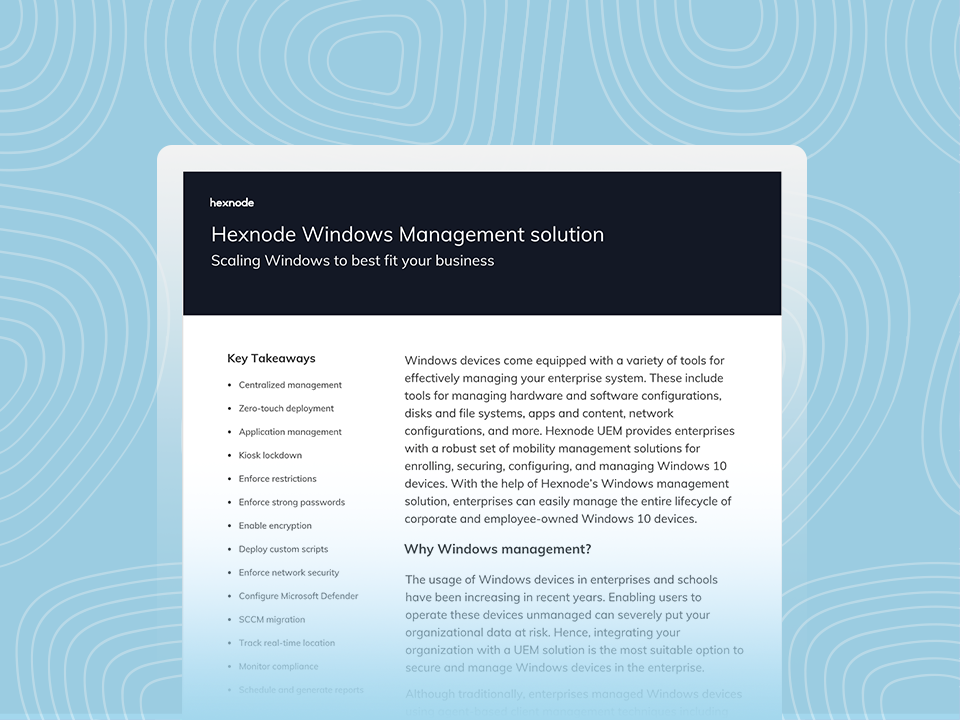
Hexnode Windows Management Solution
See how Hexnode enables secure deployment, configuration, and control of devices across enterprise environments.
Simplifying Windows Registry Management with Hexnode
Traditional approaches to Windows registry management, including manual edits through the Windows Registry Editor (regedit), have limitations in modern environments. They can make it difficult to consistently apply and maintain configurations across distributed or off-network endpoints. In addition, they often lack the visibility required for ongoing governance.
Hexnode addresses these challenges by enabling organizations to operationalize device configurations, including registry-backed settings, through centralized, policy-driven endpoint management.
Centralized Policy Deployment for Configurations
Hexnode allows administrators to deploy Windows configurations using custom policies and scripts. These can be used to manage system and application behavior across devices.
Create and deploy custom policies for granular configuration control
Deploy configuration policies across multiple devices simultaneously
Reduce dependency on manual edits by using centralized policy-based automation
This approach helps ensure that even complex configurations can be applied at scale, without relying on device-level edits through regedit.
Remote Enforcement Across Distributed Endpoints
Unlike traditional methods that depend on network proximity, Hexnode enables internet-based policy delivery and management.
Apply configuration policies to remote and off-network devices
This allows organizations to apply configurations beyond network boundaries and improve control across distributed endpoints.
Continuous Monitoring and Compliance Alignment
Windows registry management does not end with deployment. It requires continuous validation and enforcement.
Hexnode provides:
Visibility into policy status and device compliance
Integration with compliance policies to enforce device standards
Policy reapplication can be used to help maintain consistent configurations over time
This helps ensure that configurations remain aligned with security baselines and organizational requirements.
Unified Endpoint Management and Operational Efficiency
Hexnode integrates configuration management into a broader Unified Endpoint Management (UEM) framework. This allows administrators to manage configurations alongside other endpoint controls.
Manage device configurations with restrictions and security policies
Use a centralized management console for endpoint control
Reduce administrative overhead through streamlined workflows
This unified approach improves both operational efficiency and governance consistency.
Enabling Deep Configuration Control at Scale
By combining policy deployment, remote management, and monitoring, Hexnode enables IT teams to manage configurations effectively at scale.
As a result, Windows registry management evolves from manual edits to a more centralized and controlled model. Organizations can move beyond reactive changes and apply deep configurations more consistently across endpoints.
Conclusion: From Registry Editor to Scalable Policy Control
The Windows Registry provides a highly granular level of control over system and application behavior. Tools like the Windows Registry Editor (regedit) make it possible to configure settings at a deep level.
However, manual approaches do not scale in modern environments. Devices now operate beyond traditional network boundaries. As a result, relying on regedit or scripts alone creates gaps in consistency, enforcement, and visibility.
A policy-driven approach addresses these challenges. It allows organizations to apply and maintain configurations across endpoints, rather than applying them one device at a time. With centralized and internet-based delivery, platforms like Hexnode help teams deploy and manage configurations consistently at scale.
For enterprises, this marks a shift in Windows registry management. It moves from manual edits to centralized control. As a result, configuration management becomes a core part of scalable endpoint governance and security.
Still Managing Configurations Manually?
Stop relying on device-level edits. Use policy-driven management to apply and maintain configurations across endpoints.
What is Windows registry management in simple terms?
Windows registry management is the process of controlling system and application settings stored in the Windows Registry. These settings define how devices behave and enable administrators to manage configurations across endpoints.
Why isn’t using the Windows Registry Editor enough in enterprise environments?
The Windows Registry Editor (regedit) allows direct configuration, but only on individual devices. It does not provide centralized control, enforcement, or visibility, which makes it difficult to manage configurations at scale.
How is policy-based registry management different from using the Registry Editor?
The Registry Editor applies changes manually on a single device. Policy-based management allows administrators to define configurations once and apply them across multiple devices, helping maintain consistent configuration and control.
How do modern tools improve Windows registry management?
Modern tools use centralized, internet-based policy delivery to push and enforce configurations across endpoints. This improves visibility, reduces manual effort, and enables scalable management in distributed environments.
I write at the intersection of technology, process, and people, focusing on explaining complex products with clarity. I break down tools, systems, and workflows without any noise, jargon, or the hype.