If your organization uses iPhones or iPads at scale, you need a way to manage them that doesn’t involve chasing down devices one by one. That’s where iOS MDM comes in.
Mobile Device Management (MDM) for iOS is all about setting up, securing, and managing Apple devices remotely – so IT teams can push apps, apply restrictions, enforce security policies, and wipe or lock a device when needed. It’s a core enabler for any Apple deployment in business, schools, healthcare, or frontline teams.
But scaling Apple isn’t just about handing out devices, it’s about controlling them without slowing down your teams. That’s why picking the right MDM makes all the difference.
So, let’s break down the 10 best iOS MDM solutions of 2025, what they do well, where they fall short, how much they cost, and where the space is headed next. Whether you’re managing ten devices or ten thousand, this guide will help you pick the right fit.
? What is an iOS MDM software?
iOS Mobile Device Management (MDM) software allows IT teams to remotely configure, monitor, and secure iPhones and iPads. It centralizes app deployment, policy enforcement, and device security — ensuring every Apple device stays compliant and under control without manual setup
Not all iOS MDMs are created equal and the last thing you want is to lock yourself into a tool that doesn’t scale with your needs. Here are the core capabilities that matter most when choosing an iOS MDM in 2025:
Zero-Touch deployment (ABM / ASM / ADE)
Your MDM should support integration with Apple Business Manager (ABM) or Apple School Manager (ASM) for streamlined, zero-touch provisioning. Using Automated Device Enrollment (ADE), you can pre-configure devices to auto-enroll into the MDM, skip setup screens, and apply supervision and configurations right out of the box — no manual steps required.
App & content management
Look for native support for Apple’s Apps and Books (formerly VPP). This lets you license, silently install, and manage App Store and custom B2B apps at scale. You should also be able to configure app permissions, push web clips, and enforce app restrictions on managed devices without needing Apple IDs.
Why is Apple DEP and VPP migrating to ASM and ABM ?
To unify IT, Apple merged VPP and DEP into ABM/ASM, streamlining app licensing and device deployment.
Security policies & compliance enforcement
At a minimum, your MDM should offer:
Passcode enforcement, encryption controls, and activation lock bypass
Remote wipe (full or selective)
Jailbreak/root detection
Compliance policies with automated remediation or alerts
These controls are crucial for regulated industries (finance, healthcare, education) and BYOD environments.
Supervision & restriction controls
Supervised mode unlocks deeper control over iOS devices. It should let you:
Enforce app whitelisting/blacklisting
Disable iCloud, Safari, or FaceTime
Restrict USB access, screen capture, or file sharing
Prevent users from erasing or unenrolling the device
These restrictions are essential when deploying shared or single-purpose devices.
Kiosk mode for single or multi-app lockdown
Kiosk use cases are common in retail, healthcare, and logistics. Ensure the MDM supports single-app mode (lock to one app) and autonomous single-app mode (for apps that can trigger lockdown themselves), along with multi-app mode to allow controlled workflows.
*Supervision is required for these features.
Remote management & live actions
You’ll want access to real-time data like device location, battery status, OS version, and last check-in time. Critical actions such as remote lock, wipe, reboot, app install, and config profile updates should be instant and reliable — especially in distributed teams.
Scalability and ecosystem integrations
Your MDM should scale with your organization. Look for:
Directory sync (Azure AD / Google Workspace / LDAP)
SSO integration (Okta / OneLogin / Ping Identity)
API access for automation
SIEM or ITSM integrations for reporting and workflows (e.g., ServiceNow / Splunk)
?Did You Know?
Apple’s latest mobile OS is iOS 26, not iOS 19. In 2023, Apple jumped from iOS 17 straight to iOS 20, aligning version numbers across platforms like iPadOS, macOS, and tvOS to reduce confusion. Since then, the versions have remained in sync. iOS 26 was officially released on September 15, 2025, introducing design updates (like the Liquid Glass style), enhanced Apple Intelligence features, updated communication tools, and tighter integration with platform-wide services. For device management: iOS 26 includes new supervision improvements and updates to OS update APIs — making now the perfect time to ensure your MDM supports the latest standards (including Declarative Device Management).
Top 10 iOS MDM Solutions
There’s no shortage of MDM tools on the market — but not all of them are built to handle Apple devices the way you need them to. Below, you’ll find a curated list of the top 10 iOS MDM solutions in 2025 — each evaluated for its strengths, limitations, iOS-specific capabilities, and overall value.
Let’s start from the top:
1. Hexnode UEM
Hexnode is a multi-platform UEM that strikes a strong balance between affordability, scalability, and deep Apple ecosystem support. It’s especially popular with enterprise IT teams looking for reliable iOS/macOS management without overpaying for features they won’t use.
Zero-touch deployment via Apple Business Manager (ABM) and Automated Device Enrollment (ADE) for out-of-the-box configuration and supervision.
Kiosk mode support for both single-app and multi-app configurations — ideal for retail, logistics, and other frontline use cases.
Managed app distribution through Apple’s Apps and Books (formerly VPP), enabling silent app deployment without Apple IDs.
Comprehensive policy enforcement for passcodes, encryption, and supervision status.
OS update control to manage when and how updates are rolled out across devices.
Real-time remote actions like lock, wipe, reboot, and push configurations for fast issue resolution.
Limitations:
Hexnode focuses on delivering the most critical iOS management features without overcomplicating workflows. While it doesn’t go as deep into native telemetry or automated remediation as some high-end Apple-exclusive tools, that also means less complexity and faster adoption for teams that value streamlined control over niche features.
Pricing:
Hexnode remains one of the most affordable iOS MDM options on the market, with plans starting at around $1 to $3 per device per month, depending on feature tier. It offers flexible licensing, transparent pricing, and a free trial — making it a great fit for SMBs and scaling enterprises alike.
Featured resource
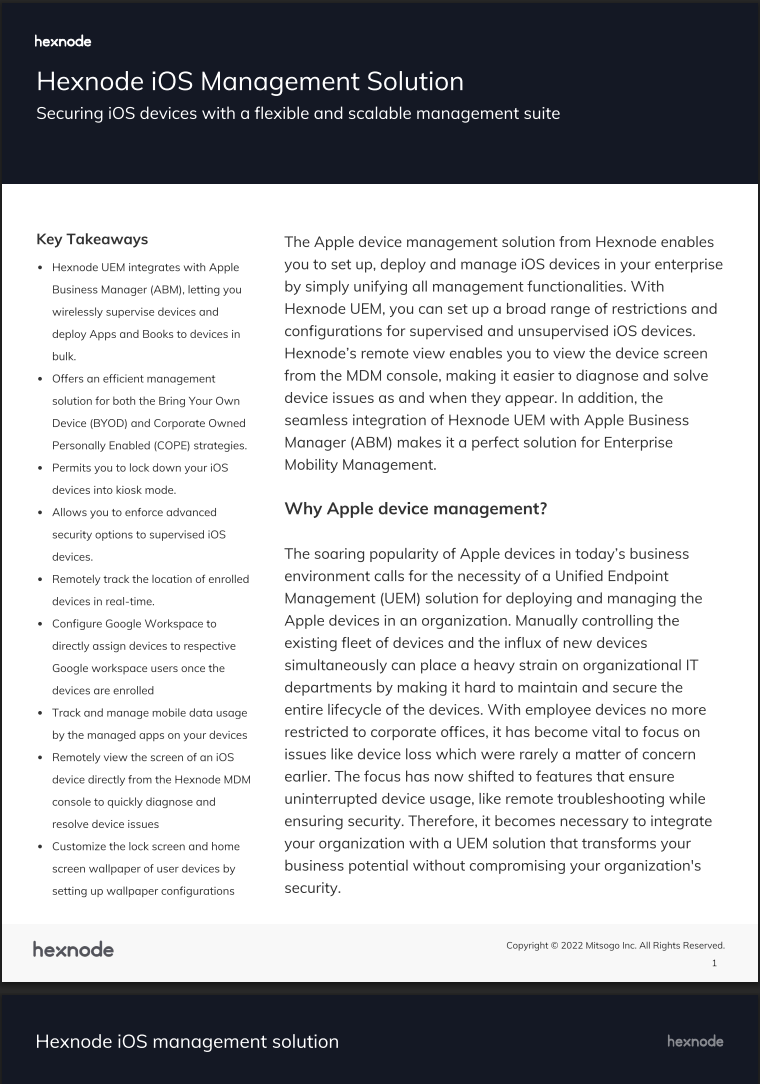
Hexnode iOS Management Solution
Explore how Hexnode streamlines iPhone and iPad management with powerful deployment, security, and compliance capabilities for modern enterprises.
Jamf Pro is the industry’s specialized Apple device management platform, long preferred by large enterprises and educational institutions for its deep, native integration with Apple’s ecosystem (macOS, iOS, iPadOS, and tvOS). Designed for Apple-first IT teams, Jamf Pro delivers granular control over Apple’s configuration and security frameworks. While Jamf has recently extended its platform to include cross-platform security and zero-trust identity (covering Android and Windows), its core MDM capabilities remain Apple-focused. The platform’s enterprise-grade depth also means higher complexity and technical overhead compared to newer cloud-native tools.
Important iOS Features:
Zero-touch deployment with ABM, ASM, and ADE
Add-on threat protection via Jamf Protect (telemetry, malware detection)
Prebuilt compliance templates for regulated industries
Self Service portal for user-requested app installs
Support for Declarative Device Management (DDM)
Limitations:
Core MDM is Apple-exclusive; full Windows or Linux management requires external UEM integrations
UI and patch management workflows are dated compared to modern, cloud-native platforms
No geofencing, app groups, or G Suite enrollment
No remote view/control for iOS devices
Lacks multi-app kiosk mode and digital signage support
No built-in SMTP integration for email alerts
Outdated UI and inconsistent bug fixes reported by users
Customer support and documentation often rated below expectations
Limited onboarding and training resources
Steep learning curve; not ideal for SMBs or lean IT teams
Pricing:
For Business:
Jamf for Mac – $10/device/month
Includes Jamf Pro + Connect + Protect (macOS only, cloud-only, billed annually).
Jamf for Mobile – $5.75/device/month
Covers MDM + mobile threat defense + ZTNA (iOS/iPadOS, cloud-only, 25-device minimum).
Jamf Now (Small Business) – Starts at $4/device/month
Basic Apple MDM for up to 100 devices.
For Education (K–12):
Jamf for Schools – Custom pricing
Bundles Jamf School, Safe Internet, Connect, and Protect. Device minimums apply.
Note:
All listed plans are cloud-only. On-prem deployments require separate licensing.
3. Iru (formerly Kandji)
Iru is the evolved successor to Kandji – transforming from an Apple-only MDM into an AI-powered IT and Security platform. It now combines unified endpoint management, identity, and threat protection across Apple, Windows, and Android. With its AI-driven Iru Context Model, the platform delivers real-time intelligence for compliance, security posture, and Zero Trust enforcement, making it ideal for enterprises operating in tightly regulated industries.
Important iOS Features (part of the Endpoint Management suite):
Zero-day support for the latest iOS/iPadOS versions and features
Seamless zero-touch onboarding via ABM and ADE
Declarative Device Management (DDM) for autonomous policy enforcement
Prebuilt compliance templates mapped to CIS, SOC 2, and HIPAA benchmarks
Auto-remediation for misconfigurations and policy drift
App patching and dynamic group-based policy assignments
Unified, single-agent management for iOS, macOS, Windows, and Android
Deep Workforce Identity integration for passwordless SSO and context-based access
Limitations:
Lacks deep scripting and advanced configuration options compared to Jamf Pro or Addigy
Limited customization in reporting and analytics for complex audits
Quote-based pricing with opaque tiering and minimum license increments
Cross-platform management depth still maturing, especially for Windows and Android
Pricing:
Quote-based modular pricing by device type and feature bundle
Modules include: Workforce Identity, Endpoint Management, EDR, Vulnerability Management, Compliance Automation, and Trust Center
Annual billing and enterprise-focused licensing
14-day free trial, free onboarding, and 24/5 support included
Market estimates (non-official):
iOS/tvOS MDM: from ~$1.60/device/month
iOS/tvOS MDM: from ~$1.60/device/month
EDR add-on: +~$2.40/device/month
Example quote: ~$6.35–$8.56/device/month for 100 Macs
4. Addigy
Addigy is a cloud-based MDM solution built exclusively for Apple devices, with a strong presence in the MSP (Managed Service Provider) space. It offers flexible multi-tenant management, real-time device visibility, and scripting capabilities — making it a powerful option for IT professionals managing multiple Apple environments. While Addigy delivers on control and depth, it’s clearly geared more toward admins than general end users.
Important iOS Features:
Real-time device monitoring with live compliance and status checks
Automated device enrollment via Apple Business Manager (ABM) and ADE
Declarative Device Management (DDM) for faster policy updates
Remote actions like lock, wipe, and app deployment
Multi-tenant architecture designed for MSP environments
Native scripting and policy automation tools for advanced workflows
Limitations:
Apple-only — no Android or Windows support
UI and workflows are built for technical teams, not general users
Can feel complex for smaller orgs or non-IT audiences
Pricing:
Addigy uses a quote-based pricing model, with rates varying by deployment size and whether you’re an MSP or enterprise/EDU customer. A 14-day free trial is available.
Typical estimates range from $3–$5 per device/month, depending on mix and volume
macOS pricing often falls around $49–$63 per device/year at scale
iOS/iPadOS pricing is generally lower — often quoted around $2/device/month
MSPs frequently report pricing around $5/device/month as a common benchmark
*Actual costs may vary based on features, term length, and onboarding scope.
5. Miradore
Miradore is a freemium MDM solution that supports iOS, Android, macOS, and Windows. With a clean UI, quick deployment, and an always-available free tier, it’s a strong entry-level option for small businesses, schools, or MSPs just getting started with device management. While easy to adopt, it lacks the advanced controls offered by full-scale UEM platforms.
Important iOS Features:
Passcode enforcement, with remote clear/reset capability
Remote lock and wipe (full and selective)
Silent app install/uninstall and restriction profile deployment
Basic compliance policies and enrollment automation
Supports ABM & ADE for supervised deployments
Limitations:
No per-app VPN, web content filtering, or global HTTP proxy
No support for Autonomous Single App Mode (macOS)
Limited Apple TV management and no UEM migration tools
Lacks app logs, IdP integration, and Apple Push Notification (APN) flexibility
Basic OS coverage; advanced features like FileVault, media controls (Windows), scripting, or geofencing are missing
Onboarding can be complex, with limited documentation and resource support
Not ideal for enterprise-scale Apple deployments
Pricing:
Mosyle offers affordable Apple-only MDM plans for both business and education use cases:
Business Free – $0 for up to 30 devices (macOS, iOS, iPadOS, visionOS)
Business Premium – $1.00/device/month (min. 30, billed annually)
Fuse for macOS – $3.00/Mac/month (adds security & management tools)
Mosyle is a cloud-native, Apple-exclusive MDM platform designed for cost-conscious organizations seeking secure and automated device management. With offerings tailored for both business and education sectors, it bundles MDM, endpoint security, and identity-based automation into one lightweight platform. It’s especially favored by schools and SMBs managing Apple-only fleets.
Important iOS Features:
Zero-touch deployment with ABM and ADE
IdP-based automation for dynamic policy enforcement
Silent app install, restriction profiles, and web filtering
Cross-platform support across macOS, iOS, iPadOS, watchOS
Built-in endpoint protection and compliance alerts
Limitations:
No support for Android, Windows, or Linux platforms
No multi-app kiosk mode or advanced geofencing controls
Lacks advanced reporting, certificate, and app config options
No AI chatbot, training academy, or network cost management
Outdated interface with limited public help docs and onboarding support
Customer service and training resources rated below peers
Pricing:
Business Free – $0 for up to 30 devices
Business Premium – $1/device/month (min. 30, billed annually)
Fuse for iOS/iPadOS – $1.50/device/month (includes security)
K-12 Plans – Free basic; Premium from $5.50/device/year
7. SureMDM
SureMDM is a cross-platform UEM solution supporting iOS, Android, Windows, macOS, Linux, and IoT. It’s popular for its broad device coverage, making it a flexible choice for enterprises managing diverse fleets. While iOS support is solid, the platform is built with a generalist approach — and that shows in Apple-specific workflows.
Important iOS Features:
Device lockdown (kiosk mode) and single-app restrictions
Secure app and content distribution
Remote actions: wipe, lock, locate, push policy
ABM and ADE integration for zero-touch enrollment
Compliance alerts and basic automation
Limitations:
No support for macOS features like kernel extensions, smartcard auth, or autonomous SSO
Limited media and certificate management on macOS/iOS
UI is dated; complex navigation and deeper menus increase onboarding friction
Less refined Apple-specific controls and automation
Some workflows require manual input or third-party tools
Pricing:
SureMDM offers three cloud-based plans with flexible billing and no minimum device requirement:
Standard – $3.99/device/month
Core MDM features, kiosk mode, app/content management, remote actions, 3 admin users, and 1-month data retention.
Premium – $5.49/device/month
Adds OS update management, SAML SSO, advanced reporting, 25 admin users, and 3-month data retention.
Enterprise – $7.99/device/month
Includes certificate management, CVE patching, indoor location (InLocate), native MTD, unlimited admins, and 6-month retention.
Add-ons:
SureAccess (ZTNA) – $1.99/device/month
SureIdP (Zero Trust IAM) – $3.49/user/month
Third-party MTD available on Premium; Enterprise includes native MTD.
Scalefusion is a user-friendly, cross-platform MDM solution built for organizations managing a diverse fleet across iOS, Android, macOS, and Windows. Known for its intuitive setup and frontline device focus, it’s a strong fit for SMBs needing kiosk management, remote support, and compliance tools. While iOS support is solid, Apple-specific depth is still catching up with more mature vendors.
Important iOS Features:
Single and multi-app kiosk lockdown for iPhones and iPads
Remote Cast and Support for real-time device troubleshooting
App management with silent install, update, and removal
Compliance workflows with geofencing, device tracking, and restrictions
Apple Business Manager (ABM) and ADE integration for zero-touch setup
Configurations for Wi-Fi, VPN, passcode, and system restrictions
Limitations:
No support for DDM or autonomous single app mode on iOS/macOS
Lacks advanced Apple features like FileVault escrow, smartcard auth, and system/kernel extension controls
Limited VPN, CalDAV/CardDAV, and doc configuration support on Apple platforms
No integrations with security/compliance tools like Vanta or Drata
BYOD support for iOS is basic compared to leading UEMs
UI can be complex at scale; onboarding and training need improvement
No monthly billing option — annual-only plans may limit flexibility
Pricing:
Scalefusion’s pricing is transparent, SMB-friendly, and volume-based:
Business – ~$4/device/month (adds automation, compliance, remote troubleshooting)
Quotes vary based on volume, platform mix, and required modules. Free trial available.
9. SOTI MobiControl
SOTI MobiControl is an enterprise-grade UEM platform with a strong emphasis on rugged device management across industries like logistics, retail, and field services. With extensive lifecycle controls and a robust analytics engine, it caters to large organizations looking for end-to-end visibility and policy enforcement across iOS and other platforms.
Important iOS Features:
Full device lifecycle management from enrollment to retirement
App catalog for managed distribution and silent install
Real-time location tracking and device status reporting
Advanced compliance rules with automated remediation
Dashboard-level insights through SOTI Insight integration
Support for Apple Business Manager and ADE
Limitations:
No support for multi-app kiosk mode on iOS or autonomous kiosk mode on macOS
Lacks advanced FileVault escrow and scripting capabilities
No default SMTP or global HTTP proxy options for Apple platforms
Interface is complex and non-intuitive for first-time users
Steep learning curve and high implementation overhead
Limited Apple-specific controls compared to dedicated macOS/iOS MDMs
Pricing:
SOTI MobiControl uses a quote-based per-device model, with pricing varying by volume, deployment type (Cloud vs. On-Prem), and support tier.
Cloud: ~$4.95/device/month (CDW); ~$3.92/device/month with annual billing (Insight)
On-Prem: ~$4.00/device/month (CDW, SHI)
Support tiers: Standard, Premium, and Enterprise options influence final cost; higher tiers include features like 24×7 support, TAM, and advanced system monitoring.
A free trial is available on request. Minimum license and commitment periods may apply
10. Simple MDM
SimpleMDM is an Apple-centric MDM solution focused on simplicity, transparency, and full support for iOS, macOS, tvOS, and visionOS. It’s often chosen by organizations that want robust Apple management without the complexity of enterprise-tier MDMs.
Important iOS features:
No-touch enrollment via Apple Business Manager / Automated Device Enrollment (ADE) / ASM — devices auto-link to SimpleMDM upon activation.
Flexible enrollment modes (user enrollment, enroll-by-link, account-driven enrollment) to support BYOD and diverse deployment flows.
Configuration & profile management — assign built-in or custom profiles (e.g. passcodes, SSO, restrictions) to device groups.
App & OS distribution — silent installation of App Store, custom B2B apps, manage software updates remotely.
Apple-only: no built-in support for Android, Windows, or Linux devices
Lacks some advanced Apple-specific functions (e.g. deep kernel extension control, FileVault escrow oversight)
No per-app VPN, global HTTP proxy settings in iOS publicly documented
UI and feature set are focused on macOS/iOS — use cases requiring advanced cross-OS integration may need supplementary tools
Onboarding of large fleets or edge-case custom setups may require more technical effort
Documentation in some advanced areas might be less mature compared to long-time enterprise MDMs
Pricing:
Flat pricing model: ~$2.50 per device per month, all features included.
Volume discounts available, and no minimum device requirement — you can scale up or down.
Some sources list a “starting price” of $3.00 / device / month (could be older or depending on region)
Comparison table
Solution
Apple Ecosystem Support
iOS Feature Depth
Ease of Use
Ideal For
Hexnode
ABM, ADE, Apps & Books, Kiosk
Cross-platform, strong iOS/macOS support
User-friendly
SMBs, Scaling Enterprises
Jamf Pro
Full Apple-first stack (ABM, ASM, ADE, DDM, Self Service)
Deepest Apple integration
Steep learning curve
Education, Large Apple-only organizations
Kandji
ABM, ADE, DDM, Auto-Remediation
Prebuilt compliance, zero-day iOS support
Technical onboarding
Regulated Apple-first organizations
Addigy
ABM, ADE, DDM, Real-time scripting
Advanced features but admin-heavy
MSP-focused UI
MSPs, Apple IT pros
Miradore
ABM, ADE, Restrictions, Wipe
Basic feature set
Clean UI, fast deployment
Startups, Schools
Mosyle
ABM, ADE, Web Filtering, Security
Apple-only, includes endpoint security
Easy for SMBs
K-12, Apple SMBs
SureMDM
ABM, ADE, Remote Actions
Solid generalist control
Outdated UI
Enterprises with mixed devices
Scalefusion
ABM, ADE, Remote Cast, Kiosk
Frontline and kiosk-focused
Intuitive, but scales hard
Retail, Logistics
SOTI MobiControl
ABM, ADE, Lifecycle Insights
Rugged fleet + compliance support
Complex setup
Field Services, Logistics
SimpleMDM
ABM, ASM, ADE, BYOD support
Full iOS feature coverage, strong automation via API
Intuitive, lightweight interface
SMBs, Apple-only environments
Future trends in iOS device management
As Apple devices become more deeply embedded in enterprise and education environments, the way we manage them is rapidly evolving. Here’s what’s shaping the future of iOS device management in 2025 and beyond:
1. Declarative Device Management (DDM) is the new standard
Apple is moving away from the traditional command-and-response model of MDM toward a more modern, declarative approach. With Declarative Device Management (DDM), devices can proactively enforce configurations and report status without waiting for the MDM server to send commands. This reduces latency, improves scalability, and enables real-time compliance — especially critical in large, distributed fleets.
DDM is already supported across macOS, iOS, iPadOS, and tvOS, and Apple continues to expand its capabilities with each release. MDM providers that fail to adopt DDM will soon be left behind.
2. AI-driven compliance and troubleshooting
As MDM grows more complex, AI and machine learning are becoming essential for managing scale. Expect to see AI-powered automation that:
Improves zero-touch onboarding with personalized flows
Vendors are also integrating AI chatbots into admin portals and support workflows, reducing the burden on IT while improving end-user experience.
3. Zero Trust meets Apple
With rising cyber threats and hybrid work models, Zero Trust security is vital. iOS MDMs are increasingly integrating with identity platforms like Okta, Azure AD, and Ping Identity to enforce:
Device posture checks
Conditional access policies
Certificate-based authentication
Risk-aware app access based on real-time telemetry
The future is identity-first and MDMs that enable dynamic trust evaluation at the device level will lead the pack.
4. Apple’s ecosystem is becoming even tighter
Apple continues to invest in making its management ecosystem seamless and secure. Expect tighter coupling between:
Apple Business Manager (ABM) and Automated Device Enrollment (ADE)
Supervision and new enrollment types (especially for BYOD)
Platform SSO and Managed Apple IDs
iCloud, passkeys, and identity services
These changes aim to give organizations more control with less friction, but they also demand that MDMs stay nimble and closely aligned with Apple’s rapid updates.
How to choose the best iOS MDM
Choosing the right iOS MDM depends on your organization’s size, device mix, and management goals. Here’s what to keep in mind:
Device environment:
If you’re managing only Apple devices, Apple-exclusive solutions like Jamf, Kandji, or Mosyle offer deep integration. For mixed environments (Windows, Android, etc.), cross-platform tools like Hexnode, or SureMDM may be a better fit.
Team size & IT expertise:
Smaller teams may prefer platforms with intuitive UIs and guided onboarding. Larger orgs or MSPs can leverage advanced automation, compliance, and scripting.
Automation & compliance:
Need zero-touch deployment, real-time compliance, or automated remediation? Prioritize vendors that support Declarative Device Management (DDM) and offer pre-built compliance workflows.
Budget & licensing:
Pricing varies from $0 (freemium) to $7+ per device/month depending on features. Look for volume discounts, bundled security, and education/non-profit pricing if applicable.
Try before you buy:
Most vendors offer free trials or demo portals. Always test usability, policy controls, and support responsiveness before committing.
Ready to try one out?
Choosing the right iOS MDM isn’t just about checking feature boxes — it’s about aligning with your organization’s unique priorities. Whether you’re focused on zero-touch deployment, regulatory compliance, remote support, or managing a mixed-device environment, each platform in this list brings something different to the table.
Apple-first tools like Jamf and Kandji offer deep native integrations and automation. Hexnode and SureMDM provide a more balanced, cross-platform approach that works well for businesses managing diverse device fleets. For schools and smaller teams, Mosyle and Miradore offer lightweight options with generous free tiers and simplified interfaces.
There’s no one-size-fits-all — but there is a right-fit. The best MDM for you will balance usability, control, cost, and support in a way that meets your team where it is today, while growing with you tomorrow.
Try Hexnode for free!
Simplify iOS management with seamless deployment, security, and control — all from one dashboard.
Associate Product Marketer at Hexnode focused on SaaS content marketing. I craft blogs that translate complex device management concepts into content rooted in real IT workflows and product realities.