REVSTEALER is a Windows infostealer distributed through social engineering, including fake game cheats promoted on compromised YouTube channels. It collects browser credentials, session cookies, cryptocurrency wallet data, password manager material and other sensitive information.
Researchers have also identified four follow-on modules: ProManager, WinUpdate, SoftManager and LockAppHost. Together, they can capture wallet passphrases, manipulate cryptocurrency addresses, provide reverse-proxy access and deploy an XMRig cryptocurrency miner. LockAppHost also weakens endpoint defenses by disabling Windows Update components and adding Microsoft Defender exclusions.
Organizations should investigate the entire infection chain rather than removing only the initial stealer. XDR detection, UEM hardening, device-based access controls, session revocation and credential rotation can help contain the damage.
Introduction
Removing an information stealer does not always remove everything it leaves behind.
Security research published on September 2, 2026, detailed how REVSTEALER can deliver four standalone modules to compromised Windows devices. These modules extend the attack beyond credential theft by establishing persistence, manipulating clipboard data, proxying attacker traffic, and deploying a cryptocurrency miner.
The findings matter because the main stealer can delete itself after completing its task while the supporting modules continue operating.
Who is REVSTEALER?
REVSTEALER is an emerging Windows infostealer family rather than a publicly identified threat group. Security researchers track the associated activity under the reference name REF2859, but this label does not identify a specific operator.
Observed campaigns have targeted gamers with websites offering free cheats and modification tools. Compromised YouTube channels have promoted some of these sites through short, AI-generated videos. Other samples have impersonated recognizable software, suggesting that operators can adapt the malware to different lures.
REVSTEALER matters to enterprises because it targets more than cryptocurrency assets. Its collection capabilities include browser credentials, session cookies, password manager data, VPN and FTP configurations, messaging data, gaming accounts and selected files.
What happened?
The initial REVSTEALER infection profiles the Windows device and collects sensitive information. It can then receive additional executables through command-and-control tasking.
Incident detail
Technical Impact & Mechanics
Public disclosure
Detailed technical research was published on September 2, 2026. Earlier public reporting appeared in July 2026.
Threat actor
The malware operator has not been publicly identified. REF2859 is a tracking designation, not a confirmed group name.
Observed targets
Windows users, particularly gamers seeking free cheats or modification tools. No specific enterprise sector was confirmed.
Initial access
Users were persuaded to download malicious files from promoted websites. Some promotions appeared on compromised YouTube channels.
Deception method
Lures included free gaming tools and files disguised as familiar applications.
Credential impact
The Windows infostealer targets browser credentials, cookies, password managers, wallet data, VPN and FTP configurations, messaging clients and 2FA application data. To get at credentials Chrome protects with App-Bound Encryption (ABE), REVSTEALER launches the browser under a debugger and reads the decryption key directly out of memory rather than attacking the encryption itself — a technique Elastic says was likely adapted from the public ElevationKatz project. No direct MFA bypass was reported.
Persistence
The follow-on modules can remain active after the core stealer deletes itself. LockAppHost establishes persistence while supporting miner execution.
C2 resilience
If its primary command server is unreachable, REVSTEALER reads a fallback address from a smart contract on the Polygon blockchain — a technique known as EtherHiding. Because the operator can update the contract for a fraction of a cent, blocking or seizing a single domain does not permanently cut off already-infected machines.
Defense evasion
REVSTEALER uses sandbox checks and indirect system calls. LockAppHost disables 5 Windows Update services, 11 scheduled update tasks and 2 malware-removal tasks while adding Microsoft Defender exclusions.
Unconfirmed elements
Researchers did not report ransomware deployment, data-extortion activity, a false flag operation or a confirmed victim count.
Jailbreaking : Security risks and moving past them
Explore jailbreaking risks and how MDM helps protect corporate iOS devices and data.
ProManager: Cryptocurrency wallet theft
ProManager searches for desktop wallet software, wallet files and related browser extensions. Because most desktop wallets are built with the Electron framework, ProManager reads the wallet window’s saved screen coordinates and positions its phishing overlay at that exact location, so the fake input sits seamlessly on top of the genuine wallet window rather than appearing as an obviously separate pop-up. It can display phishing overlays and monitor identified password fields for passphrases entered by typing or pasting.
WinUpdate: Clipboard manipulation
WinUpdate monitors clipboard content for cryptocurrency wallet addresses. It can replace a copied address with one controlled by the attacker, potentially redirecting a payment before the victim notices.
The module also searches for clipboard text shaped like cryptocurrency recovery phrases.
SoftManager: Reverse-proxy access
SoftManager turns the compromised device into a reverse SOCKS5 proxy. It communicates through an encrypted WebSocket-based protocol, allowing attacker traffic to pass through the victim’s connection.
This capability can misuse the device’s network identity even when the attacker does not directly control every application on it.
LockAppHost: Defense tampering and cryptomining
LockAppHost uses the Windows Connection Manager Profile Installer, or CMSTP, as part of its privilege-elevation process. It can disable Windows Update services and scheduled update or malware-removal tasks. Specifically, it disables 5 Windows Update services, 11 scheduled update tasks and 2 malware-removal tasks — a broad enough sweep that a device can look clean to routine checks while its update and remediation mechanisms are quietly turned off.
The module also adds Microsoft Defender exclusions before deploying XMRig. The miner can run inside suspended instances of legitimate Windows programs such as nslookup.exe or svchost.exe, making process names alone an unreliable indicator of safety. Critically, the Defender exclusions LockAppHost adds live in the registry and Defender’s own exclusion policy, they don’t depend on the miner process staying alive. An admin who spots and kills the suspicious nslookup.exe or svchost.exe instance has removed the symptom, not the underlying change; Defender remains blind to the excluded folders and file types until someone explicitly removes those exclusion entries.
Why domain blocking alone isn’t enough
REVSTEALER’s core stealer communicates with a primary command-and-control server under normal conditions. But it does not depend on that server staying online. If the primary address is taken down — through a hosting-provider takedown, a domain seizure, or standard blocklisting, the malware queries a smart contract on the Polygon blockchain to retrieve a replacement address. This dead-drop technique, known as EtherHiding, has already been observed in campaigns from criminal groups, and more recently, North Korean and Iran-linked actors.
Because the fallback address lives on a public, distributed ledger rather than a server the defender can reach, updating it costs the operator a fraction of a cent and requires no new malware build. Every infected machine picks up the new address on its next check-in. This means a single domain takedown — the traditional endpoint of an infostealer investigation — does not reliably sever attacker access, and defenders should treat C2 blocking as one layer of containment rather than a guarantee that a device is cut off.
Why this matters
REVSTEALER shows why incident response cannot end when the original malicious file disappears. A self-deleting stealer can remove an obvious artifact while persistent modules continue stealing wallet information, relaying traffic or consuming system resources. Its blockchain-based C2 fallback compounds this: even a successful takedown of the primary server may not stop communication with already-infected endpoints.
Stolen passwords are only one part of the identity risk. Session cookies may allow an attacker to reuse an authenticated session, while VPN configurations and password manager data can expose additional systems. Chrome’s App-Bound Encryption was specifically designed to make cookie theft harder, but REVSTEALER’s debugger-based bypass shows that protection is not absolute; a password reset alone may therefore leave active sessions or secondary credentials usable. This is why access controls that only check compliance at login are not enough here, a device compromised by REVSTEALER’s follow-on modules can pass an initial check and still be actively mining, proxying traffic, or running a compromised browser session minutes later.
Traditional antivirus also becomes less dependable when malware changes Defender settings, disables updates or hides malicious activity inside legitimate processes. A device that has had 5 update services, 11 scheduled tasks and its malware-removal jobs silently turned off is not going to self-heal, someone has to go find and reverse each change. That “someone” doesn’t have to mean a technician working device-by-device, though, the same corrective actions can be scripted and pushed at scale rather than performed manually on each infected endpoint. The same applies to the Defender exclusions specifically: since they’re registry-level policy rather than tied to a running process, terminating LockAppHost’s miner does nothing to restore protection — the exclusion entries require deliberate removal. Security teams need endpoint telemetry, configuration monitoring, access controls and a recovery process that covers the device and every potentially exposed identity.
Feature Resource
Windows Platform Capability Statement
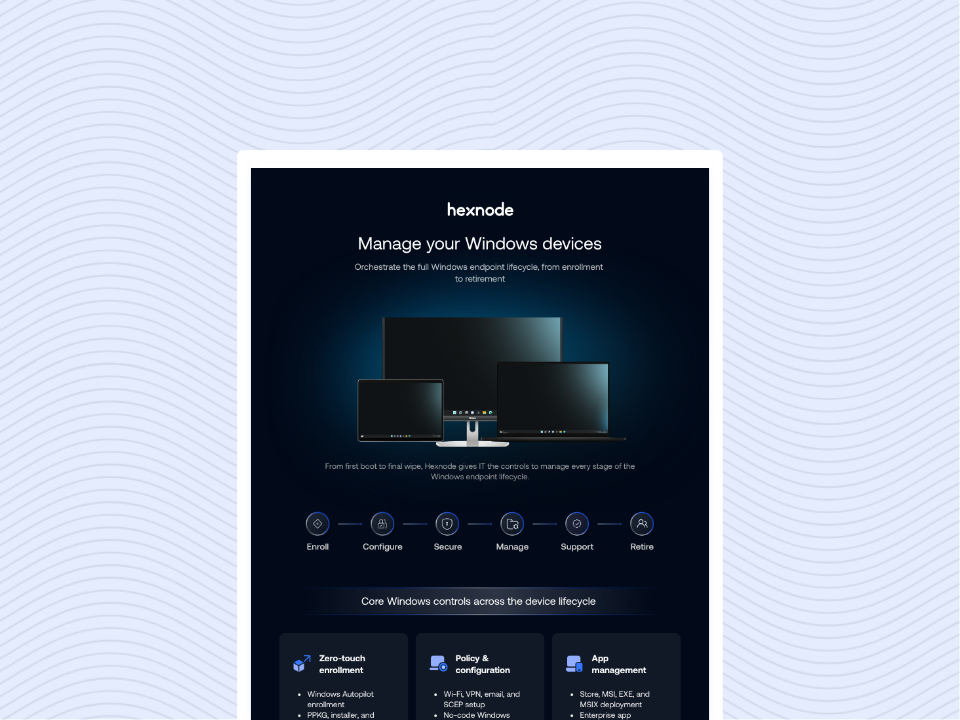
Download the infographic to explore how Hexnode simplifies Windows device management across every stage of the endpoint lifecycle.
Hexnode XDR: Investigate and contain endpoint activity
Hexnode XDR provides Windows endpoint visibility, threat hunting and contextualized incident data. These capabilities can help analysts investigate suspicious processes, malware execution and related endpoint activity instead of relying only on filenames or signatures. Because REVSTEALER’s blockchain-based fallback makes C2-domain blocklists an incomplete control, endpoint-level detection of the process behavior itself, rather than the destination it’s calling out to, becomes a necessary complement. Detecting a browser process launched with debugging flags it wouldn’t normally use is one example of the behavioral visibility this kind of bypass requires.
When an endpoint is considered compromised, teams can isolate the device, terminate malicious processes and quarantine identified files. A deep scan can support post-remediation verification. Because Defender exclusions persist in policy configuration independent of the miner process, verification needs to check the exclusion list itself, not just confirm the miner is gone. Detection still depends on available telemetry, configured policies and the behavior visible on the endpoint.
Hexnode UEM: Reinforce Windows security controls
Hexnode UEM can configure Microsoft Defender settings on enrolled Windows devices and apply application blocklists or allowlists. Administrators can also manage Windows update policies, deploy patches and assess devices against application or OS-version compliance requirements. Against something like LockAppHost, this doesn’t have to be a manual, one-device-at-a-time cleanup: Hexnode UEM can push custom remediation scripts through its Execute Custom Script action to re-enable the specific Windows Update services and scheduled tasks a device is missing, and to remove the Defender exclusion entries the module added, across every affected endpoint in one pass rather than each admin repeating the same fix by hand.
These controls support UEM hardening before an incident and remediation afterward. Configured as an automated remediation workflow, this shifts LockAppHost cleanup from something an admin has to remember to do after every detection into a standing corrective action that fires as soon as the relevant non-compliance (a missing update service, an unauthorized Defender exclusion) is flagged. For example, administrators can identify outdated or non-compliant endpoints, restore approved configurations and use Windows scripts for defined recovery tasks. This matters specifically for LockAppHost’s Defender exclusions: since they sit in policy rather than a process, UEM-enforced Defender configuration can explicitly re-apply the intended exclusion list rather than relying on the exclusions disappearing on their own. A script that checks all 5 targeted update services, the 11 scheduled tasks and the 2 malware-removal tasks in one pass is a practical way to confirm a device has actually been restored, rather than assuming a single re-enable covers it. However, UEM controls complement rather than replace endpoint threat detection.
Hexnode IdP: Limit access from risky devices
Hexnode IdP can enforce access policies based on user identity, device compliance and security context. Requiring a compliant device for approved applications can reduce the chance that stolen credentials are successfully reused from an unmanaged or non-compliant endpoint. Specifically, its Device Trust Engine and Continuous Verification capability don’t stop at login, they keep checking device posture for the life of a session, so if an endpoint drifts out of compliance after authenticating (for example, once LockAppHost has disabled Defender protections or a miner process appears), active app sessions on that device can be dropped mid-stream rather than waiting for the next login attempt to catch it.
Contextual authentication, session-duration policies and sign-in activity reports add further identity controls. After confirmed credential theft, teams should still revoke exposed sessions, rotate affected credentials and review connected applications as part of the incident response process.
Closing the gaps exposed by REVSTEALER
Security teams investigating REVSTEALER should assume that removing the core stealer may leave follow-on capabilities behind. They should hunt for ProManager, WinUpdate, SoftManager and LockAppHost artifacts, unexpected Defender exclusions, disabled update components, suspicious persistence and abnormal activity involving legitimate Windows processes. They should also watch for Chrome processes spawned with unexpected debugging or profile-directory flags, a signature of the ABE bypass.
Responders should also restore Windows Update and Microsoft Defender settings, remove unapproved applications, isolate affected devices and verify remediation with fresh scans. Killing the miner process is not remediation on its own, the Defender exclusions LockAppHost added remain in place in the registry until someone explicitly removes them, so every response should include an explicit check and re-enforcement of Defender policy, not just process cleanup. Where LockAppHost has run, that means specifically re-enabling the 5 Windows Update services, the 11 scheduled update tasks and the 2 malware-removal tasks it disabled, a partial restoration can leave some of these off without anyone noticing. Because the malware targets cookies and stored credentials, identity teams should terminate active sessions, rotate passwords and other exposed secrets, and review recent account activity. Because REVSTEALER can re-establish contact through its blockchain dead-drop even after a C2 takedown, teams should not treat domain blocking as confirmation that a device is fully contained, endpoint isolation and remediation still matter even once the known C2 is offline.
Hexnode XDR can support endpoint investigation and containment, while Hexnode UEM can help restore and enforce Windows security posture. Hexnode IdP can add device-aware access controls. Together, these layers reduce the chance that one infected endpoint develops into a wider device and identity incident.
Try Hexnode free for 14 days
Sign up for Hexnode to strengthen Windows defenses with unified endpoint management and threat response.
I’m a technical content writer at Hexnode who loves simplifying tech. I break down complex ideas, remove the fluff, and help readers understand our product for what it actually is: simple, reliable, and built to solve real problems.