Third-party applications expand the enterprise attack surface because each app has its own vendor, update cycle, and security risks. Effective third-party patch management closes the app vulnerability gap by identifying outdated software, prioritizing risky patches, automating deployments, and verifying successful updates. A scalable approach helps IT teams reduce exposure, improve patch consistency, and manage application security across distributed environments.
Why Third-Party Applications Have Become a Prime Target for Attackers
Third-party patch management has become a critical part of enterprise security as organizations rely on an increasing number of applications beyond the operating system. Employees use a wide range of third-party software, including browsers, collaboration tools, PDF readers, developer software, and media players, to support day-to-day business operations. Because each application follows its own release cycle and security update schedule, keeping every application up to date becomes increasingly difficult as software environments grow.
These applications are attractive targets because they are widely deployed across enterprise environments. When a vulnerability is disclosed, attackers often move quickly to exploit systems that have not yet been patched. Consequently, even a short delay in deploying updates can increase the attack surface and expose organizations to compromise, data loss, or operational disruption.
As organizations continue to adopt more third-party software, attackers gain more opportunities to exploit known vulnerabilities before security updates are deployed.
Third-party applications are software developed by vendors other than the operating system provider. They range from productivity and collaboration software to browsers, developer tools, and media applications.
Since multiple software vendors manage these applications, organizations need a structured way to keep them updated.
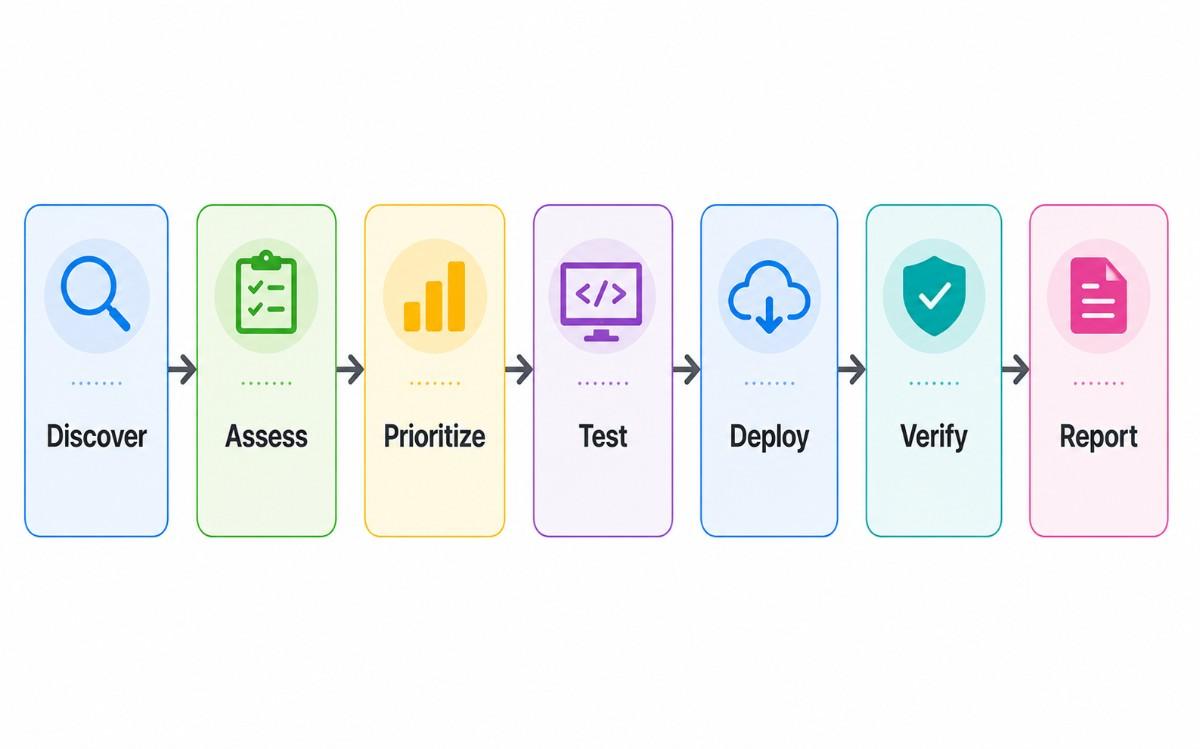
Third-party patch management is the process of discovering installed applications, identifying available updates, testing patches, deploying them, and verifying successful installation across managed devices.
OS Patch Management vs. Third-Party Patch Management
OS Patch Management
Third-Party Patch Management
Updates from a single vendor
Updates from multiple software vendors
Predictable release cycles
Independent release schedules
Native update mechanisms
Vendor-specific deployment methods
Lower management complexity
Higher operational complexity
Focuses on the operating system
Covers the broader application ecosystem
Understanding the App Vulnerability Gap
The app vulnerability gap is the period between the public disclosure of a software vulnerability and the successful deployment of the corresponding security patch across all affected devices. Although a patch may already be available, systems remain exposed until every affected endpoint is updated. As a result, attackers have a valuable window to exploit known vulnerabilities before organizations complete remediation.
In enterprise environments, validating and deploying patches across thousands of devices takes time, especially when applications come from multiple vendors and employees work across distributed locations. For example, a software vendor may release a security patch for a widely used web browser on the same day a vulnerability is disclosed. However, if an organization takes several days to test and deploy the update across its environment, every unpatched device remains exposed during that period. That interval is the app vulnerability gap.
Reducing this gap is critical because the faster organizations move from vulnerability disclosure to successful patch deployment, the fewer opportunities attackers have to exploit known vulnerabilities.
Attackers rarely wait for organizations to deploy patches. Instead, they begin searching for vulnerable systems as soon as a new security flaw becomes public. Common attack methods include:
Public CVEs accelerate exploitation: Once a vulnerability receives a Common Vulnerabilities and Exposures (CVE) identifier, attackers can analyze the published details to develop exploits.
Exploit kits evolve quickly: Cybercriminals frequently integrate newly disclosed vulnerabilities into exploit kits, allowing them to launch attacks at scale soon after disclosure.
Unsupported applications remain vulnerable: End-of-life software no longer receives security updates, leaving known vulnerabilities permanently exposed.
Employees delay updates: Users may postpone or ignore update prompts, allowing vulnerable application versions to remain in use.
Shadow IT creates blind spots: Unauthorized or unmanaged applications often fall outside standard patch management processes, making them difficult for IT teams to monitor and secure.
Why Third-Party Patch Management Is Challenging
Managing third-party software at scale is far more complex than applying operating system updates. A typical enterprise endpoint runs dozens of applications, each with its own vendor, release cadence, deployment method, and support lifecycle. Consequently, IT teams must manage a constantly evolving software ecosystem rather than relying on a single source for updates.
The challenge becomes even greater because every software vendor follows its own release schedule and update process. Some applications receive frequent security updates, while others release patches only when critical vulnerabilities emerge. As software portfolios continue to expand, maintaining consistent patch coverage across every endpoint becomes increasingly difficult.
Limited visibility adds another layer of complexity. Without knowing which applications and versions are installed across the environment, IT teams struggle to identify affected devices when new vulnerabilities are disclosed. This challenge becomes even more pronounced in remote and hybrid work environments, where endpoints may remain disconnected from the corporate network for extended periods.
Organizations must also balance rapid remediation with business continuity. Although timely patching reduces security risk, untested updates can introduce compatibility issues or disrupt critical business processes. Consequently, most IT teams validate patches before broad deployment, even if doing so temporarily extends the vulnerability window.
Why Manual Patch Management Doesn’t Scale
As application environments grow, manual patch management quickly becomes inefficient.
Manual Patch Management
Automated Patch Management
Spreadsheet tracking
Centralized inventory
Manual downloads
Automated deployment
Inconsistent updates
Standardized policies
Higher administrative effort
Reduced manual workload
Limited visibility
Real-time deployment tracking
Greater risk of missed devices
Consistent patch coverage
These limitations make it increasingly difficult to maintain consistent patch coverage across modern enterprise environments. Consequently, organizations need a structured approach that simplifies patch management while keeping pace with evolving application ecosystems.
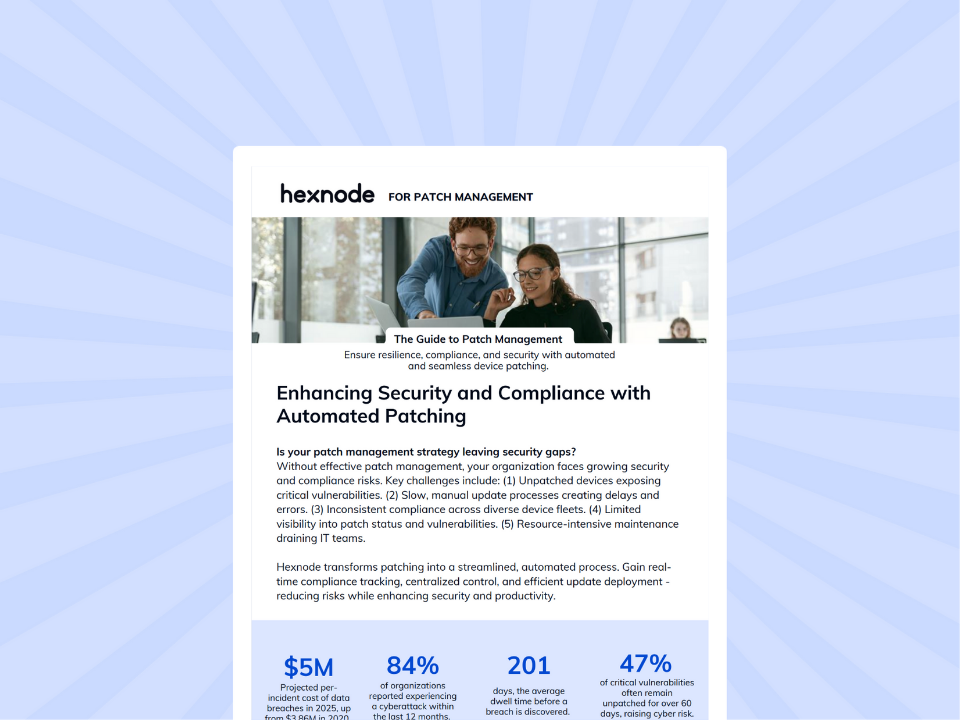
IT Admin’s Guide to Patch Management with Hexnode
Learn the fundamentals of patch management, best practices and deployment strategies for up-to-date enterprise devices.
Best Practices for Effective Third-Party Patch Management
A successful third-party patch management program depends on consistent processes rather than reactive updates. Once organizations understand the risks and challenges, they need a repeatable strategy that improves patch coverage, shortens remediation time, and minimizes operational disruption. The following best practices can help build a resilient and scalable patch management process.
Maintain an Accurate Software Inventory
An up-to-date software inventory serves as the foundation of effective patch management. It enables IT teams to quickly identify affected applications, locate vulnerable devices, and determine which systems require immediate attention when new vulnerabilities are disclosed.
Monitor Vendor Security Advisories
Third-party software vendors release security updates on independent schedules. Therefore, organizations should continuously monitor vendor advisories and newly released patches to ensure critical updates are identified and evaluated as soon as they become available.
Automate Routine Patch Deployments
Routine patching can consume significant administrative time, especially in large or distributed environments. Automating recurring patch deployments helps improve consistency, reduce manual effort, and ensure updates reach eligible devices without unnecessary delays.
Remove Unsupported and Unused Applications
Unsupported or end-of-life applications continue to expose organizations to known vulnerabilities because they no longer receive security updates. Regularly reviewing and removing outdated or unnecessary software reduces the attack surface and simplifies ongoing patch management.
Schedule and Verify Patch Deployments
Deploy patches during planned maintenance windows to minimize disruption to end users and business operations. After deployment, always verify that updates have been successfully installed because incomplete or failed deployments can leave devices vulnerable.
Prioritize Patches Based on Risk
Not every patch requires immediate deployment. Instead, prioritize updates based on their potential business and security impact.
Priority
Patch Type
Recommended Action
Critical
Actively exploited CVEs
Deploy immediately
High
Internet-facing applications
Deploy as soon as possible
Medium
Business-critical software
Schedule after testing
Low
Non-critical applications
Include in the regular maintenance cycle
Follow a Repeatable Patch Management Workflow
Patch Management Workflow
A standardized workflow helps organizations apply patches consistently, reduce operational overhead, and support compliance efforts.
What to Look for in a Third-Party Patch Management Solution
When evaluating a solution, look for capabilities that support the complete patch management lifecycle.
Capability Area
What to Look For
Application Visibility
Software inventory and application version tracking
Automation
Automated patch deployment
Policy Management
Update approval workflows and policy-based deployments
Scheduling
Maintenance window scheduling
Verification
Deployment confirmation and patch status tracking
Compliance
Reporting and audit support
Remote Management
Support for off-network and hybrid devices
Questions to Ask Before Selecting a Solution
Before making a decision, determine whether the solution can answer the following questions:
Can it automate routine patch deployment across multiple applications and devices?
Does it provide real-time visibility into installed application versions and patch status?
Can administrators verify deployment success and quickly identify devices that require remediation?
Does it generate compliance reports that support internal governance and regulatory audits?
Can it reduce manual administrative effort while giving IT teams control over deployment policies?
A solution that meets these requirements enables organizations to move beyond reactive patching and establish a scalable, repeatable third-party patch management process. The next section explores how Hexnode brings these capabilities together to help organizations manage third-party application updates more efficiently.
Featured resource
Hexnode UEM for Patch Management
Learn how Hexnode streamlines patch management with centralized visibility, automated deployments, and compliance tracking.
Streamlining Third-Party Patch Management with Hexnode
Hexnode helps organizations operationalize third-party patch management by centralizing supported application update workflows across eligible Windows apps and supported macOS VPP app sources. For supported patch workflows, administrators can identify eligible applications, deploy approved patches, schedule rollouts, and monitor deployment status from a single console.
This streamlined approach can help organizations improve patch coverage for supported devices and applications, while scheduled rollouts can help reduce disruption to end users and day-to-day business operations.
Rather than focusing on individual capabilities, the value lies in how they work together to solve common patch management challenges.
Operational Challenge
How Hexnode Helps
Business Outcome
Limited insight into installed applications
Provides visibility into installed applications and versions for supported patch workflows
Helps identify devices that require updates
Time-consuming manual patching
Automates approved application patch deployment, where supported
Reduced administrative effort and more efficient remediation
Inconsistent updates across distributed devices
Applies standardized patch policies across eligible Windows devices and supported macOS app sources
More consistent patch coverage where supported
Difficulty validating patch rollouts
Tracks deployment progress and installation status
Better visibility into patch status for internal review
FAQs
Why isn’t operating system patching enough to secure enterprise devices?
Operating system updates only protect the OS. Third-party applications have their own vulnerabilities and update cycles, so they require separate patch management.
How quickly should organizations deploy third-party application patches?
Deploy patches as soon as they are validated. Faster deployment reduces the app vulnerability gap and lowers the risk of exploitation.
Conclusion
Third-party applications continue to be a common entry point for attackers in enterprise environments. As organizations adopt more software across distributed devices, keeping every application secure becomes increasingly challenging. Consequently, third-party patch management has become a critical component of modern vulnerability management rather than simply an IT maintenance task.
Building an effective patch management program requires more than applying updates as they become available. Organizations need a structured approach that enables them to respond quickly to newly disclosed vulnerabilities, maintain consistent patch coverage, and support business continuity as their application environments evolve.
As software ecosystems become more complex and cyber threats continue to evolve, organizations can no longer rely on reactive patching practices. Instead, they should invest in a scalable and repeatable third-party patch management strategy that strengthens operational resilience, improves security readiness, and prepares the business for future challenges.
Simplify Third-Party Patch Management with Hexnode
Automate supported application updates, and streamline patch deployment across your managed devices with Hexnode.
I write at the intersection of technology, process, and people, focusing on explaining complex products with clarity. I break down tools, systems, and workflows without any noise, jargon, or the hype.