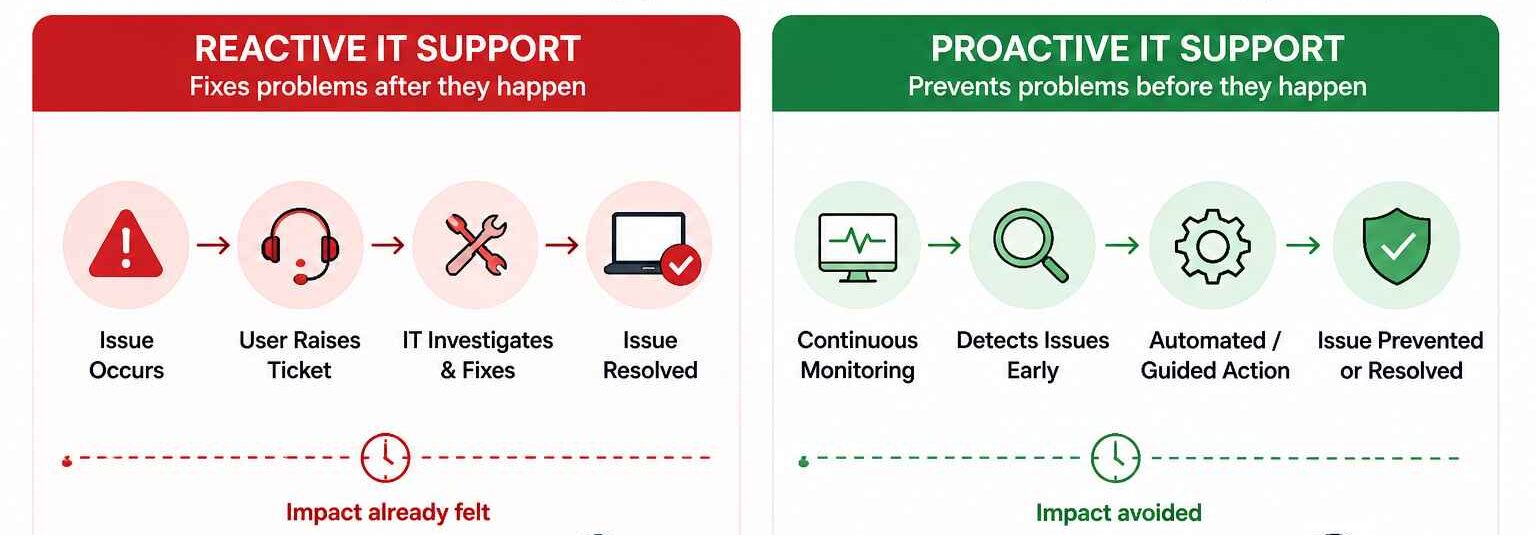
Proactive vs reactive IT support is about more than response time. Reactive support resolves issues after employees report disruption, while proactive support uses telemetry, analytics, automation, and DEX to detect problems earlier. A DEX model helps IT reduce avoidable tickets, improve endpoint health, measure employee technology experience, and shift the service desk from incident response to continuous experience management. Hexnode DEX supports this shift with proactive device insights, incident monitoring, self-service actions, workflow automation, and employee sentiment reporting.
IT support has long followed a familiar pattern. When a device, application, or access workflow fails, an employee raises a ticket, and the service desk steps in to resolve the issue. By the time a ticket reaches IT, productivity has already been affected. This reactive model still has a place, but it is no longer enough for modern workplaces.
This is where Digital Employee Experience, or DEX, changes the conversation. A DEX-driven approach gives IT teams the visibility, analytics, and automation needed to detect issues early, understand their impact, and remediate problems before they disrupt employees.
In this blog, we’ll compare proactive and reactive IT support, explain how DEX enables proactive operations, and show how experience-led IT helps reduce disruption across modern workplaces.
Reactive IT support is the response-driven model of IT service delivery. It begins after a user reports a problem or after an incident has already affected their work. The service desk then works through ticket intake, categorization, prioritization, troubleshooting, escalation, and resolution. This model aligns closely with traditional incident management, where the priority is to restore normal service as quickly as possible and minimize business impact.
Reactive support remains essential for outages, hardware failures, access problems, and unexpected user-specific issues. But by the time IT begins working, the disruption has already reached the employee.
Why Reactive IT Support Falls Short in Modern Workplaces
Reactive support works when incidents are isolated and employees report them quickly. Modern workplaces rarely operate that way. Users now depend on a connected stack of managed devices, SaaS applications, identity workflows, network access, collaboration tools, and security controls. A performance issue in one layer can affect productivity long before a ticket is created.
This creates several operational weaknesses:
Delayed detection: IT learns about issues after user impact has already occurred.
Fragmented troubleshooting: Similar problems are treated as isolated incidents instead of signs of a wider pattern.
High support load: Skilled technicians spend time on repetitive fixes instead of root-cause analysis.
Poor experience signals: Ticket volume does not capture employees who tolerate issues silently or abandon approved workflows.
Security exposure: Workarounds can bypass managed apps, device policies, identity controls, or security tools.
What is Proactive IT Support?
Proactive IT support addresses the gaps left by a ticket-first model. Instead of waiting for employees to report issues, IT uses telemetry, alerts, performance analytics, health signals, and automation to detect degradation earlier. The goal is to identify patterns before they become widespread incidents.
For example:
IT identifies devices with sustained high CPU or memory utilization before users complain.
Low disk space is remediated before it causes update failures.
Repeated application crashes are flagged before they generate a spike in tickets.
Device startup, application reliability, and battery health trends are monitored as experience indicators.
However, proactive support depends on more than monitoring. IT teams also need context. They must understand which issues affect productivity, which users or departments are impacted, and which fixes should be prioritized. This is where DEX becomes essential.
What is DEX in IT support?
Digital Employee Experience, or DEX, is the quality of an employee’s daily digital experience at work. It reflects how employees perceive and interact with the devices, applications, systems, workflows, and IT support channels provided by the organization. A strong DEX means workplace technology is fast, reliable, intuitive, and supportive of employee productivity.
In an enterprise IT context, DEX connects employee experience with operational visibility. It helps IT teams understand whether technology is enabling work or creating friction across endpoints, applications, access workflows, support interactions, and digital processes.
The operational value of DEX comes from turning scattered signals into an improvement loop that can:
Measure the digital experience: Collect performance, reliability, usage, and sentiment data across the employee technology stack.
Detect issues and patterns: Identify slow devices, unstable applications, recurring crashes, failed updates, degraded connectivity, or common support themes.
Prioritize based on business impact: Focus remediation on issues affecting critical users, departments, locations, or revenue-supporting workflows.
Remediate issues or guide action: Automate safe fixes and give IT teams the diagnostic context they need when human intervention is required.
Validate improvement: Confirm whether the fix reduced disruption, improved performance, or lowered ticket recurrence.
This makes DEX more than a monitoring layer. At scale, DEX gives IT the operating model needed to move from isolated ticket resolution to continuous experience management.
Proactive vs. Reactive IT Support: Key Differences with DEX
Key differences between reactive and proactive IT support
The difference between reactive and proactive IT support is defined by how IT measures success, allocates engineering effort, and manages employee disruption. Reactive support is optimized for incident response. Proactive support, especially when supported by DEX, is optimized for experience management.
Area
Reactive IT support
Proactive IT support with DEX
Trigger
User submits a ticket
Telemetry, alerts, analytics, or automation detects the issue
Visibility
Limited to reported problems
Continuous visibility across endpoints, apps, and experience signals
Read more about the top tech solutions that help IT admins simplify device management and strengthen security.
How the DEX Approach Enables Proactive IT Support
IT needs visibility into employee friction, context to prioritize what matters, and mechanisms to act before disruption becomes a ticket. DEX provides that operating layer by connecting technical signals with employee experience.
1. Continuous Visibility into Digital Friction
DEX gives IT a persistent view into the conditions that shape employee productivity, including device health, application stability, crashes, storage, performance, connectivity, and support signals. This helps teams detect early degradation instead of waiting for employees to report issues.
2. Experience Analytics and Scoring
Telemetry only becomes useful when IT can prioritize it. DEX platforms convert endpoint, application, network, usage, and sentiment signals into experience indicators that show where employees are most affected. A low score can point to widespread performance issues, repeated crashes, recurring connectivity problems, or teams experiencing consistent digital friction.
3. Employee Sentiment and Campaigns
Technical data does not always capture the full experience. A device may look healthy while a workflow still feels slow or unreliable to the user. DEX adds sentiment data, surveys, feedback prompts, campaigns, and support signals to help IT validate whether technology is actually working for employees.
4. Self-service and Automated Remediation
DEX closes the loop between detection and action. Common issues such as low storage, failed services, configuration drift, broken agents, or repeated app failures can be remediated automatically, routed with diagnostic context, or resolved through self-service.
5. Incident Investigation and Root-cause Analysis
DEX helps IT identify patterns behind recurring incidents. A specific app version may be crashing, a patch may be degrading performance, a region may have connectivity issues, or a device model may show poor reliability.
Challenges to Adopting Proactive IT Support
A DEX-led approach gives IT the visibility and context needed to move from reactive support to proactive operations. But the shift does not happen just by adding another tool. Proactive IT support depends on clean data, controlled automation, and shared ownership across IT, security, and business teams. Without that foundation, DEX can become another dashboard instead of an operating model.
Key challenges include:
Tool sprawl: Endpoint management, EDR, ITSM, identity, SaaS, and feedback tools often hold separate signals. If those signals stay fragmented, IT gets visibility without actionable context.
Data quality: Proactive support depends on consistent endpoint enrollment, telemetry coverage, patch reporting, app inventory, and policy enforcement. Unmanaged devices or unhealthy agents weaken experience scoring and remediation.
Automation risk: Not every fix should run silently. Reboots, agent reinstalls, configuration changes, and user-facing prompts need staged rollouts, approval logic, rollback paths, and clear ownership.
Vanity metrics: Experience scores only matter when they connect to business impact, such as affected users, critical departments, compliance exposure, recurring incidents, or support volume.
Feedback fatigue: Surveys and campaigns must be relevant, transparent, and minimally disruptive. Poorly timed feedback requests create the same friction DEX aims to reduce.
This is why a DEX-related support approach should combine telemetry with sentiment, context, and remediation workflows.
How to Get Started with the DEX Approach for IT Support
Adopting DEX does not need to begin as a large transformation program. Start by improving visibility, choosing the right experience signals, and automating only where IT can control the risk.
Start with Visibility
Build a clean view of endpoints, operating systems, critical applications, management agents, identity dependencies, network access methods, and security controls. IT should know where employee experience can degrade and where data gaps exist.
This is where UEM, XDR, and DEX work together. UEM standardizes endpoint management and policy control. XDR strengthens threat detection and response. DEX surfaces employee friction across devices, applications, support workflows, and sentiment. Hexnode supports this model through UEM for endpoint management, XDR for threat visibility, and DEX for optimizing how employees use workplace technology.
Choose High-impact Experience Metrics
Avoid measuring everything at once. Start with signals tied to productivity and support load:
These metrics should show which issues create the most disruption.
Prioritize and Automate Carefully
Start with recurring problems such as slow devices, failed updates, unstable apps, unhealthy agents, and repeated crashes. Hexnode DEX supports this through incident monitoring and investigation for device and app crashes, threats, and critical issues. For remediation, begin with low-risk actions such as clearing cache or storage, prompting reboots, or applying validated fixes.
Measure Improvement
Treat DEX as a continuous improvement program, not a one-time deployment. Track ticket reduction, recurring incidents, resolution time, device health, employee satisfaction, remediation success rates, and engagement.
Featured Resource
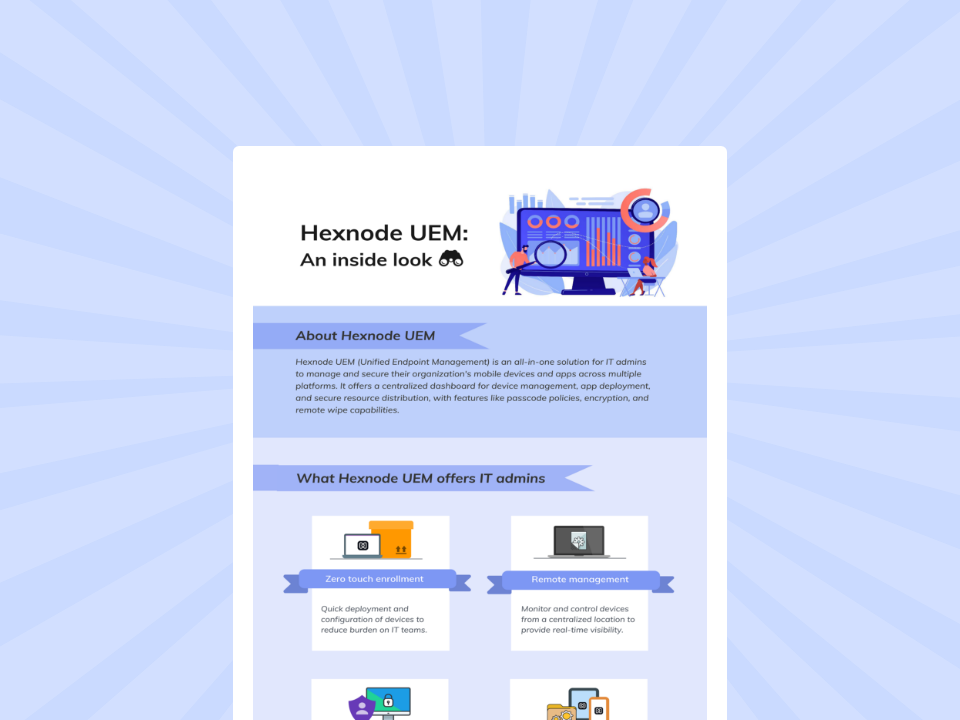
Hexnode UEM: An inside look
Download the infographic to explore more about Hexnode UEM and its extensive capabilities.
Reactive support will always matter, but it should not be the default model for every workplace technology issue. As employees depend on more devices, apps, networks, and access workflows, IT teams need a way to detect friction earlier and act before disruption becomes a ticket.
DEX provides that shift by combining performance data, employee sentiment, automation, self-service, and support context. Instead of measuring IT only by ticket closure, experience-led support measures how effectively IT reduces disruption and keeps employees productive.
With Hexnode DEX, IT teams can turn device insights, app health, user sentiment, incidents, self-service actions, and reporting into a more proactive support model. The goal is simple: fewer avoidable disruptions, faster resolution, and a better digital work experience.
Frequently Asked Questions (FAQs)
1. What is the difference between DEX and endpoint monitoring?
Endpoint monitoring focuses on device health and performance. DEX is broader. It combines endpoint, application, sentiment, and support signals to show how workplace technology affects employee productivity and experience. Gartner describes DEX tools as using aggregated data from endpoints, applications, employee sentiment, and organizational context.
2. How do companies measure Digital Employee Experience?
Companies measure DEX using signals such as device performance, app reliability, login time, connectivity, ticket trends, and employee feedback. Some platforms combine these into an experience score. Microsoft Endpoint analytics, for example, tracks device performance, startup times, app reliability, and battery health.
3. Is DEX only useful for remote or hybrid teams?
No. DEX is useful wherever employees depend on digital tools. Remote and hybrid teams benefit strongly because IT has less physical access to devices, but office-based employees also face slow devices, app crashes, login friction, and support delays. DEX helps IT detect and fix these issues earlier.
Make IT Support More Proactive with Hexnode
Detect digital friction earlier, reduce avoidable tickets, and improve employee experience with Hexnode.
Curious, constantly learning, and turning complex tech concepts into meaningful narratives through thoughtful storytelling. Here I write about endpoint security that are grounded in real IT use cases.