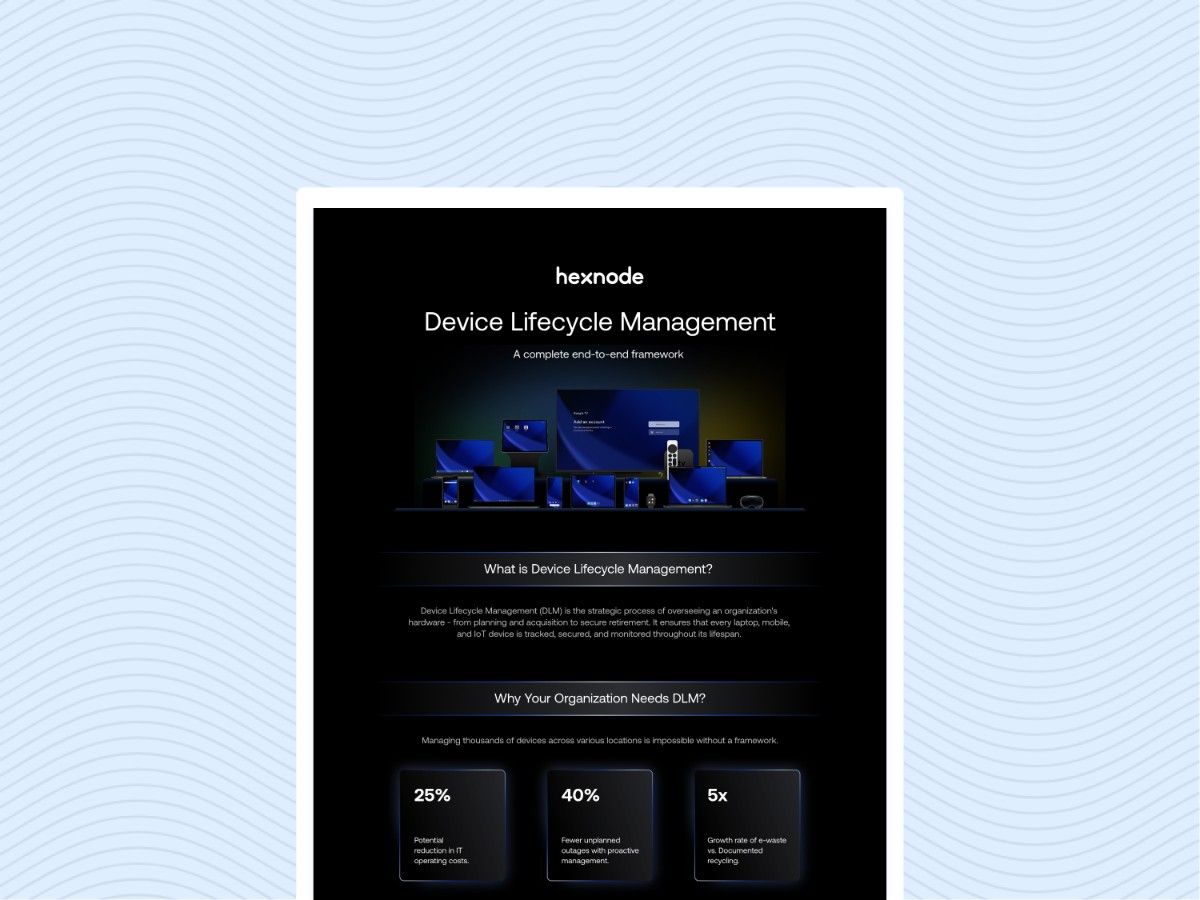
Device lifecycle management extends beyond procurement by connecting device acquisition with deployment, maintenance, reassignment, and retirement through defined processes and accountability.
Traditional procurement focuses on acquiring suitable hardware, while lifecycle management tracks configuration, support, security, ownership, and retirement throughout device use.
IT teams can strengthen lifecycle operations by standardizing enrollment, maintaining accurate records, measuring performance, and defining reassignment and retirement workflows.
Hexnode UEM supports the management layer with automated enrollment, dynamic groups, compliance policies, ownership changes, wiping, and disenrollment.
Purchasing secures the hardware, but IT must still configure, support, secure and eventually retire it. Understanding device lifecycle management vs procurement starts with this distinction: acquiring equipment completes one stage of its operational life.
Laptops may arrive without required applications, network settings or security configurations. Purchasing records may list serial numbers and invoice details without identifying assigned employees. Meanwhile, returned devices can sit unused because nobody owns the inspection, data removal and reassignment process.
These gaps leave endpoint administrators coordinating handoffs through emails, spreadsheets and support tickets. Before preparing a device for another employee, IT must establish its condition, previous assignment and management status.
Procurement forms part of device lifecycle management. The operational problem emerges when teams lack clear responsibilities and connected workflows after purchase. Each handoff needs an accountable owner, accurate device records and a clearly defined next step.
What Do Gaps After Device Procurement Cost the Business?
Gaps after device procurement can cause employee downtime, repeated administrative work, unnecessary purchases and security exposure. These costs accumulate when teams cannot reliably track device readiness, availability and support status.
A laptop that arrives without required configurations can delay onboarding while IT installs applications and resolves access issues. Employees wait to begin work, and administrators revisit tasks that a defined deployment process could address earlier.
Overlooked spare devices can trigger duplicate purchases because procurement lacks visibility into available inventory. Meanwhile, endpoints running unsupported software complicate security maintenance when vendors no longer provide updates for newly discovered vulnerabilities.
Incomplete assignment and retirement records also weaken accountability and audit evidence. If a departing employee’s laptop has no recorded return or data removal outcome, IT must investigate who holds it and whether it still contains business information. That investigation adds further administrative work.
What Is Device Lifecycle Management, and Where Does Procurement Fit?
Device lifecycle management coordinates the planning, acquisition, deployment, operation, maintenance and retirement of workplace devices. Procurement covers the acquisition stage, while lifecycle management connects purchasing decisions with the responsibilities that precede and follow them.
This approach gives procurement, IT, security, finance and employees shared records, clear responsibilities and repeatable processes. Procurement records what the organization acquires. IT tracks configuration and support, security defines protection requirements, and finance monitors costs. Employees follow established processes for receiving, using and returning equipment. Shared device identifiers connect these activities across teams.
Organizations can apply lifecycle management to purchased or leased hardware. Ownership and payment arrangements influence contractual obligations, but both models require operational oversight.
Device as a Service (DaaS) packages hardware and agreed services through a commercial arrangement. Its service scope determines which lifecycle activities the provider handles and which responsibilities the customer retains internally.
Traditional device procurement covers requirements gathering, budgeting, supplier evaluation, purchasing, delivery acceptance and commercial terms such as warranties. Its primary objective is to acquire suitable equipment at an acceptable cost within the required timeframe.
Teams translate employee workloads into hardware specifications, compare supplier offers, and confirm that delivered devices meet purchase requirements. They also establish warranty coverage, delivery commitments, and any contracted services.
Procurement agreements can include deployment or ongoing support. However, purchasing these services does not automatically define every operational responsibility. The organization’s internal processes and supplier agreements determine who configures, maintains, secures and eventually retires each acquired device.
Device Lifecycle Management vs Procurement: What Are the Key Differences?
The key difference is scope: procurement focuses on acquiring suitable equipment, while device lifecycle management coordinates its entire operational life. Both require clear accountability, but lifecycle management extends oversight to deployment readiness, ongoing support and retirement.
The comparison below separates purchasing responsibilities from the broader processes needed to keep devices useful, secure and traceable.
Comparison area
Traditional device procurement
Device lifecycle management
Scope
Requirements, purchasing and delivery acceptance
Entire lifecycle, from planning through retirement
Timeframe
Purchase cycle and contracted service periods
Continuous oversight throughout device use and retirement
Accountable teams
Procurement, with IT and finance input
Procurement, IT, security, finance and employees
Cost evaluation
Acquisition price, warranties and contracted services
Acquisition, deployment, support, repairs and retirement costs
Device records
Purchase orders, serial numbers and supplier details
Linked purchase, assignment, configuration, maintenance and retirement records
Security responsibilities
Security requirements in specifications and supplier agreements
Baseline configuration, ongoing monitoring, remediation and retirement safeguards
Refresh planning
Replacement purchasing against approved requirements
Replacement decisions informed by condition, supportability and business needs
Success measures
Purchase price, specification compliance and delivery performance
Deployment readiness, support effort, device availability and retirement completion
Device lifecycle management incorporates procurement and coordinates what happens before and after acquisition. Traditional purchasing does not automatically mean unmanaged devices: organizations may already maintain effective operational processes. The distinction lies in how consistently teams connect those responsibilities across stages.
What Are the Main Stages of the Device Lifecycle?
The device lifecycle has six main stages, each with a defined operational output:
Plan requirements: Match hardware to employee workloads and organizational standards.
Output: approved device specifications.
Procure and register: Purchase equipment and record its identity and intended user.
Output: an assigned asset record.
Enroll and configure: Apply management settings, applications and security policies.
Output: a configured endpoint.
Operate, maintain and secure: Support users, maintain software and address compliance gaps.
Output: an updated maintenance record.
Recover and reassign or refresh: Assess returned equipment for reuse or replacement.
Output: a documented disposition decision.
Retire and dispose: Remove data and coordinate disposal.
Output: a documented retirement outcome.
Reassignment can return devices to active service. Replacement decisions should consider business suitability, support availability, hardware condition and repair costs before teams approve new equipment.
How Can IT Build a Device Lifecycle Management Process?
IT can build a device lifecycle management process by establishing device visibility, assigning responsibilities, standardizing lifecycle transitions and measuring results.
Start with one representative device group or onboarding workflow. Map how devices move between teams, identify missing information and define what each handoff requires. Existing purchasing arrangements can remain in place while teams improve these processes.
The following four steps provide a vendor-neutral implementation sequence: map devices and responsibilities, standardize deployment, maintain and measure performance, and plan reassignment and retirement.
Step 1: Map Devices, Responsibilities and Procurement Handoffs
Reconcile purchasing and asset records with the devices employees actually use. For each endpoint, capture:
Serial number, assigned employee and department.
Operating system and current lifecycle status.
Warranty coverage or relevant lease details.
Assign an accountable owner for purchase approval, receipt, enrollment, support, collection and disposal. Define the information each handoff requires. For example, receiving staff should pass device identifiers and intended assignments to IT before configuration begins.
Flag unassigned devices, incomplete return records and unsupported operating systems for follow-up. Establish baseline measures for deployment time and inventory completeness. Define deployment time using consistent start and end points, and measure completeness against required record fields. These definitions give teams a consistent basis for comparing results as they improve the workflow.
Step 2: Standardize Enrollment and Deployment Before Delivery
Define standard configurations for each employee role and device platform. Specify required applications, connectivity settings, encryption and password requirements before devices reach employees.
Assess supported automated enrollment methods and arrange supplier registration or device assignment where applicable. Confirm prerequisites for each platform, including eligible hardware, licensing, network access and any required user authentication. Automated enrollment does not always eliminate employee participation.
Use a readiness checklist to verify:
Enrollment completes and the device appears in management.
Required applications install and launch.
Configuration and security policies apply successfully.
The assigned employee can access required work resources.
Test the workflow with representative devices and user accounts before expanding deployment. Record failures, identify who resolves them and repeat affected checks. Treat delivery and operational readiness as separate milestones when tracking whether onboarding has finished.
Step 3: Maintain Devices and Measure Lifecycle Performance
Establish repeatable processes for software updates, compliance reviews, support escalation, repairs and inventory reconciliation. Assign owners and resolution timeframes for exceptions, including failed updates, overdue repairs and devices missing from inventory.
Track a small set of operational measures:
Enrollment coverage and compliance status.
Deployment time and support effort.
Device return completion and outstanding collections.
Separate procurement lead time from configuration time so purchasing delays do not obscure deployment bottlenecks. Use consistent reporting periods and definitions when comparing results across device groups.
Evaluate total lifecycle cost using acquisition, management, support, repair and retirement expenses. Account for recoverable value where relevant, using documented estimates or actual proceeds. Lifecycle management requires investment in tools, staff time and process maintenance. Compare those costs with measured operational improvements rather than assuming the approach guarantees savings.
Step 4: Plan Reassignment, Refresh and Secure Retirement
Set refresh criteria using operating system support, hardware condition, workload requirements and repair economics. Assess recovered devices against these criteria before approving replacements or returning equipment to active service.
Use an offboarding checklist to coordinate:
Collection arrangements and confirmation of receipt.
Preservation of required business information.
Access removal with the relevant account administrators.
An appropriate data removal process before reuse or disposal.
Verify each required action before closing records or ending device management. Issuing a remote command does not confirm success: an offline endpoint may not receive or execute it. Check completion evidence and investigate unresolved actions.
Record the device’s destination, responsible person and disposal evidence where applicable. For reassignment, update the employee mapping and confirm that the device meets its next role’s configuration requirements before handing it over again.
Demystifying end-user device lifecycle management with Hexnode
Learn how Hexnode streamlines device lifecycle management from enrollment and deployment to retirement.
How Does Hexnode UEM Support Device Lifecycle Management?
Hexnode UEM provides the endpoint management component of device lifecycle management, supporting enrollment, policy assignment, compliance checks, reassignment and retirement.
Automated Device Enrollment enrolls eligible Apple devices during activation. IT must configure the Apple enrollment integration, assign devices to the management server and associate enrollment profiles.
Windows Autopilot provisions supported Windows devices using registered hardware and deployment profiles. Prerequisites include Microsoft Entra ID integration, appropriate licensing and user authentication during setup.
Dynamic Device Groups update membership during synchronization according to defined criteria, enabling associated policies to follow group membership. Compliance Policies identify inactive devices, missing encryption and application non-compliance, subject to platform support.
For reassignment and retirement, use distinct actions:
Change Owner reassigns an enrolled device to another user and adjusts user-specific policies.
Wipe Device supports data removal before reuse or retirement, with behavior depending on platform and selected options.
Disenroll Device ends management. Its effects on configurations and applications vary by operating system and enrollment mode.
Changing ownership does not replace a data removal process, and disenrollment does not universally perform a complete wipe. Administrators should confirm required actions succeed before closing lifecycle records.
Purchasing, physical collection and disposal remain with the responsible internal teams or external service providers.
What is the difference between device lifecycle management and device procurement?
Device procurement focuses on acquiring suitable hardware, while device lifecycle management covers the device from planning through retirement. Lifecycle management also includes deployment, configuration, maintenance, reassignment, support and secure disposal.
Does device lifecycle management replace the procurement process?
No. Procurement remains one stage within the broader device lifecycle. Device lifecycle management connects purchasing with the operational processes that happen before and after acquisition.
What information should IT track throughout the device lifecycle?
IT should maintain records linking each device to its identifier, assigned user, operating system, lifecycle status and relevant warranty or lease information. Teams should also record important events such as enrollment, configuration, reassignment, return and retirement.
Put Your Device Lifecycle Plan Into Practice With Hexnode UEM
Effective device operations connect purchasing decisions with deployment, ongoing maintenance, reassignment and retirement. Each transition needs clear ownership, reliable records and a defined process.
Select one onboarding or device return workflow and identify where centralized endpoint management could reduce manual work. Compare the steps your team performs today with the management capabilities covered above.
Start a 14-day Hexnode UEM trial and test enrollment, policy assignment, compliance checks and reassignment on representative devices from your fleet, using your actual operational requirements.
Simplify the Entire Device Lifecycle
Connect procurement, deployment, maintenance, reassignment, and retirement with centralized management through Hexnode UEM.
Content writer at Hexnode. Fueled by good coffee and the occasional cat cuddle, I enjoy crafting content that informs, connects, and resonates. Nothing excites me more than knowing my words have been read, appreciated, and maybe even bookmarked.