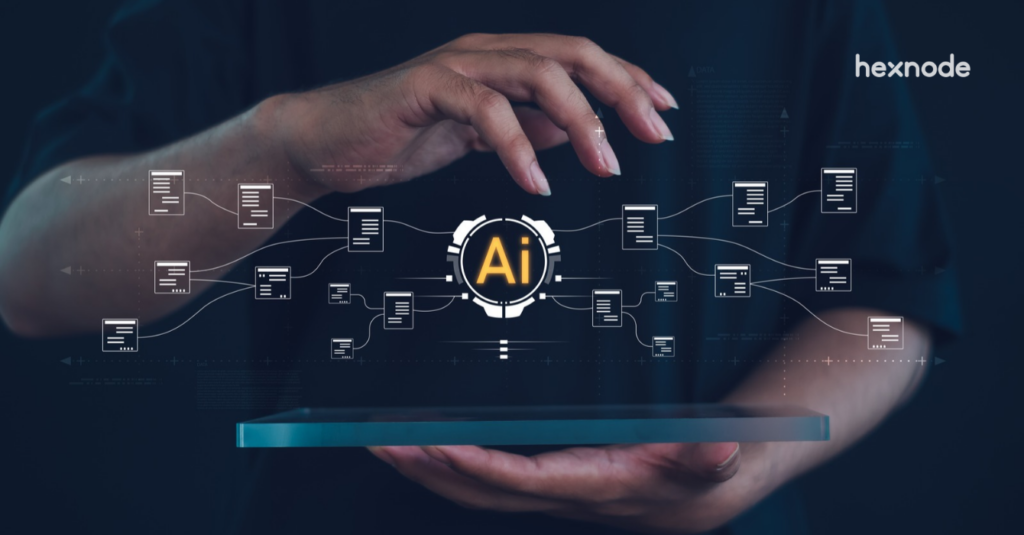
Hexnode Genie AI simplifies endpoint administration, while Hexnode Synapse is designed to coordinate complex IT and security workflows across enterprise systems.
The challenge: Standalone AI assistance cannot always resolve cross-system dependencies, manual handoffs, and approval requirements.
The distinction: AI assistants support individual tasks, while agentic orchestration coordinates multi-step workflows, manages dependencies, and tracks execution.
The Hexnode approach: Genie provides conversational troubleshooting and endpoint management within UEM, while Synapse uses specialized agents to support broader IT and security orchestration.
The device is isolated. The threat is contained. The AI assistant did its job.
So why is the incident still open?
Because the compromised device was only one piece of the problem. The employee’s account may still be active, security teams may need to investigate related alerts, and ITSM tickets may be awaiting updates. Each action belongs to a different system, often with its own permissions, dependencies, and approval requirements.
An AI assistant can complete a task. But who makes sure the next task happens? And the one after that?
That’s the challenge with complex IT operations. Resolving an issue isn’t just about executing commands faster. It’s about coordinating decisions and actions until the entire process is complete.
And that’s where the conversation shifts from AI assistance to agentic orchestration.
What happens when IT automation stops at individual tools?
When IT automation operates within isolated systems, individual tasks may finish quickly, but end-to-end workflows remain dependent on manual coordination. Endpoint management, identity providers, HR platforms, and IT service management (ITSM) tools may automate their respective operations without coordinating the actions that follow.
For instance, an HR system may record an employee’s departure, but IT must still revoke application access, recover managed devices, and update service tickets. Without coordinated execution, these handoffs introduce delays and inconsistencies.
The operational consequences extend across several processes:
Onboarding and offboarding: Delayed provisioning or incomplete deprovisioning.
Access security: Inconsistent credential revocation and lingering permissions.
Incident response: Fragmented containment actions across disconnected security tools.
Auditability: Incomplete execution records spread across multiple platforms.
Faster individual actions cannot guarantee faster resolution when workflow dependencies, approval requirements, and exceptions still require manual intervention.
Featured Resource
Why XDR Is Stronger With UEM
Explore how endpoint management and threat detection work together to strengthen enterprise security operations.
What is the difference between an AI assistant and AI orchestration?
An AI assistant interprets user requests to retrieve information, provide recommendations, or execute supported tasks. AI orchestration, on the other hand, coordinates actions, dependencies, and decisions across multiple systems or specialized agents to complete broader operational workflows.
The distinction is not simply whether AI can execute commands. An agentic AI assistant may already perform authorized actions, such as running diagnostics, modifying configurations, or initiating administrative tasks within its supported environment.
AI orchestration extends this capability by managing how individual actions connect across systems. It considers execution order, shared context, approval requirements, and the outcomes of preceding tasks before progressing through a workflow.
The key differences become clearer across six operational dimensions: scope of execution, system integrations, task dependencies, contextual reasoning, approval mechanisms, and execution visibility.
These factors determine whether AI primarily supports individual administrative tasks or coordinates processes involving multiple enterprise platforms and stakeholders.
How does an AI assistant support day-to-day IT administration?
An AI assistant simplifies routine IT administration by allowing administrators to retrieve information, investigate issues, and execute supported tasks through natural-language interactions.
Instead of navigating multiple console menus, administrators can query device configurations, retrieve system information, analyze diagnostic data, or request troubleshooting guidance. When connected to authorized enterprise APIs, agentic AI assistants can also execute administrative actions, such as initiating device scans, running scripts, or modifying supported settings.
These capabilities reduce manual navigation and accelerate routine troubleshooting while operating within defined permissions and security controls.
However, user-initiated task execution differs from end-to-end orchestration. While assistants can perform complex actions, coordinating dependencies, approvals, and execution across multiple enterprise systems may require a dedicated orchestration layer.
AI-Powered Endpoint Automation with Hexnode Genie
Explore how Hexnode Genie uses AI for endpoint troubleshooting, scripting, device insights, and automation.
How does agentic orchestration coordinate multiple systems?
Agentic orchestration coordinates specialized AI agents, enterprise APIs, and workflow dependencies to execute multi-step processes across connected systems. It connects operational triggers with the appropriate actions while maintaining shared context and tracking execution progress.
For example, an employee offboarding workflow may involve:
HR trigger: An employee’s departure initiates the offboarding process.
Identity management: The workflow deactivates user accounts and revokes application access.
Endpoint management: Device recovery or appropriate remote actions are initiated.
ITSM updates: Service tickets are updated with completed actions and outstanding tasks.
Orchestration manages conditional execution, task dependencies, and exception handling throughout this process. Sensitive actions can require human approval, while failed operations may trigger retries or escalation.
A centralized execution record helps administrators track completed steps, identify failures, and verify whether the workflow achieved its intended outcome.
AI assistant vs AI orchestration: What are the key differences?
The primary difference between an AI assistant and AI orchestration lies in operational scope and workflow coordination. AI assistants primarily support individual administrative tasks, while orchestration coordinates interconnected actions across multiple enterprise systems.
Capability
AI Assistant
AI Orchestration
Primary purpose
Assist with queries, troubleshooting, and task execution.
Coordinate multi-step operational workflows.
Interaction model
Primarily user-initiated requests.
Event-driven, scheduled, or user-initiated workflows.
Operational scope
Typically focused on tasks within supported domains.
Spans multiple systems and operational processes.
System coordination
Interacts with connected tools through authorized integrations.
Coordinates actions across multiple tools, APIs, and agents.
Workflow dependencies
May handle multi-step tasks within its supported scope.
Manages execution order, conditions, approvals, and failures.
Execution visibility
Provides task results and available action histories.
Tracks workflow progress, dependencies, and execution outcomes.
Both approaches can leverage natural-language interaction, enterprise context, and authorized task execution.
Their capabilities are not mutually exclusive. An AI assistant can operate within an orchestration workflow, while an orchestration platform may provide conversational interfaces for initiating and monitoring processes.
Pro Tip
Before investing in AI orchestration, map the workflows your IT team handles most frequently. If delays occur primarily between systems rather than within individual tasks, prioritize cross-system coordination over adding more standalone automation.
When should IT teams use an AI assistant or an orchestration platform?
IT teams should choose between an AI assistant and an orchestration platform based on workflow complexity, system dependencies, approval requirements, and the frequency of operational handoffs.
An AI assistant is suitable for targeted troubleshooting, device inventory queries, information retrieval, and routine administrative actions within supported systems.
AI orchestration becomes relevant when processes require coordinated execution across multiple platforms. Common use cases include:
Threat response: Connecting security investigations with identity and endpoint containment actions.
Cross-platform service requests: Managing approvals, dependencies, and task completion across IT systems.
The deciding factor is the level of coordination required to complete the workflow.
Step 1: Identify where IT work crosses system boundaries
Start by mapping recurring IT workflows and identifying the systems, administrators, and departments involved in each process. Document where tasks begin, which teams execute them, and how information moves between platforms.
Distinguish single-system operations, such as retrieving device inventory or executing remote actions, from cross-system workflows involving HR, identity and access management (IAM), endpoint management, security, and ITSM platforms.
Prioritize workflows that exhibit:
Frequent manual handoffs between teams or systems.
Execution delays caused by disconnected processes.
Inconsistent outcomes due to missed or incomplete actions.
Operational risks involving access control, security, or compliance.
Step 2: Evaluate integration and execution requirements
Determine whether each workflow requires information retrieval, individual administrative actions, or coordinated execution across multiple enterprise applications. This helps establish the appropriate level of AI assistance or orchestration.
Evaluate the following technical requirements:
API availability: Verify supported integrations and available operations.
Authentication and permissions: Assess authorization mechanisms, service accounts, and least-privilege access.
Workflow dependencies: Identify execution sequences, prerequisites, and required approvals.
Contextual data: Determine what information must be exchanged between connected systems.
Define how the solution should handle missing data, unavailable integrations, failed actions, and partially completed workflows. Establish appropriate retry mechanisms, escalation procedures, and execution checkpoints to prevent unresolved tasks from going unnoticed.
Step 3: Define governance, approvals, and operational ownership
Establish governance policies that determine which actions can execute automatically and which require explicit administrator approval. High-impact operations, including account suspension, device wiping, and privileged access modifications, should follow defined authorization controls.
Assign clear responsibilities for:
Approval management: Designate authorized personnel to approve sensitive operations.
Failure handling: Identify teams responsible for reviewing unsuccessful actions and initiating remediation.
Exception management: Define escalation procedures for unexpected conditions or policy conflicts.
Evaluate whether the solution provides role-based access controls (RBAC), detailed execution logs, and end-to-end traceability.
Establish verification mechanisms to confirm completed actions, document approval decisions, and maintain auditable records across the workflow.
Step 4: Validate the approach with a controlled workflow
Start with a limited pilot workflow that has clearly defined objectives and measurable outcomes. Suitable examples include resolving a device configuration failure or coordinating a standard employee offboarding request.
Test the workflow under different operational conditions:
Normal execution: Verify that actions follow the expected sequence.
System unavailability: Assess behavior when connected services become inaccessible.
Approval rejection: Confirm that denied actions stop or follow defined escalation procedures.
Partial failures: Test retry mechanisms, error handling, and recovery processes.
Measure administrative effort, workflow completion time, execution success rates, and manual intervention frequency.
Compare these results against existing processes to determine whether AI assistance or orchestration delivers the required operational improvements.
How is Hexnode Synapse different from Hexnode Genie AI?
Hexnode Genie AI focuses on AI-assisted endpoint management, while Hexnode Synapse is designed for broader IT and security orchestration.
Genie operates within Hexnode UEM, helping administrators retrieve device information, troubleshoot issues, and perform supported tasks through natural-language interactions. Its capabilities include Chat with Genie AI, Fix it with Genie AI, and Script with Genie AI.
Synapse takes a broader approach using specialized Device, Identity, and Threat Agents to coordinate operations across connected enterprise systems. It is designed to connect endpoint management, identity operations, and security workflows through agentic orchestration.
The distinction is straightforward: Genie assists with endpoint operations; Synapse focuses on coordinating work across systems.
Can Hexnode Genie AI and Hexnode Synapse complement each other?
Yes. Genie supports day-to-day endpoint administration, while Synapse is designed to coordinate broader IT and security workflows. Their capabilities serve different operational needs rather than competing purposes.
FAQs
Does Hexnode Synapse replace Hexnode UEM or Genie AI?
No. Hexnode Synapse is positioned as an orchestration platform for coordinating IT and security workflows across connected systems. Hexnode UEM and Genie AI remain focused on endpoint management and AI-assisted administration.
Can Hexnode Synapse automate workflows across different IT systems?
Hexnode Synapse is designed to coordinate multi-step workflows across connected enterprise applications using specialized AI agents. Its agent-based approach focuses on endpoint management, identity operations, and security processes.
Can AI orchestration work with existing IT management tools?
Yes. AI orchestration platforms can connect with existing endpoint management, identity, security, and ITSM solutions through supported APIs and integrations. Compatibility depends on each platform’s available connectors, permissions, and supported operations.
Does AI orchestration require human approval for sensitive actions?
Not every action requires human approval, but high-risk operations should have appropriate authorization controls. Organizations can establish approval requirements for actions such as account deactivation, device wiping, and privileged access modifications based on their security policies.
What happens if an AI-orchestrated workflow fails midway?
Failure handling depends on the orchestration platform’s capabilities and workflow configuration. A properly designed workflow can use execution checkpoints, retries, error logging, and escalation procedures to identify incomplete actions and support recovery.
How can IT teams measure the effectiveness of AI orchestration?
IT teams can evaluate orchestration using workflow completion time, execution success rates, manual intervention frequency, and administrative effort. Comparing these metrics against existing processes helps determine whether orchestration improves operational efficiency.
Explore coordinated IT operations with Hexnode Synapse
Explore how Hexnode Synapse brings specialized AI agents together to support IT and security orchestration.
Explore Agentic IT Orchestration with Hexnode Synapse
Discover Hexnode Synapse's approach to coordinating IT and security workflows through specialized AI agents.
Associate Product Marketer at Hexnode focused on SaaS content marketing. I craft blogs that translate complex device management concepts into content rooted in real IT workflows and product realities.