IT administrators reviewing Hexnode geofencing reports need to determine whether distributed devices remain at their expected sites. Map coordinates, location history, and compliance information help answer that question, but each provides a different part of the evidence.
A reported location shows where a device reported its position at a particular time. A geofence compliance status indicates how its location relates to a configured boundary policy. Neither, by itself, confirms an operational incident.
A device outside its expected area may reflect an authorized transfer, while an older location record may leave its current whereabouts unclear. Administrators need to interpret the timestamp, applicable boundary, and operational context before treating a location exception as unauthorized movement or a missing asset.
What do location history and geofencing reports show?
Location services estimate a device’s position. Location history records reported positions over time, while geofencing evaluates location against a defined geographic boundary. These records help administrators review device whereabouts and location-based compliance, but they provide different types of evidence.
What each record tells you
Read each record according to the question it answers. A location observation, compliance result, and action log serve different purposes.
Information
Question it answers
What it does not establish
Latest reported location
Where did the device last report its position?
Its current position if the record is outdated.
Historical coordinates and timestamps
Which positions did the device report, and when?
A complete route or movement between observations.
Geofence compliance status
Does the evaluated location meet the configured boundary policy?
Exact crossing times or how long the device remained inside or outside.
Separately recorded alerts, where available
Which configured condition triggered a notification?
That someone reviewed or resolved the underlying issue.
Separately recorded actions, where available
Which management action did an administrator or automation initiate?
Successful execution unless the record includes a confirming result.
Why a status snapshot is not an event history
A status snapshot shows the result of an evaluation. An event history records changes or occurrences over time. An outside-boundary status alone cannot establish when the device crossed the boundary or how often it crossed.
Similarly, consecutive location points do not prove uninterrupted presence onsite. Gaps between observations leave movement unrecorded. Calculating visit duration or reconstructing a route therefore requires sufficient supporting records.
Keep location evidence, notifications, and action outcomes separate when reviewing an incident. An alert identifies a condition that needs attention; a confirmed action result establishes whether the requested response succeeded.
What should IT teams evaluate in location and geofencing reporting?
IT teams should evaluate whether location reporting helps them find relevant devices, investigate exceptions, and share actionable evidence. The practical value lies in how efficiently administrators can move from a location question to a supported decision.
Can administrators isolate the devices that need attention?
Check which reports support filters for device identity, reporting period, and compliance criteria. Administrators should be able to identify exceptions and match records with inventory or support tickets without reviewing every endpoint.
Can the reports support a complete investigation?
Assess how easily administrators can compare location history, geofence compliance, and policy context. Check whether they can review related notifications and action results without excessive searches or manual comparisons.
Can teams turn findings into repeatable reviews?
Evaluate export formats, report scheduling, and recipient controls against operational needs. These capabilities should help teams share relevant evidence and run recurring reviews without rebuilding the same report.
Geofencing: All you need to know
Explore geofencing fundamentals, practical applications, and device management with Hexnode.
How should IT validate a location exception before acting?
IT should verify reporting conditions, compare location evidence with the applicable geofence, and document the response. Use these steps to investigate misplaced assets or unexpected location status.
Step 1: Check the device and reporting conditions
Confirm that the record provides sufficiently recent evidence for the decision.
Checks before interpreting the location
Verify device identity, reporting period, and timestamp meaning.
Distinguish a management check-in from a successful location update.
Check permissions, location services, connectivity, and collection intervals against platform requirements.
Set an acceptable record age based on the operational need.
Step 2: Verify the geofence exception
Establish whether the evidence supports a location-policy exception.
Checks against the boundary
Confirm the fence, device assignment, boundary placement, and applicable policy.
Compare earlier observations, allowing for uncertainty between recorded points.
Distinguish an outside-boundary observation from an uncertain boundary-edge reading or missing update.
Corroborate the finding before escalation.
Step 3: Document and verify the response
Choose a proportionate response and retain the evidence supporting it.
Actions and follow-up
Request an updated location where supported, confirm authorized movement, or follow the incident process.
Record device identity, timestamps, boundary context, evidence, and the decision.
Verify management action outcomes separately.
Assign a review owner and cadence and limit report distribution to relevant recipients.
Featured resource
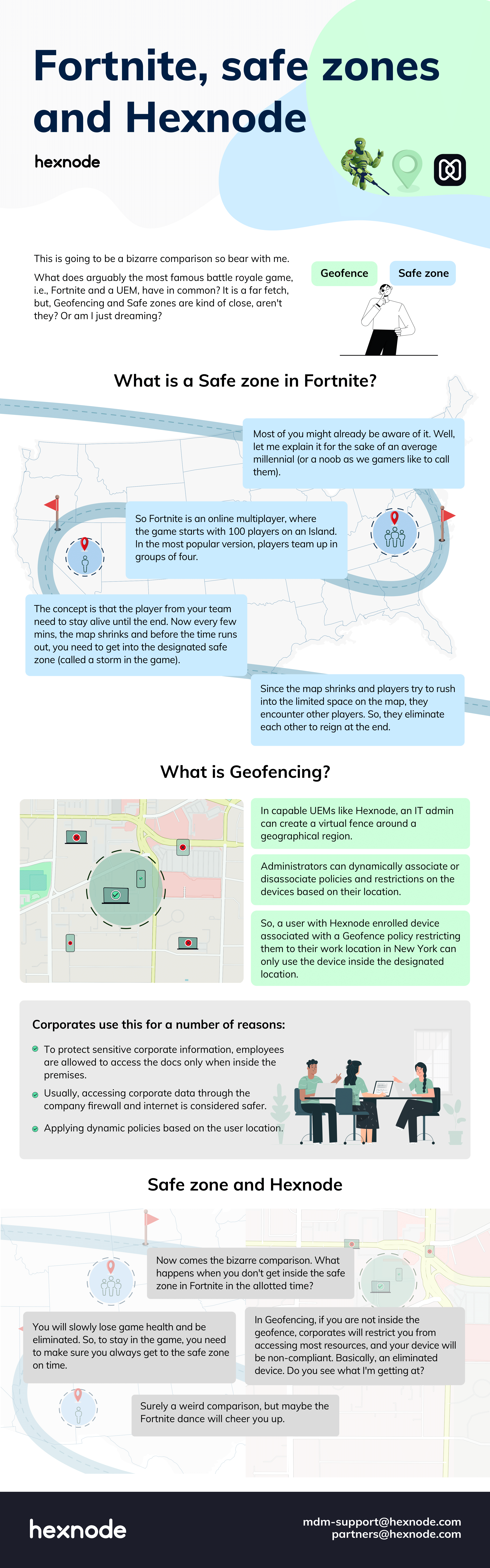
Fortnite, safe zones and Hexnode
Explore how Fortnite’s virtual boundaries compare with Hexnode’s geofencing approach to managing devices by location.
How to interpret Hexnode geofencing reports alongside location history
To review device locations and geofence compliance in Hexnode, use the Location History report alongside the Geofence Compliance Status column in compliance reports. These provide location records and boundary compliance information through separate reporting views.
Review reported positions with Location History
Use the Location History report to examine recorded device positions.
Review Latitude, Longitude, and Reported Time for coordinates and timestamps.
Check Location Note for user-provided notes from manual check-ins, when available.
Filter by reporting period, export as CSV or PDF, or schedule email delivery.
Check boundary compliance separately
Use Geofence Compliance Status to identify location-related compliance issues.
Check the specific compliance field, since non-compliant devices can include other policy failures.
Configure Device out of Compliance notifications to email administrators or associated users.
Treat notifications as compliance alerts; they do not establish a complete entry/exit history.
Request supporting location evidence
Use Location Tracking for periodic collection and Scan Device Location for an on-demand update.
Confirm the Hexnode UEM app, enabled location services, and applicable permissions, and associate a policy with Location Tracking enabled. For co-managed Windows devices, use the Enable Location Tracking remote action instead.
Check connectivity for transmitting coordinates; offline collection behavior varies by platform.
Review the resulting location timestamp before using the update to assess an exception.
Can device location history prove employee attendance?
Device location history alone cannot prove employee attendance because it does not establish who carried the device or whether that person remained onsite between observations. Use location records alongside attendance or task records when reviewing a disputed visit.
Why is the Location Note field empty in Hexnode?
The Location Note field contains user-entered notes from manual location check-ins. Automatically collected location records do not populate this field, so an empty note does not indicate a tracking failure.
Does scheduling a location report make devices update their locations more frequently?
No, report scheduling controls when the report runs and reaches recipients, while location-tracking settings control collection frequency. A newly delivered report can therefore contain older location records, making the reported timestamps essential to interpretation.
Evaluate location visibility with your own device fleet
Reliable location interpretation helps IT teams investigate misplaced assets and review location-policy exceptions with clearer evidence. The goal is to understand what each record supports before deciding how to respond.
Evaluate Hexnode’s Location History and Geofence Compliance Status using a representative device group, a defined site boundary, and a reporting schedule. Assess how easily your team can review positions, identify exceptions, and share relevant findings. Start your free trial.
Track device locations and geofence compliance.
Start your free trial and review location history with Hexnode UEM.
A storyteller for practical people. Breaks down complicated topics into steps, trade-offs, and clear next actions—without the buzzword fog. Known to replace fluff with facts, sharpen the message, and keep things readable—politely.