Real-time device monitoring improves DaaS compliance by helping IT detect configuration drift sooner, route findings to responsible teams, and verify corrective actions with updated device evidence.
Useful signals include encryption, OS and patch status, password compliance, application requirements, and management connectivity, assessed alongside reporting freshness.
Effective monitoring separates detection, compliance evaluation, and remediation, with clear ownership and verification before issues are closed.
Hexnode UEM supports this workflow through Compliance Policy, Alert Profiles for compliance-status changes, and Device Reports with scheduled reporting for ongoing review.
Why Is Device Compliance Difficult to Maintain in a DaaS Model?
Device compliance becomes difficult to maintain when IT teams lack visibility into changing configurations and device ownership. Real-time device monitoring helps teams identify compliance changes sooner, coordinate corrective action, and maintain evidence across the device lifecycle.
Device as a Service (DaaS) combines hardware subscriptions with agreed lifecycle services, such as deployment, maintenance, replacement, and retirement. Distributed employees and frequent device exchanges complicate oversight. Each provider–customer handoff can create uncertainty about who verifies configurations, tracks exceptions, or resolves compliance failures.
Periodic checks and disconnected inventories make these gaps harder to detect. A spreadsheet may show a laptop’s assigned user without reflecting its current encryption status or missing applications. Meanwhile, a replacement device may reach an employee before IT confirms that it meets the required baseline.
Compliance at deployment does not guarantee compliance during use. Software changes, user modifications, and interrupted management connections can leave previously compliant devices outside approved security requirements.
What Happens When DaaS Device Compliance Gaps Go Undetected?
Undetected compliance gaps leave DaaS devices exposed for longer, delay remediation, and weaken the evidence IT teams maintain about device controls. Without timely status updates, administrators struggle to establish when a configuration changed or which devices need attention.
The consequences depend on the missing control:
Disabled encryption can expose business data if someone gains access to a lost or returned device.
Outdated software can leave known vulnerabilities unresolved and extend opportunities for exploitation.
Interrupted management connections can prevent devices from receiving corrective policies or commands until connectivity resumes.
These gaps also increase operational workload. Administrators must reconcile conflicting conflicting records, contact employees, and repeat checks before they can confirm resolution. Remediation may interrupt employees through restarts, application changes, or device replacement.
Unclear provider–customer responsibilities can trigger disputes over remediation deadlines and service obligations. During audit preparation, missing timestamps and incomplete action records make it harder to demonstrate how teams maintained required controls.
What Does Real-Time Device Monitoring Mean for DaaS Compliance?
Real-time device monitoring means collecting and evaluating device status frequently enough to identify relevant changes and support timely responses against an established baseline. In a DaaS fleet, it helps administrators assess whether devices continue to meet requirements as employees use, exchange, and return them.
Practical monitoring often combines event notifications with periodic device check-ins. Events can signal particular changes, while check-ins refresh available device information. Connectivity, operating systems, enrollment methods, and reporting intervals determine how current that information remains. “Real-time” therefore does not guarantee instantaneous visibility, particularly when devices stay offline.
Three distinct functions turn that information into operational decisions:
Monitoring supplies evidence about device settings, software, and management status.
Compliance evaluation compares reported evidence against applicable requirements and identifies deviations.
Remediation addresses those deviations through corrective actions, followed by verification.
For example, detecting disabled encryption identifies a condition requiring attention; it does not itself restore encryption. Administrators must complete the corrective workflow and confirm the resulting state.
Likewise, device policy compliance does not establish organizational regulatory compliance. Organizations must also address applicable processes, responsibilities, and evidence requirements beyond endpoint configuration.
Which Device Signals Help Teams Identify Compliance Drift?
Compliance drift occurs when a device moves away from its approved configuration after deployment. Administrators need signals that reveal both configuration deviations and gaps in their ability to assess the device.
Device signal
Compliance relevance
Example requiring review
Encryption status
Confirms required data protection
Encryption reports as disabled
OS version or patch status
Checks software against approved requirements
Device lacks a required security update
Password compliance
Evaluates configured password requirements
Password settings fail the assigned baseline
Required or prohibited applications
Checks application requirements
Required application missing or prohibited application present
Management connectivity
Indicates whether administrators can obtain current information
Device exceeds its permitted inactivity threshold
Assess every signal alongside its last reported time, device identity, and assigned baseline. Otherwise, administrators may apply the wrong requirements or mistake historical information for current evidence.
An OS version check does not replace detailed patch assessment, which examines relevant update installation status. Treat stale reports as uncertainty requiring investigation, even when the last recorded result showed compliance.
Everything about Device-as-a-Service (DaaS) in a nutshell
Explore how DaaS works and what it means for your organization’s device management strategy.
How Does Monitoring Improve Compliance Across the DaaS Lifecycle?
Monitoring supports compliance by validating deployment settings, identifying changes during use, and checking devices again after repairs, replacements, or reassignment. Each transition creates a reason to verify the applicable baseline against fresh device evidence.
Consider a replacement laptop entering service:
Confirm management enrollment and link the device to its assigned employee.
Evaluate its baseline, including encryption, software, and password requirements.
Identify a missing required application and assign the corrective action.
Verify installation through updated device information before closing the issue.
The same verification principle applies when a repaired laptop returns or a device moves to another employee. Administrators should reassess requirements whenever its role or assigned baseline changes.
During returns and retirement, teams must reconcile the device record, track required security actions, and retain completion evidence. A device disappearing from inventory does not prove successful data erasure. Teams need evidence of the erasure outcome before recording that security requirement as complete.
How Should IT Teams Implement Compliance Monitoring for DaaS Devices?
IT teams should define responsibilities, establish baselines, validate reporting, configure alerts, remediate deviations, and measure results. This sequence connects device visibility to accountable action and verified outcomes.
Start with a pilot covering representative operating systems, remote employees, and device handoffs. Include replacement and reassignment scenarios to test whether reporting and response processes remain reliable when ownership changes. Use the findings to adjust thresholds and responsibilities before expanding coverage. The following steps apply to both internal IT teams and their DaaS service partners.
Step 1: Define Compliance Baselines and Assign Responsibilities
Translate organizational requirements into measurable device checks. Specify whether encryption must remain enabled, which software versions meet requirements, what password settings apply, and which applications must exist. Adapt each baseline to the operating system and device purpose instead of applying identical checks across every endpoint.
Document responsibilities in the customer–provider service agreement:
Monitoring: Who reviews findings and identifies affected devices?
Investigation: Who determines the cause and contacts employees?
Change approval: Who authorizes corrective actions?
Verification: Who confirms resolution and closes the issue?
Assign an owner and expiry date to every approved exception. Set escalation deadlines so unresolved findings reach someone with authority to act. Record the exception’s rationale and the temporary safeguards its approver requires.
Reassess the assigned baseline whenever a device changes users, roles, or lifecycle stages. A reassigned laptop may require different applications or controls before its next deployment.
Step 2: Establish Reliable Device Reporting and Data Freshness
Confirm that every device within scope maintains a valid management connection. Its inventory record should link a unique identifier, assigned user, operating system, and lifecycle status. Reconcile these fields after replacements or returns so administrators investigate the correct endpoint.
Define reporting expectations around actual usage:
Set a freshness window for evaluating reported device status.
Establish inactivity thresholds that account for expected offline periods.
Assign follow-up responsibility when devices exceed those thresholds.
Treat an offline device’s last compliant result as historical evidence. Mark its current state as unknown or stale until fresh information supports reassessment.
Test reporting across representative devices, including planned disconnections and reconnections. Confirm that timestamps update and administrators can distinguish delayed reports from current observations.
Collect only the information necessary to evaluate device compliance. Limit access to authorized personnel whose responsibilities require that information, including relevant DaaS service staff.
Step 3: Configure Actionable Alerts and Verify Remediation
Prioritize alerts according to control importance, device context, and duration of noncompliance. A missing security control on a device handling sensitive data may require faster attention than a routine application discrepancy. Assign each alert a recipient, response deadline, and escalation path.
Reduce duplicate notifications by grouping related findings where supported and defining when repeat alerts warrant escalation. Every notification should identify the affected device, failed requirement, and observation time.
Use a consistent response workflow:
Validate the finding: Confirm device identity, applicable baseline, and report freshness.
Identify the cause: Investigate configuration changes, deployment failures, or connectivity problems.
Apply an approved correction: Follow the agreed procedure and required approvals.
Verify resolution: Obtain fresh device evidence before closing the issue.
Use automation for routine, predictable corrections when the management platform supports them and the organization approves the workflow. Require human review for potentially disruptive actions.
Track failed or pending commands separately from completed corrections. After an offline device reconnects, confirm execution and reassess compliance before recording the issue as fully resolved.
Step 4: Measure Compliance Outcomes and Maintain Evidence
Measure whether monitoring produces timely, verifiable outcomes. Track these indicators consistently across reporting periods:
Reporting freshness: Devices reporting within the agreed window.
Baseline compliance: Devices with fresh evidence confirming applicable requirements.
Detection time: Time between a known deviation and its detection.
Resolution time: Time from detection to verified correction.
Recurring exceptions: Repeated deviations or repeatedly extended approvals.
Define each denominator explicitly. For example, report freshly verified compliant devices against all devices within scope, and display stale or unknown devices separately. Excluding missing telemetry without explanation can inflate the apparent compliance rate. When the deviation’s start time remains unknown, record that limitation instead of calculating an unsupported detection interval.
Retain dated findings, assigned owners, corrective actions, and verified outcomes. Use customer–provider service reviews to examine recurring handoff failures and overdue exceptions. Refine unclear or inappropriate baselines through approved changes while preserving necessary controls and recording the reasons for each baseline revision.
Featured Resource
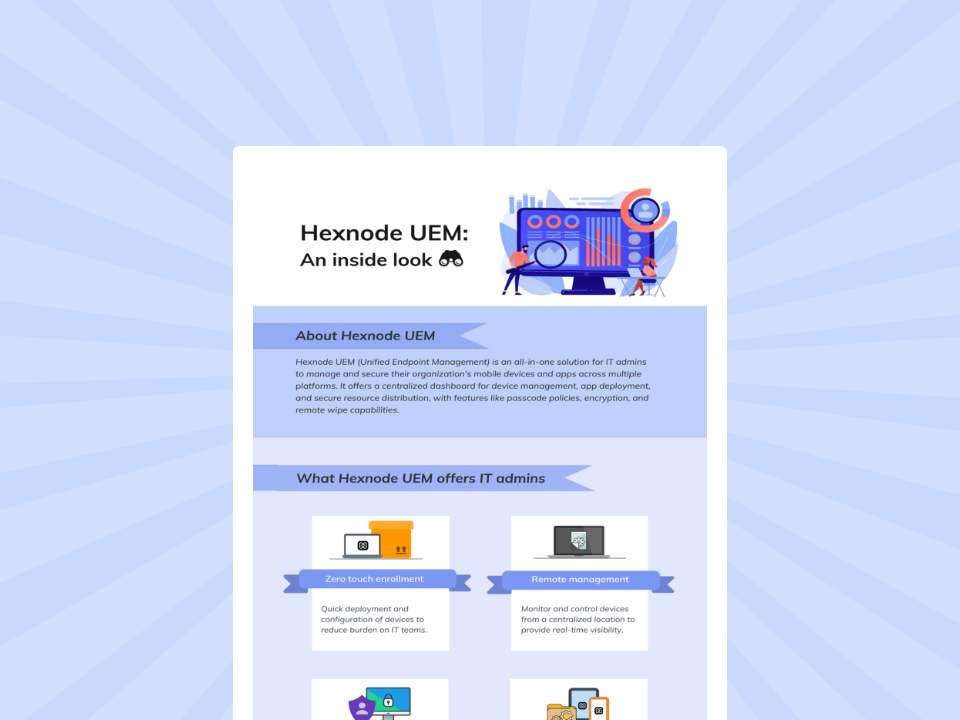
Hexnode UEM: An inside look
Explore Hexnode’s key capabilities for simplifying endpoint management, security, and enterprise device administration.
How Does Hexnode UEM Support Compliance Monitoring in DaaS Fleets?
Hexnode UEM serves as the endpoint management component of a DaaS compliance workflow, supporting device compliance evaluation, technician notifications, and reporting. These capabilities help IT teams connect reported device conditions with assigned follow-up responsibilities across customer and provider teams.
Evaluate device requirements with Compliance Policy
Compliance Policy lets administrators define criteria such as OS version, inactive device status, and missing required applications on supported platforms. Encryption checks include BitLocker on Windows and FileVault on macOS. Administrators must select criteria appropriate to each platform rather than assume identical coverage across the fleet. Evaluate results alongside reporting freshness; a compliance status does not promise instantaneous visibility into device changes.
Notify responsible technicians with Alert Profiles
Alert Profiles supports the Device out of compliance and Device compliant events. Administrators can scope notifications to selected targets and configure email delivery to designated technicians. This helps route status changes to the people responsible for investigation and verification. Notifications communicate findings; they do not themselves correct the underlying configuration.
Support operational reviews with Device Reports
Device Reports provides visibility into device compliance status. Schedule Report supports daily, weekly, or monthly delivery, helping teams establish a consistent review cadence. Pair these reports with internal records identifying remediation owners, actions, and verified outcomes. Scheduled reports support service reviews, while event notifications support timely follow-up between reporting cycles. Keep both within the agreed customer–provider response process to maintain accountability.
FAQs
How often should IT teams check device compliance in a DaaS environment?
IT teams should evaluate device status frequently enough to detect meaningful compliance changes and support their agreed response timelines. Monitoring can combine event notifications with periodic device check-ins, but offline devices may prevent current status from being available immediately.
Does real-time device monitoring automatically fix compliance issues?
No. Monitoring identifies device conditions, while compliance evaluation determines whether those conditions meet the assigned baseline. Administrators still need to investigate deviations, apply corrective actions and verify the updated device state before closing an issue.
How should IT handle compliance status for offline DaaS devices?
IT should treat an offline device’s last reported compliance result as historical evidence rather than proof of its current state. Teams should define freshness and inactivity thresholds and reassess compliance after the device reconnects and provides updated information.
Test Your DaaS Compliance Monitoring Workflow With Hexnode UEM
Select a representative device group and define a supported compliance condition appropriate to its operating systems. Configure the corresponding notification and use a controlled test to move a device from noncompliant to compliant.
Check whether the assigned technician receives useful information and whether updated device evidence confirms resolution. Record any reporting delays or responsibility gaps before expanding the workflow.
Start a 14-day Hexnode UEM trial to assess reporting freshness, alert usefulness, and the evidence your team needs to verify resolution.
Keep DaaS Devices Compliant
Monitor device compliance, identify policy gaps, and maintain visibility across DaaS fleets with Hexnode UEM.
Content writer at Hexnode. Fueled by good coffee and the occasional cat cuddle, I enjoy crafting content that informs, connects, and resonates. Nothing excites me more than knowing my words have been read, appreciated, and maybe even bookmarked.