Why Is It Hard for MSPs to Manage Multiple OS from One Console?
Cross-platform endpoint management helps MSPs manage multiple OS from one console instead of separating administration by operating system. It centralizes management workflows for supported Windows, macOS, iOS, iPadOS, and Android devices within a unified management environment.
MSPs commonly support clients with varied operating-system environments. A single client may use Windows laptops, Mac workstations, iPhones, iPads, and Android devices. Without cross-platform management, technicians may need to work across multiple platform-specific consoles.
That fragmentation creates immediate operational drag. Technicians constantly switch between platform-specific tools to check device status, change configurations, deploy applications, or troubleshoot issues. As a result, each task requires additional navigation and platform-specific knowledge.
Duplicate onboarding workflows add another layer of overhead. MSP teams may repeat enrollment, application deployment, configuration, and security policy setup across different management systems. Consequently, onboarding a new client or device group can require several parallel workflows.
Policy management also becomes harder across operating systems. Separate tools can expose different configuration models, terminology, and administrative processes. Therefore, technicians must verify settings across multiple consoles to maintain consistent client policies.
These challenges multiply as an MSP adds customers, endpoints, and operating systems. More clients can mean more consoles, repeated processes, and additional opportunities for configuration drift. MSPs therefore need to manage multiple OS from one console while retaining platform-specific control where each operating system requires it.
What Happens When MSPs Don’t Consolidate Device Management?
When MSPs leave device management fragmented, technician’s workload rises while operational consistency becomes harder to maintain. Each additional console adds another workflow that technicians must navigate, document, and support.
Fragmented device management can affect MSP operations in four key areas:
Technician efficiency: Console switching adds steps to troubleshooting, onboarding, and offboarding. As a result, routine tasks can require more technician effort.
Security coverage: Less-visible endpoints may receive slower attention for patches, configuration changes, or policy reviews.
Margins and SLAs: More technician effort increases service delivery costs. Meanwhile, longer workflows can delay remediation or onboarding milestones.
Compliance visibility: Siloed inventory and policy data can make oversight harder for clients subject to HIPAA or PCI DSS requirements.
Security gaps make this fragmentation particularly important. Verizon’s 2026 DBIR found that 31% of breaches started with vulnerability exploitation.
Therefore, MSPs need consistent visibility into endpoints that may require patching or configuration changes.
Separate management tools can also complicate forecasting when licensing models differ across seats, platforms, or capabilities. Consequently, operational inefficiencies can affect both MSP margins and client service consistency.
Consolidating management does more than simplify administration. It creates a stronger operational foundation to manage multiple OS from one console while controlling service costs and maintaining consistent visibility.
What Is Unified Cross-Platform Endpoint Management?
Unified cross-platform endpoint management centralizes the administration of multiple operating systems within one management environment. MSPs can manage Windows, macOS, iOS, iPadOS, and Android endpoints without maintaining a separate management stack for each platform.
Core Definition
A unified platform provides a single administrative console and policy framework for a mixed-OS device estate. Technicians use that management layer to enroll endpoints, configure settings, distribute applications, and monitor device posture.
However, unified management does not mean every operating system supports identical controls. Apple, Google, and Microsoft expose different management frameworks and APIs. Therefore, the platform should provide consistent administrative workflows while respecting each operating system’s native capabilities.
This distinction matters for MSPs. A technician should not need a completely different operational process whenever the endpoint changes. Instead, cross-platform management standardizes common tasks and presents platform-specific controls where necessary.
Management area
Siloed approach
Unified cross-platform approach
Console access
Separate platform-specific tools
Centralized administrative environment
Enrollment
Separate workflows by platform
Standardized workflow with platform-specific enrollment methods
Policies
Independently configured policies
Common baselines with OS-specific settings
Applications
Separate deployment workflows
Centralized application management
Patching
Visibility split across tools
Consolidated update visibility
Reporting
Multiple reports require reconciliation
Centralized inventory and status reporting
Key Components of Cross-Platform Endpoint Management
Effective cross-platform endpoint management should bring several core functions into the same operational workflow:
Enrollment: Support zero-touch and over-the-air enrollment methods where each platform allows them. This approach reduces repetitive technician involvement during provisioning.
Policy enforcement: Apply security and configuration policies through one policy framework. However, administrators should retain OS-specific settings when platforms require different controls.
Application deployment: Distribute, configure, update, and remove supported applications without switching between separate administrative tools.
Patching: Provide centralized visibility into supported operating system and application updates. Consequently, technicians can identify outdated endpoints across mixed client fleets.
Reporting: Consolidate device inventory, configuration, security, and operational data. As a result, MSP teams can assess client environments without manually reconciling several reports.
These capabilities should deliver consistent administrative experiences, rather than artificially identical OS behavior. Each platform retains its native management architecture.
For MSPs, that consistency creates a scalable management model across heterogeneous client fleets.
How Can MSPs Consolidate Multi-OS Management Step by Step?
MSPs can consolidate multi-OS management through four steps: audit existing tools, standardize enrollment, build cross-platform policies, and centralize reporting. Use this framework as a quick reference before implementing each step.
The goal is consistent administration across operating systems without ignoring platform-specific requirements.
Step
Action
Outcome
1. Audit tool sprawl
Inventory tools and map overlapping capabilities.
Reduced tool duplication
2. Standardize enrollment
Define repeatable enrollment workflows across platforms.
More consistent onboarding
3. Build policy templates
Establish common baselines with OS-specific settings.
Reduced configuration drift
4. Centralize reporting
Consolidate inventory, health, compliance, and alerts.
Faster operational triage
Step 1: Audit Current Tool Sprawl
Start by documenting every platform-specific management tool used for each client. Then map capabilities such as enrollment, application management, patching, policy enforcement, inventory, and reporting.
Next, identify overlapping functions and workflows that require technicians to switch consoles. This exercise reveals which tools add unique capabilities, and which simply duplicate existing functions.
Step 2: Standardize Enrollment Across OS Types
Create a repeatable enrollment model for Windows, macOS, iOS, iPadOS, and Android. Use zero-touch enrollment and over-the-air enrollment where each operating system supports them.
However, standardization should focus on technician experience rather than identical underlying mechanisms. Each operating system uses different enrollment frameworks. Therefore, document one operational playbook with platform-specific enrollment paths beneath it.
Step 3: Build Cross-Platform Policy Templates
Define baseline policies around encryption, device restrictions, update requirements, and compliance posture. Apply equivalent security objectives across supported platforms whenever their native management frameworks permit them.
Then introduce OS-specific exceptions only when technical or client requirements demand them. This approach limits configuration drift while preserving necessary platform-specific controls.
Step 4: Centralize Reporting and Alerts
Finally, bring device inventory, health indicators, compliance status, and management alerts into a consolidated operational view. Technicians can then assess mixed-OS client environments without manually reconciling several dashboards.
Standardize reporting fields and escalation criteria across clients as well. As a result, technicians can prioritize exceptions faster and follow repeatable remediation workflows.
Together, these practices help MSPs manage multiple OS from one console while retaining the platform-specific controls that mixed client environments require.
Featured resource
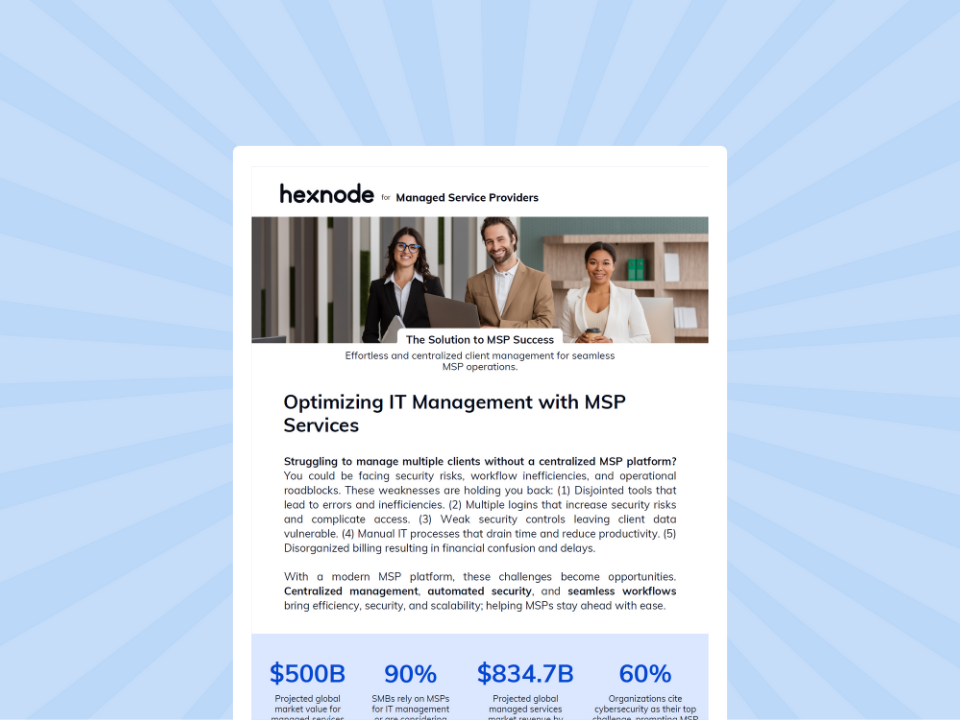
Hexnode UEM for MSPs
See how Hexnode UEM helps MSPs centralize client management, improve operational efficiency, and manage diverse endpoint environments.
How Does Hexnode Help MSPs Manage Multiple OS from One Console?
Hexnode UEM MSP helps MSPs manage multiple OS from one console while maintaining separate management environments for each customer. Its multi-tenant architecture combines cross-platform endpoint management with centralized client administration.
The Hexnode UEM MSP Polycentric Dashboard gives technicians a consolidated view of their customer UEM portals. MSP teams can access authorized client portals through one MSP interface instead of maintaining separate login workflows. Consequently, technicians can move between customer environments with less portal switching.
Within each client portal, Hexnode provides unified management across Windows, macOS, Android, iOS/iPadOS, Linux, ChromeOS, and visionOS. Administrators can define configurations for multiple platforms within a single policy. Hexnode then applies the relevant platform-specific settings to each endpoint.
This model reduces the need for separate management workflows across mixed-OS fleets. MSPs gain a common policy workflow without treating different operating systems as technically identical. Therefore, technicians can standardize administration while retaining controls specific to each supported platform.
Hexnode UEM MSP provides role-based access controls for technicians across customer environments. At the MSP level, the Reports Manager role provides reporting access without device-configuration privileges.
Finally, License Management brings cross-client subscription oversight into the MSP management layer. Administrators can track license consumption across customer accounts instead of reconciling usage separately.
Hexnode also provides financial tracking through the Invoice Catalog and Estimated Monthly Bill features. These capabilities help MSPs monitor license usage, billing information, and estimated costs across managed client portals.
Beyond RMM: Why the ‘Agentless Revolution’ is Transforming MSP Operations
Explore how MSPs can use centralized endpoint management to streamline operations across diverse environments.
FAQs
Can MSPs manage multiple OS from one console without using identical policies?
Yes. A unified management platform can standardize common workflows while retaining platform-specific controls. This allows MSPs to maintain consistent security objectives without treating every operating system identically.
Which endpoint management tasks should MSPs standardize across client fleets?
MSPs should standardize enrollment, policy enforcement, application management, patch visibility, reporting, and alerts where possible. They can then add OS-specific configurations when platform requirements differ.
How should MSPs handle zero-touch enrollment across different operating systems?
MSPs should create a common enrollment playbook while using the enrollment methods each operating system supports. This provides a consistent technician workflow without assuming every platform uses the same enrollment mechanism.
How can MSPs reduce configuration drift across mixed-OS client environments?
MSPs can establish baseline policies for encryption, device restrictions, updates, and compliance posture. They should introduce platform-specific exceptions only when technical constraints or client requirements make them necessary.
Can Hexnode UEM MSP manage different operating systems under one policy?
Yes. Hexnode UEM MSP supports configurations for multiple platforms within a single policy. The platform applies the relevant settings to supported endpoints according to their operating system.
How does multi-tenant endpoint management help MSP technicians?
Multi-tenant management gives technicians centralized access to separate customer management environments. This reduces portal switching while preserving distinct administration for each client.
Ready to Manage Every Client Device from One Console?
For MSP owners and IT service managers, consolidating endpoint management can reduce the operational friction created by fragmented client environments. Hexnode UEM MSP brings multi-tenant administration and cross-platform device management into a centralized MSP workflow.
Book a personalized demo to see the Polycentric Dashboard in action. Explore how technicians can navigate customer portals, manage mixed-OS fleets, apply policies, and oversee client environments from one MSP portal.
Not ready for a demo? Explore the Hexnode UEM MSP program to evaluate its multi-tenant capabilities. Test how Hexnode can help your team manage multiple OS from one console across client environments.
Simplify Endpoint Management Across Every Client
Bring mixed-OS client fleets into a unified management workflow with Hexnode UEM MSP.
I write at the intersection of technology, process, and people, focusing on explaining complex products with clarity. I break down tools, systems, and workflows without any noise, jargon, or the hype.