Why does manual device management break down as DaaS scales?
Manual device management becomes difficult to sustain as DaaS operations add more devices, customers, platforms, and lifecycle events. DaaS workflow automation becomes important because provisioning, configuration changes, app deployment, updates, compliance tasks, and device refresh activities otherwise create growing volumes of repetitive administrative work.
Scaling should increase the number of devices a team can manage, not require administrative effort to grow at the same rate.
Where do repetitive workflows create operational bottlenecks?
Bottlenecks emerge when IT teams repeatedly target devices, deploy configurations, schedule routine actions, track exceptions, and coordinate lifecycle tasks manually. The workload becomes harder to standardize across heterogeneous fleets, where enrollment methods, available management actions, and controls can vary by platform.
What does a DaaS operation risk without workflow automation?
Without workflow automation, Device-as-a-Service operations face higher administrative workloads, inconsistent execution, and slower routine device operations. As fleets grow, teams may need additional operational capacity simply to repeat tasks they already perform for smaller deployments.
Manual processes can make outcomes less consistent as device volumes and operational complexity increase. Similar provisioning, maintenance, or refresh events can be handled differently depending on who performs them, potentially creating inconsistencies across customer environments.
Why does standardization matter across customer device fleets?
Repeatable workflows help DaaS teams execute recurring tasks consistently while accommodating different customer requirements.
Standardization can help:
Reduce process variation across recurring device operations.
Make outcomes more predictable as device volumes increase.
Preserve customer-specific workflows where requirements differ.
Account for platform differences, since enrollment methods, available controls, and management capabilities can vary by OS.
How Device as a Service (DaaS) helps mitigate the risks of BYOD
Manage multi-OS DaaS fleets through centralized, scalable device lifecycle workflows.
What is DaaS workflow automation?
DaaS workflow automation uses predefined triggers, conditions, schedules, targeting rules, and actions to execute recurring device-management tasks with less manual intervention. Instead of requiring an administrator to initiate each task individually, a workflow defines when an action should run, which devices it applies to, and the conditions for execution.
This differs from a one-time remote action, which an administrator initiates for a specific need. Automation can support recurring operations across the device lifecycle, from onboarding and active management to maintenance and retirement.
Which DaaS tasks are good candidates for automation?
The best candidates are high-volume, repeatable, and rule-driven tasks with clearly defined triggers, targets, actions, and exceptions.
These can include:
Onboarding: Configuration and provisioning tasks.
Application management: Routine app distribution.
Maintenance: Scans and supported update workflows.
Compliance: Predefined responses to device states.
Communication: User or device notifications.
Lifecycle management: Supported reset or retirement actions.
Tasks involving unusual troubleshooting, approvals, customer-specific decisions, or administrator judgment may be better kept under manual control.
How does automation change the economics of scaling DaaS?
Automation can help DaaS operations support growing device volumes without requiring repetitive administrative effort to increase proportionally. By shifting recurring tasks into reusable workflows, teams can improve process consistency while spending more time on exceptions, troubleshooting, customer-specific requirements, and other work that requires administrator judgment.
Automation vs. Manual execution in DaaS operations
Operational area
Manual execution
Workflow automation
Initiation
Administrator starts each task
Predefined trigger or schedule starts the workflow
Targeting
Devices selected for each task
Devices targeted using predefined rules
Repeatability
Process repeated manually
Workflow reused for recurring operations
Admin involvement
Required throughout execution
Focused primarily on setup and oversight
Exception handling
Handled as tasks are performed
Administrators can monitor automation status and review automation events in the Activity Feed.
Higher device volumes
Repetitive effort increases
Recurring tasks can execute without equivalent growth in manual effort
How should DaaS providers build scalable automation workflows?
DaaS providers should build automation around repeatable operational processes, not individual tools.
A Hexnode automation follows trigger → target filter → action execution, where a time- or activity-based trigger initiates the workflow and filters determine which devices receive the configured actions.
1. Start with the right tasks
Not every device-management process should be automated. Start with recurring tasks that have clear inputs, predictable outcomes, and limited need for human judgment.
What to prioritize
Inventory tasks across onboarding, active management, maintenance, reassignment, and retirement.
Identify high-volume processes repeated across devices or customer environments.
Prioritize tasks with predictable outcomes before complex, exception-heavy workflows.
2. Define how the workflow should run
Once a task is selected, establish exactly what initiates the workflow, which devices it applies to, and when administrators need to intervene.
Define the workflow boundaries
Select a schedule, device event, or other supported condition as the starting point.
Include or exclude devices based on relevant attributes, groups, state, platform, or customer requirements.
Use include/exclude groups and custom filters to control which devices qualify for the automation.
3. Standardize and reuse proven workflows
Tested workflows can become reusable operational patterns rather than being rebuilt for every deployment. This provides consistency while leaving room for customer, platform, and use-case differences.
Build for reuse
Establish proven workflows as repeatable operational baselines.
Adapt actions or targeting where customer requirements differ.
Maintain platform-specific variations where management capabilities require them.
4. Monitor and refine automation
Automation needs ongoing oversight as devices, customer requirements, and operational conditions change. Teams should verify execution and use exceptions to identify where workflows need adjustment.
What to monitor
Check whether scheduled or event-driven actions execute as expected.
Investigate failed, delayed, or excluded devices.
Refine targeting, timing, and action sequencing when requirements change, and use automation status and the Activity Feed to monitor execution.
Featured resource
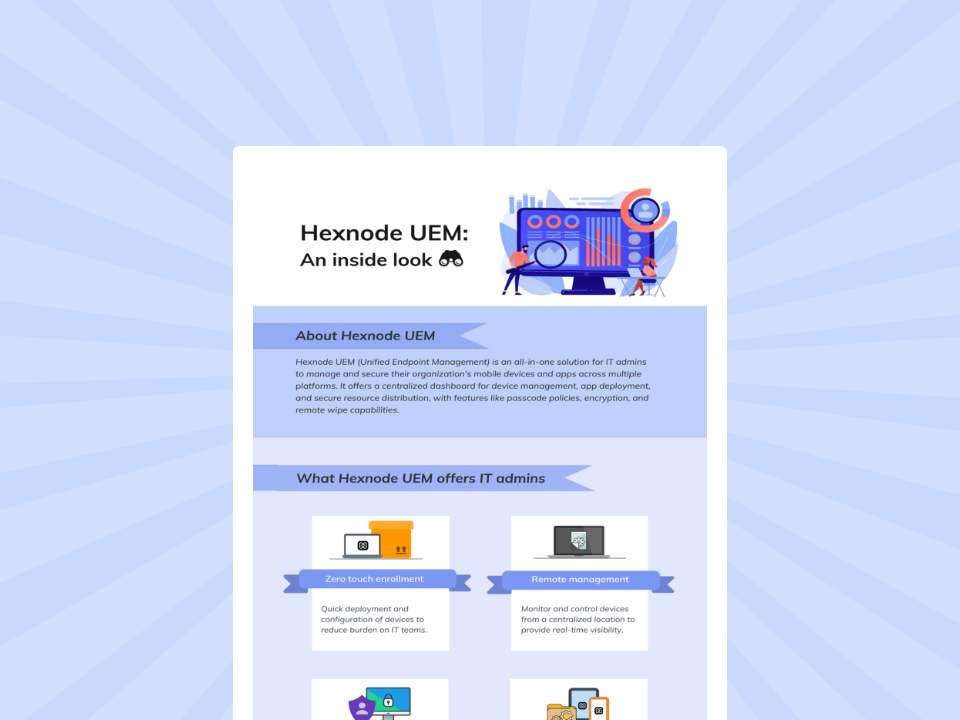
Hexnode UEM: An inside look
Learn how Hexnode UEM centralizes cross-platform device management, app deployment, security, and remote administration efficiently.
How does Hexnode UEM support workflow automation for DaaS?
Hexnode UEM Automations enables administrators to sequence multiple actions, configure time- or activity-based triggers, and target devices using groups or custom filters.
Through Hexnode UEM Automations, IT teams can build workflows that:
Bundle multiple actions and control their execution sequence, including delays between actions.
Schedule execution immediately, at a specified time, or on a recurring schedule.
Use activity-based triggers, such as device enrollment or supported compliance events.
Apply target filters using device, user, network, and device-status attributes.
Use Automation Templates to save actions, configurations, and scheduling logic as reusable workflow blueprints.
For DaaS operations, these capabilities can reduce the need to recreate recurring management processes as device fleets grow.
The exact automation actions and triggers available depend on the target platform, so workflows should be configured around platform-specific capabilities rather than assumed to operate identically across every OS.
FAQs
Can DaaS workflow automation work across different operating systems?
Yes, but automation capabilities can vary by operating system. DaaS teams should account for platform-specific enrollment methods, supported actions, triggers, and management controls when designing workflows.
Should every DaaS device-management task be automated?
No, automation is best suited to repetitive, rule-driven tasks with predictable outcomes. Processes involving troubleshooting, approvals, exceptions, or customer-specific decisions may still require administrator involvement.
How do DaaS providers decide which workflows to automate first?
Start with high-volume tasks that have clear triggers, targets, actions, and expected outcomes. Onboarding, routine application management, maintenance, notifications, and supported lifecycle actions are practical areas to evaluate.
Scale device operations without scaling repetitive work
Scaling a DaaS operation should not mean adding manual work for every device that enters the fleet. DaaS workflow automation helps standardize predictable, recurring processes as device volumes grow while keeping administrators in control of exceptions and tasks that require judgment.
With Hexnode UEM, DaaS providers can bring automation into recurring device-management workflows and reduce repetitive administration across the device lifecycle. Explore how Hexnode UEM can support a more scalable approach to DaaS operations.
Automate more of your DaaS workflows.
Scale recurring device operations. Start your free trial.
A storyteller for practical people. Breaks down complicated topics into steps, trade-offs, and clear next actions—without the buzzword fog. Known to replace fluff with facts, sharpen the message, and keep things readable—politely.