Chromebook management centralizes the deployment, security, and administration of ChromeOS devices.
It helps IT teams manage distributed workforces through centralized visibility, policy enforcement, and supported automation.
Centralized management can help reduce security risks, compliance gaps, and administrative overhead.
Look for capabilities such as automated enrollment, policy management, remote support, and compliance monitoring.
Hexnode helps organizations simplify enterprise Chromebook management through centralized policies, device visibility, supported ChromeOS app management, reporting, and eligible remote actions such as Lost Mode and support-log collection.
As organizations support remote and hybrid work, Chromebooks remain a practical option for cloud-based workflows. However, managing ChromeOS devices at scale requires more than basic administrative controls. This article explains why centralized Chromebook management has become essential for modern distributed workforces.
What Is Chromebook Management?
Chromebook management is the centralized administration of ChromeOS devices. It enables IT teams to centrally configure, secure, monitor, and manage ChromeOS devices throughout their lifecycle. As organizations adopt hybrid and remote work, centralized Chromebook management helps maintain consistent security, compliance, and operational policies across distributed device fleets.
Unlike manual administration, Chromebook device management can automate supported workflows, standardize configurations, and improve visibility across managed devices. Consequently, IT teams can reduce administrative effort and improve operational efficiency.
What Does Chromebook Management Include?
ChromeOS management supports the complete device lifecycle, from enrollment to retirement. Core capabilities include:
Remote enrollment and device provisioning
Application deployment and software updates
Security policy enforcement
ChromeOS and browser update management
Device inventory and health monitoring
Supported remote security actions, such as Lost Mode or device wipe, depending on the platform and enrollment method
Compliance monitoring and reporting
Together, these capabilities enable IT teams to manage Chromebooks remotely while maintaining consistent policies across distributed environments. They also reduce common inefficiencies associated with manual administration, including repetitive configuration, configuration drift, and limited visibility.
Where Does Google Admin Fit?
Google Admin provides the foundation for ChromeOS device management by offering core administrative controls for ChromeOS devices and user accounts. As deployments grow, organizations may also evaluate cross-platform management platforms for unified visibility, consolidated reporting, and consistent workflows across ChromeOS and other operating systems.
Businesses are adopting Chromebooks because they support cloud-first IT strategies, distributed work, and simplified endpoint administration. Many organizations now rely on browser-based applications and SaaS platforms instead of locally installed software. As a result, employees performing primarily browser-based and SaaS-driven tasks may not require high-specification hardware.
Chromebooks simplify device administration through centralized configurations, automatic updates, and supported enrollment workflows. Consequently, IT teams can improve operational efficiency and promote a more consistent user experience across distributed workforces.
Faster Deployment and Lower IT Costs
Supported enrollment workflows and predefined configurations can accelerate device provisioning for remote employees.
Chromebooks can offer lower ownership costs in suitable environments, depending on hardware, licensing, management, and workload requirements. Automatic ChromeOS updates can reduce some routine maintenance tasks, depending on organizational update policies and application requirements.
Potentially lower deployment and maintenance costs, depending on device models and workload requirements
Automatic ChromeOS updates with centrally managed update policies.
Potentially reduced IT support effort, depending on deployment and workload requirements
Simplified ChromeOS management
Ideal for Cloud-Based and Frontline Work
Chromebooks are well suited for employees who primarily use web applications and SaaS tools. Consequently, organizations across multiple industries use them for task-based and frontline roles.
Common use cases include:
Retail: Point-of-sale systems, inventory management, and employee scheduling
Healthcare: Patient registration, administrative workflows, and shared workstations
Education: Access to cloud-based learning platforms
Logistics: Warehouse operations and shipment tracking
Field services: Work orders, documentation, and team collaboration
Overall, Chromebooks combine cloud-first workflows with streamlined deployment and maintenance options, making them a practical choice for many distributed organizations.
Why Chromebook Management Matters for Distributed Workforces
Remote and hybrid work have fundamentally changed endpoint management. Employees now work from home, branch offices, customer sites, and other remote locations. Consequently, Chromebook management has become essential for maintaining visibility, security, and operational control across distributed environments.
IT teams must manage Chromebooks remotely while maintaining consistent security policies, compliance, and user experiences. Therefore, centralized ChromeOS management has become a core requirement for supporting distributed workforces.
How Distributed Work Changes IT Operations
Distributed work requires IT teams to manage devices outside corporate networks without sacrificing security or consistency. Supported enrollment workflows and centralized management can simplify onboarding, improve visibility, and promote consistent configurations across locations.
Configuration drift caused by inconsistent policies
Maintaining consistent Chromebook security
Verifying compliance without centralized reporting
Without centralized management, these challenges become increasingly difficult to address as deployments grow.
Why is Chromebook management important?
Chromebook management enables IT teams to administer remote devices without requiring physical access while centrally applying supported security policies. It can streamline onboarding, support consistent policy enforcement, and improve visibility across distributed device fleets. As a result, organizations can reduce operational overhead while supporting security and compliance objectives.
What Are the Risks of Managing Chromebooks Without Centralized Management?
As Chromebook deployments grow, manual administration becomes difficult to sustain. Without centralized Chromebook management, IT teams lose visibility into device health, security posture, and policy compliance. Consequently, routine tasks take longer, support costs increase, and operational risks become harder to manage.
Common Operational and Security Risks
Without centralized management, organizations commonly face:
Unknown device inventory: Difficulty tracking active, inactive, or unassigned Chromebooks
Inconsistent policies: Different security settings and device configurations
Delayed updates: ChromeOS and application updates that do not reach every device promptly
Poor compliance: Limited visibility into devices that fall outside organizational policies
Unauthorized applications: Unapproved software that increases the attack surface
Weak security controls: Weak passwords and risky browser extensions that increase security risks
Lost or stolen devices: Limited ability to perform supported remote security actions when devices are not centrally managed
Higher support costs: Increased time spent troubleshooting inconsistent device configurations
As these issues accumulate, organizations lose visibility, increase administrative effort, and struggle to maintain a secure and compliant ChromeOS management environment.
Bottom line:
Without centralized Chromebook management, organizations face weaker security, reduced compliance, higher support costs, and limited visibility across their ChromeOS device fleet.
Secure Chromebook for Enterprise: Best Practices for IT Teams
Learn how to secure enterprise Chromebooks with best practices for device management and compliance.
What Features Should You Look for in a Chromebook Management Solution?
An effective Chromebook management software solution should automate administration, strengthen security, and improve visibility across managed devices. As Chromebook deployments grow, centralized management helps IT teams scale operations while maintaining security and compliance.
Automated Deployment and Policy Management
Centralized policies help Chromebooks receive approved configurations during enrollment, with automated enrollment available for eligible, pre-provisioned devices.
Look for capabilities such as:
Zero-touch and bulk enrollment
Policy assignment through supported users, groups, or organizational units
Wi-Fi and VPN configuration
Certificate deployment
Browser settings and Safe Browsing policies
User and device restrictions
Security and Application Management
Strong security controls help protect devices throughout their lifecycle while reducing administrative effort.
Essential capabilities include:
Password policy enforcement
Encryption-related policy controls and verification, where supported
Supported remote security actions, such as Lost Mode or device wipe, depending on platform capabilities and enrollment conditions
Centralized security policy configuration and updates
Remote deployment and management of supported ChromeOS applications
Blocklisting, restricting, or removing unauthorized applications where supported
Browser extension management
Visibility, Remote Support, and Compliance
Centralized visibility enables administrators to support distributed users and maintain compliance from a single console.
Look for capabilities such as:
Device inventory and health monitoring
Centralized policy compliance tracking
Compliance reports that support audit preparation
Remote diagnostics and troubleshooting
Supported remote administrative actions, subject to platform and enrollment requirements
Centralized visibility into non-compliant devices
Capability
Manual Management Approach
Centralized Management Approach
Device setup
Individual configuration
Centralized provisioning, with automated enrollment where supported
Policy enforcement
Applied individually
Applied centrally and consistently
Security
Device-by-device administration
Consistent policy enforcement
Inventory
Manual tracking
Centralized inventory visibility
Updates
Individually managed
Centrally managed update policies
As Chromebook deployments grow, organizations can use platforms such as Hexnode to centralize policy enforcement, improve visibility, and streamline ChromeOS administration.
What Are the Best Practices for Chromebook Management?
Successful Chromebook management depends on consistent processes rather than manual administration. Follow these best practices to improve security, simplify ChromeOS management, and scale Chromebook deployments efficiently.
Use automated enrollment for eligible, pre-provisioned devices to accelerate onboarding and reduce manual provisioning.
Standardize policies for network settings, security controls, browser configurations, and applications.
Separate corporate-owned and BYOD devices using policies based on ownership and risk.
Review browser extensions regularly and allow only trusted extensions.
Keep ChromeOS updated with the latest security patches and performance improvements.
Monitor compliance regularly to identify policy violations before they become security risks.
Following these practices helps organizations strengthen Chromebook security, maintain compliance, and reduce administrative overhead as Chromebook deployments grow.
Chromebook Management Checklist
Use this checklist to evaluate whether your Chromebook management strategy is ready to support a distributed workforce.
Can IT remotely manage Chromebooks while minimizing manual enrollment and configuration?
Does the IT team have current, centralized visibility into managed devices?
Are security policies enforced consistently across all Chromebooks?
Can administrators remotely deploy and manage supported ChromeOS applications?
Can IT remotely troubleshoot devices and perform supported security actions for lost or compromised Chromebooks?
Does the organization track device compliance and generate reports to support audit preparation?
This checklist provides a quick way to assess whether your ChromeOS management strategy can scale securely and efficiently.
Featured resource
Discover what Hexnode can do for your endpoints
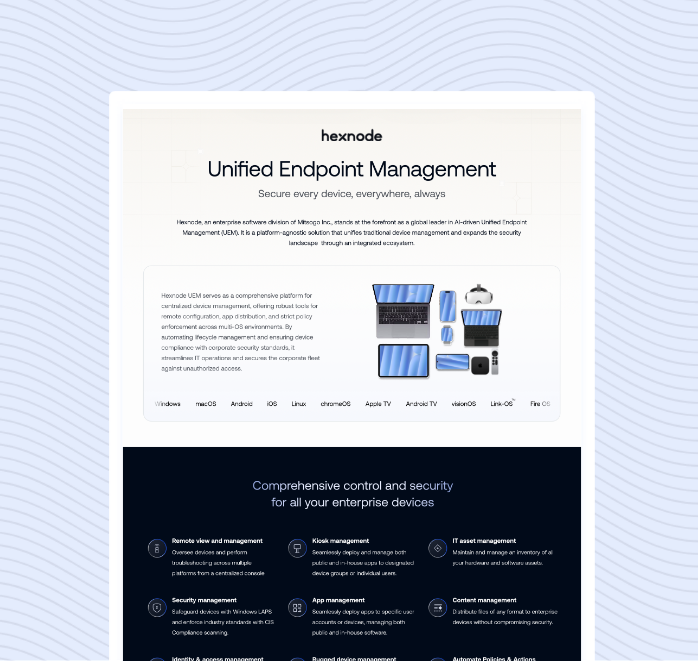
Explore the Hexnode UEM Capability Statement to see how centralized endpoint management helps simplify device administration.
As Chromebook deployments expand across remote offices, home environments, and frontline locations, IT teams need centralized tools to maintain visibility, security, and operational consistency.
Hexnode helps organizations simplify enterprise Chromebook management through centralized policy administration, device visibility, supported ChromeOS app management, reporting, and eligible remote actions such as Lost Mode and support-log collection.
With Hexnode, IT teams can:
Manage Chromebook deployments from a centralized console
Enroll ChromeOS devices through the supported Google Workspace workflow and apply Hexnode policies through the relevant organizational units
View device inventory and compliance status, and collect ChromeOS support logs for diagnostics when Google Workspace integration and required permissions are configured
Perform supported remote security actions, including Lost Mode for eligible managed ChromeOS devices
Apply standardized ChromeOS policies through organizational units to reduce inconsistent configurations
Use compliance and audit reports as supporting evidence during internal audit preparation.
These capabilities centralize Chromebook administration and help IT teams apply consistent security policies across managed ChromeOS devices used by remote and hybrid workforces. Instead of managing devices individually, administrators can centrally apply policies, monitor compliance, manage applications, and maintain device visibility.
As Chromebook deployments grow, Hexnode provides centralized tools for applying security policies and device configurations across managed ChromeOS devices.
FAQs
Is Chromebook management only for large organizations?
No. Chromebook management benefits organizations of all sizes. Small businesses simplify administration, while larger organizations improve security, compliance, and scalability.
Can IT remotely wipe a lost Chromebook?
Some enterprise Chromebook management platforms support actions such as device wipe or a platform-specific Lost Mode, depending on device eligibility and enrollment conditions.
Are Chromebooks suitable for remote employees?
Yes. Chromebooks support cloud-based work and distributed teams. Combined with centralized management, they can help organizations apply consistent configurations and security policies for remote employees.
Conclusion
Chromebooks have become a practical choice for organizations embracing cloud-first operations and distributed work. However, as deployments grow, managing devices manually becomes increasingly difficult. Centralized Chromebook management helps IT teams maintain security, visibility, and control while supporting users from anywhere.
As your ChromeOS environment expands, evaluate whether your current management approach can scale with your business. Hexnode provides centralized tools for applying ChromeOS policies, managing supported applications, viewing device information, collecting support logs, and performing eligible remote actions.
Simplify Chromebook management across distributed teams
See how Hexnode helps IT teams centrally manage ChromeOS devices with compliance reporting, and remote administration.
I write at the intersection of technology, process, and people, focusing on explaining complex products with clarity. I break down tools, systems, and workflows without any noise, jargon, or the hype.