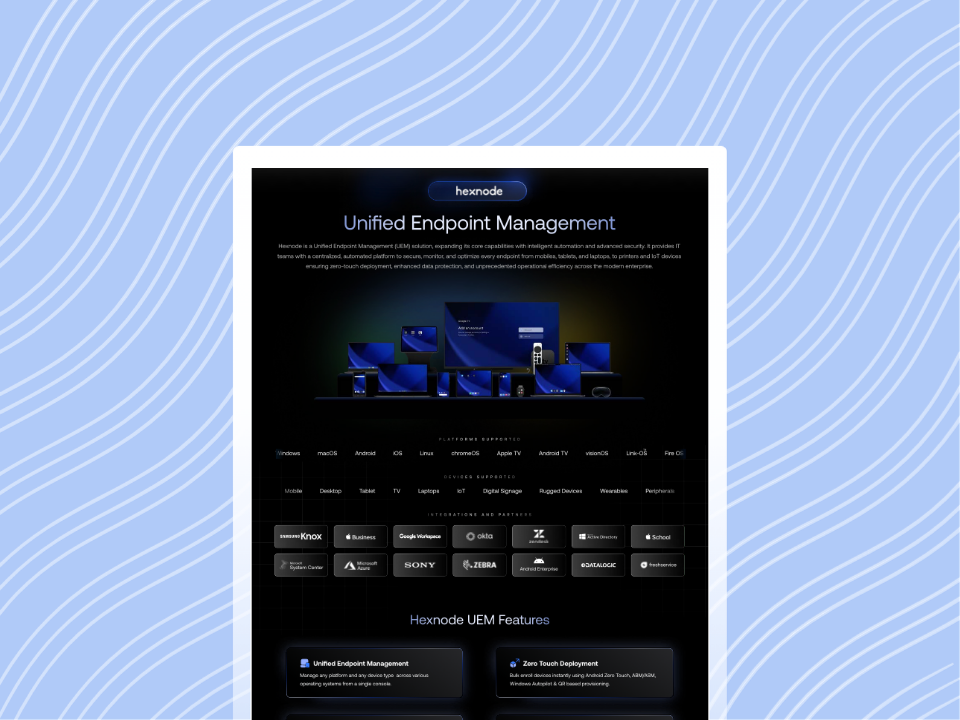
ServiceNow Hexnode integration reduces the disconnect between ITSM and UEM by aligning service workflows with endpoint-level visibility and supported actions. This improves MTTR, strengthens endpoint compliance visibility, and enhances decision-making within ServiceNow.
By enabling unified endpoint context and allowing supported remote actions from ServiceNow for eligible devices, IT teams reduce manual overhead and accelerate remediation. The result is a more efficient service model where incidents reflect associated device context when user-device mapping exists.
Modern IT environments rely on ITSM and UEM integration to maintain operational continuity and security posture. However, platforms like ServiceNow often operate in silos. This disconnect limits endpoint visibility, weakens compliance tracking, and slows incident response workflows. A well-implemented ServiceNow Hexnode integration closes this gap by aligning ServiceNow device management workflows with endpoint data and supported actions from Hexnode.
As a result, IT teams face:
Delayed remediation due to lack of endpoint context in tickets
Manual workflow overhead across IT service tools
Inconsistent visibility into device state
Limited ability to act on endpoints directly from ITSM
For CIOs and security leaders, this results in higher operational risk and reduced efficiency. Bridging ITSM with Hexnode UEM integration ensures service actions are executed with accurate device context where applicable.
ServiceNow Hexnode integration connects IT service management workflows with endpoint management to create a unified operational layer. It aligns ServiceNow device management with endpoint data and supported actions from Hexnode.
This integration supports:
Unified endpoint visibility within ServiceNow
Synchronization of devices, users, and applications
Visibility into device status, ownership, and assigned user details
Execution of supported remote actions from ServiceNow for eligible devices
By combining ITSM and UEM, IT teams can significantly reduce manual dependencies. Service tickets reflect associated device context where available, improving decision accuracy and response time.
Why ServiceNow Hexnode Integration Matters
A structured ServiceNow Hexnode integration ensures ServiceNow workflows operate with accurate endpoint context.
As a result, this integration delivers:
Unified endpoint visibility across incidents and synced data
Faster remediation using supported ServiceNow-triggered actions
Improved compliance tracking with device-level insights
Reduced tool switching and operational overhead
Better alignment between service workflows and endpoint state
Consequently, actions taken in ServiceNow reflect actual device conditions where mapping exists.
Key Challenges Without ServiceNow Hexnode Integration
Without integration, IT teams often operate with disconnected systems.
This results in:
Fragmented workflows with no endpoint context
Increased manual intervention
Delayed response due to lack of direct device actions
Limited visibility into compliance status
Reduced operational efficiency at scale
Ultimately, these gaps directly impact MTTR, reliability, and service quality.
Featured resource
Introduction to Hexnode
This guide explores Hexnode’s core capabilities, simplifying device management and security for modern businesses.
A well-implemented ServiceNow Hexnode integration connects ITSM workflows with endpoint data and supported actions. This integration enables ServiceNow device management teams to access device context directly from incident workflows. Supported actions are available for synced users with associated devices.
Hexnode UEM enables ServiceNow technicians to interact with managed devices through supported capabilities:
Synchronization of devices, users, and applications between Hexnode and ServiceNow
Visibility into synced device details such as device status, ownership, and assigned user information
Execution of supported remote actions from ServiceNow for eligible devices
Supported remote actions include:
Category
Supported Actions
Device Actions
Scan Device, Scan Device Location, Restart Device, Power Off Device
Security Actions
Lock Device, Clear Password, Lost Mode actions
Application Actions
Install applications, Uninstall applications
Management Actions
Disenroll Device
Inventory Actions
Scan for Apps
As a result, IT teams can act on endpoint context without leaving the ServiceNow interface.
Operational Architecture of ServiceNow Hexnode Integration
A structured ServiceNow Hexnode integration operates through a coordinated model where ServiceNow handles workflow orchestration, and Hexnode executes supported endpoint actions. This architecture enables IT teams to manage incidents with relevant endpoint context available directly inside ServiceNow.
ServiceNow as the Orchestration Layer
ServiceNow functions as the operational control layer for incident workflows. Technicians can access synced endpoint information within incident records and initiate supported actions without switching platforms.
Specifically, this orchestration layer provides:
Centralized incident handling
Visibility into synced endpoint context
Access to supported Hexnode Actions from incidents
Reduced operational friction between ITSM and endpoint management
Hexnode as the Endpoint Execution Layer
Hexnode acts as the execution layer for endpoint-related actions. Once eligibility conditions are met, supported actions initiated from ServiceNow are executed on associated enrolled devices through Hexnode.
Supported execution capabilities include:
Device lock and restart actions
Password clearing
Lost Mode actions
Device and app scans
Application install and uninstall
Sync Model and Endpoint Context
The integration relies on synchronization between Hexnode and ServiceNow to maintain endpoint visibility within incidents.
Synced data includes:
Devices
Users
Applications
Device status, ownership, and assigned user details
Consequently, ServiceNow incidents reflect relevant endpoint information where valid associations exist.
User-Device Association Dependency
Supported actions are available only for synced users with enrolled devices managed through Hexnode. The ServiceNow incident must include a valid user-device association.
Therefore, this dependency ensures:
Accurate endpoint targeting
Controlled action execution
Reduced risk of unauthorized or incorrect actions
Incident-Driven Action Model
The integration follows an incident-centric operational model. Endpoint actions are initiated directly from the ServiceNow incident form after technicians review available device context.
In practice, this model improves:
Response efficiency
Workflow continuity
Operational visibility across ITSM and endpoint operations
Periodic Sync Behavior
Incident data syncs from ServiceNow to Hexnode periodically in the background rather than through continuous real-time synchronization. IT teams should account for this behavior when designing operational workflows and response expectations.
ServiceNow Hexnode Integration Workflow
The ServiceNow Hexnode integration links service workflows with endpoint data and actions.
Devices, users, and applications sync with ServiceNow
An incident is created in ServiceNow
Endpoint context appears in the incident (if mapping exists)
Hexnode Actions become available
Technicians execute supported actions
Incident data syncs periodically in the background
Therefore, actions are performed only for eligible users with associated devices.
Real-World Use Case
A practical ServiceNow Hexnode integration strengthens ITSM and UEM integration by enabling direct endpoint response from service workflows. This reduces MTTR by aligning incident handling with available endpoint context.
Scenario: Compromised Endpoint Detected via ServiceNow Incident
A ticket is created in ServiceNow.
Device context appears (if mapped).
Technician reviews synced device details such as device status, ownership, and assigned user information.
Technician performs supported action such as:
Lock device
Restart device
Scan device
Executed actions are logged in the Hexnode UEM portal. Logs appear under the ServiceNow integration action history and the device Action History section.
As a result, technicians can resolve issues faster without switching tools.
MDM Integrations: Unify Your IT Tech Stack with Hexnode
Learn how MDM integrations unify your tech stack, streamlining workflows, and enhancing organizational security.
Design Considerations Before Deployment
Organizations should evaluate operational and architectural considerations before deploying the integration at scale.
Additionally, planning around these factors helps maintain operational consistency and improves workflow reliability.
Best Practices for ServiceNow Hexnode Integration
A stable ServiceNow Hexnode integration depends on disciplined configuration and governance. Strong ITSM and UEM integration ensures that ServiceNow device management workflows execute with accurate data and controlled access.
Adopt the following practices:
Maintain accurate user-device mapping
Use RBAC to control access to actions
Automate only well-defined workflows
Regularly verify integration sync
Align processes with supported ServiceNow actions
Ultimately, these controls improve operational consistency and reduce risk across large device fleets managed through Hexnode UEM integration.
Conclusion
A structured ServiceNow Hexnode integration connects ITSM workflows with endpoint visibility and supported actions. This alignment improves MTTR, enhances endpoint compliance visibility, and enables more accurate decision-making within ServiceNow.
For IT leaders, this integration therefore reduces gaps between service workflows and endpoint execution. Moreover, teams gain relevant device context within incidents and can act without switching tools, improving operational efficiency, and reducing response delays.
Adopt Hexnode UEM integration to extend ServiceNow device management with endpoint-aware workflows. Build a service model where eligible incidents include associated device context, and supported actions are executed directly from ServiceNow.
Unify ITSM and UEM with ServiceNow Hexnode Integration
Get started with Hexnode to streamline ITSM and UEM integration and reduce operational overhead across your IT environment.
1. Can ServiceNow directly control devices via Hexnode?
Yes. With a configured ServiceNow Hexnode integration, technicians can execute supported remote actions directly from the ServiceNow incident form. These actions are available only for synced users with associated enrolled devices.
2. What data can be synced between Hexnode and ServiceNow?
The integration supports synchronization of devices, users, and applications managed in Hexnode. Synced device records can include details such as device status, ownership, and assigned user. This ensures consistent endpoint visibility within ServiceNow incidents.
3. What actions can be performed from ServiceNow?
Technicians can perform supported actions such as: Lock device and clear password, Restart or power off device, Scan device and scan for apps, Install or uninstall applications, and Lost Mode actions. Technicians can access actions only when a user-device association exists.
4. Is MFA supported in this integration?
MFA is not enforced directly within the integration. It depends on identity provider configurations, such as Microsoft Entra Conditional Access, used alongside Hexnode.
5. Do I need middleware for integration?
No. The integration is enabled using the Hexnode Integration application from the ServiceNow Store, along with Hexnode API key configuration and optional OAuth setup.
I write at the intersection of technology, process, and people, focusing on explaining complex products with clarity. I break down tools, systems, and workflows without any noise, jargon, or the hype.