Tips to secure web browsing on work devices
Best practices to secure web browsing on enterprise work devices

Get fresh insights, pro tips, and thought starters–only the best of posts for you.

Modern enterprise work happens inside web applications. From document editing to CRM workflows, users interact with business-critical data through browsers that act only as access layers.
A unified endpoint management and security solution brings control to this interaction by enforcing policies at the point where endpoints, browsers, and web apps meet.
Without this control, organizations rely on fragmented tools that either monitor traffic or authenticate users, but rarely govern what happens inside browser sessions. This creates blind spots in how data is accessed, modified, and transferred.
In this blog, we examine how organizations can control web app access and browser activity using a unified endpoint approach. We break down where traditional controls fail, how enforcement works at the endpoint, and how teams gain visibility into user actions and data movement within browser sessions.
Security controls often exist at the device or network level, while user activity happens inside web apps accessed through browsers. This disconnect creates a gap where enforcement and visibility break down.
Browsers can be configured and managed to a certain extent, but they do not inherently control how users interact with web applications. At the same time, web apps execute logic and handle data without direct awareness of endpoint conditions.
This separation creates multiple gaps in how control and visibility are applied during real-time usage:
Effective control requires managing access, user behavior, and data movement across both browsers and web applications. Focusing on only one layer leaves gaps that can be exploited during active sessions.
Control begins with defining which applications users can access and under what conditions. This determines the exposure surface before any interaction takes place.
Once access is established, control must extend to how users interact with web apps through the browser. These interactions directly influence how data moves between endpoints and applications.
Beyond user actions, it is critical to control how data flows during active sessions. This ensures that information remains within defined boundaries throughout its lifecycle.
Most traditional security tools were not designed for web-native application environments. They operate at layers that do not fully capture user behavior inside browser sessions.
This separation between access, monitoring, and enforcement results in incomplete control over web app usage.
Even with endpoint-level control, managing browser-based access and web app activity introduces challenges that impact investigation and response.
Control becomes effective when enforcement happens at the endpoint, where browser activity and web app interactions converge. A UEM containing a security solution applies policies directly at this intersection, ensuring that control extends beyond access into real-time user activity.
Instead of a single checkpoint, enforcement follows a continuous flow across the session lifecycle:
Before access is established, the endpoint is evaluated for compliance. This includes device configuration, security posture, and alignment with defined policies, ensuring that only trusted and managed devices can initiate sessions.
When a user initiates access through a browser, policies are evaluated using both identity and device context. Access decisions depend on real-time conditions such as user role, device compliance, and access location.
Once access is granted, policies shape how the browser behaves during the session. This includes enforcing restrictions on extensions, controlling browser configurations, and limiting actions that may introduce risk.
As users interact with web applications, actions such as uploads, downloads, and data transfers are continuously monitored and controlled. Enforcement remains active throughout the session rather than stopping at initial access.
Control does not remain static after access is granted. Policies can adjust dynamically if device posture changes or risk conditions evolve, ensuring enforcement remains aligned with real-time context.
Access can be defined at the application level, allowing organizations to restrict or permit specific web apps based on user roles, device state, or organizational policies.
This approach ensures that control is applied not only at the point of entry but throughout the entire interaction between the endpoint, browser, and web application, covering both behavior and data movement.
Shifting control to the endpoint changes how browser and web app security is managed. Instead of splitting enforcement across tools, control is applied where user activity actually happens.
This leads to three clear changes:
Effective investigation requires visibility into both endpoint behavior and user interactions within web applications. This combined perspective enables teams to understand what happened, how it happened, and why.
Investigation begins at the endpoint, where device-level data provides the initial context. This includes running processes, browser instances, and the system state at the time of activity. Endpoint data helps teams identify where an action originated, which process initiated it, and whether the device was compliant when the activity occurred.
Once the source is identified, the investigation extends into browser activity to understand how the user interacted with web applications during the session. This includes analyzing actions such as file uploads, downloads, navigation patterns, and session behavior to determine what operations were performed within the web app.
The most critical step is correlating multiple signals to build a complete sequence of events. Individual data points provide limited insight unless connected. By linking user identity, device posture, and activity data, teams can trace actions from initial access through to specific operations, improving accuracy in root cause analysis.
With correlated data, teams can reconstruct how the interaction unfolded across the endpoint, browser, and web application. This allows them to understand not just isolated actions, but the sequence in which they occurred, providing clarity into how data was accessed, modified, or transferred.
Hexnode enables teams to enforce browser policies and investigate endpoint activity through a centralized management layer, where control and visibility are applied directly at the device level.
Hexnode allows administrators to configure browser settings remotely and apply them across managed devices, including controlling homepage behavior, restricting extensions, and defining allowed or blocked websites, ensuring consistent browser configurations without manual intervention.
Administrators can define which web applications and websites are accessible on managed devices, enabling organizations to restrict unauthorized or high-risk platforms while enforcing usage policies aligned with user roles, device compliance, and organizational requirements.
Hexnode provides visibility into device activity, including processes and application usage, allowing teams to examine how the browser was used and what was running on the endpoint during a specific event or time window.
Teams can use query-based search to filter endpoint data and investigate specific events, enabling targeted analysis of activity patterns, identification of anomalies, and faster tracing of actions without relying on broad or unstructured logs.
Device state, user context, and activity data are available within a unified interface, allowing teams to analyze events with full context and avoid fragmented investigation workflows across multiple tools.
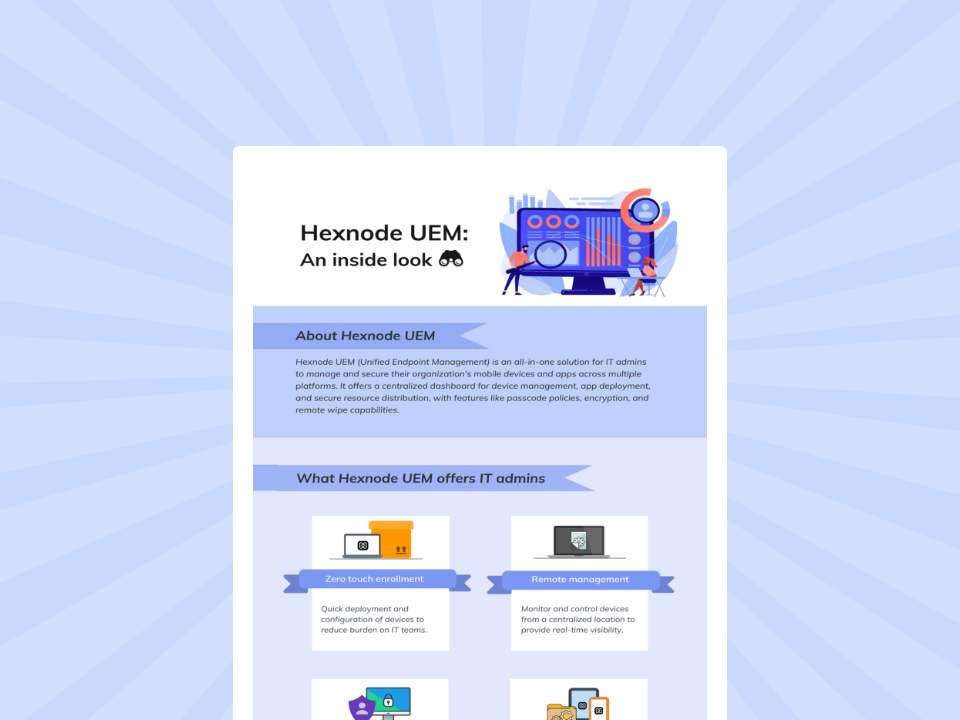
Hexnode UEM simplifies cross-platform device management with centralized control, security, app deployment, and data protection
DOWNLOADOrganizations apply endpoint-driven control across environments where web applications handle critical workflows and sensitive data. These environments require consistent enforcement, regardless of where users access applications or what devices they use.
In SaaS-heavy environments, business operations depend entirely on web applications such as collaboration tools, CRM platforms, and internal dashboards. This increases reliance on browsers as the primary access layer.
Organizations need to ensure that access to these applications is controlled based on device compliance and user identity, while also managing how users interact with data through uploads, downloads, and sharing actions during active sessions.
Bring-your-own-device (BYOD) environments introduce variability in device security, as personal devices may not meet organizational standards or follow consistent configurations.
Endpoint-driven control ensures that access to web apps is restricted based on device posture, while also limiting actions that could expose data, such as unauthorized downloads or transfers, even when access is allowed.
Healthcare, finance, and government industries operate under strict compliance requirements that govern how they access, process, and store data.
In these environments, organizations must enforce precise controls over web app usage, including restricting data movement, monitoring access conditions, and ensuring that sensitive information is not transferred outside approved boundaries through browser-based interactions.
A unified endpoint management and security solution enables organizations to control how endpoints interact with web apps through browsers. It extends enforcement beyond access into user actions and data movement, closing gaps created by fragmented tools.
As web applications continue to define enterprise workflows, controlling the interaction between endpoint, browser, and application becomes essential for maintaining security and operational consistency.
Start your free trial to manage access and user actions centrally
Sign Up Now1. Can user actions inside web apps be controlled?
Yes, policies applied at the endpoint can restrict actions such as downloads, uploads, and data transfers within browser sessions based on device and user context.
2. How is data movement through browsers restricted?
Data movement is controlled by enforcing rules on file transfers, uploads, and downloads, ensuring that sensitive information is handled according to policy.
3. Does this replace web gateways or CASB tools?
It complements them by adding endpoint-level enforcement and visibility, addressing gaps that network- or cloud-based tools cannot fully cover.
4. How is activity investigated across sessions?
Investigation combines endpoint data, browser activity, and user context, allowing teams to trace actions from access to execution within web applications.