Green IT Strategy: How to Decarbonize Your Fleet with Hexnode
Sustainability meets cost-efficiency. See how health analytics can help you identify 'zombie' hardware & extend the life cycle.

Get fresh insights, pro tips, and thought starters–only the best of posts for you.
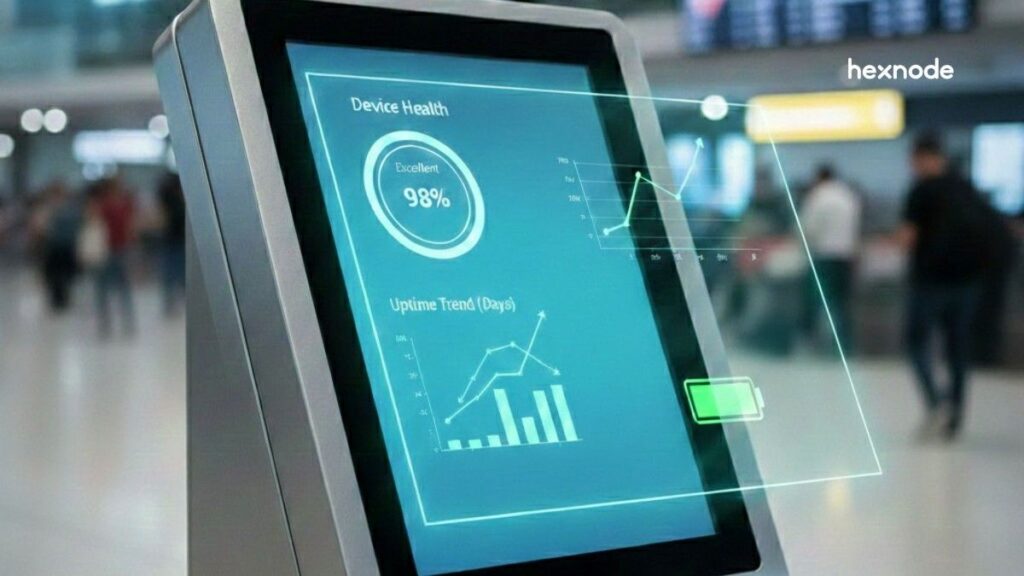
Dedicated kiosks are everywhere in retail stores, hospitals, airports, factories, and banks. They are secure, locked down, and purpose-built. But security alone does not guarantee success.
To truly optimize kiosks, organizations need visibility. By leveraging Hexnode kiosk management solution, businesses can gain real-time insights into device health and user engagement, ensuring that security and performance work together.
You’ve deployed 500 kiosks across the country. They are compliant, locked, and running the right apps. But are people actually using them? Are some locations overloaded while others sit idle? Are devices failing quietly before anyone notices?
Many organizations treat kiosks as “set it and forget it” endpoints. Once deployed, they only react when something breaks. This approach creates blind spots.
Without kiosk analytics, you cannot identify dead zones where kiosks see no engagement or hot zones where hardware is overworked and close to failure.
Successful kiosk management requires a shift. Instead of reacting to outages, teams must use data to predict issues, optimize placement, and continuously improve performance.
This guide explains the most important kiosk analytics metrics to track and how Hexnode’s reporting tools convert raw device data into actionable insights.
Usage metrics focus on how real people interact with kiosks. These insights reveal whether kiosks are intuitive, effective, and worth the investment.
Understanding which apps or websites users engage with most helps you refine kiosk purposes and design.
Application launch frequency shows which apps users open most often on a kiosk. In an Multi-App Kiosk environment, not all apps are created equally. By monitoring launch frequency, you can identify which tools are essential, and which are merely taking up storage.
For example, if your Support app has zero launches in a month, it might need a more prominent icon or better placement within the kiosk launcher. This improves usability and reduces system load.
For Browser-based Kiosks, visibility into URL hits is the only way to refine your content strategy. Hexnode allows you to whitelist specific domains, but kiosk analytics take it a step further by showing which of those permitted pages are accessed most frequently.
If users are constantly navigating a specific Help sub-page, it might be time to make that page the default landing URL to streamline the user journey.
Session-level data shows whether kiosks help users complete tasks efficiently.
This is a critical indicator of user experience (UX) health. A session that is unusually short, say, under five seconds, often points to an application crash or a bounce caused by a confusing landing page.
Conversely, sessions that are excessively long might suggest that the user is getting stuck in a complex navigation loop. Hexnode’s telemetry helps you find the “Goldilocks zone” for your specific use case.
By analyzing this metric, teams can improve kiosk layouts and reduce user friction.
Inactive devices, sometimes called “zombie kiosks,” are devices that show little or no interaction over time. These kiosks consume power, data, and maintenance resources without delivering value.
Hexnode allows you to identify “Zombie Kiosks” devices that are powered on and “compliant” but haven’t recorded a user interaction in a specified period. This is often a signal to relocate the hardware to a higher-traffic area.
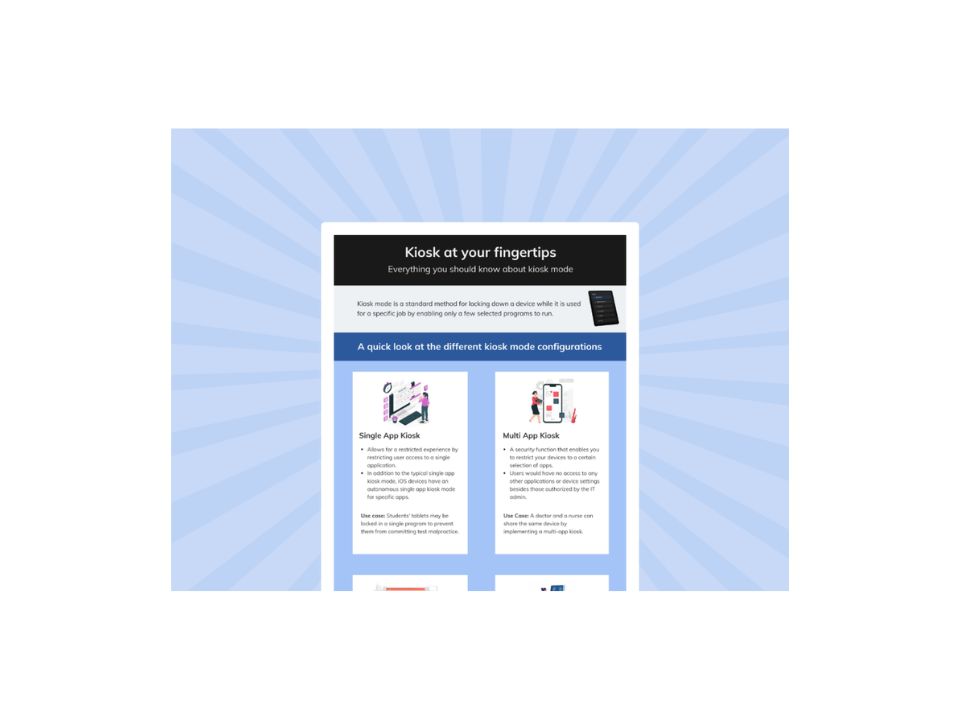
Master the fundamentals of lockdown technology with this visual breakdown of how kiosk mode transforms standard devices into purpose-built, secure business tools.
Download the infographicConnectivity costs add up quickly, especially for LTE or 5G kiosks.
Kiosk analytics reveals which apps consume the most data. Video-heavy apps, background sync processes, or poorly optimized updates often drive unexpected overages.
By identifying these patterns, IT teams can restrict certain apps to Wi-Fi, limit background usage, or optimize update schedules. This directly supports kiosk ROI tracking and cost control.
Hexnode’s data management reports highlight which applications are the “bandwidth hogs,” allowing you to intervene before you hit a data cap.
Within the Hexnode console, this data is uniquely simplified. You don’t need a separate network monitoring tool; the “Data Usage” feature provides a granular breakdown per app, allowing you to set hard limits or trigger alerts if a device exceeds its daily quota.
“The most expensive kiosk is the one that is working perfectly but being used by no one.”
Performance metrics are the “vitals” of your kiosk fleet. While usage metrics tell you what the user is doing, performance metrics tell you if the device is capable of performing its job. In the world of dedicated devices, uptime is the only currency that matters.
Hexnode collects continuous device telemetry for kiosks, giving IT teams deep visibility into the device conditions.
Uptime isn’t just a metric; it is a direct reflection of your brand’s reliability. If a customer approach a self-service kiosk and encounters a black screen or a “System Not Responding” error, the damage to brand trust is immediate.
Hexnode reports help track the percentage of time a device is active vs. offline, allowing you to establish a baseline for fleet availability. If a specific region shows a 15% lower uptime than the national average, you can pinpoint localized issues like unstable power grids or poor cooling.
For mobile kiosks or tablets used in retail and healthcare, the battery is the single most common point of failure. Constant “tethered” charging in a kiosk stand can lead to swelling or capacity degradation.
Hexnode tracks battery health, charging patterns, and capacity loss. By monitoring these trends, IT teams can replace batteries before failures occur, preventing unexpected downtime and emergency maintenance.
Unoptimized apps can lead to memory leaks. By tracking RAM and storage usage, you can prevent the frozen screen syndrome that frustrates customers.
Hexnode reporting highlights devices nearing critical thresholds. The console uniquely simplifies this by aggregating hardware logs into a centralized Device Summary view. This prevents IT from having to manually remote-in to check system resources on individual units.
This enables proactive cleanup, app optimization, or hardware upgrades before performance degrades.
Hexnode provides detailed telemetry on Wi-Fi and Cellular stability. By mapping where signal drops occur, you can make data-backed decisions on whether to move a kiosk or upgrade the local network infrastructure.
A kiosk is only as good as its connection. Kiosk analytics maps connectivity drops across locations. This data helps teams identify poor signal zones, choose better ISPs, or adjust kiosk placement.
Over time, this insight supports smarter network planning and improved reliability.
For Android and Windows deployments, Hexnode provides detailed device telemetry regarding signal strength (RSSI) and network switching logs. By analyzing these fluctuations across your fleet, IT teams can pinpoint physical ‘dead zones’ within a facility, allowing for data-backed decisions on where to place additional Wi-Fi access points or signal boosters.
If a kiosk frequently drops from Wi-Fi and switches to a weak 4G signal, you’ll see it in the connectivity logs, allowing you to justify the cost of adding a dedicated access point to that specific area.
Data is only useful if it’s actionable. Hexnode allows you to move from monitoring to automated response. You can set up instant notifications for:
Kiosk analytics aren’t just checking if the screen is on; they are your primary defense against physical and digital tampering. In a public-facing environment, your kiosk is a target. Security analytics provide the forensic trail necessary to maintain a hardened perimeter.
Kiosks are frequent targets for misuse. Kiosk analytics help detect and document suspicious behavior.
A “breakout” occurs when a user attempts to bypass the kiosk interface to access the underlying operating system, settings, or file system.
Hexnode can block attempts to access system settings, restricted apps, or hardware buttons. Repeated attempts may indicate tampering or misuse at a specific location.
This strengthens security posture and supports incident investigation.
Geofencing ensures kiosks remain within approved physical boundaries. Kiosk analytics track both real-time violations and historical movements.
For mobile kiosks such as tablets used in logistics or high-value retail, the physical location is a security metric.
Hexnode’s Geofencing analytics provide real-time tracking and historical reporting. If a device leaves its assigned “Safe Zone,” the system doesn’t just lock the device; it creates a timestamped event log.
This data is vital for “Chain of Custody” reporting and can be used to recover assets before they are wiped or sold.
Regulated industries require proof, not assumptions.
In regulated industries like healthcare (HIPAA) or finance (SOC2), “trying” to be secure isn’t enough; you must prove you are secure.
Hexnode’s kiosk analytics engine tracks the success rate of every policy push. You can generate a report to show that 100% of your fleet successfully received the latest OS patch or updated Wi-Fi credentials.
This eliminates the “compliance gap” where a single unpatched device becomes an entry point for a breach.
Every time an IT admin performs a remote action whether it’s a remote view session, a device wipe, or a simple restart, it is documented in the Hexnode Audit Logs. This ensures accountability within your IT team and provides a transparent record for internal security audits.
Hexnode secures this process by encrypting these logs and making them exportable in tamper-proof formats, ensuring that your audit trail is as secure as the kiosks themselves.
The greatest barrier to scaling a kiosk fleet isn’t the hardware. It’s the “data fatigue” that hits IT teams. Collecting millions of data points is useless if you can’t extract a narrative from them. This is where the Hexnode comes into play. We don’t just provide a list of logs; we provide a visualization engine that turns telemetry into a management strategy.
The Hexnode dashboard acts as your mission control. Instead of digging through individual device entries, the “Dashboard” view provides a high-level aggregate of fleet-wide health.
You can see immediately how many devices are currently in “Kiosk Mode,” which ones have pending updates, and which are experiencing connectivity issues.
This “single pane of glass” approach allows a single IT administrator to effectively manage thousands of devices across multiple time zones.
Hexnode’s reporting architecture is built for speed. If you see a spike in “Data Usage” on the global dashboard, you can move from “Fleet Health” to “Specific Device Hardware Logs” in two clicks.
This granular drill-down capability is uniquely simplified within the Hexnode console, ensuring you spend less time searching for the problem and more time fixing it.
Hexnode allows teams to schedule weekly or monthly reports that summarize uptime, usage trends, and performance metrics.
These reports help operations leaders and executives clearly see kiosk ROI.
For organizations that require deeper cross-functional analysis, Hexnode makes it easy to export logs for external Business Intelligence (BI) tools.
Hexnode’s exportable formats, like CSV and PDF, make sure that your kiosk telemetry can be correlated with sales data, foot traffic, or employee performance metrics.
“Data-driven management isn’t just about technical maintenance; it’s about having the evidence to prove that your digital strategy is delivering a return on investment.”
Kiosk analytics replace guesswork with clarity. They transform kiosks from static endpoints into measurable, optimizable business assets.
By tracking usage patterns, device telemetry, security events, and performance metrics through Hexnode, organizations ensure that every kiosk delivers consistent value.
The result is higher uptime, better user experiences, stronger security, and verifiable ROI.
Start managing kiosks with confidence, not assumptions.
Transform your kiosk fleet from "black boxes" into data-driven assets.
Try Hexnode NowYes. By analyzing data consumption per application, Hexnode kiosk analytics identify data-heavy apps and background usage. You can restrict these apps to Wi-Fi, limit sync frequency, or adjust update schedules. This prevents unnecessary cellular overage charges across large kiosk fleets.
While it varies by industry, device uptime and interaction frequency are usually the most critical. A kiosk that is offline or unused generates no value. Tracking these metrics helps identify hardware issues or underperforming locations that need improvement or relocation.
Hexnode uses configurable notification alerts. IT teams receive email alerts when a kiosk loses connectivity for a defined duration. This enables immediate remote kiosk monitoring and troubleshooting before downtime impacts users.
Yes. Hexnode tracks system and application telemetry, such as which app was opened or session duration. It does not collect personal user data entered into kiosk applications. This ensures compliance with privacy regulations like GDPR while still delivering actionable analytics.