Dynamic Groups for Bulk Management
Dynamic groups are device groups created based on set criteria, with membership automatically adjusting over time.

Get fresh insights, pro tips, and thought starters–only the best of posts for you.
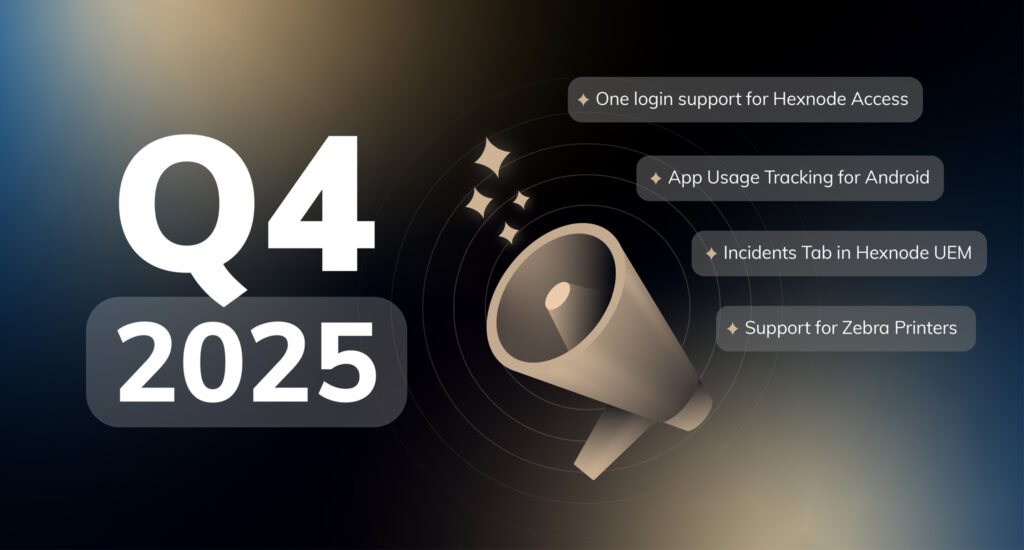
With 2025 officially wrapped, Hexnode kicks off the new year on a high note—with a clear focus on visibility, automation, and compliance. This quarter’s What’s New with Hexnode (WNWH) session, hosted on January 21, 2026, introduced a wave of new capabilities built to make IT management simpler, faster, and more secure.
From unified incident tracking to smarter policy automation and deeper compliance coverage, Q4’s releases bring Hexnode closer to a truly connected, intelligent management experience—one that empowers IT teams to stay proactive, not reactive.
The all-new Incidents tab gives IT teams a single pane of glass to detect, track, and resolve issues across devices, users, and services. Instead of juggling multiple reports or alerts, admins can now view every event—from compliance breaches to license expirations—in one place.
Organized into 3 sub-tabs – Critical, Endpoints, and Users, the dashboard helps teams focus on what truly matters. For example, a failed integration or expiring certificate under Critical can be addressed immediately before it impacts productivity, while Endpoint insights highlight device-level misconfigurations or compliance drifts. And to keep response efficient, incidents can be assigned directly to technicians, ensuring clear ownership and faster resolution—all under the same pane.
Where it helps:
Hexnode now extends full management support to Zebra printers running on LinkOS 5.0 and above—bringing enterprise printing workflows into the same console used for the other platforms. From configuring Wi-Fi settings and deploying templates to performing actions like calibration or firmware updates, admins can now manage printers as seamlessly as laptops or mobile phones.
For organizations in retail, logistics, and manufacturing, this means fewer silos and more uptime—whether it’s printing shipping labels in a warehouse or receipts on a retail floor.
Where it helps:
Admins can now define Custom Attributes to better categorize devices based on details like department, location, or business unit. These attributes can also power dynamic groups, making it easier to implement policies and automations that adapt as your organization evolves.
For example, a “Department_Sales” attribute can automatically ensure those devices receive department-specific app bundles and compliance policies. This helps admins maintain clarity and consistency across thousands of endpoints—without endless manual grouping.
Where it helps:
Hexnode Access now supports OneLogin as an identity provider for Windows, joining Okta, Google Workspace, and Microsoft Entra ID. Users can now log in with their existing OneLogin credentials, while IT teams get unified control over authentication and access policies.
This ensures smoother onboarding and offboarding—no more juggling multiple login systems. Whether it’s granting secure access to company laptops or enforcing Zero Trust principles, authentication stays streamlined and consistent across platforms.
Where it helps:
Ever wondered how work apps are really being used? With App Usage Tracking for Android, admins can now monitor key metrics like total usage time, launch frequency, and notification counts for every managed app.
These insights uncover trends that drive better decisions—like spotting underused licensed apps that could cut costs or identify distractions that drain productivity. It’s a data-driven way to keep teams focused and app ecosystems efficient.
Where it helps:
With the latest enhancement, Android SCEP expands security automation with support for on-premises Microsoft Certificate Authorities via Hexnode Cloud Broker. IT teams can now issue certificates from internal systems without exposing them to the internet.
Additionally, devices can now use SCEP-issued certificates to authenticate VPN access—ensuring secure, passwordless connections even in hybrid or sensitive environments. It’s a step toward stronger identity verification and network security for Android fleets.
Where it helps:
Hexnode strengthens its compliance framework with six new CIS (Center for Internet Security) templates for Windows 10 and 11 across both the levels. These templates offer deep, policy-based controls aligned with global security benchmarks.
Admins can track compliance right from the Manage tab, monitor violations in device summary, and access the new Control Panel Report for visibility in compliance with CIS benchmark for personalization and advanced network settings. Together, these additions make Hexnode’s CIS coverage among one of the most comprehensive in the industry.
Where it helps:
Hexnode introduces a Registry Editor for Windows devices, empowering admins to configure registry settings directly through UEM policies. This gives teams granular control to standardize configurations, enforce security measures, and fix issues—without needing physical access to endpoints.
For instance, admins can disable risky features like USB storage or autorun, enforce audit-ready configurations for compliance, or push quick registry fixes remotely to resolve issues organization-wide. It’s precision control at scale.
Where it helps:
As 2025 gives way to a new year of innovation, Hexnode remains committed to making endpoint management smarter, faster, and more secure—at any scale. Explore these new capabilities in your Hexnode console or watch the WNWH: Q4 2025 webinar on demand for the full rundown of everything new and next.
Here’s to another year of smarter management with Hexnode!
Hexnode is the answer. Check out our advanced UEM solution with a 14 day free trial now.
Try Out Now