Faronics Deploy abuse uses phishing to trick victims into running legitimate, signed Faronics installers.
The installer enrolls Windows endpoints into attacker-controlled Faronics deployments.
Attackers used Faronics functionality to execute PowerShell and retrieve additional tooling.
Huntress observed subsequent ScreenConnect installations, creating another remote-access channel.
Defenders should investigate unexpected Faronics enrollment, ScriptRunner.log activity and unauthorized remote-management software.
Faronics Deploy abuse is a phishing campaign in which attackers trick victims into installing legitimate, signed Faronics Deploy software. The installation enrolls Windows endpoints into attacker-controlled deployments. Attackers can then remotely execute scripts and install ConnectWise ScreenConnect.
Huntress observed Faronics-related lures reaching more than 457 endpoints between July 21 and August 20, 2026. The campaign is notable because attackers do not need a malicious imitation of the management software. Instead, they abuse legitimate administrative capabilities after convincing victims to install the Faronics agent.
Faronics Deploy Abuse at a Glance
Detail
Information
Campaign
Faronics Deploy abuse
Initial access
Phishing and social engineering
Abused software
Faronics Deploy
Affected endpoints
Windows computers
Remote execution
PowerShell through Faronics deployment functionality
Secondary remote access
ConnectWise ScreenConnect
Observed period
July 21 to August 20, 2026
Researcher
Huntress
Observed reach
More than 457 endpoints encountered related lures
Vendor response
Faronics implemented additional anti-abuse measures after Huntress reported the activity
How Phishing Leads to an Attacker-Controlled Faronics Deployment
The attack begins with phishing emails disguised as familiar business communications. Huntress observed lures involving invoices, tax documents, financial records and other routine files.
When recipients follow the phishing link, the delivery infrastructure profiles the visitor. Huntress found JavaScript collecting information such as the browser User-Agent, platform, screen resolution, time zone, language and touch capabilities.
The infrastructure can use this information to decide what content to display. Potential analysis environments may receive decoy content instead of the campaign workflow.
The page then prompts the victim to execute a Faronics-signed installer. Observed filenames included:
Adobe.exe
AdobeReader.exe
Invoice_89940.exe
Once executed with administrative privileges, the installer enrolls the Windows endpoint into an attacker-controlled Faronics deployment.
That enrollment is the critical transition in the campaign.
The attacker can now use legitimate Faronics deployment functionality to remotely execute scripts. As a result, subsequent commands do not require the victim to manually execute each payload.
How Faronics Deploy Chains PowerShell to ScreenConnect
After enrollment, Huntress repeatedly observed attackers using Faronics Deploy to execute PowerShell on affected endpoints.
The attackers used Faronics deployment functionality to retrieve scripts and additional content from external infrastructure. This included content hosted on GitHub and attacker-controlled servers.
Observed execution and delivery methods included:
PowerShell for executing remotely delivered scripts
curl for retrieving additional content
mshta for loading additional content
msiexec for installing software from remote infrastructure
GitHub as an external staging location
The scripts subsequently installed ConnectWise ScreenConnect, a legitimate remote-support application.
ScreenConnect provided another remote-access mechanism independent of Faronics. Therefore, removing an unauthorized Faronics installation alone may not eliminate every remote-access path established during the incident.
ScreenConnect itself is not malware. The security issue is its unauthorized installation and malicious use as a remote-access tool.
This distinction matters for defenders. Legitimate software may not trigger the same assumptions as an unfamiliar malicious executable. Consequently, organizations need to distinguish approved remote-management tools from unexpected installations.
How to Investigate Faronics Deploy Abuse on Affected Endpoints
An unexpected Faronics installation should prompt investigation, but its presence alone does not prove compromise.
Huntress recommends examining:
C:\ProgramData\Faronics\Logs\ScriptRunner.log
The log can contain information about scripts remotely executed through Faronics. It can also preserve associated source URLs, providing useful evidence during incident investigation.
Where the relevant Windows logging policies were enabled before the activity occurred, defenders can supplement ScriptRunner.log with native Windows telemetry. PowerShell Script Block Logging generates Event ID 4104, which can preserve the content of processed PowerShell script blocks.
Windows Security Event ID 4688 records process creation, while command-line arguments are available when Audit Process Creation and the Include command line in process creation events setting are enabled. These records can provide additional context when investigating PowerShell and related processes executed during the campaign.
Administrators should investigate for:
unexpected PowerShell or other remotely executed scripts
GitHub or external payload URLs
unauthorized ScreenConnect installations
other unexpected remote-management tools
scripts executed before or after RMM installation
configuration requests containing the Faronics ck identifier
The ck parameter can also provide an investigative pivot. Faronics told Huntress that the identifier maps activity to a customer or deployment.
Therefore, defenders investigating multiple endpoints can use the identifier alongside other evidence. This can help determine whether systems may be associated with the same suspicious deployment.
The strongest signal is not simply the presence of Faronics Deploy. Instead, defenders should look for an unexpected Faronics installation combined with suspicious remote execution or unauthorized remote-management software.
Featured resource
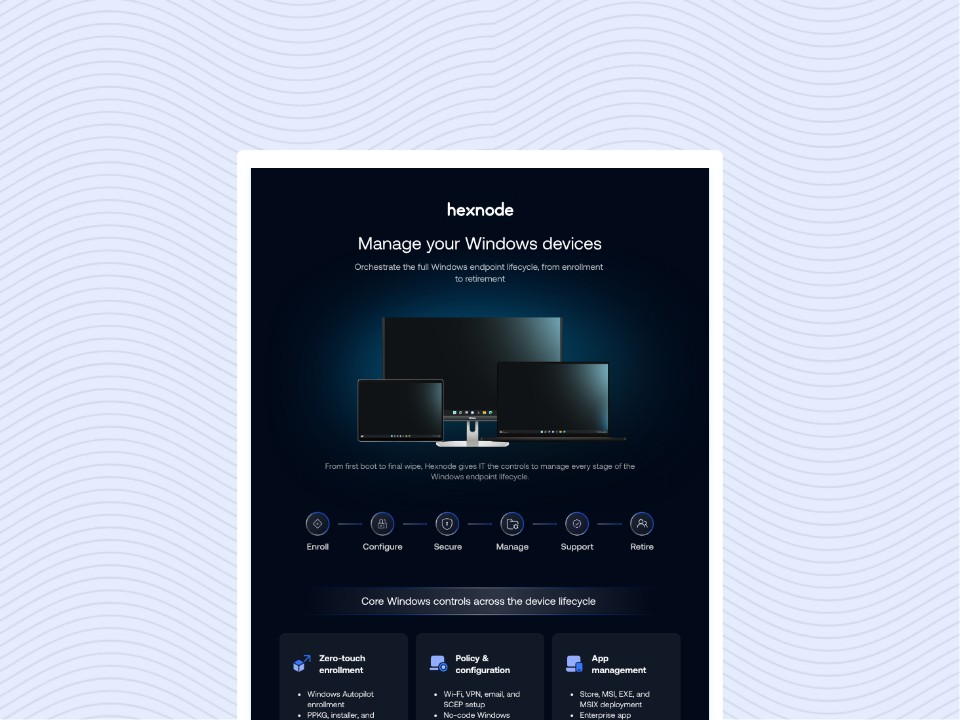
Windows Platform Capability Statement
Explore how centralized Windows device management helps IT teams manage applications, security controls and endpoint configurations across enterprise devices.
How Hexnode Helps Address Unauthorized Remote Management Software
The Faronics Deploy campaign shows why enterprises need both governance over administrative software and visibility into suspicious endpoint activity. Hexnode UEM and Hexnode XDR address different parts of this requirement, from controlling applications on managed endpoints to investigating and containing suspicious activity.
Govern Remote Management Software with Hexnode UEM
Hexnode UEM provides application-management capabilities for supported Windows endpoints. Administrators can use application policies and software visibility to control which applications belong on managed devices.
For example, IT teams can define policies around approved applications and restrict unwanted software where supported. This helps organizations maintain clearer baselines for administrative and remote-management tools.
Application governance is especially relevant when software such as Faronics Deploy or ScreenConnect is not approved for a particular endpoint.
Where supported and appropriately configured, application allowlisting or blocklisting can further restrict unauthorized software on managed endpoints. For this campaign, organizations could apply these controls as part of a broader policy for restricting unapproved administrative and remote-management applications. However, enforcement depends on the Windows configuration and policy applied, so these controls should not be described as automatically blocking every Faronics installer before enrollment.
Hexnode UEM should not be positioned as detecting the Faronics campaign itself. Organizations still need to investigate Faronics-specific artifacts and determine what occurred after an unauthorized enrollment.
Investigate and Contain Suspicious Endpoint Activity with Hexnode XDR
Hexnode XDR provides endpoint telemetry and investigation capabilities. These include historical endpoint events, process-tree visibility and query-based investigation.
Such visibility can help analysts examine suspicious execution involving processes such as PowerShell, mshta or msiexec. Analysts can also inspect surrounding process and endpoint activity instead of evaluating individual commands in isolation.
When an investigation confirms malicious activity, documented response capabilities can support containment. Depending on the identified artifact or process, administrators can use relevant actions such as:
isolating an affected endpoint
terminating a malicious process
terminating its process tree
quarantining a malicious file
deleting an executable associated with malicious activity
These capabilities support endpoint investigation and response. However, they do not mean Hexnode XDR specifically detects Faronics Deploy abuse, ScreenConnect abuse or this campaign automatically.
Likewise, XDR investigation does not replace campaign-specific remediation. Administrators should still preserve and examine relevant Faronics logs and remove unauthorized management deployments.
What to Look for When Doing EDR Software Comparison?
Learn which detection, investigation, response and operational capabilities enterprises should evaluate.
What Enterprises Should Do After Suspected Faronics Deploy Abuse
Organizations should treat an unexpected Faronics deployment as an incident requiring investigation rather than simply uninstalling the application.
Recommended actions include:
Isolate affected endpoints when compromise is suspected. This can restrict further remote attacker activity while investigation continues.
Identify the Faronics deployment. Review the associated ck identifier and related artifacts.
Preserve ScriptRunner.log. Collect relevant evidence before removing Faronics from the endpoint.
Review remote script activity. Investigate PowerShell commands, external URLs and other scripts executed through the deployment.
Hunt for ScreenConnect. Check affected systems for unexpected ScreenConnect installations.
Look for additional RMM software. Determine whether attackers introduced other remote-access mechanisms.
Remove unauthorized management software. Do this after preserving the forensic information required for investigation.
Investigate follow-on activity. Review processes, files and network activity associated with suspicious scripts.
Assess credential exposure. Rotate credentials where investigation indicates potential exposure or unauthorized interactive access.
Report suspected abuse to Faronics. Vendor involvement can help investigate unauthorized deployments.
Organizations should also maintain an inventory of approved remote-management tools.
An unfamiliar RMM agent should receive additional scrutiny. Legitimate administrative software can provide extensive endpoint control when deployed without authorization.
Frequently Asked Questions
Does finding Faronics Deploy on an endpoint mean it is compromised?
No. Faronics Deploy is legitimate administrative software, so its presence alone does not indicate compromise. Administrators should determine whether the installation was authorized and correlate it with unexpected remote scripts, ScreenConnect installations or suspicious deployment identifiers.
How did attackers abuse Faronics Deploy in the reported campaign?
The reported campaign involved social engineering and abuse of legitimate Faronics Deploy functionality after victims were tricked into installing signed software that enrolled their endpoints into attacker-controlled deployments.
Is uninstalling Faronics Deploy enough to remediate an affected endpoint?
Not necessarily. Huntress observed attackers installing ScreenConnect as an additional remote-access mechanism. Defenders should investigate follow-on activity and identify other unauthorized remote-management software before completing remediation.
Why did attackers use both Faronics Deploy and ScreenConnect?
Faronics Deploy provided a way to remotely execute scripts after an endpoint joined the attacker-controlled deployment. ScreenConnect then provided an additional remote-access mechanism independent of the unauthorized Faronics enrollment.
Faronics Deploy Abuse Shows the Risk of Unauthorized Management Agents
The Faronics Deploy abuse campaign shows how legitimate administrative software can become part of an attack path when deployed without authorization.
The campaign starts with social engineering, with victims tricked into installing legitimate, signed Faronics Deploy software that attackers then abuse for remote script execution. Victims run legitimate, signed software that connects their endpoints to infrastructure controlled by attackers. Faronics deployment capabilities then enable remote script execution, while ScreenConnect provides another remote-access mechanism.
For enterprises, the lesson extends beyond blocking a specific executable. IT and security teams need visibility into which management agents are authorized and where they are installed.
UEM can support application governance and endpoint baselines. XDR can support investigation and containment when suspicious endpoint activity appears.
However, neither replaces incident-specific investigation. When Faronics Deploy abuse is suspected, defenders should preserve Faronics artifacts, investigate remote execution and identify unauthorized remote-access mechanisms before completing remediation.
Strengthen control over your enterprise endpoints
Manage applications, enforce endpoint policies and build stronger visibility across your managed device environment with Hexnode.
I write at the intersection of technology, process, and people, focusing on explaining complex products with clarity. I break down tools, systems, and workflows without any noise, jargon, or the hype.