Chromebook Admin Console covers basic ChromeOS management but lacks device-level enforcement, hardware restrictions, and cross-platform consistency. These gaps impact enterprise operations. Adding a unified endpoint management layer improves control, visibility, and policy enforcement across devices.
Chromebook Admin Console has become the default management layer for enterprises and educational institutions adopting lightweight, cloud-first devices. It allows IT teams to configure policies, manage users, and deploy devices at scale from a centralized interface.
However, as deployments grow, expectations from the Chromebook Admin Console extend beyond administrative control. Organizations require consistent enforcement across devices, tighter hardware restrictions, and deeper visibility into device behavior—areas where the native capabilities do not fully meet operational needs.
In this blog, we break down the limitations of the Chromebook Admin Console, identify where these gaps impact real-world operations, and explain how a Unified Endpoint Management solution like Hexnode enables stronger control and consistent policy enforcement.
The Chromebook Admin Console provides a centralized way to manage devices, but its enforcement model introduces limitations that become more visible in real-world deployments.
Policy enforcement limitations
Many policies are applied only after a user signs in, which restricts control over device behavior before authentication. This creates gaps in environments where devices must remain secured even without an active session.
Limited control over external interfaces
Controls over USB storage and Bluetooth connections remain basic, making it difficult to enforce stricter restrictions in environments that require tighter control over data movement.
Inconsistent behavior across device usage modes
Shared devices, kiosk deployments, and dedicated user devices do not always follow the same policy enforcement patterns. This inconsistency makes it harder to maintain predictable configurations across different use cases.
Restricted visibility into device state
Monitoring device activity and troubleshooting issues requires navigating multiple layers within the console. This limits how quickly administrators can identify problems and understand device status.
Fragmented control across application environments
Web apps, Android apps, and Linux environments operate under separate policy frameworks. This fragmentation makes it difficult to enforce consistent access and usage policies across all application types.
Where the Chromebook Admin Console Falls Short
The Chromebook Admin Console provides a centralized way to manage devices, but it lacks depth in key areas required for enterprise environments.
Policies are primarily tied to user sessions
Limited control over external interfaces like USB and Bluetooth
Inconsistent enforcement across shared and kiosk devices
Limited visibility into device state and activity
Fragmented control across web, Android, and Linux applications
When the Chromebook Admin Console Is Not Enough
These limitations become operational blockers in environments that require consistent enforcement, shared device usage, or strict access control.
These limitations become more evident in the following areas:
Identity-bound policies vs device-bound enforcement
Policies are applied at the user level, which creates gaps in shared and kiosk environments. Devices cannot maintain consistent restrictions without an active session.
Application control across environments
Web, Android, and Linux applications operate under separate policy models. This prevents organizations from enforcing consistent access controls across all application types.
Network and certificate configuration gaps
Enterprises operating across secured networks require precise control over certificates, authentication, and proxy configurations. However, the Chromebook Admin Console provides only basic options for these requirements.
Lack of real-time control and response
Policy enforcement depends on sync cycles. This delay slows down changes and limits the ability to respond immediately to configuration issues or security concerns.
Unified Endpoint Management for ChromeOS
As the limitations of the Chromebook Admin Console become operational blockers, organizations require an additional management layer that improves policy consistency, visibility, and control across devices without depending entirely on user sessions.
Why does an additional management layer become necessary
As ChromeOS deployments scale, relying only on the Chromebook Admin Console for user-based policy enforcement introduces operational gaps. An additional management layer helps standardize control, improve visibility, and reduce dependency on user sessions.
Shifts control from the user context to the device context
Moves enforcement away from user sessions, ensuring policies apply consistently across shared and unattended devices.
Maintains consistent behavior across deployment types
Ensures shared, kiosk, and dedicated devices follow predictable configurations across different usage scenarios.
Improves visibility across device states
Provides a clearer view of device posture without requiring navigation across multiple administrative policy layers.
Supports broader endpoint management strategies
Aligns ChromeOS with other platforms under a unified management approach for consistent policy control.
How Hexnode UEM Goes Beyond the Chromebook Admin Console
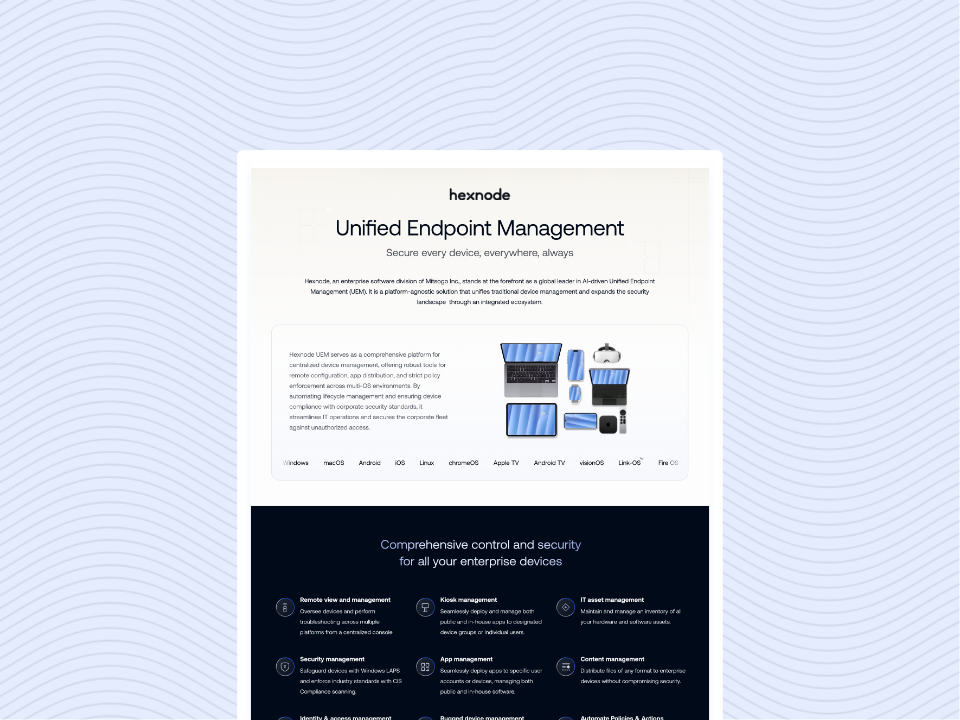
Hexnode UEM extends the capabilities of the Chromebook Admin Console by providing centralized visibility and control across devices while working within the existing Chrome OS management framework.
Policy management alongside the Chromebook Admin Console
Works with the native management layer to apply and monitor policies without replacing Google’s control framework.
Centralized endpoint management
Enables administrators to manage ChromeOS devices alongside Android, Windows, and other endpoints from a single interface.
Kiosk mode configuration
Supports single-app and restricted device setups for shared and purpose-built deployments.
Improved policy visibility
Provides a clearer view of how policies are applied across devices without relying only on user-based contexts.
Cross-platform management consistency
Helps maintain aligned policy standards across multiple operating systems within the same environment.
Operational Impact of Moving Beyond the Chromebook Admin Console
Moving beyond the limitations of the Chromebook Admin Console improves how organizations control, monitor, and maintain devices in production environments.
Consistent enforcement across device states
Policies can be applied more consistently across shared, kiosk, and dedicated devices, reducing configuration gaps.
Reduced dependency on user sessions
Administrative control is no longer limited to active user sessions, improving policy application across different usage scenarios.
Improved visibility into device behavior
A centralized view simplifies monitoring and troubleshooting by providing clearer insight into device status.
Simplified operations in mixed-device environments
Managing Chromebooks alongside other platforms reduces administrative overhead and improves policy consistency.
Better scalability for growing deployments
As device fleets expand, centralized management helps standardize configurations and streamline operations.
Featured resource
Hexnode UEM Capability Statement
Overview of Hexnode UEM capabilities for centralized device control, visibility, and scalable enterprise management
The Chromebook Admin Console provides a necessary foundation for ChromeOS management; however, it does not fully address enterprise requirements. As organizations demand stronger enforcement, better hardware control, and consistent behavior across devices, these limitations become more visible.
A unified endpoint management approach strengthens ChromeOS management by extending control beyond user sessions and improving policy consistency. For environments that rely on shared devices, strict policies, or cross-platform management, moving beyond the Chromebook Admin Console becomes essential.
Go beyond the Chromebook Admin Console limitations
Start your free trial to simplify Chromebook device management today
Does the Chromebook Admin Console support device-level policies natively?
The Chromebook Admin Console primarily applies policies at the user and organizational unit level. Device-level enforcement exists but is limited compared to full endpoint management solutions.
Is the Chromebook Admin Console sufficient for kiosk deployments?
It supports basic kiosk configurations, but managing large-scale or complex kiosk deployments often requires additional tools for consistency, monitoring, and control.
When should organizations consider adding a UEM layer to Chromebook management?
Organizations should consider it when they require consistent policy enforcement, centralized visibility, or need to manage ChromeOS alongside other device platforms at scale.
A storyteller for practical people. Breaks down complicated topics into steps, trade-offs, and clear next actions—without the buzzword fog. Known to replace fluff with facts, sharpen the message, and keep things readable—politely.