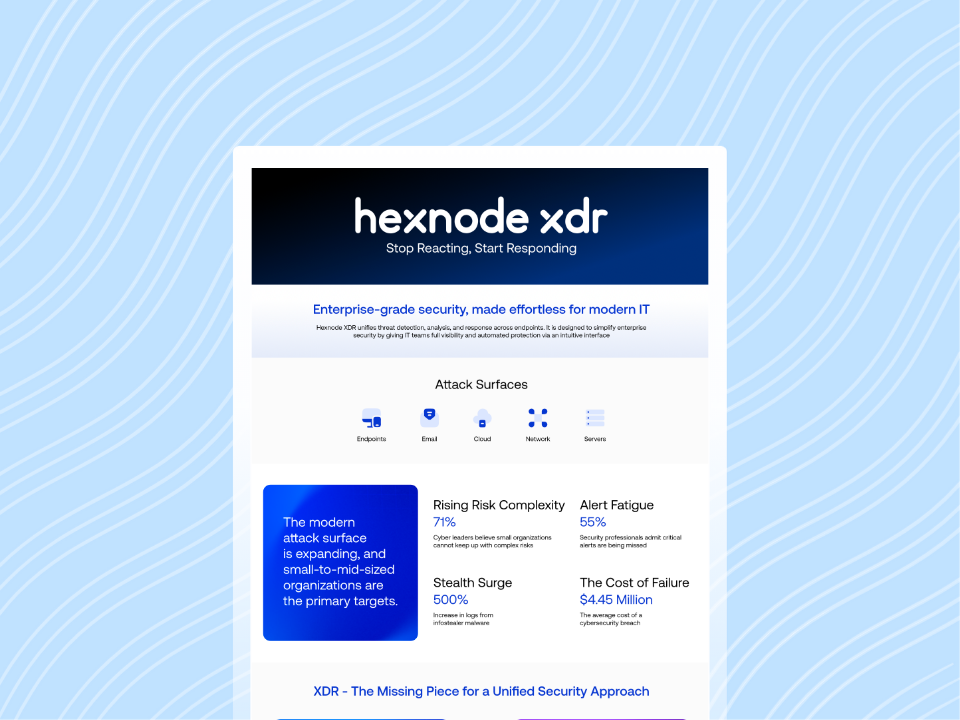
Disconnected security tools overwhelm SOC teams with raw alerts, while contextualized threat alerts provide the evidence needed for faster, focused triage.
Alert fatigue delays investigation, strains SOC capacity, and gives genuine threats more time to expand.
Enrichment adds endpoint, user, process, network, file, timeline, and MITRE ATT&CK context to individual detections.
Hexnode XDR combines Contextualized Alerts, Custom Alert Profiles, and MITRE ATT&CK Insights to reduce noise and support evidence-driven triage.
Contextualized threat alerts remain difficult to produce when SOC teams start with fragmented signals from disconnected security tools. Each platform monitors a different part of the environment. Antivirus tools flag suspicious files, firewalls identify unusual traffic, and EDR platforms track process behavior. Together, these systems can generate hundreds or thousands of alerts each day.
However, volume does not equal visibility. A flagged IP address reveals little without the related user, device, process, destination, and timeline. Likewise, a process name or file hash cannot explain whether an activity reflects routine administration or malicious behavior. As a result, analysts must reconstruct that context before they can judge the alert’s severity.
Analysts must move across security consoles to reconstruct each alert’s context. Therefore, even low-value alerts can consume valuable triage time.
Meanwhile, genuine threats may sit among repetitive detections, duplicate events, and isolated technical signals. Analysts must decide which alerts require escalation without a unified view of the underlying activity. This workload slows triage and increases the chance that teams overlook meaningful indicators.
More security tools and telemetry should improve threat visibility. Instead, disconnected data often increases alert volume without adding clarity. SOC teams receive more evidence, but they still lack the relationships needed to interpret it quickly.
Contextualized threat alerts address this gap by enriching individual detections with relevant telemetry and asset details.
What Happens When Alerts Lack Context
Alert fatigue occurs when repeated, low-context notifications reduce an analyst’s ability to recognize and prioritize genuine threats. Teams can assess its effects through growing backlogs, longer acknowledgement times, delayed triage, and high false-positive rates. Over time, analysts may ignore, dismiss, or postpone alerts that resemble previous false positives.
An isolated detection rarely explains the event’s scope or urgency. Without contextualized threat alerts, analysts must manually investigate every IP address, process name, file hash, and endpoint. Consequently, repetitive verification consumes attention that analysts could direct toward credible attack activity. It also makes consistent prioritization harder across shifts and team members.
Delayed triage increases the time between malicious activity and investigation. Security teams can track different stages through MTTD, from threat activity to detection, and MTTA, from incident reporting to acknowledgement. During that interval, attackers may move laterally, access sensitive data, or prepare ransomware deployment. Therefore, each triage delay gives a genuine intrusion more time to expand across the environment.
Alert fatigue also creates measurable operational costs. Analysts spend more hours reviewing noise, while incident queues continue growing. Meanwhile, serious detections can remain unresolved behind lower-risk events. This pattern strains limited SOC capacity and weakens confidence in security monitoring.
Compliance stakes add further urgency. Slow triage can delay breach discovery, evidence collection, internal escalation, and required notifications. For example, Article 33 of the GDPR generally requires regulatory notification within 72 hours after an organization becomes aware of a qualifying breach. Missed obligations may trigger regulatory scrutiny. Moreover, customers and partners may lose trust when an organization cannot detect, assess, and communicate a breach promptly.
What Are Contextualized Threat Alerts?
Contextualized threat alerts are security notifications that automatically include relevant endpoint, user, process, file, and network data when they trigger. Unlike standalone flags, these alerts explain the surrounding activity that produced the detection. Therefore, analysts receive both the warning and the supporting technical evidence.
For example, a raw alert may identify a suspicious process name. A contextualized alert can also show the affected endpoint, logged-in user, parent process, command line, file path, and network connection. As a result, the analyst can evaluate the process within its operating environment.
Contextualization differs from alert correlation:
Contextualization adds depth to one alert by enriching it with related telemetry and asset details.
Correlation links multiple alerts or events that may belong to the same incident or attack sequence.
Although these methods can complement each other, they solve different problems. Correlation shows relationships across detections. In contrast, contextualization explains the circumstances surrounding an individual detection.
The goal is to help analysts assess severity and choose the next investigative step from one view, with fewer manual lookups.
What Data Enriches a Security Alert
Several enrichment categories can transform a raw detection into an alert that supports immediate investigation:
Process lineage
Parent and child processes show how execution started and what activity followed.
User identity and login history
Account details reveal who accessed the device and whether recent authentication activity appears unusual.
Device health and patch status
Operating system, security posture, and missing updates expose weaknesses that may affect risk.
Network connections
Source addresses, destinations, ports, protocols, and connection timing reveal possible external communication or lateral movement.
File reputation
Hash intelligence, signer details, file prevalence, and prior detections help analysts evaluate suspicious files.
Attack-framework mapping adds another layer of meaning. For example, the MITRE ATT&CK Enterprise matrix organizes adversary behavior into tactics and techniques. Mapping an alert to this framework helps analysts understand the possible objective and method behind the activity. Therefore, the alert explains why a behavior matters, not only what the tool detected.
Timestamps also place related activity in chronological order. Analysts can compare process execution, user logins, file changes, and network connections around the detection. Meanwhile, historical device behavior provides a practical baseline for comparison. This context helps analysts determine whether the event represents routine activity, an isolated deviation, or part of suspicious behavior.
Contextualized Alerts vs. Raw Alerts: A Practical Comparison
Consider an alert that reports only “Suspicious process detected.” The message identifies a potential issue but offers no basis for prioritization.
Triage element
Raw alert
Contextualized alert
Detection
Suspicious process detected
Identifies the suspicious process and command line
User context
Not shown
Shows which user account triggered the process
Process lineage
Not shown
Identifies the parent process that launched it
Network activity
Not shown
Lists the connections that followed execution
Analyst action
Search multiple consoles
Assess the evidence within one view
The raw alert forces the analyst to locate the endpoint, identify the user, and reconstruct the process chain. Next, the analyst must search network telemetry for related connections.
In contrast, contextualized threat alerts provide this evidence when the detection appears. Therefore, enrichment removes the initial manual context-gathering step, although deeper investigation may remain necessary. Analysts can assess severity and decide whether to dismiss, investigate, or escalate the alert more quickly.
Featured resource
Hexnode XDR Info Sheet
Download the two-minute Hexnode XDR info sheet for an overview of centralized alerts, threat visibility, investigation, and response.
Organizations can develop contextualized threat alerts by connecting relevant telemetry, defining risk-based priorities, and refining enrichment through analyst feedback. The following four steps create a practical foundation.
Step 1: Audit Current Alert Sources
Inventory every tool that generates security alerts, including antivirus, firewalls, EDR platforms, email gateways, and identity systems. Then, document which fields each alert provides.
Identify alerts that contain only isolated indicators, such as IP addresses, process names, or file hashes. Also, record the manual lookups analysts perform during triage. This audit reveals where missing metadata creates the greatest operational burden.
Step 2: Establish Data Enrichment Sources
Determine which data sources can add endpoint, user, process, network, and threat intelligence context. Relevant sources may include identity provider logs, endpoint telemetry, asset inventories, and threat intelligence feeds.
Next, connect these sources to a common alerting pipeline. Use consistent identifiers, such as usernames, device IDs, IP addresses, and file hashes. Consequently, the pipeline can match supporting data with the correct detection.
Step 3: Define Context-Based Prioritization Rules
Avoid relying only on the severity rating assigned by the originating tool. Instead, define prioritization rules that consider asset criticality, user privilege, device health, and observed behavior.
For example, a flagged process on a privileged user’s device may require faster triage than the same process elsewhere. However, teams should validate each indicator before raising its priority. This approach connects severity to business and security impact.
Step 4: Build Analyst Feedback Loops
Allow analysts to classify detections as confirmed threats, benign activity, or false positives. Then, review those decisions against existing enrichment rules and thresholds.
Repeated false positives may reveal missing allowlists, incomplete identity data, or overly broad detection logic. Therefore, teams should use analyst feedback to refine enrichment sources, prioritization criteria, and alert thresholds continuously.
How Hexnode XDR Delivers Contextualized Alerts
Hexnode XDR delivers Contextualized Alerts by automatically enriching detections with relevant endpoint data. Analysts receive immediate threat context when an alert appears. Therefore, they can review the detection and its supporting endpoint evidence without switching between separate tools.
This enrichment gives analysts more than an isolated indicator. Instead, the alert provides technical details that help explain where the detection occurred and why it requires attention. As a result, analysts can begin triage with relevant evidence already available within the XDR console.
Hexnode XDR also provides Custom Alert Profiles for more precise security monitoring. Teams can select specific event types, endpoints, or endpoint groups that should generate notifications. They can also apply filters using supported comparators and logical operators. The Hexnode XDR Alert Profiles guide documents these configuration options.
Teams can use supported filters, comparators, and logical operators to create precise alert criteria. They can also tailor profiles to specific events and endpoint scopes, reducing unnecessary notifications.
MITRE ATT&CK Insights add behavioral context alongside these enriched detections. Hexnode XDR maps detected threats to known MITRE ATT&CK tactics and techniques. Tactics indicate a possible adversary objective, while techniques describe how the activity may support that objective.
MITRE ATT&CK mapping complements endpoint enrichment with context about potential adversary intent and attack methods.
5 Ways Hexnode Strengthens Your Incident Response Plan
Learn how Hexnode supports threat investigation, incident prioritization, endpoint remediation, and coordinated response workflows.
FAQs
How can SOC teams measure whether contextualized threat alerts reduce alert fatigue?
Teams can track alert backlogs, acknowledgement times, detection times, and false-positive classifications. Improving these measures indicates faster prioritization and less time spent reviewing noise.
Do contextualized threat alerts eliminate manual investigation?
No, contextualized threat alerts reduce the initial effort required to gather supporting evidence. Analysts may still need deeper investigation before confirming or containing a threat.
What should security teams evaluate in a contextual alerting solution?
Teams should assess its endpoint, identity, process, network, file, and historical enrichment data. They should also evaluate filtering, prioritization, and MITRE ATT&CK mapping capabilities.
Can Hexnode XDR customize which security events generate alerts?
Yes, Hexnode XDR Custom Alert Profiles support selected event types, endpoints, and endpoint groups. Teams can also apply filters to reduce unnecessary notifications and focus on relevant activity.
See Contextualized Alerts in Action with Hexnode XDR
Moving from raw alerts to contextualized threat alerts represents a foundational step in SOC maturity. It replaces reactive alert handling with faster, evidence-driven triage. Instead of gathering basic details across separate tools, analysts can review relevant endpoint context alongside each detection.
Hexnode XDR supports this shift through Contextualized Alerts, Custom Alert Profiles, and MITRE ATT&CK Insights. Together, these capabilities help teams understand detected activity and filter unnecessary notifications. Analysts can then prioritize meaningful events using clearer technical and behavioral context.
Evaluate Context-Rich Endpoint Triage
Start a 14-day Hexnode XDR trial to review alerts, endpoint evidence, custom alert profiles, and investigation workflows in your environment.
I write at the intersection of technology, process, and people, focusing on explaining complex products with clarity. I break down tools, systems, and workflows without any noise, jargon, or the hype.