The BYOD privacy-control tension is the inherent conflict between an organization’s mandate to secure corporate data on employee-owned devices and the end-user’s fundamental right to personal privacy. Resolving this dilemma requires organizations to implement transparent MDM BYOD privacy controls that enforce corporate compliance without infringing on personal data.
For IT and Endpoint Admins, deploying a Bring Your Own Device (BYOD) program often stalls at the very first step: user adoption. The primary barrier to successful deployment is rarely technical complexity; rather, it is deeply psychological. Employees routinely resist Mobile Device Management (MDM) enrollment due to a pervasive fear that IT administrators will actively monitor their personal lives.
Users often mistakenly equate MDM profiles with spyware, assuming that enrolling their smartphone gives the organization unrestricted access to view personal photos, read private messages, and track off-hours web browsing history.
Because of these ingrained fears, treating BYOD merely as a technical policy is a critical misstep.
The Cost of Ignoring Employee Privacy Concerns
When privacy fears cause employees to reject formal MDM enrollment, the organization loses control over its data perimeter. To maintain productivity, users inevitably resort to unmanaged workarounds. They will bypass security controls by routinely forwarding sensitive corporate documents to personal email accounts, collaborating via consumer messaging apps, or uploading proprietary assets to unsanctioned cloud storage platforms.
These decentralized, unmonitored practices drastically increase the probability of severe data breaches. Consequently, organizations may face regulatory audits and penalties under laws such as GDPR or HIPAA, while weak controls can also jeopardize SOC 2 audit outcomes and customer trust.
Furthermore, when employees refuse to participate in a BYOD initiative, the organization must pivot back to a traditional hardware model. This forces the business to absorb the exorbitant capital expenditures (CapEx) required to procure, provision, and maintain a massive fleet of fully corporate-owned devices, completely neutralizing the financial benefits BYOD was intended to deliver.
What MDM Can (and Cannot) See on Employee Devices
When implementing MDM BYOD privacy controls, IT administrators must clearly define the exact scope of device visibility to users. Modern MDM solutions are specifically architected to secure corporate assets, not to surveil the personal lives of employees.
What an MDM CAN see and manage on a BYOD endpoint:
Device identifiers (model, serial number, operating system version).
Corporate applications specifically deployed and managed through the MDM platform.
Work email configurations, business VPNs, and corporate Wi-Fi profiles.
Overall security compliance status, including device encryption verification and jailbreak/root detection.
Storage capacity metrics strictly associated with the managed corporate workspace.
What an MDM CANNOT see or access:
Personal text messages, including SMS, iMessage, and third-party messaging apps.
Personal email accounts, drafts, and contact lists.
Personal photos, videos, audio files, and the camera roll.
Personal web browsing history, search queries, and bookmarks.
Consumer applications downloaded independently via the user’s personal app store account.
Featured Resource
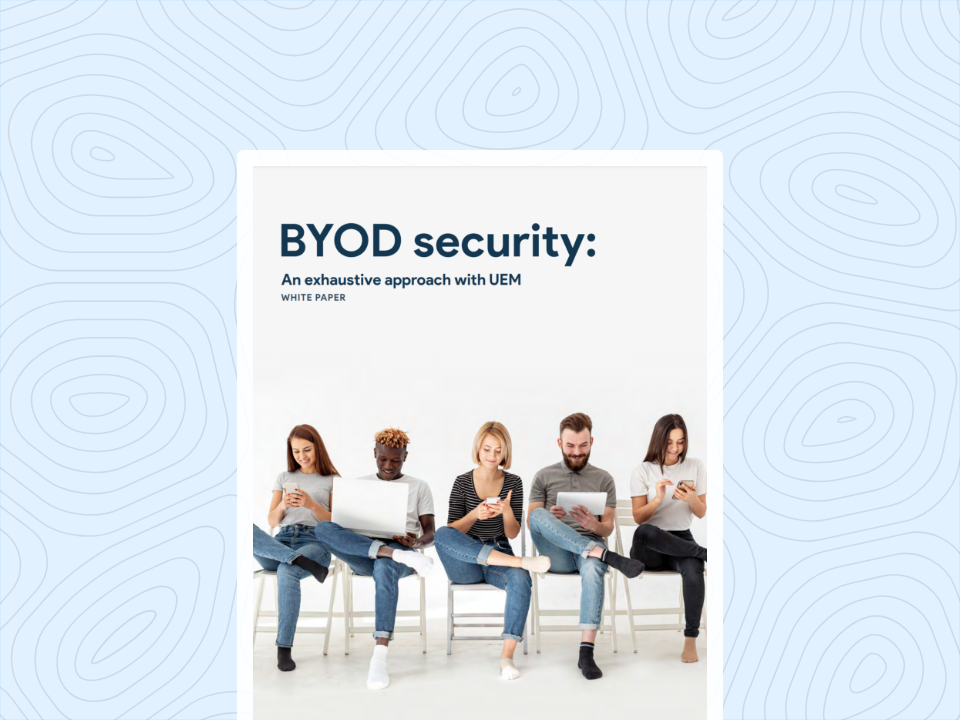
BYOD Security: An Exhaustive Approach with UEM
Download this comprehensive guide to learn how to enforce rigorous enterprise mobility and data protection strategies without compromising end-user trust using Hexnode UEM.
Building a trust-first BYOD culture requires executing three core steps: establishing transparent communication regarding data visibility, deploying privacy-centric enrollment workflows, and enforcing non-intrusive Data Loss Prevention (DLP) policies. By prioritizing these steps, IT administrators can secure corporate assets while actively preserving end-user privacy.
Step 1: Draft a “What We Manage” Document
Deployment success hinges on absolute upfront transparency. IT Directors must abandon complex, legal-heavy Acceptable Use Policies in favor of a plain-language “What We Manage” document. This asset must explicitly list the exact device metrics, configurations, and applications the organization will monitor, effectively defining your MDM BYOD privacy controls.
Distribute this document prior to enrollment to systematically demystify the process and eliminate assumptions regarding IT surveillance.
Step 2: Utilize Privacy-Centric Enrollment
IT teams must transition away from legacy, full-device management profiles when handling employee-owned hardware. Instead, deploy user-initiated enrollment workflows that provision a dedicated, isolated workspace. This approach authenticates the user’s corporate identity, configures necessary enterprise email payloads, and silently installs managed business applications.
Crucially, it accomplishes this provisioning without requesting administrative rights over the user’s personal operating system environment, reinforcing the promises made in your transparency documentation.
Step 3: Establish Segmented Network Access
Protecting the corporate infrastructure requires setting strict networking boundaries for employee-owned hardware. Configure segmented network access by utilizing identity-based network access controls. Route enrolled personal devices into a dedicated BYOD VLAN, isolating them from mission-critical servers and sensitive internal databases.
This architecture ensures that BYOD endpoints can access authorized corporate resources securely, without exposing the core enterprise network to potential malware residing in the user’s unmanaged personal applications.
Step 4: Enforce Context-Aware Data Loss Prevention (DLP)
A successful BYOD strategy secures corporate data without restricting the user’s personal ecosystem. IT must configure context-aware DLP policies that rigidly govern the boundary between managed and unmanaged environments. The most critical technical control for BYOD is restricting clipboard functionality and cross-app data sharing.
Administrators must configure the MDM platform to actively block copy/paste actions from managed business apps (such as a secure corporate email client) to unmanaged personal apps (like consumer messaging platforms or personal note-taking tools). Furthermore, IT should implement managed “Open In” controls to prevent corporate attachments from being saved into the user’s personal cloud storage directories.
This granular, app-level enforcement effectively prevents data leakage while leaving the user completely free to interact with their personal applications. By controlling the flow of corporate data rather than locking down the physical device, IT enforces robust security compliance without violating user trust.
Securing BYOD Workspaces with Hexnode UEM
Hexnode UEM uses OS-native APIs and platform-native containerization to create an encrypted Work Profile on Android or Business Container on iOS, logically separating corporate data from personal data.
To enforce effective MDM BYOD privacy controls, Hexnode relies on platform-specific architectures that guarantee strict data separation. For Android fleets, Hexnode provisions the Android Enterprise Profile Owner mode. This deployment establishes a dedicated Work Profile, logically partitioning business data from the user’s primary environment.
IT administrators gain full authority to silently deploy applications, configure enterprise networks, and mandate security policies strictly within this profile, while maintaining zero visibility or control over the personal partition.
For iOS and iPadOS environments, Hexnode integrates directly with Apple User Enrollment. This modern management framework automatically generates a cryptographically separated Apple File System (APFS) volume explicitly for corporate apps and data.
Apple User Enrollment limits the MDM server from accessing personal photos, iMessages, personal email, browsing history, and the list of personal apps, while separating personal and organizational iCloud Drive data. By utilizing these native sandboxing frameworks, Hexnode seamlessly enforces the boundary between personal and corporate ecosystems at the system level.
Furthermore, securing the BYOD lifecycle requires precise offboarding capabilities. Hexnode executes this through its targeted Corporate Wipe functionality. When an employee transitions out of the organization or reports a lost device, IT administrators can instantly trigger a remote wipe directed exclusively at the managed container.
This action immediately deletes business applications, erases corporate emails, and revokes enterprise VPN certificates.
Crucially, the Corporate Wipe process guarantees that the user’s personal data, including personal photos, private text messages, and unmanaged applications remains completely untouched. This surgical approach ensures continuous corporate data protection while honoring the privacy standards established during initial enrollment.
Ready to Transform Your BYOD Strategy?
Bridging the critical gap between strict corporate security and end-user privacy remains the defining challenge of modern endpoint management. IT administrators can no longer afford to compromise workforce trust simply to achieve baseline compliance.
Implementing transparent MDM BYOD privacy controls ensures you never have to make that operational trade-off.
Ready to validate these technical architectures in your own production environment? Start a free 14-day trial of Hexnode UEM today to experience true containerization, zero-trust data segregation, and privacy-respecting management firsthand.
Secure BYOD Devices Without Compromising Employee Privacy
Deploy strict OS-level containerization to separate corporate data from personal environments. Build a trust-first BYOD culture and eliminate shadow IT with Hexnode UEM.
How does containerization protect employee privacy in a BYOD program?
Containerization establishes an encrypted, OS-level boundary that strictly separates an employee’s personal data from the managed corporate environment. This architecture isolates the two spaces, preventing the MDM agent from querying personal applications or intercepting private network traffic. As a result, IT can fully secure business assets without gaining any visibility into the user’s private files.
What happens to an employee’s personal files and apps during a remote corporate wipe?
Personal photos, messages, and unmanaged consumer apps remain entirely untouched during a remote corporate wipe. This targeted offboarding action is designed to selectively erase only the managed container, which includes business applications, enterprise emails, and corporate VPN certificates. This surgical approach ensures organizational data is removed upon employee departure without compromising any personal data.
How can IT prevent data leakage between work and personal apps on the same device?
IT administrators can prevent data leakage by configuring context-aware Data Loss Prevention (DLP) policies that govern data flow between separated environments. This involves using the MDM to actively block clipboard functions, such as copy and paste, from managed business applications to unmanaged personal messaging tools. Administrators can also deploy managed “Open In” controls to stop corporate attachments from being saved directly into personal cloud storage.
I write about endpoint management. As a content writer at Hexnode, I translate complex IT concepts into clear, actionable insights. My goal is to help organizations navigate endpoint management with confidence and clarity.