Compliance automation: Why is it a critical part of your business?
Compliance automation uses real-time monitoring to ensure your business remains permanently audit-ready.

Get fresh insights, pro tips, and thought starters–only the best of posts for you.

In the Small-to-Medium Business (SMB) world, “Compliance” usually means ensuring employees can’t watch YouTube on company time. In the enterprise world, “Compliance” means something entirely different.
For organizations navigating SOC 2 Type II, HIPAA, or ISO 27001, the Mobile Device Management (MDM) platform, compliance is not just a utility; it is a Forensic Database. It is the system of record that proves you are doing what you told the auditors you would do.
This guide details how to leverage Hexnode UEM to build a defensible, audit-ready governance framework, shifting your posture from “Device Control” to “Accountability.”
The first rule of any audit is Non-Repudiation.
In many legacy systems, logs are text files that can be edited by a root admin. If a rogue admin wipes a database, they can simply delete the log line that says they did it. Hexnode creates a WORM (Write Once, Read Many) environment for your action history.
When an action occurs in Hexnode, whether it’s a policy change, a remote wipe, or a location scan, it is written to the audit history.
Next step: Navigate to Reports > Audit > Audit History. This is your “Black Box.” Ensure that your SOC (Security Operations Center) is ingesting this data via API into your SIEM (Splunk/Datadog) for long-term retention beyond the standard 90-day window.
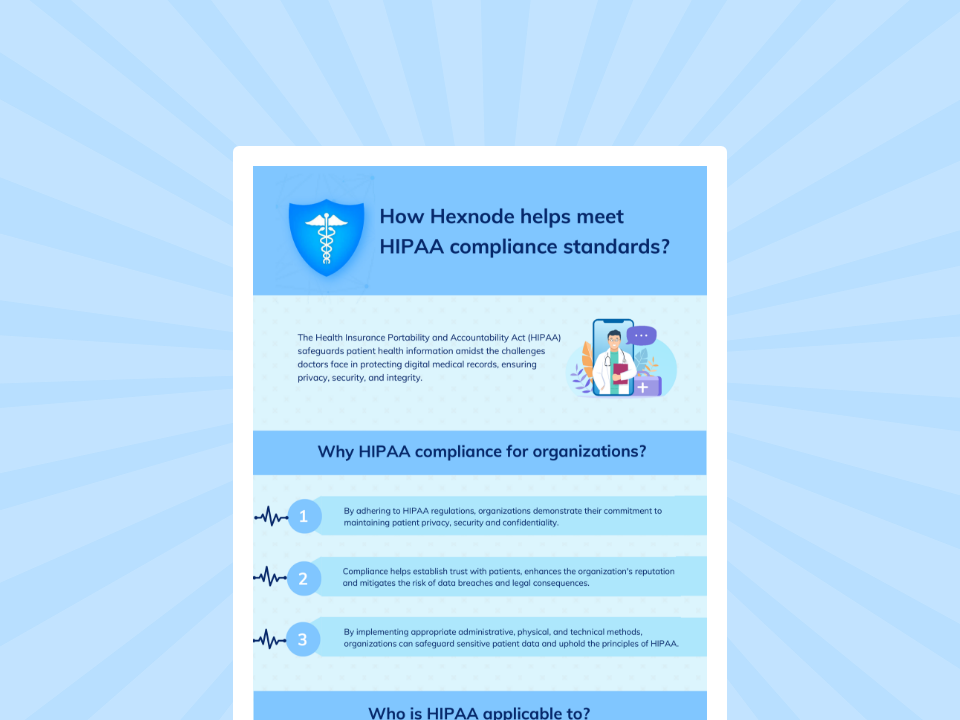
Hexnode UEM simplifies HIPAA readiness by automating policies across all devices. This unified approach ensures absolute data integrity and a forensic audit trail.
Download InfographicAuditors love to test Control CC6.1 of the SOC 2 framework. This requires organizations to implement security measures, like Role-Based Access Control (RBAC) and strong authentication (MFA), to ensure only authorized personnel can access digital assets, using software, infrastructure, and architecture to manage user identity, permissions, and data access points based on roles and the Principle of Least Privilege.
You need to prove that “Admin A” (the auditor) can see the encryption status but physically cannot turn it off, while “Admin B” (the SysAdmin) can do both.
Hexnode uses a granular RBAC (Role-Based Access Control) model defined by scope, identity, and permission.
Constructing the “auditor” role:
Let’s look at a real-world HIPAA scenario. A nurse reports that her iPad containing patient records was “wiped randomly” while she was on rounds. She claims it’s a bug.
Without logs, you have to believe her. With Hexnode, you reconstruct the crime scene using the Audit History.
The Verdict: The device wasn’t wiped “randomly.” The nurse (or a family member) attempted to jailbreak the iPad to install an unauthorized game. The Hexnode Agent detected the root escalation at 14:04:59, flagged the device as “non-compliant,” and the automated compliance policy executed the wipe at 14:05:00 to protect the ePHI (Electronic Protected Health Information).
You now have a closed-loop forensic narrative to present.
Remote troubleshooting is a privacy minefield. If an admin can view a someone’s screen without consent, you have a privacy violation.
Hexnode separates “remote view” logs from general actions.
When the auditor arrives, do not give them your login. Give them the artifacts. You can automate the generation of these proofs using Hexnode scheduled reports.
The “Monthly Compliance Pack” (Schedule for 1st of Month):
For example: Go to Reports > Scheduled Reports. Create a new schedule named “SOC2_Evidence_Collection” and set it to email the compliance team automatically.
In the modern enterprise, your security tools are only as good as the logs they generate.
If you cannot prove it happened, it didn’t happen. By leveraging Hexnode’s immutable logging, granular RBAC, and automated reporting, you transform your endpoint fleet from a black box into a glass house that is transparent, secure, and ready for scrutiny.
Don’t just manage the device. Manage the evidence.
Ready to Audit Your Fleet?
Are Hexnode audit logs immutable?
Yes. Hexnode employs a WORM (Write Once, Read Many) philosophy for its Audit History. Once an action (like a wipe, lock, or policy change) is logged, it cannot be edited or deleted by any user, including Super Admins. This ensures Non-Repudiation, a critical requirement for SOC 2 and HIPAA compliance.
How does Hexnode help with HIPAA compliance?
Hexnode aids HIPAA compliance by providing:
Can I create a “View Only” admin in Hexnode?
Yes. Hexnode’s Role-Based Access Control (RBAC) allows for granular permission scopes. You can create a custom role (e.g., “Auditor”) that has view permissions for reports and dashboards but has edit/delete permissions disabled for devices and policies. This satisfies the “least privilege” principle required by security frameworks.
Start your 14-day free trial to automate your audit trail and achieve effortless compliance.
Signup Now!