Most Operating System providers like Apple, Microsoft and Android, and device manufacturers like Samsung, Huawei, etc. have their own stores for providing applications/ software to users. These stores provide only safe and approved apps to ensure the safety of their users.
What is sideloading?
Sideloading of applications generally refers to the act of downloading and installing applications from outside the operating systems’ app store, like Google Play Store, Apple App Store, Microsoft Store and so on, or device manufacturer’s app store, like Samsung Galaxy Store, Realme App Market and so on.
There are multiple ways of doing this: 1) by downloading the installation file from browsers and manually installing them, 2) by using any third-party app stores other than the OS specified or device manufacturer specified ones and 3) by using an EMM or UEM like Hexnode.
Why are sideloaded apps a necessity?
The main reason for sideloading apps is that not all apps are available through the app stores. Apps may not get published on app stores for any or all of many reasons. So, to use these apps, there is no other way but to sideload them.
Sideloaded apps prove themselves useful in situations where organizations need to use in-house apps. Some organizations have apps built only to be used inside it and these apps cannot be published on the public app store. So, these apps have to be sideloaded to the work devices registered under the organization.
Another case where sideloaded apps are necessary is when app developers need to test out their app before it gets published in the app stores. The process of publishing an app on an app store requires the developer to test out the app and only finished products are usually published in the stores.
So, sideloaded app comes handy when essential apps are not listed in authorized app stores. But sideloading is also used to install apps like games, streaming apps and so on since some of these might not be allowed on the app stores.
How to install sideloaded apps on Android/ Windows/ iOS/ macOS/ Fire OS
Android
Windows
iOS
macOS
Fire OS
Android is probably the easiest device to sideload applications. Just changing a setting can allow sideloading in Android devices. Follow these steps to sideload apps in Android:
Download the .apk file for the app from a browser or a third-party app store.
Using a file explorer open the .apk file.
Allow permission for the source (the browser or the third-party store) to install applications. The app gets installed.
Sideloading apps in Windows is also a very simple process, just follow these steps:
Go to Settings.
Select the Updates & Security tab.
From the “For developers” section, enable sideloaded apps.
Most of the time even this process won’t be needed to sideload apps on Windows devices. Just downloading and running the installation file would be necessary.
Apple iOS devices are probably the hardest to sideload apps on. Normally sideloading of apps is not possible in iOS devices. To sideload apps on an iOS device the device has to be jailbroken. But Apple does not promote this procedure.
Compared to iOS, sideloading of apps is rather simple in macOS devices. Unlike iOS devices, macOS devices don’t have to be jailbroken to sideload apps. But Gatekeeper has to be disabled or bypassed to sideload apps in macOS devices. To allow the installation of approved non-store apps in macOS devices follow these steps:
Go to Apple menu --> System Preferences.
Navigate to the General tab in Security & Privacy.
Unlock the settings by clicking the lock icon on the bottom left and entering the admin credentials.
Select the “App Store and identified developers” setting under “Allow apps downloaded from:”.
Terminal command can be used to allow apps from any source to be installed in macOS devices.
Sideloading in Fire OS devices generally means the installation of Android apps on the device. To sideload apps in Fire OS devices follow these steps:
The web browser or the third-party app store from which .apk files have to be downloaded, has to be recognized as a Trusted source.
For this go to Security and Privacy and select Apps from unknown sources.
Select the app used to download the .apk file and toggle the switch beside it.
Now, all there is to do is download the app and install it.
Featured resource
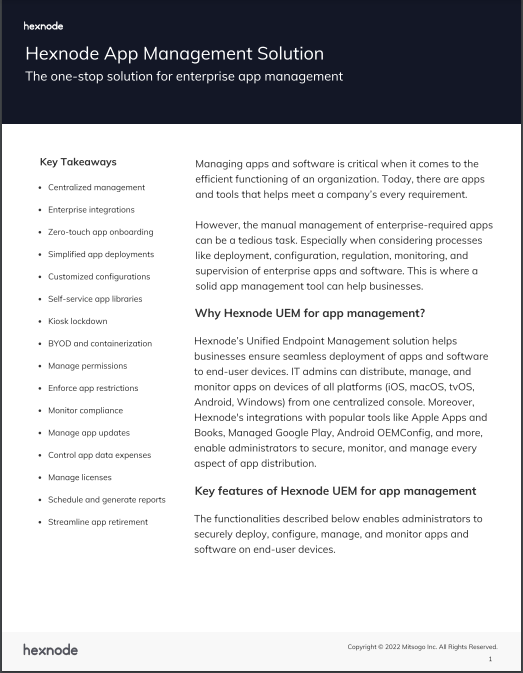
Hexnode App Management Solution
Learn how Hexnode’s App Management solution helps businesses ensure seamless deployment, monitoring, and supervision of enterprise apps on end-user devices.
Sideloading an application does not mean that operating system security checks disappear completely. Depending on the platform and application type, the installation package may still need to be digitally signed before the device will trust and run it.
A digital signature helps establish who signed the application and whether the package has been modified after signing. This is particularly important when businesses distribute applications outside public app stores.
For example, Windows requires sideloaded line-of-business app packages to be signed with a certificate trusted by the target device. Organizations can establish this trust by deploying the appropriate certificate to managed endpoints before installing the application.
Signing should not, however, be treated as proof that an application is completely safe. It verifies the identity or integrity associated with the package based on the certificate being used; organizations should still control where applications originate, which apps are approved and how they are distributed to devices.
For enterprise app distribution, combining trusted application packages with centralized device management provides significantly more control than allowing users to download installation files independently from unknown sources.
Risks associated with sideloaded apps
Although sideloading is necessary in certain situations, there are a lot of risks associated with it. The main point of OS providers recommending users to install apps from the store is to provide more security. Apps posted in stores like Apple App Store, Microsoft Store, Google Play Store, etc. are checked for malware and approved only if the app is safe.
Sideloading apps are risky because they are not checked for any malicious codes or malware by anyone. So, by installing these apps, you could introduce some kind of malware into your device. Some apps might contain spyware associated with them and they might gather personal information from your device and send it to unwanted personnel.
A popular way of sideloading apps is using third-party app stores. But have you ever considered the fact that these stores themselves can be harmful? Well, some of the third-party app stores (websites as well as apps) might be infected and can damage your devices. User information used in these stores, like user credentials and personal information, is vulnerable and totally under the control of unknown people.
Some apps posted online, that are generally clean, might be affected by malicious entities if they don’t have a proper safety structure. This means that, if a non-harmful app is not provided with a proper safety structure, it might be modified by someone and posted online. When such incidents occur people might install the modified app thinking that the app is safe to use. This can cause problems in the user’s device and also destroy the reputation of the original app developer.
How to safely sideload apps
The security of a sideloaded app depends greatly on where the installation package comes from and how well it can be verified. Unlike apps delivered through an official store, apps obtained from external sources may not receive the same level of screening before reaching the device.
Whenever possible, download the app directly from its developer or another source whose publisher can be verified. Avoid modified, cracked or repackaged versions of applications, as the installation file could contain code that was not included by the original developer.
Checking the app’s digital signature or file hash, when the developer provides one, can also help confirm that the downloaded package has not been altered. On Android, users should additionally review the permissions requested by the app and disable the permission to install unknown apps for the browser or file manager once the installation is complete.
Sideloaded apps also require attention after installation. Apps distributed outside an official store may not always receive updates automatically. Regularly updating such apps is important because an outdated version may continue to contain vulnerabilities that have already been fixed in newer releases.
How organizations can control sideloading
Sideloading becomes a bigger concern when employees can install applications from unknown sources on devices that access organizational data. An unverified app with excessive permissions can introduce malware, expose sensitive information or create another entry point for attackers.
Organizations can reduce this risk by defining which applications and installation sources are permitted on managed devices. EMM or UEM solutions can enforce platform-supported restrictions that prevent users from installing apps from unknown sources or unauthorized marketplaces.
The amount of control available can also depend on the device ownership and management model. On Android devices with a work profile, for example, organizations can restrict unknown-source installations within the managed work profile while leaving the personal profile under the user’s control.
This allows IT teams to separate legitimate enterprise app distribution from uncontrolled sideloading. Instead of allowing employees to obtain internal applications independently, organizations can distribute approved in-house apps through their device management platform and maintain greater control over the applications accessing corporate resources.
Safely sideload apps to work devices using UEM
As mentioned earlier, sometimes organizations require in-house apps that can’t be posted in public stores. A few ways of distributing these apps are:
Using mass storage devices to install the app in each device.
By posting it online so that users can install it themselves.
The first method is a very tedious task and the second one is not very safe.
This is where UEMs can help organizations. UEMs like Hexnode can be used to send not only store apps but also custom-built apps. Using UEMs, apps can be remotely deployed on devices enrolled in an organization. Hexnode supports remote installation of in-house apps on organizational devices running on multiple platforms like iOS, Android, etc., with silent installation available on supported devices and enrollment modes.
The apps sent through UEMs do not require approval from the OS providers. Even though the apps are not checked by the OS, the process is safe and secure as the app is directly pushed to devices by the organization without any outside interference.
FAQ
Is sideloading the same as installing an app from an app store?
No. Sideloading means installing an application from outside the operating system’s or device manufacturer’s authorized app store, such as through an installation file or third-party store.
Can sideloaded apps be trusted if they are digitally signed?
A digital signature can help verify who signed an app and whether its package has been modified. However, signing alone does not prove that an application is safe, so its source and permissions should still be reviewed.
How can IT teams reduce the security risks of sideloaded apps?
IT teams can define approved applications and installation sources and use UEM or EMM controls to restrict installations from unknown sources where the platform supports it. Organizations should also verify app packages and keep sideloaded applications updated.
Can organizations sideload in-house apps without publishing them to a public app store?
Yes. Organizations can distribute in-house applications directly to managed work devices instead of publishing them through public app stores. A UEM can provide centralized distribution of these approved applications.
Can Hexnode remotely install sideloaded apps on managed devices?
Yes. Hexnode can remotely deploy in-house applications to enrolled devices across platforms such as iOS and Android. Silent installation is available on supported devices and enrollment modes.
To conclude
Sideloading apps is not always a risky business. Sideloading is necessary so it is always better to take a closer look at the source of the app and all the app itself. Keep an eye out for apps that request totally unnecessary permissions. For example, if you install a calculator app on your phone from a third-party store and it asks for permission to access the camera or storage, keep an eye out for that app.
Sign up for a free trial
Sign up for a free 14-day with Hexnode and find out how Hexnode can help you with app management.