 Emily Brown
Table of Contents
- Apple Configurator for iPhone
- Identity management updates
- Apple Business Manager & Managed Apple IDs
- OAuth 2 & Enrollment SSO (iOS & iPadOS)
- Platform Single Sign-On (Platform SSO) for macOS
- Software Updates for macOS Ventura
- Changes in Enrollment
- Upcoming security changes
- Per-App DNS Proxy and Web Content Filter
- Shared iPad updates
- Installing apps during setup in iPhones and iPads
- Some other updates:
- WWDC22 wrapped!
It is that time of the year again – the WWDC time when Apple announces a bunch of new stuff. Personally, checking up on the latest updates at WWDC every year is almost like a ritual for me now. WWDC22 does not disappoint as it boasts of a whole array of new announcements – including iOS and iPadOS 16, macOS Ventura, watchOS 9, a brand new design for the MacBook line-up and more.
For our enterprise enthusiasts, we have summarized the key updates that Apple has in store for device management.
Apple Configurator for iPhone
In WWDC 2021, Apple introduced Apple Configurator for iOS. This feature made it really easy for organizations to add the Macs into their Apple Business Manager or Apple School Manager account.
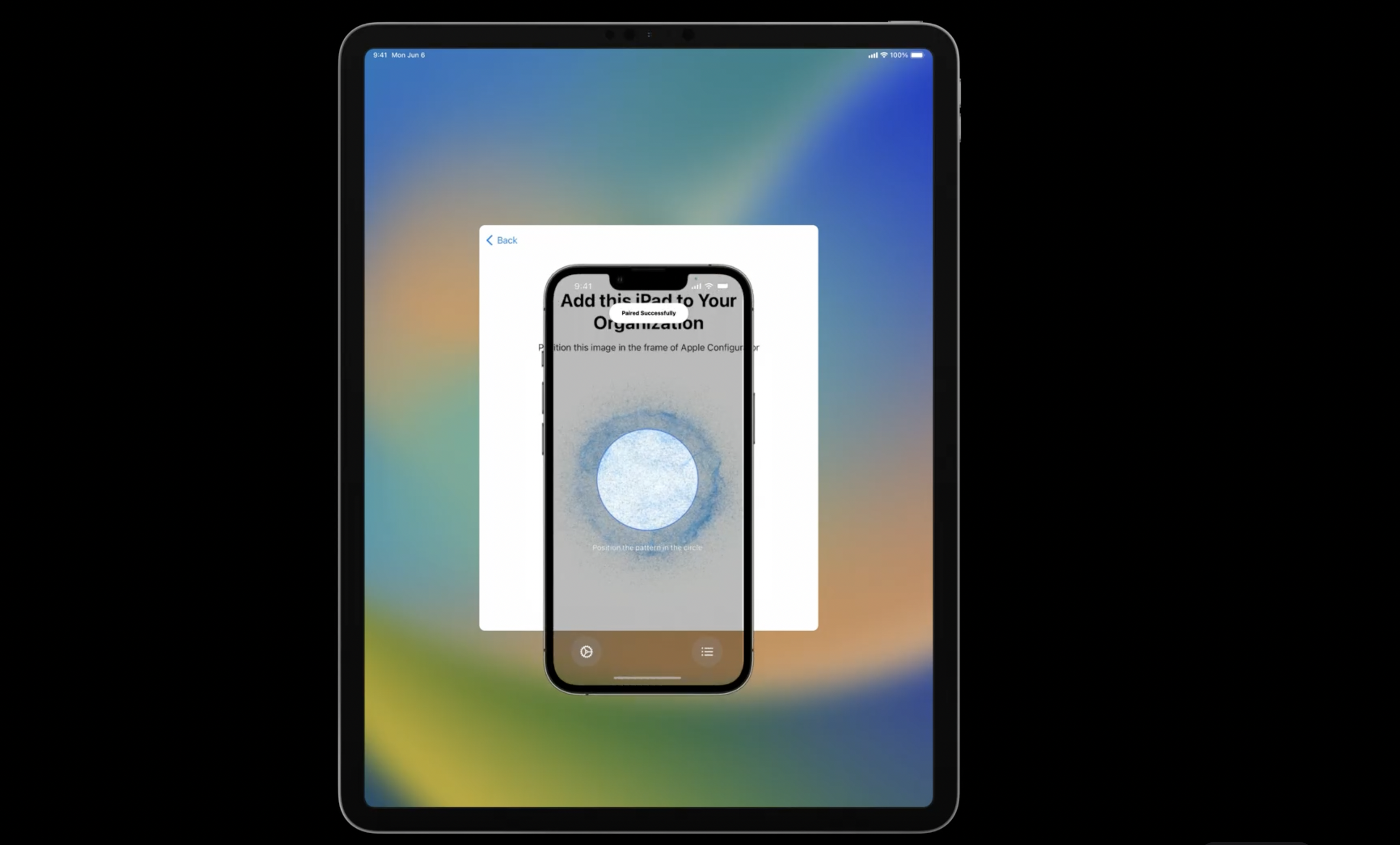
With the introduction of iPadOS and iOS 16, Apple Configurator for iPhone can add Macs, iPhones and iPad devices to their ABM and ASM accounts by scanning the required screen in the Setup Assistant. This is an excellent alternative to Apple Configurator in Macs, where we had to connect the iPhones and iPads to the Mac device with a USB cable.
Identity management updates
The main goal for identity management is that the users would sign in once and then use that signed-in identity consistently across the OS. Apple is trying quite hard to meet this goal as we can see from the latest updates:
Apple Business Manager & Managed Apple IDs
In ABM, Apple now supports Google Workspace in addition to Microsoft Azure AD as an identity provider for federated authentication. This allows users to leverage their work credentials as Managed Apple IDs for authentication to services on iOS, iPadOS, and macOS. Directory Sync can be used to create the user accounts as Managed Apple IDs automatically. ‘Sign In with Apple’ can now be used with Managed Apple IDs for both ABM and ASM. In apps that support ‘Sign In with Apple’, the signed-in Managed Apple ID identity will automatically work to authenticate with those apps.
OAuth 2 & Enrollment SSO (iOS & iPadOS)
In WWDC22, Apple has also announced addition of OAuth 2 as an authorization mechanism in iOS and iPadOS 16. This allows support of a variety of identity providers and improves security via support for short-lived tokens and automatic refresh. OAuth can be used with the existing account-driven user enrollment flow or with a new feature from Apple – Enrollment SSO. It is a new method that enables faster enrollment of personal devices in an MDM solution. It builds upon existing technologies like extensible SSO (introduced in iOS 13) and Account Driven User Enrollment (introduced in iOS 15).
Platform Single Sign-On (Platform SSO) for macOS
For macOS Ventura, Platform Single-Sign-On (Platform SSO) is being introduced to enable users to sign in once at the login window and then automatically sign in to apps and websites. First login authenticates with a local account password. After that, their identity provider password can be used for authentication. Platform SSO is an integrated SSO experience which is built using OAuth and OpenID. It does not use WebViews for authentication. Platform SSO is Apple’s replacement for AD binding and mobile accounts. Platform SSO does not directly use directory services or check with the identity provider for each unlock attempt, as was the case with AD binding. Instead, the identity provider is only called when the user is trying to use a new password to unlock, or when retrieving SSO tokens from the identity provider.
Software Updates for macOS Ventura
Earlier, devices would not respond to OS update commands when in Power Nap mode. Now, macOS Ventura devices would respond to ScheduleOSUpdate, OSUpdateStatus and AvailableOSUpdate commands even while sleeping or in Power Nap Mode. ScheduleOSUpdate command also has a new Priority key. Key values are High and Low. These values set the priority for downloading and preparing requested updates. However, this new key is only supported for minor OS updates. For example, if you wish to update your OS from macOS Monterey to macOS Ventura, this key would not be of any use.
Changes in Enrollment
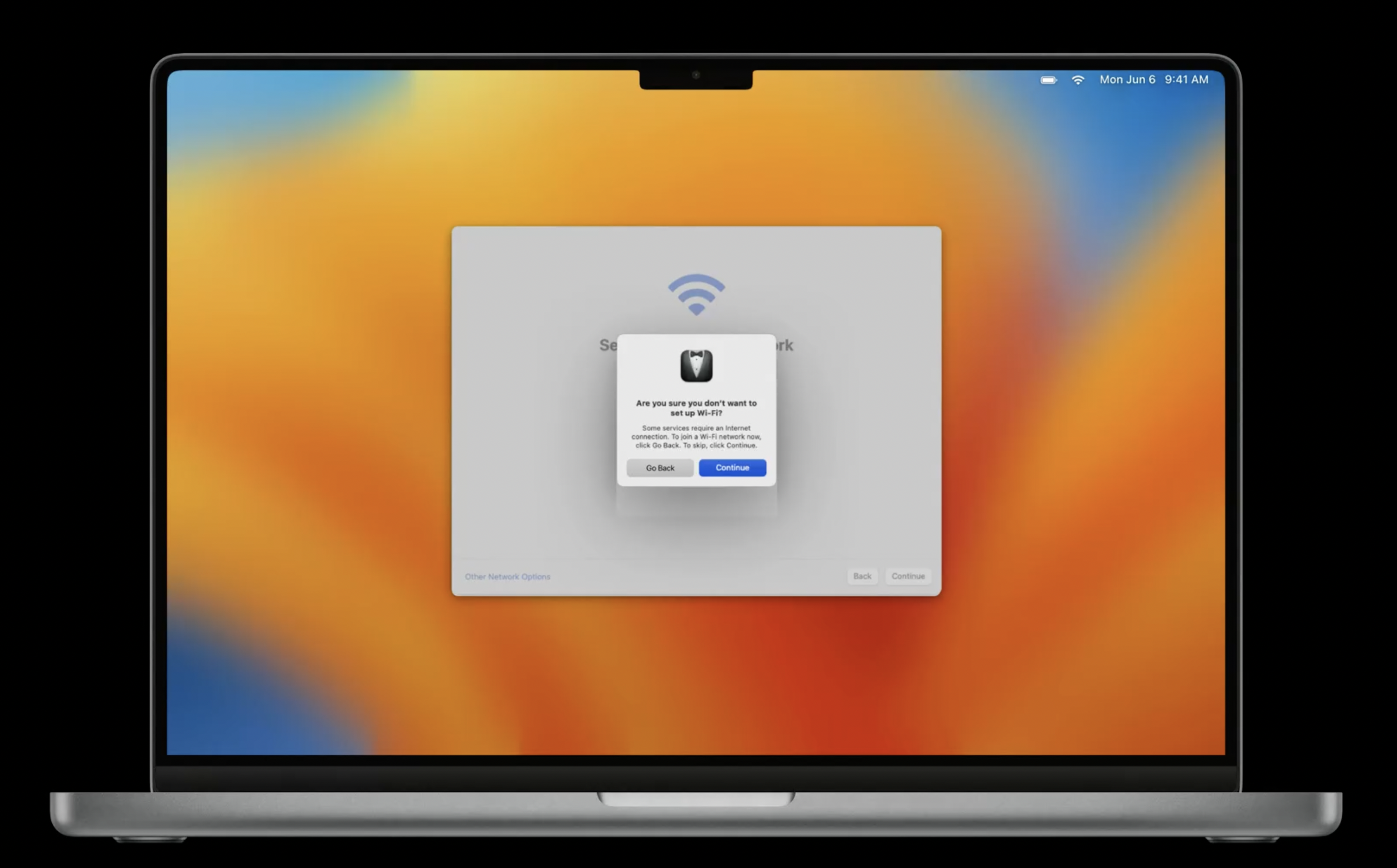
Automated device enrollment provides a streamlined process for unboxing, activating, and enrolling devices directly into an organization’s MDM solution. At WWDC22, Apple announced some key changes to this enrollment process.
For devices using Automated Device Enrollment, connecting to a network during the setup process is now mandatory—even after the device has been erased. If a Mac registered in Apple School Manager or Apple Business Manager is erased or restored, an internet connection is strictly required to navigate the Setup Assistant.
Once a Mac is set up for the first time and connected to a network, it is permanently acknowledged as organization-owned. Even if the MDM initiates an “Erase All Content and Settings” or the device is restored via Configurator, network settings and device enrollment can no longer be bypassed in the Setup Assistant.
This strict security measure applies to all Intel Macs equipped with T2 security chips and all Macs with Apple Silicon.
Upcoming security changes
1. Manual certificate trust: In a future release of macOS Ventura, certificate payloads in a configuration profile that are manually installed by a user will no longer be automatically trusted for TLS. The user must use the Keychain Access app to trust the certificate manually. However, full certificate trust will be honored if:
- A certificate is embedded in an MDM enrollment profile.
- A configuration profile with a certificate payload is installed using an MDM solution.
In short, if you want to have certificates be trusted automatically, those certificates must be delivered by an MDM solution.
2. Allowing external device accessories to connect to macOS:“Allow accessories to connect” on macOS aims to protect the users from close-access attacks. It is supported on portable Macs with Apple silicon. The initial configuration would ask the user to allow new Thunderbolt or USB accessories, even when unlocked. Approved accessories can connect to a locked Mac for up to three days. If you attach an unknown accessory to a locked Mac, you will be prompted to unlock the Mac.
Per-App DNS Proxy and Web Content Filter
Managing network traffic is an important security consideration for admins. Apple is now expanding their per-app support to DNS Proxy and Web Content Filter. These features are available for all enrollment types in iOS and iPadOS 16. It would be especially advantageous to use these features in user-enrolled or BYO devices. Existing apps which use DNS Proxy and Web Content Filter will work without modification. Multiple DNS proxies can be applied, but you can’t have both per-app and system-wide DNS proxies. Web Content filter supports up to seven per-app and one system-wide filters.
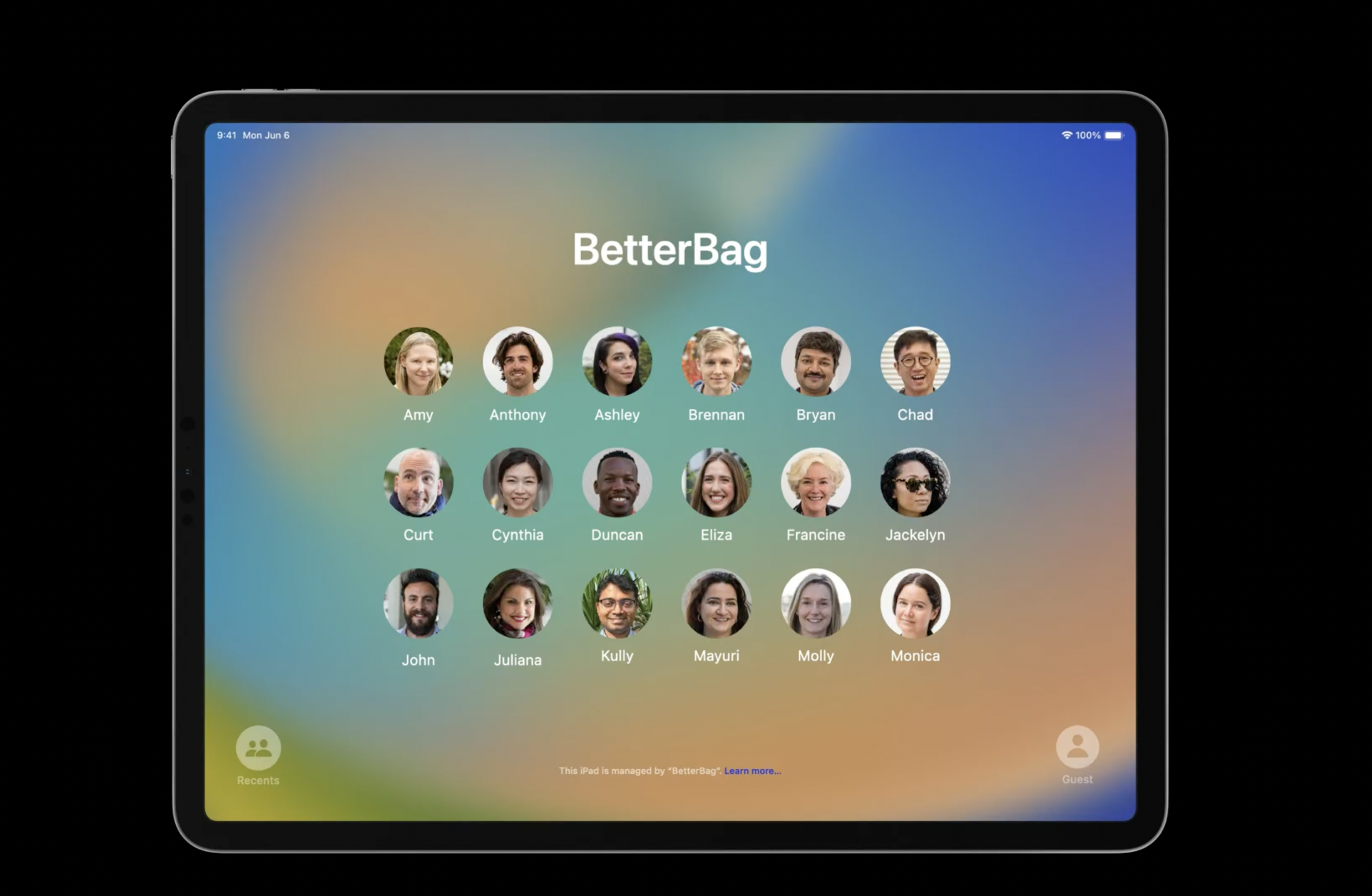
A Shared iPad allow multiple users to use the iPad. Users can still enjoy a personalized experience even when they share devices. Shared iPads are quite useful in a one-to-many environment in education and business. Apple has introduced some user-friendly changes to Shared iPads this year:
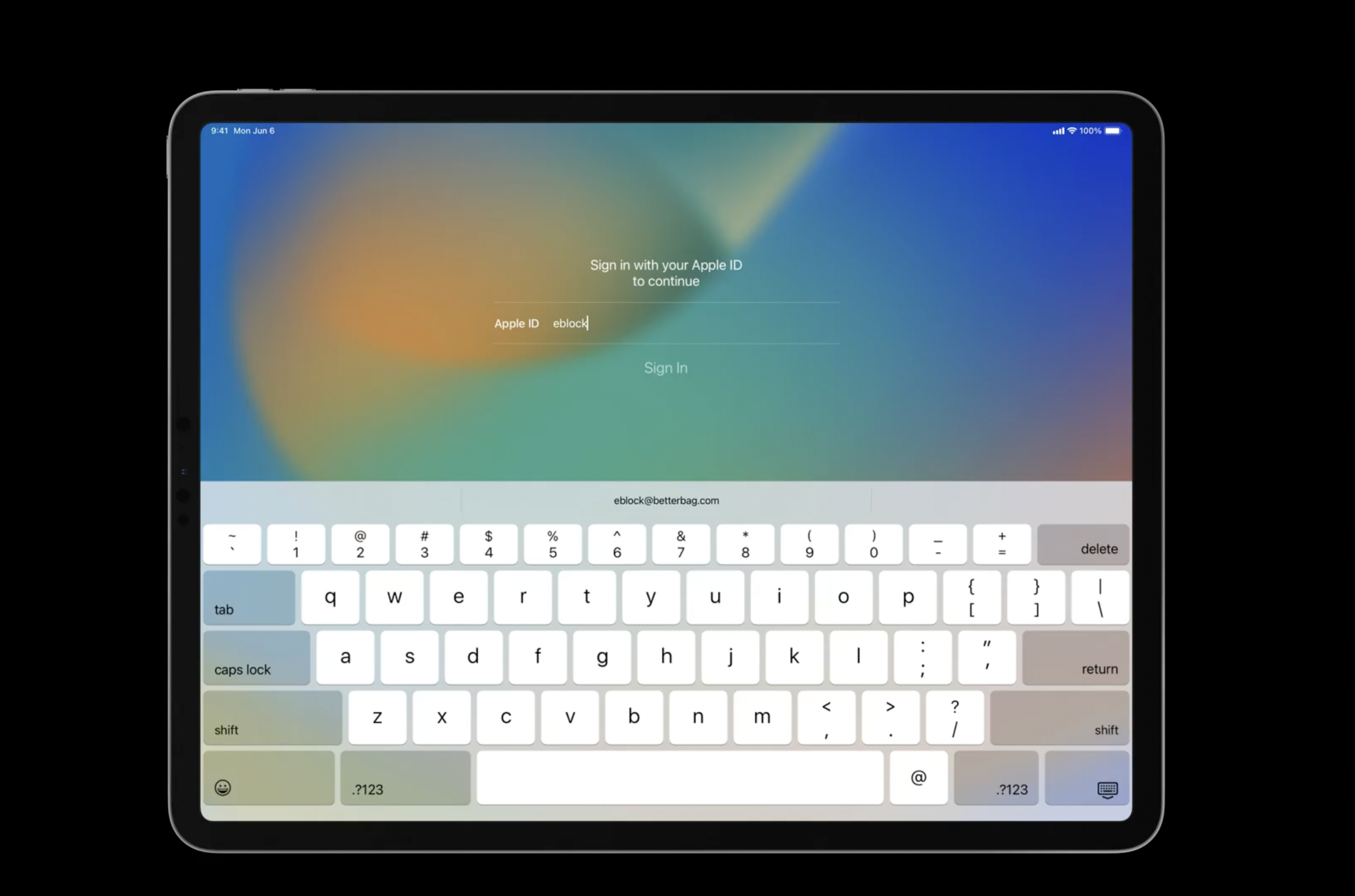
The admins would now be able to save users time while authenticating with their Managed Apple ID. Once the user starts to enter their Managed Apple ID, a typing suggestion for the domain name (example – company.com) will automatically appear for the user to tap.
Apple has also announced some changes in requirements for remote authentication in Shared iPads. iOS 15 requires remote authentication every seven days. By contrast, iOS 16 uses local verification only for existing users on the device. Admins who want to enforce remote authentication can set the OnlineAuthenticationGracePeriod key in the ShareDeviceConfiguration settings command.
Installing apps during setup in iPhones and iPads
For iOS 16 and iPadOS 16 devices, it’s now possible to install applications at setup for supervised devices during Automated device enrollment. With this feature, you can ensure the device installs all the apps a user needs before they exit Setup Assistant.
WWDC22 wrapped!
New updates are always exciting. Apple has given a healthy dose of happiness to all the techies and developers in this year’s WWDC. We have discussed the important announcements that all device admins should look out for. There are some we haven’t discussed in this blog, but worry not, we would be covering those and a lot more in Hexnode Blogs. Stay tuned and do not miss out on anything new in the device management world.
Use Hexnode to manage your Apple devices with the latest updates and new features.Start managing your Apple devices for free