Table of Contents
- The Crisis: Why Traditional Shared Device Management Fails
- Phase 1: Deploying Clinical Mobility via “Tap-and-Go” Workflows
- Phase 2: Choosing Hardware for Your Clinical Mobility Fleet (Android Enterprise vs. Apple)
- Phase 3: Implementing Best Practices for Managing Shared Medical Devices
- Phase 4: Recovering “Ghost Assets” with Hexnode Location Tracking
- HIPAA Compliance: Verifying Clinical Mobility Security
- Conclusion: Strategic Clinical Mobility Protects Patients
At 6:55 AM, the shift change begins. In a standard 500-bed hospital, hundreds of nurses are clock out, exhausted and ready for home. Simultaneously, hundreds more clock in to start their rounds. In the heart of this handover lies a critical, often chaotic ritual: The Device Swap. To manage this effectively, hospitals must implement robust Clinical Mobility (Shared Device Management) to ensure patient safety and operational efficiency.
Nurses typically scramble to find a Spectralink phone, a Zebra handheld, or an iPad from the charging rack. Before they can begin, they must check: Is it charged? Is it logged out? Is it physically clean? If they answer “No” to any of these, delays in hardware setup directly hinder patient care.
In 2026, “Clinical Mobility” represents more than just handing a nurse a phone. Instead, it involves orchestrating a high-velocity Shared-Device Lifecycle. With 40% of nurses reporting burnout and intent to leave the workforce, IT teams must prioritize removing friction. Every minute a nurse spends fighting a login screen is a minute stolen from a patient.
This guide explores how to use Hexnode UEM integrated with tools like Imprivata to build a “Check-In/Check-Out” (CICO) workflow that is secure enough for HIPAA, but fast enough for the ER.
Before we architect the solution, we must define the problem. In a standard enterprise, a “Shared Device” might mean a static kiosk at a reception desk. In contrast, a hospital’s shared device acts as a lifeline that changes hands 4–5 times daily.
Without establishing best practices for managing shared medical devices across facilities, three major friction points emerge:
- Login Fatigue: Nurses often log into the device, Wi-Fi, VPN, EMR, and secure messaging separately. Consequently, they may face 5 logins per interaction, totaling over 150 logins per shift.
- Data Hygiene: If Nurse A forgets to log out, Nurse B might accidentally chart on the wrong account. This creates a massive HIPAA violation and a patient safety risk.
- Asset Shrinkage: Furthermore, hospitals lose roughly 23% of shared clinical devices annually. Nurses frequently hoard “good” batteries or hide devices in ceiling tiles to ensure they have one for their next shift.
To solve this, success requires a nursing clinical mobility workflow that treats the device like a scrubs uniform: Personalized when worn, but sanitized when returned.
Phase 1: Deploying Clinical Mobility via “Tap-and-Go” Workflows
The primary goal of Clinical Mobility is to eliminate the on-screen keyboard. Since nurses wear gloves, they should not have to type complex passwords.
The Solution: Optimizing Clinical Mobility with Imprivata and Hexnode
While Hexnode manages the hardware (OS, Battery, Security), Imprivata manages the session identity.
The Workflow:
- The State: The device sits in a locked “Checkout State”, enrolled in Hexnode without user data.
- The Action: The nurse taps their HID Proximity Badge against the device.
- The Handshake:
- Imprivata validates the badge against Active Directory.
- Immediately, it signals Hexnode that Nurse Jane from 4ICU has claimed the device.
- The Result: In less than 10 seconds, Hexnode transforms a blank brick into “Jane’s Device,” pre-loaded with Epic Rover and Voalte.
In healthcare, security cannot be a barrier. If your security takes 60 seconds to unlock, the nurse will find a workaround. If it takes a 2-second badge tap, they will use it.
Phase 2: Choosing Hardware for Your Clinical Mobility Fleet (Android Enterprise vs. Apple)
Ensuring Clinical Mobility remains focused requires the right architectural path for your Android Enterprise Dedicated Devices Healthcare fleet or Apple iPads.
Path A: Android Enterprise (Dedicated Device)
Specifically, for Zebra TC52s or Honeywell handhelds, this is the gold standard.
- Hexnode Config: Set the device to “Kiosk Mode” (Multi-App).
- The Experience: As a result, the nurse sees a simplified launcher with only the 4 apps they need. The Google Play Store is hidden. Settings are locked.
- The Advantage: It is bulletproof. The nurse cannot accidentally change the Wi-Fi or turn off Bluetooth (breaking the connected blood pressure cuff).
Path B: Apple Shared iPad
Alternatively, for iPad fleets, Apple offers a native multi-user experience.
- Hexnode Config: Enable “Shared iPad” in the Enrollment Profile.
- The Experience: Nurse Jane signs in with her Managed Apple ID. Her specific app layout and Safari bookmarks download from the cloud.
- The Warning: While powerful, this requires fast Wi-Fi to sync user profiles. Therefore, many hospitals prefer the “Single App Mode” approach paired with Imprivata for speed.
When the shift ends, the nurse returns the device to the rack. While physical hygiene requires a disinfectant wipe, medical device security requires a digital wipe.
Following best practices for managing shared medical devices across facilities ensures no data follows the user.
The Hexnode Automation: We need to ensure that when Jane clocks out, John cannot read her secure messages.
- The Trigger: Once the system detects a charging state (docking) or the user taps “Log Out,” the automation begins.
- The Action: Hexnode executes a “Clear App Data” command or a full Device Wipe (depending on OS).
- The Outcome: The system incinerates all patient cache data and temporary files. Subsequently, the device reboots into the “Checkout State,” sterile for the next user.
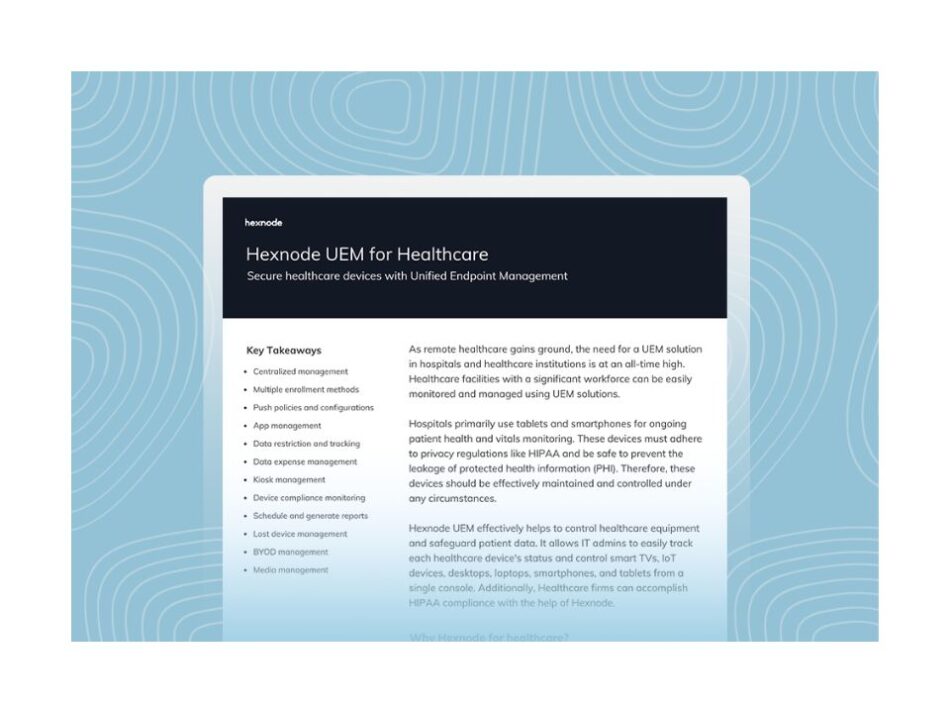
Featured resource
Hexnode UEM for Healthcare
A comprehensive look at how Hexnode UEM secures the digital patient journey while maintaining strict HIPAA compliance across clinical mobility fleets.
Download data sheetPhase 4: Recovering “Ghost Assets” with Hexnode Location Tracking
Nurses waste an average of 3 hours per week searching for equipment. “I left the scanner in Room 302, but it’s gone.”
The Hexnode Fix: Turn your MDM into a homing beacon.
- Geofencing: IT creates a virtual fence around the hospital. If a device leaves the building, Hexnode automatically marks it as “Non-Compliant.”
- Automated Lockdown: The second a breach occurs, Hexnode triggers Lost Mode via its dynamic policy engine. This instantly locks the screen and displays a custom return message.
- Location History: Hexnode provides granular Location Tracking reports to find devices hidden in linen closets or left in patient rooms.
HIPAA Compliance: Verifying Clinical Mobility Security
In addition to security, auditability stands as a core pillar of Clinical Mobility. HIPAA requires you to know exactly who held the device during any record access.
The Compliance Artifact: By combining Hexnode Audit Logs with Imprivata session logs, you create an unbreakable chain of custody:
- 07:00: Device checked out by Nurse A.
- 07:05: Hexnode enforced “Block Camera” policy (Privacy protection).
- 19:00: Device checked in.
- 19:01: Hexnode executed “Wipe” command.
You can prove exactly when Nurse A checked the device out and the exact second the system destroyed the data. This serves as your primary shield during a DHHS audit.
Conclusion: Strategic Clinical Mobility Protects Patients
For too long, hospital IT has treated the mobile device as an afterthought. However, the device is the primary delivery mechanism for modern care. By architecting a seamless Clinical Mobility strategy with Hexnode, you do more than secure data; you give time back to the nurses.
In healthcare, clinical efficiency protects lives.
Secure Your Shared-Device Lifecycle
Automate HIPAA-compliant wipes and identity-driven checkouts. Build a bulletproof clinical mobility strategy with Hexnode.
Get Started With Hexnode NowFAQs
How do I manage shared devices for nurses?
Most hospitals use the Check-In/Check-Out (CICO) model. By using an MDM like Hexnode, you lock devices into a secure “Kiosk Mode.” Furthermore, integration with identity tools like Imprivata allows nurses to “tap” their badge to instantly personalize the device.
Can Hexnode integrate with Imprivata?
Yes. Hexnode can work alongside Imprivata Mobile Access Management. Specifically, Hexnode handles foundational device management and app deployment, while Imprivata handles the user session layer.
What is the “Digital Wipe” in healthcare IT?
A Digital Wipe is an automated security action. When a nurse docks a device, the MDM (Hexnode) clears all application cache and user credentials. This ensures the next nurse starts with a “digitally sterile” device.