



UEM 자동화

어긋남을 바로잡는 자동화

video-thumbnail

규정 준수로 돌아가는 경로

Illustration showing a device status icon with a warning indicator, representing automatic detection of devices that fall out of compliance.

디바이스가 기준에서 벗어날 때

디바이스가 규정 준수에서 벗어나거나 필요한 요소를 잃으면 Hexnode가 변경 사항을 식별하고 올바른 수정 경로로 이동시킵니다

Illustration showing a lightning bolt icon representing automated remediation actions triggered when devices require correction.

올바른 조치로 이동합니다

동적 그룹은 영향을 받은 디바이스만 포착하므로, 나머지 플릿에 영향을 주지 않고 필요한 디바이스에만 문제 해결이 적용됩니다

Illustration showing a shield with a checkmark representing devices automatically returning to a compliant state after remediation.

그리고 규정 준수 상태로 되돌리기

정책, 앱 또는 스크립트가 자동으로 적용되어 기기를 다시 규정 준수 상태로 되돌리고, 이후 기기는 정상 상태로 돌아갑니다

자동화가 가장 효과적으로 작동하는 곳

도착하기 전에 준비되는 디바이스

Apple Business Manager, Android Zero-touch, Knox 및 OEM 방식으로 디바이스를 등록하여 사용자가 전원을 켜기도 전에 구성, 등록 및 정책 준비가 완료되도록 합니다.
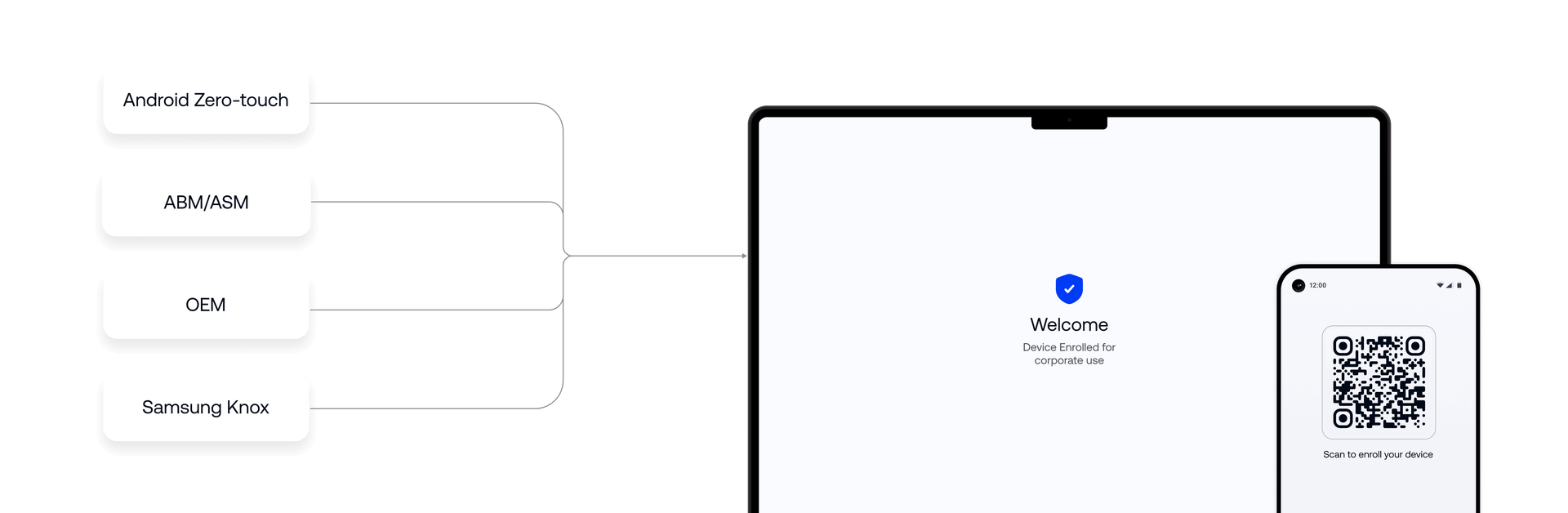
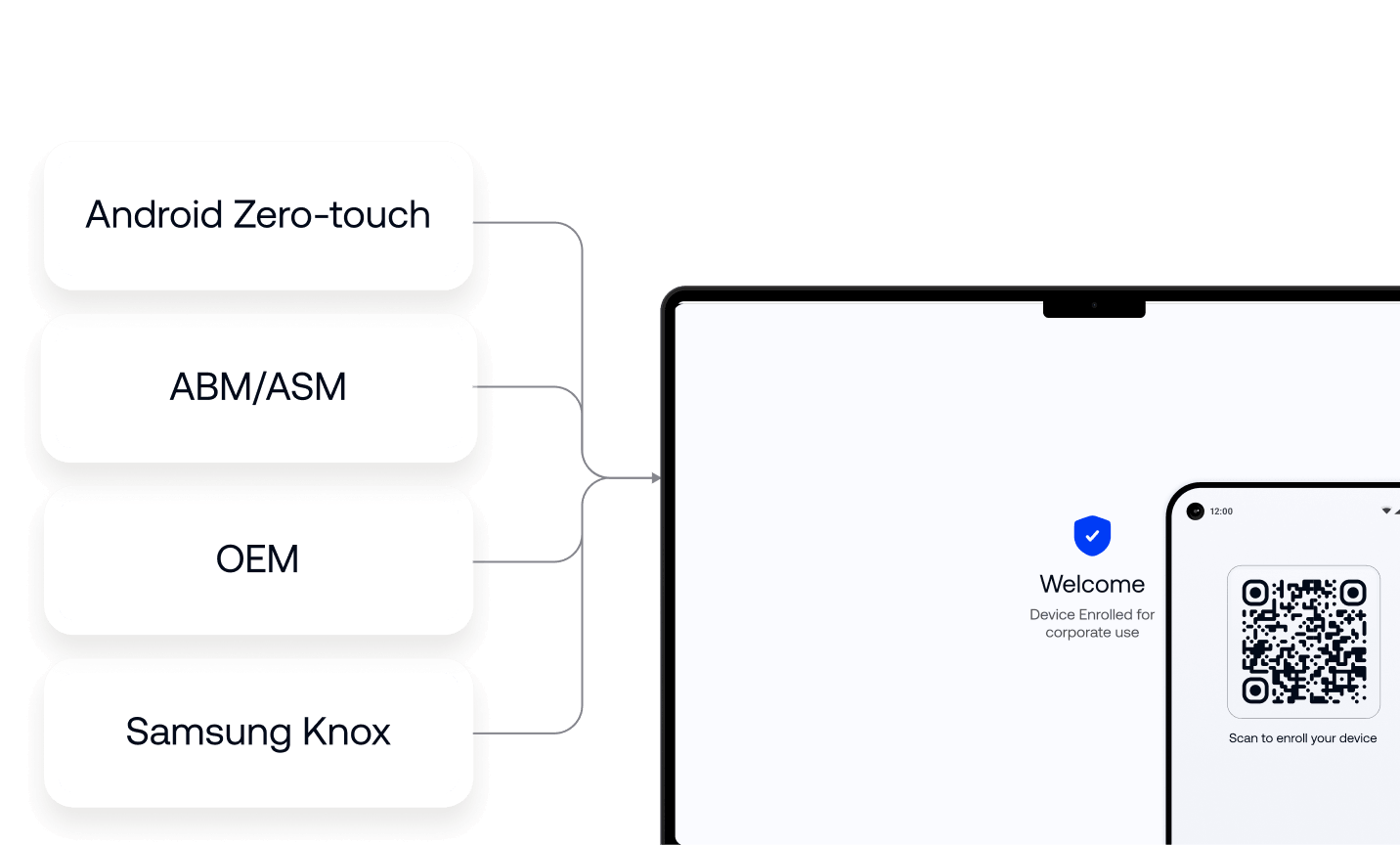
Interface showing device enrollment sources including Android Zero-touch, Apple Business Manager, OEM and Samsung Knox connected to policy-ready devices before first use.

모든 것이 개입 없이 배포됩니다

등록 시 또는 일정에 따라 앱, 정책, 스크립트, 인증서 및 구성을 자동으로 푸시하여, 수동 롤아웃 없이 각 디바이스가 필요한 것을 정확히 받도록 합니다.

Interface showing scheduled deployment of applications, scripts and configurations with automated delivery status indicators across managed devices.

기다리지 않고 작동하는 규정 준수

디바이스는 지속적으로 평가되고 동적으로 그룹화됩니다. 기준에서 벗어나면 알림, 적용 조치 및 문제 해결 트리거가 자동으로 활성화되며, 보고서는 모든 상태를 계속 가시화합니다.
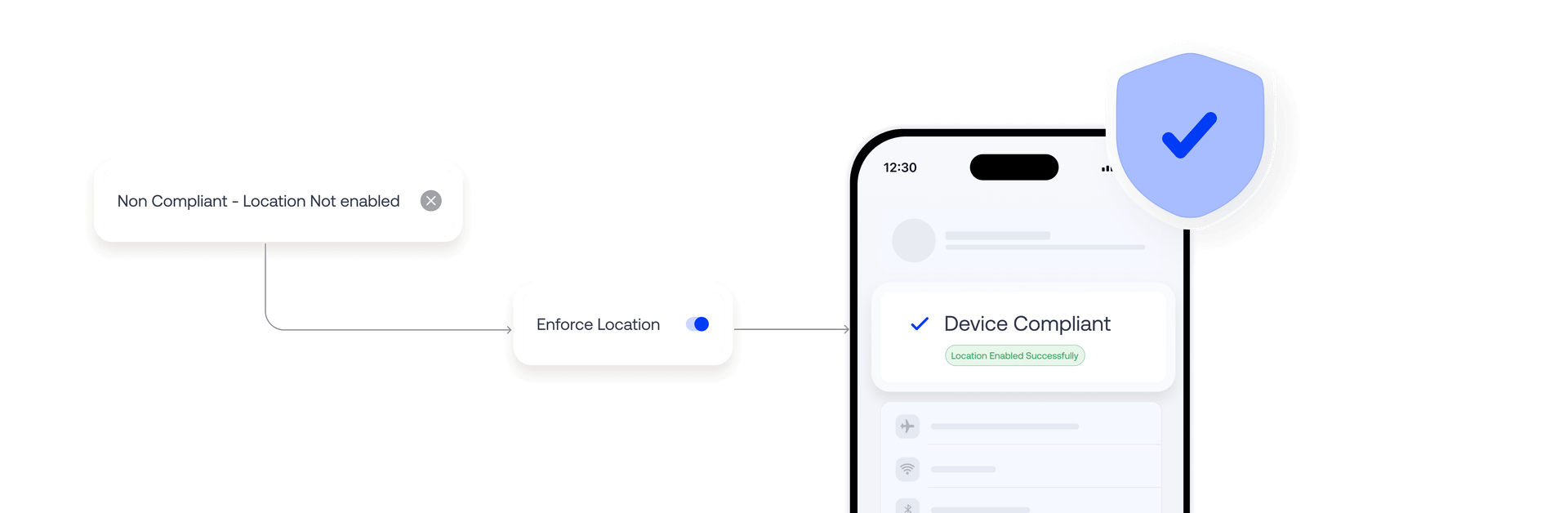
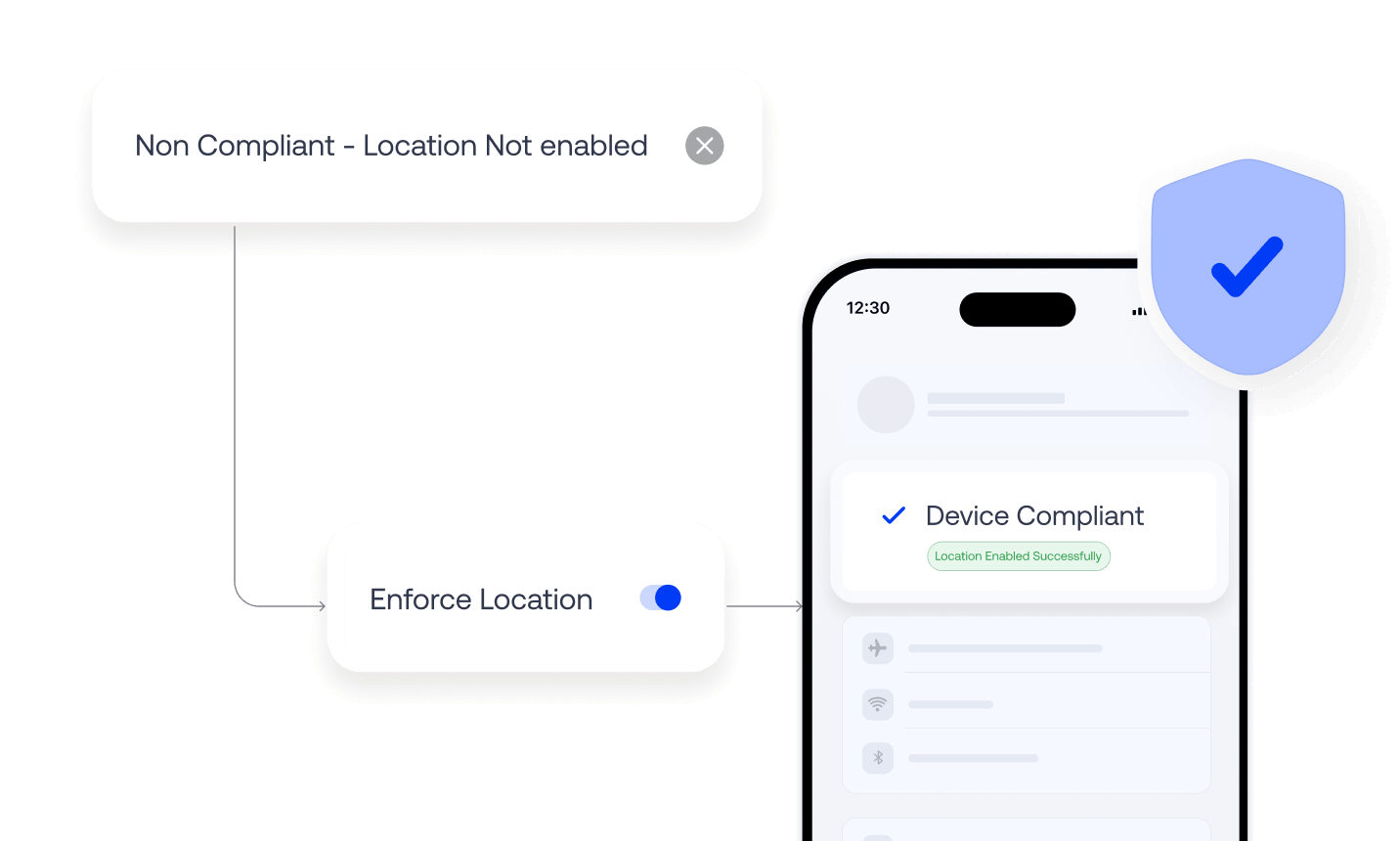
Interface showing a non-compliant device triggering an enforcement action that restores compliance through automated remediation.

위험을 앞서가는 업데이트

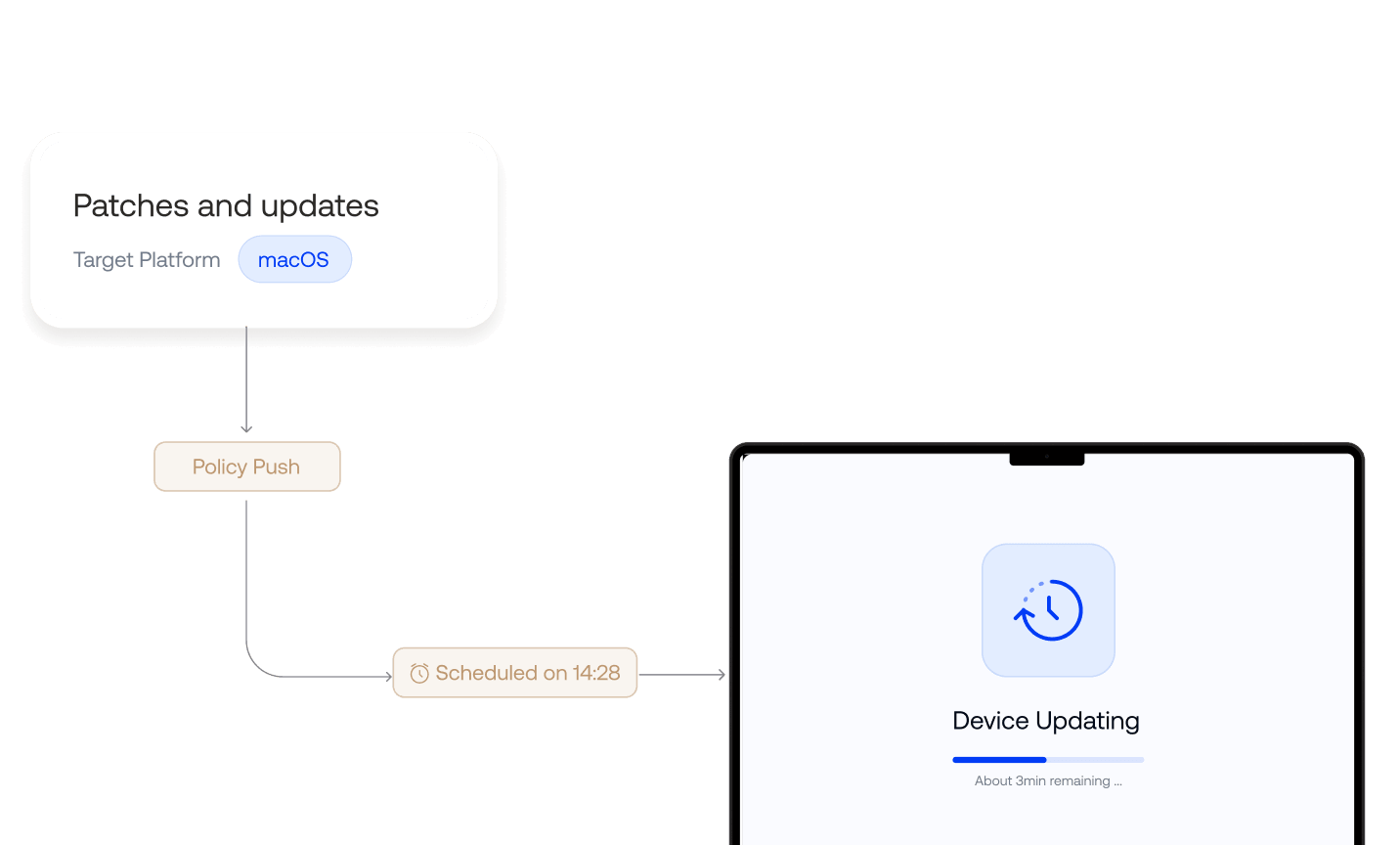
일정 및 롤아웃 제어로 OS 업데이트, 패치 배포 및 앱 업그레이드를 자동화하여 진행 중인 업무를 방해하지 않고 디바이스를 최신 상태로 유지합니다
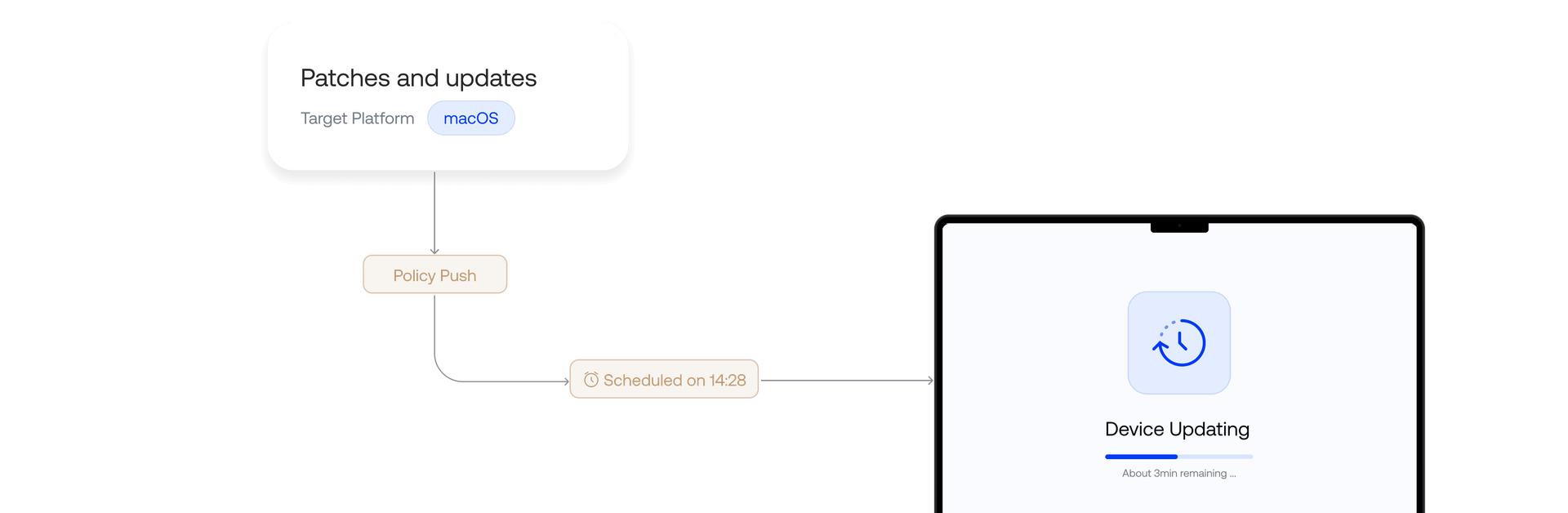
Interface showing scheduled patch deployment for macOS devices with policy push and automated update installation workflow.
hexnode-genie-automation-logo

자동화를 위한 더 스마트한 계층

Hexnode Genie는 자동화 워크플로 전반에서 작동하며, 자연어로 작업을 트리거하고, 스크립트를 생성 및 검증하며, 문제가 발생하는 즉시 식별하고 해결할 수 있도록 합니다.
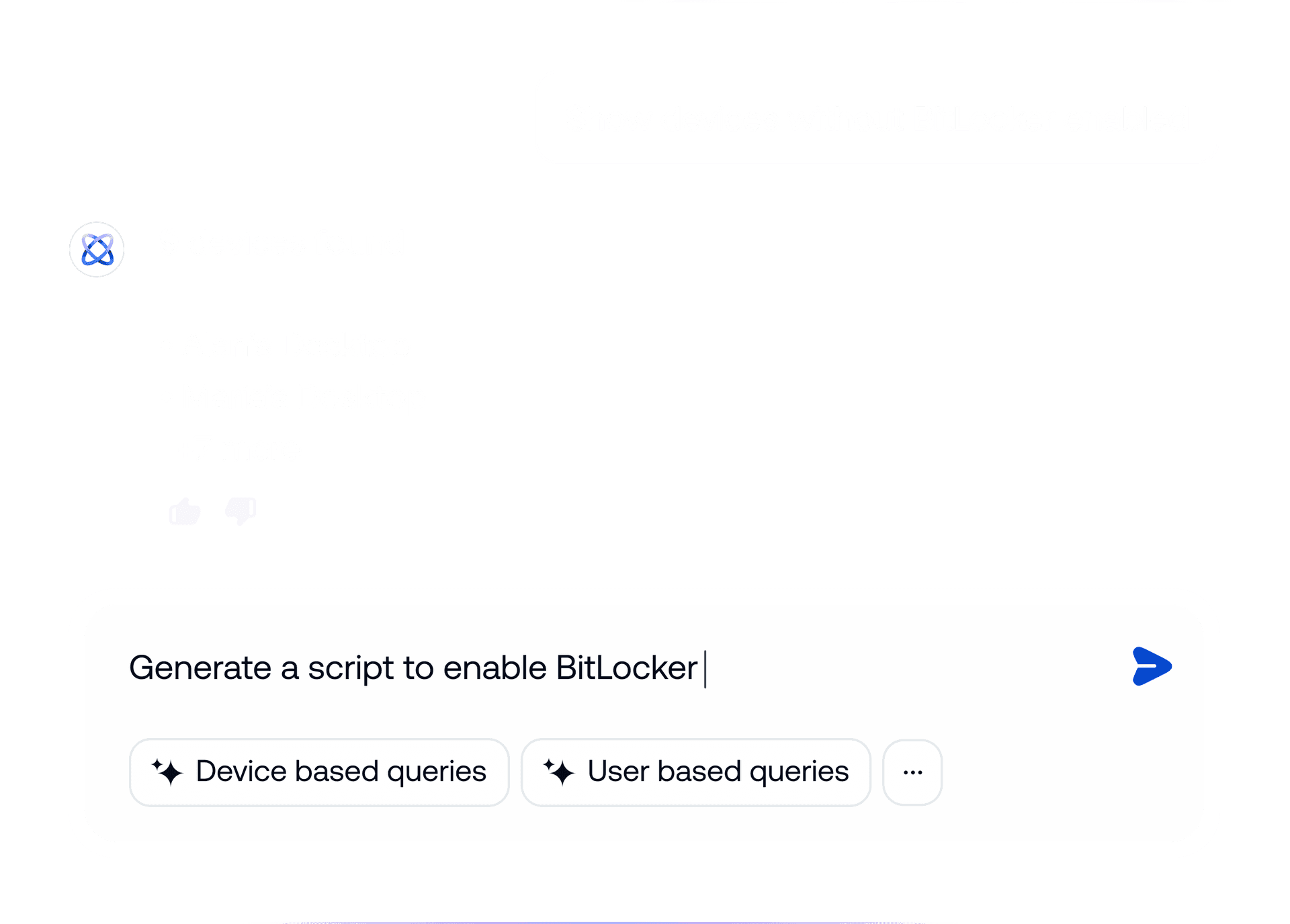
Interface showing Hexnode Genie using natural language prompts to identify devices without BitLocker enabled and generate a remediation script automatically.

자동화 엔진 내부

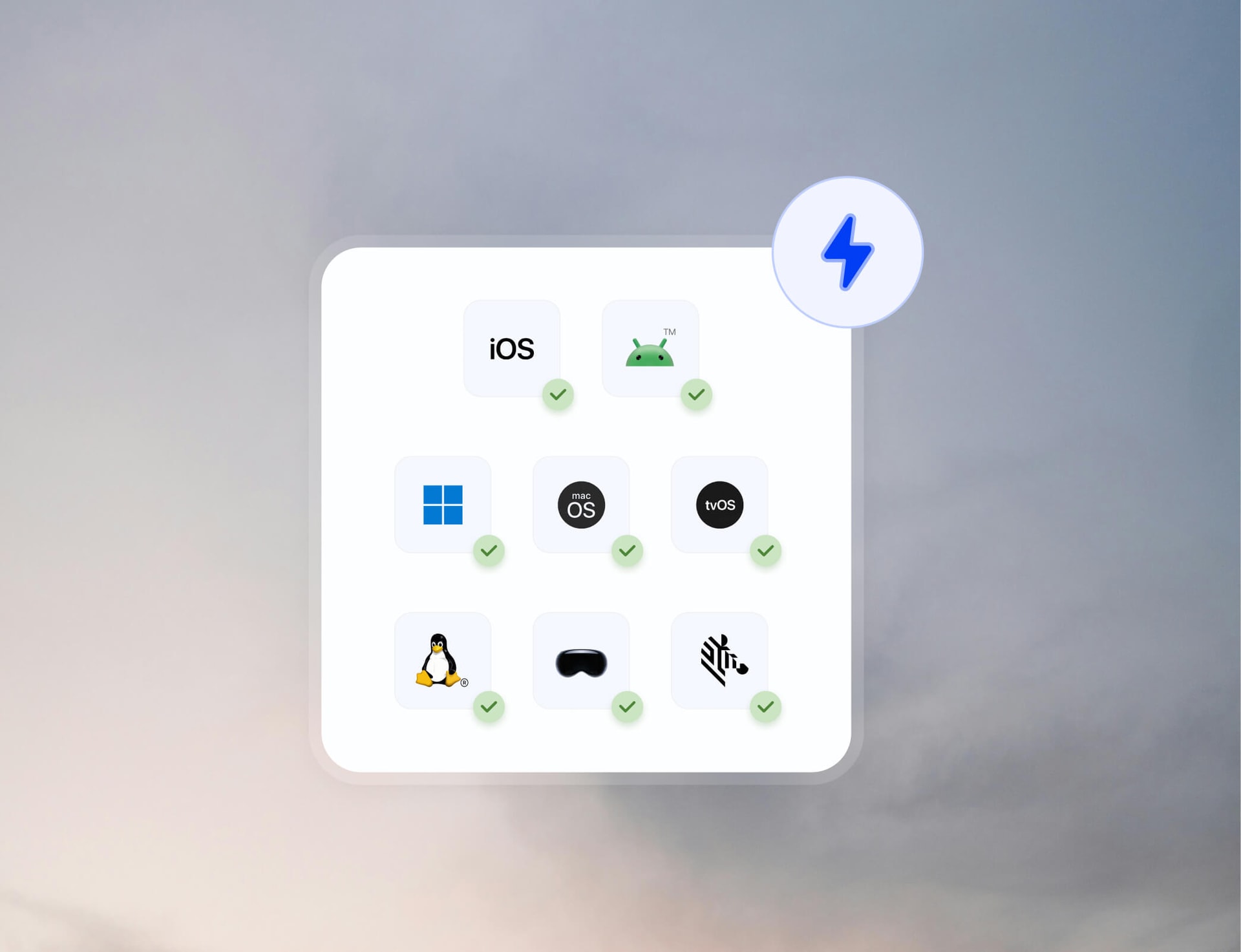
Illustration showing a single automation workflow applying actions across multiple operating systems and device platforms simultaneously.

한 번 작동하는 것은 어디서나 작동합니다

하나의 워크플로에서 배포를 트리거하고, 정책을 적용하고, 명령을 실행하고, 디바이스에 구성을 푸시합니다. 동일한 작업이 디바이스별 실행 없이도 의도한 모든 엔드포인트에 도달합니다.
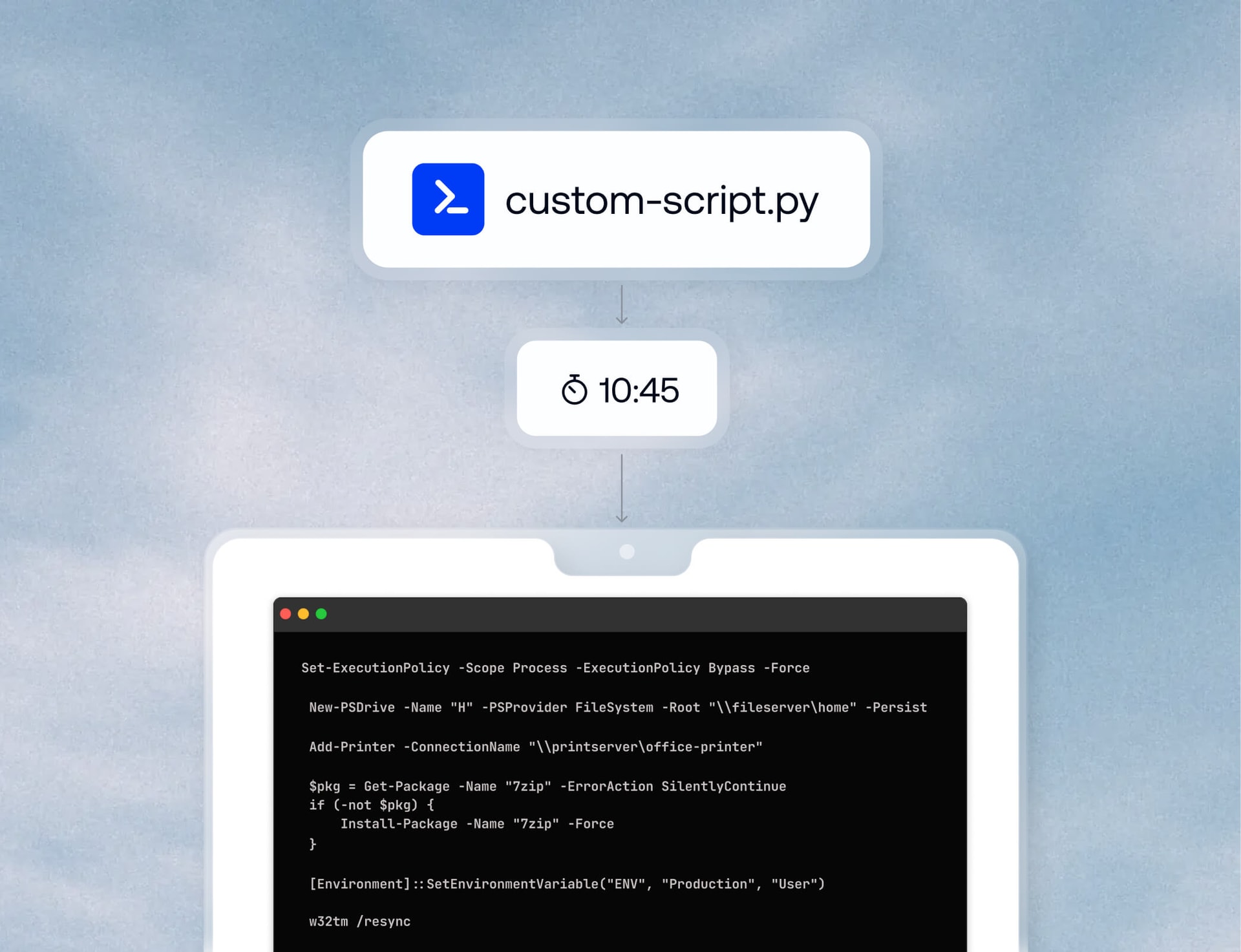
Interface showing a custom script scheduled to execute at a specified time as part of an automated deployment workflow.

타이밍을 아는 자동화

시작, 종료, 로그인, 로그오프 또는 배포와 함께 사용자 지정 스크립트를 실행합니다. 사용자 작업이나 관리자 개입을 기다리지 않고 시스템 수준 작업을 필요한 정확한 시점에 자동화합니다.
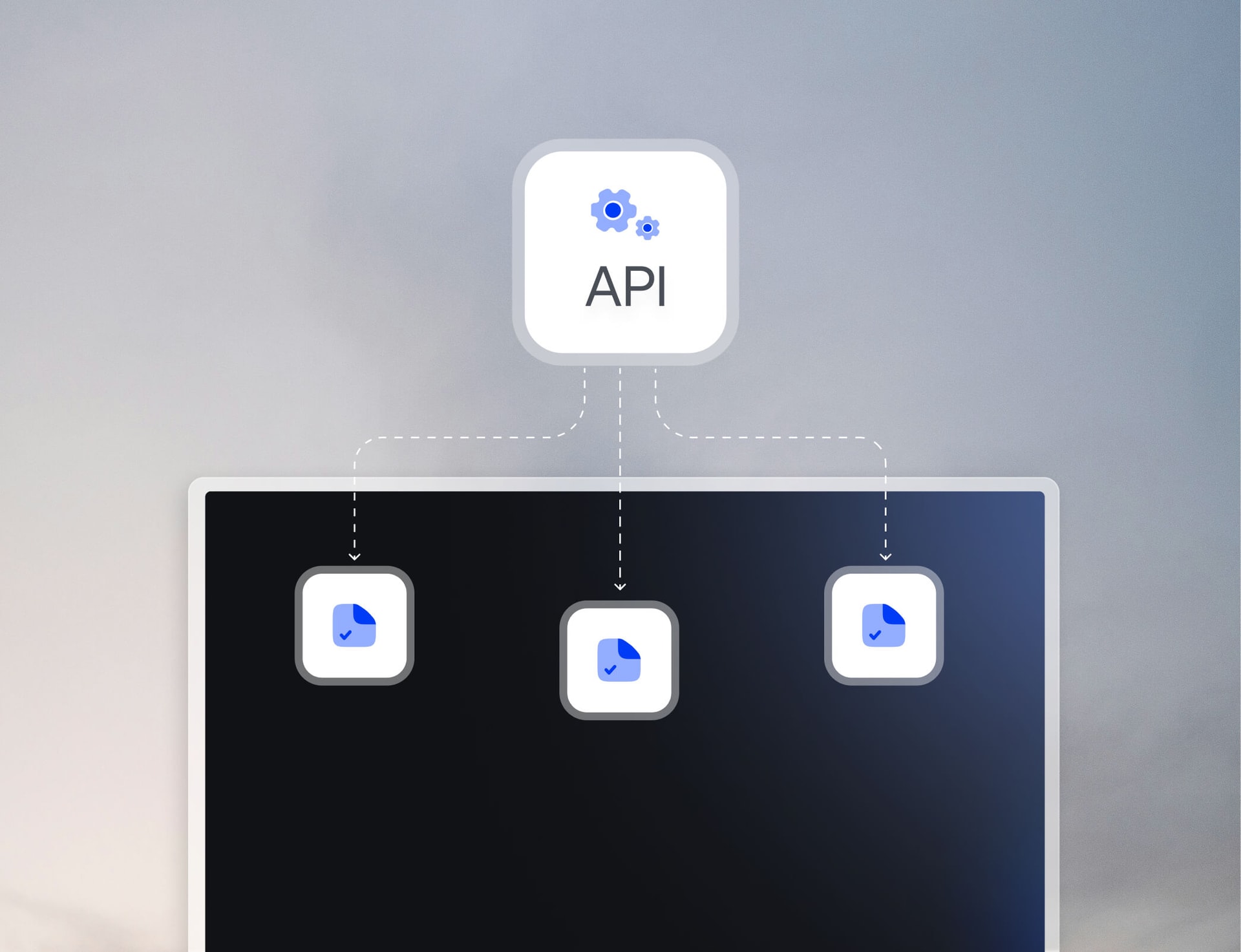
Illustration showing an API connected to multiple external systems to automate integrations and extend device management workflows.

나머지 스택도 함께 가져오세요

API를 사용하여 Hexnode를 외부 시스템과 통합하고, 대량 작업을 자동화하며, 디바이스 관리를 더 넓은 운영 워크플로와 연결합니다. 자동화를 콘솔 너머로 확장하여 팀이 이미 사용하는 도구에 연결하세요.
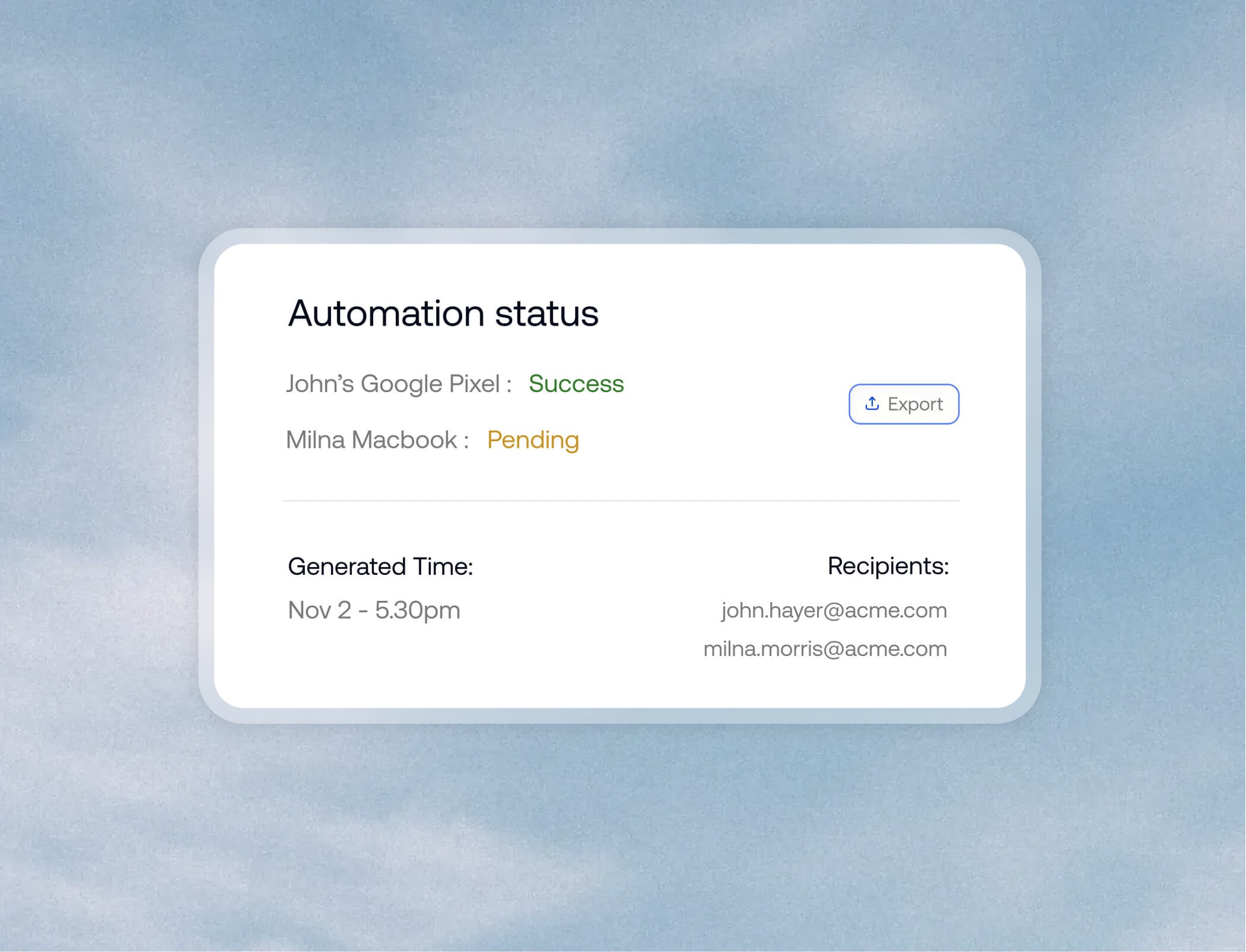
Interface showing an automation status report with execution results, timestamps and recipient details for monitoring workflow outcomes.

모든 작업은 흔적을 남깁니다

예약된 보고서를 생성하고, 규정 준수 상태를 추적하며, 자동화 결과를 모니터링합니다. 수동 기록을 뒤지지 않고 무엇이 실행되었는지, 언제 실행되었는지, 환경 전반에 어떤 영향을 미쳤는지 파악하세요.

전 세계 수많은 기업이 Hexnode를 선택한 이유를 확인하세요

Quotes

"Hexnode를 사용함으로써 생산성과 시간 절약이 크게 향상되었습니다. 실제로 장치를 배포하는 데 걸리는 시간이 줄었으며, 이전에는 약 20분이 걸렸지만 이제는 약 10분밖에 걸리지 않습니다."

Daira Natividad

Technology Solution Specialist

San Juan Texas logo
Quotes

...그리고 이후 모든 요건을 충족하는 Hexnode를 알게 되었습니다

데이비드 굿이어(David Goodyear)

정보 기술 관리자,

DoMyOwn logo
Poster image
Quotes
Quotes
Donaldson logo

Hexnode를 통한 기기 관리 간소화

자세히 읽기
Marriot logo
Merck logo
Costco logo
Lowes logo
Hilton logo
Wolt logo
Gorillas logo
Saic logo
Group1 logo
Polaris logo