Beyond the Network Perimeter: Why Endpoint Security Matters
Learn why the shift from network-centric to device-centric security is non-negotiable for IT.
Managing public sector device fleets has never been a simple feat—especially across the vast, distributed...
The post Device Management for Africa’s Public Sector: Lessons from the Field appeared first on Hexnode Blogs.
]]>Managing public sector device fleets has never been a simple feat—especially across the vast, distributed government environments of Africa. During a recent Hexnode Live session, Kyle Manilal, Senior Manager of Digital Innovative Solutions at Sizwe Africa IT Group, shared insights into how public sector organizations across Africa are navigating these increasingly complex ecosystems.
Manilal explained that devices are no longer just IT assets; they are the foundation of service delivery. From office laptops to rugged field tablets and shared clinic kiosks, endpoints now power essential government workflows. Yet many departments still struggle with limited visibility, fragmented tools, and small IT teams. Addressing this requires a more unified approach to device management that can scale across government environments.
For many government departments, the first challenge in managing devices is simply knowing they exist. Public sector IT systems often evolve over decades, with devices added across departments and regions without a centralized tracking system.
Manilal noted that this “visibility gap” is more prevalent than many organizations realize. In one specific case, a department believed they had 4,000 devices in circulation, but a thorough discovery process revealed the actual number was nearly double after accounting for shared, unmanaged, and unregistered endpoints.
When IT teams lack a unified view of their device ecosystem, enforcing consistent security policies becomes significantly harder. Updates may be missed, unsupported devices may remain active, and unmanaged endpoints can quietly expand the organization’s attack surface.
Weave in Hexnode to improve the asset management infrastructure of your organization.
DownloadEven with better visibility , managing devices at scale creates immense friction. “The biggest challenge we see is scale versus resources,” Manilal explained. “There are tens of thousands of devices across the country, but very small IT teams supporting them.”
This imbalance makes routine tasks, like deploying patches or securing lost devices, difficult. When management relies on manual intervention, it forces a choice between security and productivity – something public sector environments cannot afford.
“Service delivery cannot slow down,” Manilal noted. “You can’t delay a clinical queue simply because a patch needs to run.” To overcome this, the focus is shifting toward remote automation. By shifting from manual supervision to automated systems, departments can ensure essential services remain uninterrupted. Whether in healthcare or public safety, operations stay secure regardless of the size of the supporting IT team.
For years, public sector security relied on the network perimeter. But in a hybrid work environment, a secured network no longer guarantees a secured device. Threats such as credential theft or device tampering can easily bypass traditional network defenses.
“We’ve noticed departments are no longer trusting devices just because they are inside the network,” Manilal observed. “Zero Trust has ultimately become very practical in the environments we support.”
Instead of a one-time login, the system constantly evaluates the state of the device: Is it encrypted? Is it patched? If a device falls out of compliance, it immediately loses access to sensitive government systems until it is remediated.
This level of control allows IT to move away from “all-or-nothing” security and toward context-aware policies. As Manilal noted, a personal BYOD (Bring Your Own Device) device shouldn’t have the same level of trust as a government-issued rugged tablet or a clinical kiosk. By using tailored policies, administrators can assign distinct policies to different devices.
For instance, a clinic kiosk can be locked into a dedicated “Kiosk Mode,” restricting the interface to a single healthcare application and hardening the device against unauthorized use. Meanwhile, BYOD devices can be managed through containerization, separating personal data from encrypted corporate workspaces. This ensures that the endpoint becomes the primary enforcement point for security.
The transition toward a digital-first public sector has redefined the role of the IT department. As device fleets continue to expand, the ability to manage and secure endpoints directly affects how effectively governments deliver public services.
A unified endpoint management (UEM) strategy brings together the core capabilities public sector IT teams need: real-time device visibility, automated patching and policy enforcement, secure management of shared and BYOD devices, and consistent security controls across distributed environments. By consolidating these fragmented tools into a single, proactive platform, organizations can finally shift from reactive troubleshooting to proactive service delivery.
As highlighted by Kyle Manilal during the session, this evolution transforms what was once a technical burden into a powerful operational advantage. “Most importantly, endpoint management is now a strategic enabler for digital public services,” he noted. “With unified visibility, remote monitoring, and XDR integrations, organizations can finally respond effectively while the landscape is changing.” Ultimately, securing the public sector fleet is about ensuring that the digital tools powering healthcare, education, and public safety remain as resilient as the communities they serve.
1. What critical factors should public sector leaders prioritize when selecting a UEM solution?
Leaders should look for a platform that prioritizes interoperability and integration. A modern UEM must coexist with legacy infrastructure through robust APIs while offering native support for major operating systems (Windows, Android, iOS, and Linux). Choosing a vendor that provides a comprehensive suite of integrated solutions—rather than a patchwork of third-party tools—ensures a smoother transition and reduces the risk of “rip and replace” failures. Additionally, ensure the solution supports Zero Trust frameworks and offers a single pane of glass for total fleet visibility. This “single pane of glass” approach allows for a phased migration that standardizes security policies across the entire environment without disrupting existing workflows.
2. How does a device management strategy help government departments maintain POPIA compliance in the event of hardware loss?
Under POPIA, the loss of a device containing citizen data is considered a reportable security compromise. A centralized UEM platform acts as a critical fail-safe by allowing administrators to trigger an immediate Remote Wipe or a cryptographic lock the moment a device is reported missing. This ensures that sensitive personal information is rendered inaccessible before a breach can occur. By maintaining a verifiable audit trail of these security actions, departments can demonstrate “reasonable technical measures” were in place, significantly reducing the legal and reputational risks associated with hardware theft.
The post Device Management for Africa’s Public Sector: Lessons from the Field appeared first on Hexnode Blogs.
]]>It’s time to retire the idea that Macs are limited to creative teams. From the...
The post How UEM Enables macOS Lifecycle Management appeared first on Hexnode Blogs.
]]>It’s time to retire the idea that Macs are limited to creative teams. From the C-suite to engineering, macOS has become a foundational component of the modern enterprise fleet, making macOS lifecycle management an essential part of modern endpoint strategy. It is no longer the exception — it is an expected part of corporate endpoint strategy.
However, scale changes everything. Managing five Macs may be manageable through manual processes. Managing five thousand across regions, compliance frameworks, and role-based security models requires architecture and automation.
The objective is not merely to support macOS. It is to scale securely while preserving the high-quality user experience that drives Mac adoption in the enterprise.
This is where Unified Endpoint Management (UEM) becomes critical. Instead of handling device tasks as isolated incidents, UEM structures macOS management as a continuous, governed lifecycle. It connects procurement, configuration, security, monitoring, and retirement into a single operational framework.
Rather than reacting to issues as they arise, IT defines policies once and enforces them consistently across the fleet. The result is a controlled lifecycle:
Procure & Deploy → Configure → Secure & Update → Monitor → Retire → Repeat
Let’s break down how UEM powers every stage of that journey and what high-level Mac management actually looks like when you stop reacting and start scaling. This structured approach forms the foundation of effective macOS lifecycle management at enterprise scale.
Understanding these phases is essential to implementing macOS lifecycle management across distributed enterprise environments. Managing a Mac fleet through UEM involves five distinct phases. When these stages are integrated with Apple Business Manager (ABM), IT moves from a reactive “break-fix” mindset to proactive governance.
Modern deployment centers on Apple Business Manager (ABM) and Automated Device Enrollment (ADE). When you anchor these to a UEM platform like Hexnode, you unlock a zero-touch workflow: a system built for scale, consistency, and operational efficiency that eliminates manual device handling.
This process ensures a Mac moves from the reseller to the user’s desk without a single manual detour:
Most zero-touch failures aren’t technical — they’re administrative.
Even the most elegant ABM + ADE workflow will silently fail if foundational tokens and certificates expire.
Keep a renewal calendar for:
When enrollment suddenly stops working, it’s rarely Apple. It’s usually an expired token.
Zero-touch isn’t just a win for logistics; it’s about establishing governance the moment the power button is pressed.
Zero-touch deployment ensures every Mac is fully enrolled, secured, and operational from first boot, allowing IT to focus on strategic initiatives rather than manual provisioning.
Zero-touch deployment therefore becomes the first operational pillar of macOS lifecycle management.
Within Hexnode, administrators configure Automated Device Enrollment directly from the UEM console after integrating with Apple Business Manager.
The enrollment profile allows IT teams to:
These settings are applied during device activation through Apple’s enrollment framework. The result is a controlled first-run experience where governance is established before the user reaches the desktop. This is where macOS lifecycle management moves from planning into execution.
Enrollment puts a Mac on the map. Configuration gives it a purpose.
Once a device is deployed, it needs to be aligned with its role in the organization. This is about more than just hardware delivery; it’s about pushing configuration profiles that define security baselines, access controls, and network settings before the user even opens Slack.
Through UEM, IT shifts from manual tweaking to central enforcement of:
The communication model between the server and the Mac is evolving. Traditional MDM follows a “command and response” model: the server sends an instruction, the Mac executes it, and eventually reports back. It works, but it’s chatty and sometimes slow.
Declarative Device Management (DDM) flips the script by moving the intelligence to the device itself. Instead of waiting for a tap on the shoulder from the server, the Mac understands its expected state. It monitors its own compliance locally and proactively reports status changes. This architectural shift doesn’t just improve scalability. It makes policy enforcement feel instantaneous, even across a global fleet. That shift gives macOS lifecycle management a more scalable and resilient operating model.
Modern configuration is built around the user’s identity. By integrating Platform SSO, users authenticate using corporate providers like Okta or Microsoft Entra ID. This eliminates the reliance on loosely managed local administrator accounts and unifies device access with cloud identity governance. The user’s login isn’t just a password; it’s their ticket into the entire corporate ecosystem.
A developer’s workstation and a finance leader’s laptop have fundamentally different risk profiles. UEM allows dynamic grouping so devices automatically inherit the right policies based on department, role, or risk classification.
| Feature | Developer Mac | Finance Mac |
| User Privileges | Standard user with just-in-time admin elevation | Strict standard user (no local admin) |
| System Extensions | Approved system extensions for development tools and virtualization | Restricted to pre-approved system extensions only |
| Disk Encryption | FileVault enforced + recovery key escrowed in UEM | FileVault enforced + recovery key escrowed in UEM |
| OS Updates | Short validation window for faster adoption | Extended validation window for critical workflow testing |
On modern Apple Silicon Macs, traditional third-party kernel extensions (KEXTs) are deprecated and tightly restricted. Most enterprise workflows now rely on System Extensions, which operate in user space and align with Apple’s current security architecture. UEM allows administrators to pre-approve and control these extensions without requiring users to manually intervene in Recovery Mode.
Applications drive the Mac experience, but “version drift” is a direct threat to security.
Managing a macOS app ecosystem typically involves two tracks: App Store apps via Apple Business Manager and enterprise applications deployed through PKG or DMG packages. UEM unifies both. Licenses are assigned or revoked centrally, and internal tools are deployed silently, ensuring employees have the right stack without a manual setup.
The real challenge isn’t the initial installation; it’s maintaining consistency over time. Unmanaged updates lead to fragmented OS versions, broken plugins, and compliance gaps. A structured UEM approach replaces reactive patching with a controlled rollout:
For instance, a critical zero-day exploit might be enforced within 24 hours, while a standard feature update follows a longer validation window. With macOS Rapid Security Responses delivering urgent fixes outside of major OS releases, UEM provides the visibility needed to ensure these policies are actually hitting the mark.
Deployment and configuration establish the baseline; continuous monitoring sustains it.
macOS is built with powerful native security controls such as FileVault, Gatekeeper, and the application firewall. However, these features are only effective if they remain active. UEM transforms these standalone tools into an enforced, observable security layer that stays locked down regardless of user behavior.
A security posture is never static. Users might experiment with settings, encryption can occasionally fail, or configurations might not apply as expected. This creates “compliance drift,” the silent gap between your security policy and the actual state of the device.
UEM provides the visibility needed to close that gap. If FileVault is disabled or a firewall is toggled off, administrators can detect it instantly and remediate. Effective monitoring isn’t about constant intervention; it’s about having measurable visibility that ensures your baseline remains intact.
Scaling macOS management means moving beyond one-to-one troubleshooting. Remote scripting allows IT to diagnose and remediate issues without interrupting users or initiating a live session. Administrators can push scripts to check disk space thresholds, verify FileVault status, audit installed processes, or confirm OS version compliance, all without direct device interaction.
While experienced admins can write shell scripts manually, newer UEM capabilities are lowering that barrier. Tools such as Hexnode Genie introduce AI-assisted script generation, allowing administrators to describe a task or diagnostic requirement and generate a ready-to-deploy script in seconds. The value isn’t in replacing expertise, it’s in accelerating response time and making advanced troubleshooting scalable across distributed teams.
Strengthen Apple device security and monitoring across distributed teams with centralized endpoint management.
Featured Resource
Apple device management and endpoint security for fully remote teams
When a command appears delayed, validate execution conditions before escalating.
The final stage of the lifecycle is often the most overlooked, but it’s where the data and the hardware value are actually protected.
Proper offboarding ensures that corporate data doesn’t walk out the door and that the hardware remains a viable asset for the next cycle. Through Hexnode, IT teams can execute structured decommissioning workflows that protect both the organization and the machine’s residual value.
Retiring a device should be as structured as deploying one. Hexnode enables administrators to move beyond simply deleting an account by providing:
Activation Lock can turn a wiped Mac into a brick if it remains tied to a user’s Apple ID. Without proper visibility, organizations risk receiving devices that cannot be reassigned or resold.
Modern UEM platforms provide visibility into Activation Lock status and, where supported by Apple’s management framework, enable bypass workflows to ensure devices can be securely reclaimed. This protects both data and hardware value, preventing costly surprises during offboarding.
This transforms redeployment from a manual reimaging process into an automated reset cycle:
No USB drives. No reimaging benches. No IT touch required.
For organizations with frequent onboarding cycles or hardware rotations, Return to Service closes the lifecycle loop cleanly. A Mac can exit one user’s workflow and re-enter another’s, fully governed, fully compliant, and ready to work within minutes. That continuity is one of the clearest outcomes of mature macOS lifecycle management.
Consistently managed devices don’t just work better; they are worth more. Macs that have been monitored, patched, and securely wiped can be repurposed or resold with confidence. This improves the total cost of ownership and ensures that the hardware’s exit is as professional as its entry.
Retirement isn’t the end of management; it’s the reset point. With Hexnode UEM, every device exits securely and re-enters the lifecycle with its continuity intact.
UEM is no longer just about device control; it’s a productivity multiplier.
When macOS management is structured through Hexnode, control and user experience stop competing. From automated enrollment via Apple Business Manager to secure reassignment, every stage flows into the next without manual friction.
This shift moves IT from reactive troubleshooting to structured governance. Policies define the desired state, visibility replaces guesswork, and devices remain consistent from the first patch to the final offboarding. The macOS lifecycle becomes a controlled loop, designed, monitored, and continuously refined. This is the operational maturity that defines effective macOS lifecycle management.
When management is predictable, both IT and end users operate with fewer interruptions. That’s the real multiplier effect. It’s not about restriction, but the clarity and continuity of a fleet that just works.
Scale macOS management from zero-touch deployment to secure decommissioning.
Start your 14-day free trial today!Can Hexnode UEM manage Intel and Apple Silicon Macs together?
Yes. Hexnode UEM supports both architectures within a unified management framework. While certain controls such as legacy kernel extensions differ between Intel and Apple Silicon, policies are applied intelligently based on device type and macOS version, ensuring consistent governance across the fleet.
Does Hexnode UEM compromise user privacy?
No. Apple’s MDM framework is designed with privacy in mind. Hexnode can manage system settings, security posture, installed applications, and device-level metadata, but it cannot access personal files, photos, messages, or browsing history. Management is limited to enterprise-relevant controls.
Is zero-touch deployment secure?
Yes. When integrated with Apple Business Manager and Automated Device Enrollment, Macs are supervised and organization-owned from first boot. Enrollment cannot be permanently bypassed, ensuring devices enter the environment securely and remain under management throughout their lifecycle.
What’s the difference between Apple Business Manager (ABM) and MDM/UEM)?
Apple Business Manager (ABM) establishes device ownership and enables Automated Device Enrollment. It tells a Mac which organization it belongs to.
UEM is the management engine. It enforces security policies, deploys apps, monitors compliance, and manages the device throughout its lifecycle.
In short: ABM handles ownership and enrollment. UEM handles ongoing control and governance.
What happens if a user factory resets a Mac?
If a Mac is enrolled through Automated Device Enrollment, a factory reset does not remove management.
When the device restarts, it checks in with Apple’s activation servers and automatically re-enrolls into the organization’s UEM. Management and security policies are reapplied, ensuring lifecycle continuity.
What’s the best way to manage macOS updates without breaking apps?
The best approach is controlled rollout governance, not blanket updates.
Use staged deployment groups, defined patch SLAs, and validation windows before broad enforcement. This allows IT to test updates with pilot users, reduce version drift, and prevent business disruptions while maintaining security compliance
The post How UEM Enables macOS Lifecycle Management appeared first on Hexnode Blogs.
]]>In the enterprise IT outlook of 2026, legacy playbooks are no longer holding up. Organizations...
The post The 2026 Guide to Fleet Resilience and Autonomous Endpoint Management appeared first on Hexnode Blogs.
]]>In the enterprise IT outlook of 2026, legacy playbooks are no longer holding up. Organizations are operating in a complex world of multi-OS environments, ruggedized IoT, and unattended endpoints—all while security expectations and privacy risks are at an all-time high. To navigate this, IT teams must look beyond the traditional management console.
Deep diving into the current fleet management crisis, industry experts Paul Troisi (Chief Customer Officer, Troy Mobility) and Mark Layton (Solutions Architect III, TD SYNNEX), recently joined the Hexnode Live series to explore why traditional strategies are failing and how to build a resilient future.
For years, the standard response to new technology was to add a specialized tool for every new challenge. However, this fragmentation has become a primary source of failure for modern fleet management. Troisi identifies this as the “Multiple Panes of Glass” paradox.
“Trying to manage multiple operating systems under multiple panes of glass equals multiple levels of pain. We do like to say too many panes equals too much pain.” — Paul Troisi
Consolidation is no longer a luxury; it is a mandate. Layton emphasized that this “pain” is precisely why the industry is gravitating toward unified platforms like Hexnode, as they eliminate the friction of toggling between disparate systems. When an IT organization is stretched thin across separate consoles, context is lost, and the “self-healing” capabilities of autonomous endpoint security are neutralized. The goal for 2026 is a unified strategy that simplifies management experience while strengthening the defensive perimeter.
A significant portion of modern fleets consists of unattended endpoints that often fall into a management “black hole.” Because these devices lack a human interface to initiate manual updates, they frequently become the weakest link in the security chain. Addressing these blind spots requires a fundamental departure from traditional update management.
Layton emphasized that by integrating automation into standard workflows, IT teams can move beyond reactive patching. Leveraging Hexnode’s automated querying and remediation features provides the critical visibility needed to secure these otherwise “invisible” assets—a necessary step in mitigating systemic risks that often go undetected.
The danger of ignoring these automated systems is significant. As Troisi explained, “Apple, Google, and Microsoft are putting out updates. If we’re just taking those patches and shoving them under the rug, at the end of the day, everybody ends up being impacted by that rug-shoving.”
Without a strategic pivot toward automation, these unpatched gateways remain a constant threat to enterprise resilience. By automating the “handshake” between the OS update and the device, organizations ensure that no endpoint is left behind in the dark.
In 2026, the most dangerous misconception stalling enterprise resilience is what Troisi calls the “Ronco Oven” mentality—the flawed belief that IT can simply “set and forget” their security infrastructure. In a hyper-evolving threat landscape, a static security policy isn’t just stagnant; it’s decaying. Troisi argues that maintaining a robust defensive posture requires dynamic orchestration because business objectives, application suites, and device configurations are in a constant state of flux.
This volatility is exactly why security can no longer exist in an administrative vacuum. Layton reinforces this, noting that the intricacies of modern mandates like the Cybersecurity Maturity Model Certification (CMMC) have effectively ended the era of the “siloed administrator.” Because today’s digital environment is too multifaceted for any single person to manage, success now requires a cross-functional approach. By aligning specialized teams with automated systems, organizations lift the operational burden from individual admins. This shift allows them to stop simply managing tools and start driving the strategic outcomes required for long-term growth.
As the enterprise fleet expands beyond traditional office walls, the concept of a physical “perimeter” has vanished. In a hybrid or BYOD environment, device health acts as the essential foundation upon which all identity-based security is built. While identity verification is critical, it cannot happen in isolation; it requires environmental context to be truly meaningful.
Layton correctly emphasizes that “there needs to be a force of an MFA because IT must be able to prove that this user is who they say they are.” This authentication serves as the vital first step of modern security. However, to operate effectively in 2026, we must build upon this foundation by layering in Contextual Trust. This moves beyond a simple password or token by requiring real-time validation of both the user and their specific operating environment. Even a fully authenticated user accessing sensitive data from a jailbroken or unpatched device represents a critical vulnerability that identity alone cannot detect.
By establishing this high standard of Device Trust, organizations can confidently lean into BYOD policies to support a flexible, hybrid workforce. This strategic shift finally dismantles the “Big Brother” myth that Troisi has noted in BYOD circles for over fifteen years. Historically, the hurdle has been a pervasive fear—rather than a technical reality—that management tools allow employers to surveil personal data such as private photos or messages.
This strategic shift resolves the “Big Brother” anxiety Troisi has noted in BYOD circles for over fifteen years. Historically, the hurdle has been the pervasive fear that management tools allow employers to monitor private data like photos or messages.
However, as Layton points out, “modern unified endpoint management (UEM) tools like Hexnode deliver true privacy by design,” providing a technical solution to these psychological barriers.
This architecture secures corporate silos by verifying external health markers, such as encryption status and patch levels, without ever overstepping into a user’s personal life. The result is a robust security posture that remains firmly aligned with the strict privacy expectations of today’s workforce.
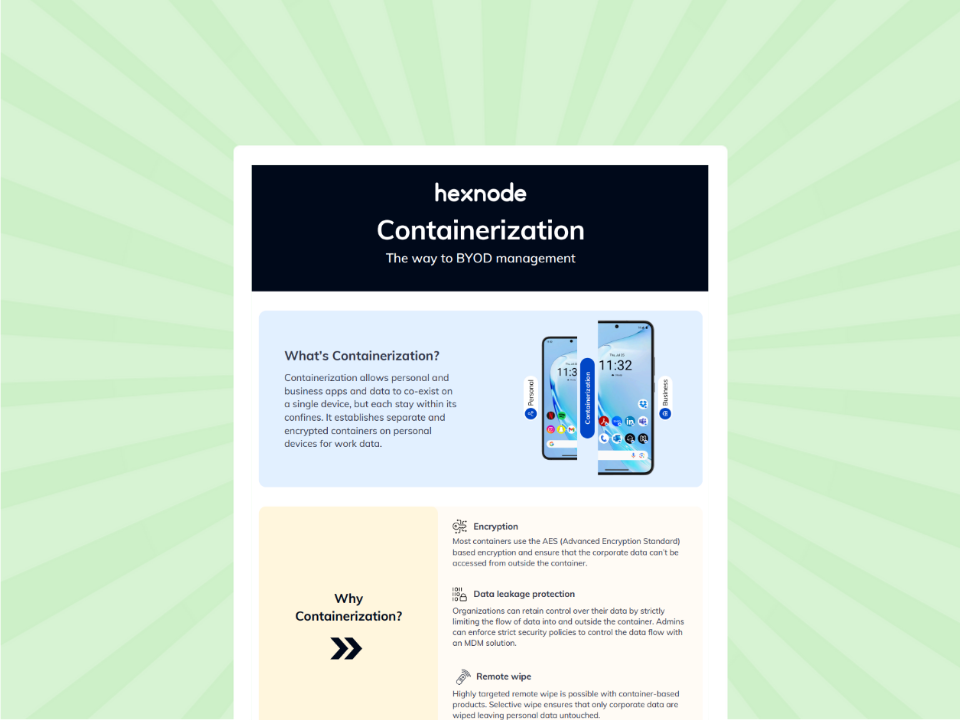
Learn how to use selective wipe and data leakage protection to manage BYOD fleets across Android and iOS effectively.
Get the InfographicThe ultimate goal of autonomous endpoint management (AEM) isn’t to replace the IT professional, but to liberate them. Layton shared a glimpse into his own workflow, explaining that by using AI to handle the “low-task work” of manual querying, he’s shifted his focus. He noted that as an administrator using these tools, “I’m not doing as much clicking as I am doing more thinking.”
This is the hallmark of a truly resilient fleet. Troisi believes that “we are at the edge of a major transition where technologies will start moving towards more of an autonomous response to handle threats.”
The result is a platform that is not just managed but is self-healing and self-remediating. In the transformational years ahead, the most successful organizations won’t just be the ones with the best tools—they’ll be the ones that moved beyond the console to embrace a smarter, more automated future.
1.Does autonomous endpoint security mean losing control over the fleet?
No. Moving to Autonomous Endpoint Management shifts your role from micro- management to strategic orchestration. In a traditional “reactive” model, IT manually intervenes to fix individual alerts—a process that cannot scale.
An autonomous fleet operates on a Desired State model. You define the security baseline (encryption, patch levels, apps), and the system uses continuous, non-linear remediation to ensure every device remains “glued” to that state. If a device drifts, it self-heals in real-time. This transforms the IT role from a “firefighter” into an architect who defines high-level security outcomes rather than clicking through repetitive tasks.
2. What is the most effective way to solve tool fragmentation?
Tool fragmentation is effectively solved by shifting from a “best-of-breed” point-solution strategy to a Unified Platform Architecture. This involves two critical moves:
The post The 2026 Guide to Fleet Resilience and Autonomous Endpoint Management appeared first on Hexnode Blogs.
]]>When it comes to managing Apple devices, Jamf has long been considered the industry standard....
The post Jamf Alternative: Why IT Leaders Are Switching to Hexnode appeared first on Hexnode Blogs.
]]>When it comes to managing Apple devices, Jamf has long been considered the industry standard. However, as modern workplaces increasingly embrace hybrid environments with a mix of macOS, Windows, Android, and specialized endpoints, relying on a strictly Apple-focused management tool often creates administrative silos.
For IT teams looking to consolidate their software stack, reduce overhead, and manage every device from a single pane of glass, finding a robust, multi-OS Jamf alternative is a top priority.
This guide provides a comprehensive, feature-by-feature comparison between Hexnode UEM and Jamf Pro. We aim to help you determine which platform best aligns with your organization’s evolving endpoint strategy.
Jamf Pro is widely recognized as the gold standard for Apple device management, offering unmatched depth for macOS, iOS, iPadOS, and tvOS. However, as enterprise environments evolve, IT teams frequently encounter limitations that drive them to consolidate their tools.
The Multi-OS Management Gap: Jamf’s greatest strength is also its biggest limitation, it is strictly an Apple-only platform. Organizations with mixed-device fleets (incorporating Windows laptops, Android rugged devices, or ChromeOS endpoints) are forced to purchase and maintain multiple UEM solutions. This creates administrative silos, inconsistent security policies, and “tool sprawl.”
Resource-Heavy Administration and Paid Certifications: Jamf administration is highly resource-intensive, typically requiring one administrator per 1,000 devices. Furthermore, it is not designed for fast deployment by generalist IT staff; managing Jamf often requires hiring specialized Apple administrators who hold certifications like ACSP or Jamf 200/300+.
Lack of Native AI Automation: Jamf relies heavily on manual, script-driven workflows. It lacks native AI automation and Natural Language Processing (NLP) remediation layers to accelerate diagnostics and fixes.
Premium Pricing and Expensive Add-ons: Jamf Pro carries a premium price tag. Furthermore, achieving a complete Zero Trust and identity-based security posture often requires purchasing additional, costly modules like Jamf Connect (for identity/account provisioning) and Jamf Protect (for endpoint security). This modular pricing can quickly inflate the Total Cost of Ownership (TCO) for growing businesses.
Below is a quick high-level comparison to help IT leaders evaluate both platforms.
| Decision Factor | Hexnode UEM | Jamf Pro |
|---|---|---|
| Depth of Apple Management | ✓ Strong: Full support for Apple Business/School Manager, VPP, FileVault, and essential macOS/iOS restrictions. | ✓ Unmatched: The industry gold standard for Apple. Offers zero-day OS support, advanced custom scripting, and deep Declarative Device Management (DDM). |
| Platform Breadth (OS Support) | ✓ Broad Multi-OS: Supports 10+ operating systems, including deep management for Windows, Android, Linux, ChromeOS, FireOS, and Apple. | ✕ Apple-Exclusive: Purpose-built strictly for the Apple ecosystem (macOS, iOS, iPadOS, tvOS, watchOS, visionOS). |
| Automated Patch Management | ✓ Cross-Platform Patching: Automates OS and third-party app updates across Windows, macOS, and Android. | ✓ Advanced macOS Patching: Features “App Installers” and Title Editor for highly automated, streamlined third-party Mac patching. |
| AI & Autonomous Automation | ✓ Advanced AI: Features Hexnode Genie AI for Natural Language Processing (NLP) remediation, AI-assisted scripting, and automated L1/L2 task resolution. | ✕ Script-Driven: Relies primarily on manual workflows and traditional scripting, with no native NLP remediation layer. |
| Frontline & Rugged Devices | ✓ Purpose-Built: Excellent support for shared tablets, single-purpose kiosks, and rugged frontline deployments, including robust OEMConfig support. | ✕ Knowledge-Worker Focused: Optimized primarily for office-centric fleets and lacks industry OEMConfig for non-Apple specialized devices. |
| Ecosystem & Integrations | ✓ Broad & Unified: Deep integrations with Google Workspace, Microsoft Entra ID, Okta, and Zendesk/Freshservice. | ✓ Extensive Apple Ecosystem: Boasts the massive Jamf Marketplace, robust APIs, and deep Conditional Access compliance with Microsoft Intune. |
| Pricing & Total Cost of Ownership | ✓ Cost-Effective & Transparent: Tiered, per-device pricing (starting around $2.20/mo) that includes free 24×5 support. | ✕ Premium Pricing: Higher base costs plus potential mandatory implementation fees and paid add-ons. |
| Remote Support Capabilities | ✓ Comprehensive: Built-in macOS remote control and native real-time iOS screen visibility, alongside Windows/Android support. | ✕ Fragmented: Lacks native iOS remote view out-of-the-box; achieving this visibility requires purchasing and integrating an additional third-party tool. |
Want to explore the details behind this comparison? Expand the section below for a comprehensive breakdown of platform support, enrollment capabilities, security architecture, integrations, and pricing.
Hexnode’s architectural strength lies in its broad, multi-OS coverage. It is designed to act as a single pane of glass for diverse environments, supporting traditional knowledge-worker devices alongside specialized frontline endpoints.
Jamf Pro is explicitly built to be the deepest, most comprehensive management solution exclusively for the Apple ecosystem. It trades multi-OS breadth for unparalleled depth within macOS and iOS environments.
Hexnode offers a broad suite of enrollment options designed to accommodate diverse operating systems, ownership models, and enterprise workflows. Its architectural strength in this area is cross-platform flexibility, allowing IT to use native, zero-touch provisioning tools across all major ecosystems.
Jamf Pro is built entirely around Apple’s ecosystem, offering immediate, day-zero integration with Apple’s latest device management frameworks. It is heavily optimized for zero-touch institutional deployment and Apple’s modern identity-driven enrollment flows.
Automated Device Enrollment (ADE): Jamf’s flagship deployment method. Integrates deeply with ABM/ASM to provide zero-touch setup, mandate enrollment, and prevent users from removing the MDM profile.
Device Enrollment (Corporate-Owned):
User Enrollment (BYOD):
Apple Configurator: Supports tethered (USB-based) provisioning for iOS and tvOS devices that were not purchased directly through Apple channels, allowing them to be manually added to ABM.
Hexnode’s security architecture is built to unify compliance and data protection across multiple operating systems using zero-trust principles and OS-native controls.
Jamf’s security model is tightly integrated with Apple’s Endpoint Security Framework. It excels in providing real-time visibility, automated compliance, and advanced threat detection specifically tailored for macOS and iOS environments.
Hexnode is designed to be platform-agnostic. Its integration strategy focuses on providing reliable hooks into major identity, ITSM, and security tools that span across Windows, macOS, iOS, and Android ecosystems.
Jamf’s integration strategy is hyper-focused on enhancing Apple-first environments. Through the extensive Jamf Marketplace, it offers hundreds of plug-and-play integrations specifically designed to securely bridge macOS and iOS devices into larger enterprise networks.
Hexnode follows a highly transparent, per-device pricing model. This straightforward approach makes it easy for organizations to accurately forecast budgets and scale based on actual hardware usage, regardless of the operating system being managed.
Jamf offers a tiered pricing structure that scales based on the specific type of Apple device and the size of the business. Because macOS administration requires different, heavier workflows than iOS management, Jamf strategically splits its pricing to reflect those differences.
Hexnode is known for providing highly accessible, direct support without requiring premium service level agreements (SLAs) for baseline access. It places a strong emphasis on self-service resources and partner enablement.
Jamf provides global technical support backed by a massive team of Apple experts. Its standout differentiator in this category is its community – it actively fosters one of the largest, most engaged UEM communities in the IT industry.
Choosing between Jamf Pro and Hexnode UEM ultimately comes down to the composition of your device fleet and your long-term IT strategy.
If your organization operates strictly within the Apple ecosystem and requires highly complex, custom-scripted macOS management workflows, Jamf Pro remains the undisputed industry standard.
However, if your organization relies on a mix of macOS, Windows, Android, and specialized frontline devices, relying on Jamf creates costly administrative silos. Hexnode UEM emerges as the premier Jamf alternative, delivering a truly unified, cross-platform management experience.
Secure, manage, and scale your entire multi-OS device fleet from a single, intuitive console.
Start Your Free TrialThe post Jamf Alternative: Why IT Leaders Are Switching to Hexnode appeared first on Hexnode Blogs.
]]>Step into a retail counter, warehouse floor, clinic reception, or logistics hub, and you will see Android devices...
The post How the Hexnode Kiosk Launcher Simplifies User Experience and IT Control appeared first on Hexnode Blogs.
]]>Step into a retail counter, warehouse floor, clinic reception, or logistics hub, and you will see Android devices quietly powering operations. These are not casual use tablets. They process payments, scan inventory, manage patient check-ins, and guide workflows.
In many organizations, these devices are no longer peripheral tools. They are operational infrastructure.
Yet there is a persistent challenge. Devices must be locked down tightly enough to prevent misuse and configuration drift, while remaining intuitive enough that employees do not struggle with them. When a frontline device behaves like a personal smartphone, distractions and errors follow. When it is locked too aggressively without thoughtful design, usability suffers.
The balance between control and experience is where many deployments struggle.
The Hexnode Kiosk Launcher addresses this directly. It transforms Android devices into purpose-built operational tools that are controlled, consistent, and aligned with business workflows. Instead of simply restricting access, it reshapes how the device behaves from the moment it turns on.
It becomes the software-defined interface of a dedicated enterprise device.
A kiosk launcher is an enterprise-controlled Android home screen that restricts device usage to approved apps, settings, and workflows. It replaces the default home screen view to enforce security policies while presenting a simplified, purpose-driven interface.
Within Android Enterprise dedicated device deployments, the launcher becomes the visible layer of governance. Users do not see the standard Android interface. They see only what IT has intentionally defined.
This is not about hiding icons. It is about defining operational boundaries.
Understand how kiosk mode locks devices into a single app or approved app set to prevent distractions and improve productivity.

Featured Resource
What is kiosk mode?
It is easy to assume that kiosk mode is only about restriction. In reality, long-term success depends on thoughtful interface design.
Hexnode’s Kiosk Launcher allows organizations to shape device behavior around operational roles rather than imposing a single layout across all devices.
Devices can be grouped and configured based on function. A retail POS tablet can display only checkout applications, while a warehouse scanner presents inventory tools. These configurations are applied centrally, ensuring that interface logic scales with the organization.
Branding also plays an important role. Instead of exposing technical app names or generic layouts, administrators can:
This level of customization does more than improve aesthetics. It reduces confusion and shortens training time. When employees interact with a device that reflects their workflow language, adoption becomes more intuitive.
Persistent enforcement reinforces this purpose-built design. In single-app mode, the device launches directly into the designated application. In multi-app mode, navigation remains restricted to approved tools. If a device reboots, kiosk mode remains enforced.
The device behaves less like a tablet and more like an appliance that is predictable and aligned with operational intent.
A well-configured kiosk environment should not feel restrictive. It should feel deliberate.
Android offers native features such as screen pinning and dedicated device provisioning. However, these capabilities alone do not provide scalable governance.
Screen pinning restricts a single session. It does not provide centralized monitoring, remote troubleshooting, policy automation, or lifecycle management across large fleets.
Basic Android Enterprise dedicated device configuration enables device lockdown at provisioning time. It does not support dynamic regrouping, compliance reporting, cross-location updates, or policy layering beyond initial setup.
Hexnode integrates kiosk configuration into a full Unified Endpoint Management platform. This allows organizations to:
The difference is not just how devices are locked. It is how they are governed over time.
While users experience simplicity, IT teams gain centralized authority.
Hexnode enables administrators to define kiosk policies once and apply them across entire fleets. Devices can be organized into static or dynamic groups, allowing policy automation based on attributes such as location, department, or usage type.
This centralized approach reduces configuration drift, which is a common source of support issues in distributed environments.
System-level controls extend beyond app restriction. Administrators can configure policies to:
hese controls create layered protection without requiring device-by-device setup.
A multi-app kiosk mode configuration in Hexnode follows a structured policy logic. Administrators define application access, apply system restrictions, enable persistent kiosk behavior, and deploy the configuration to selected device groups through centralized management.
https://cdn.hexnode.com/blogs/wp-content/uploads/2026/03/Multi-App-Kiosk-Policy-Flow.png?format=webp?utm_source=hexnode_blog_android_kiosk_launcher&utm_medium=referral&utm_campaign=internal_link
This configuration limits access to approved applications, ensures kiosk activation after reboot, hides system interface elements, and blocks access to device settings.
The real value is not just restriction. It is repeatability. Governance becomes systematic rather than reactive.
Deployment is only the beginning. Real operational maturity appears in ongoing management.
When a device in a remote branch malfunctions, resolution speed directly impacts operations. Instead of relying on ad hoc troubleshooting, administrators can use centralized management and kiosk analytics and monitoring to track device health, enforce compliance, and deploy updates across fleets.
Hexnode supports operational continuity through:
If a device falls out of policy alignment or goes offline, administrators can identify it quickly. If a new version of an operational app needs deployment, it can be rolled out without manually touching each device.
Even in kiosk mode, updates can be scheduled and applied in a controlled manner. This ensures devices evolve alongside business requirements while maintaining lockdown integrity.
For maintenance scenarios, secure exit mechanisms allow authorized personnel to temporarily exit kiosk mode without exposing unrestricted access.
This is where kiosk strategy shifts from simple lockdown to intelligent lifecycle management.
Many organizations deploy Android kiosk lockdown software to convert general-purpose devices into task-specific terminals. In retail environments, checkout devices must remain focused on transaction workflows.
Employees interact only with tools necessary for their role. The device interface reinforces process discipline.
In warehouses, speed and accuracy drive results. Devices typically support scanning, inventory tracking, and task management. With kiosk mode, navigation away from operational apps can be restricted and system-level access controlled.
This reduces accidental configuration changes and keeps devices dedicated to throughput tasks during peak operations.
Healthcare deployments often require dedicated check-in or room management devices. Kiosk configuration ensures devices remain locked to approved applications while broader device management policies support security requirements.
By limiting interface exposure and enforcing controlled usage, organizations reduce variability in patient-facing interactions.
Across industries, the common principle remains the same. Devices support the workflow. They do not define it.
The business value of kiosk automation becomes clear when measured through operational outcomes.
Manual device configuration introduces variability. Variability increases support complexity. Centralized policy enforcement removes both.
A strong kiosk management strategy helps organizations centralize policy enforcement and manage devices consistently across distributed locations.
When a new application needs deployment or an interface change is required, administrators update policy centrally rather than modifying devices individually.
| Manual Setup | Centralized Kiosk Policy |
| Device-by-device configuration | Single policy deployment |
| Higher risk of inconsistency | Uniform enforcement |
| Greater on-site intervention | Remote administration |
Over time, this leads to:
Infrastructure requires consistency. Consistency requires automation.
To maximize long-term effectiveness:
A kiosk strategy should be part of a larger device governance framework, not implemented in isolation.
When frontline devices function as infrastructure, inconsistency is not a minor inconvenience. It is operational risk.
The Hexnode Kiosk Launcher enables organizations to move beyond basic restriction and toward structured, scalable governance. By combining interface control with centralized policy automation and full UEM integration, it ensures devices remain aligned with business intent over time.
As deployments expand across locations and roles, manual oversight becomes unsustainable. Infrastructure demands predictability.
If your frontline devices power critical workflows, they require more than basic lockdown. They require managed, repeatable control.
Make every device predictable, secure, and easy to use with Hexnode’s Android kiosk launcher.
Start your 14-day free trial today!What is the difference between kiosk mode and a kiosk launcher?
Kiosk mode refers to the policy framework that restricts device usage to specific applications and configurations. A kiosk launcher is the customized interface that presents and enforces those restrictions visually to the user.
Can kiosk mode be bypassed?
When configured using Android Enterprise controls and administrative safeguards, standard users cannot exit kiosk mode. Administrative credentials or authorized exit mechanisms are required to modify restrictions.
Does Hexnode support single and multi-app mode?
Yes. Hexnode supports both single-app kiosk configurations and multi-app environments, along with secure browser-based kiosk deployments.
Can kiosk devices be managed remotely?
Yes. Administrators can monitor device status, enforce compliance, and apply policy updates remotely through the Hexnode console.
The post How the Hexnode Kiosk Launcher Simplifies User Experience and IT Control appeared first on Hexnode Blogs.
]]>On March 11, 2026, U.S. medical technology giant Stryker experienced a major cyberattack that disrupted...
The post Rethinking the Admin Layer: What the Stryker Attack Reveals About Endpoint Trust appeared first on Hexnode Blogs.
]]>On March 11, 2026, U.S. medical technology giant Stryker experienced a major cyberattack that disrupted internal systems and reportedly wiped data from thousands of employee devices. The incident claimed by a pro-Iranian hacker group has quickly become one of the most notable cyber incidents targeting the healthcare technology sector this year.
Beyond the geopolitical implications, the attack highlights a critical issue for enterprises worldwide: how corporate device management systems can become a powerful attack surface when compromised.
For organizations relying on mobile device management (MDM) or unified endpoint management (UEM) platforms, the Stryker incident offers several important lessons.
On March 11, 2026, Stryker reported a cybersecurity incident affecting its internal Microsoft-based systems. The disruption impacted thousands of employees globally and caused widespread outages across company devices.
Reports indicate that:
The Iran-linked hacker group Handala claimed responsibility for the attack and said it had wiped more than 200,000 devices and extracted roughly 50 TB of data, although those claims remain unverified.
Stryker stated that the attack did not appear to involve ransomware or malware, and the full scope of the incident is still under investigation.
Here is how the attack chain unfolded against Stryker:
1. Credential Compromise
Attackers obtained high-privilege administrative credentials for Stryker’s Microsoft 365 and Entra ID environment. While the exact initial access vector has not been officially confirmed, Handala’s documented techniques include credential phishing, credential stuffing, and brute-force attacks against legacy authentication protocols.
2. Full Tenant Takeover via Entra ID
With Global Administrator credentials in hand, the attackers had effective control over Stryker’s entire Microsoft 365 tenant. They defaced the Entra login page with the Handala logo and sent emails to company executives claiming ownership of the operation a signature tactic designed to escalate psychological pressure alongside the technical attack.
3. Weaponizing the MDM Console
Through their control of the tenant, attackers accessed the Microsoft Intune management console. Intune’s Remote Wipe feature a standard capability built for lost or stolen device scenarios was used to issue factory reset commands against all enrolled devices simultaneously. No malware was deployed; the attack surface was the administrative console itself.
4. BYOD Included in the Blast Radius
Employees who had enrolled personal devices via the Intune Company Portal were affected equally alongside corporate-owned hardware. Personal data photos, personal app data, banking 2FA, eSIMs was erased along with corporate data. The wipe command executed by the attackers did not distinguish between device ownership types.
5. Parallel Data Exfiltration
Prior to executing the wipe, Handala claimed to have exfiltrated 50 terabytes of data. The destruction appears to have been the final act of an operation that prioritized theft first the wipe functioning as both a cover operation and a message.
To understand how attackers could potentially disrupt thousands of devices in a short period of time, it is important to examine several techniques commonly used in modern identity-focused attacks.
Multi-Factor Authentication (MFA) has long been considered one of the most effective defenses against credential theft. However, recent attack techniques have demonstrated that certain MFA implementations, particularly push notifications or SMS-based verification can still be bypassed under specific conditions.
One increasingly common technique is Adversary-in-the-Middle (AiTM) phishing.
Unlike traditional phishing pages that simply collect usernames and passwords, AiTM frameworks operate as a transparent proxy between the victim and the legitimate authentication service. When a user attempts to sign in to a service such as Microsoft 365, the attacker’s infrastructure forwards the login request to the real authentication endpoint while capturing authentication data in real time.
After the user successfully completes the MFA challenge, the identity provider issues a session token that confirms the user’s authenticated state. In AiTM scenarios, this token can be intercepted by the attacker and reused to establish a valid session.
Because the token represents an already authenticated session, attackers can use it to access administrative portals without needing the password or the second authentication factor again. To the identity platform, the attacker appears to be the legitimate authenticated administrator.
Another tactic observed in identity-focused attacks is MFA fatigue, sometimes referred to as MFA push spamming.
In these attacks, once an attacker obtains valid credentials, they repeatedly attempt to log in to trigger a large number of MFA push notifications on the target’s device. The goal is to overwhelm or confuse the user into approving one of the requests.
If the user accidentally approves a login request especially outside normal working hours the attacker can gain access to the account with valid authentication.
While many organizations deploy MFA to protect administrative accounts, repeated push notifications can sometimes create opportunities for human error, particularly when users are not expecting authentication prompts.
Modern enterprise environments rely heavily on centralized identity platforms such as Microsoft Entra ID (formerly Azure Active Directory).
These platforms function as far more than simple user directories. They act as the central authority governing authentication, authorization, and trust relationships across multiple enterprise services.
Within Microsoft environments, Entra ID integrates with several critical components, including:
When attackers gain Global Administrator privileges, they effectively gain broad control over these integrated systems.
This level of access can allow attackers to interact with administrative APIs, modify policies, and execute management actions across large numbers of devices.
One of the reasons attacks of this nature can be difficult to detect is that they often rely entirely on legitimate administrative tools rather than malware.
In the Stryker incident, reports suggest that attackers used device management capabilities such as the Remote Wipe feature within Intune to issue commands across enrolled endpoints.
Because these commands were executed through valid administrative channels using authenticated credentials, many traditional security tools may treat them as legitimate activity.
This approach is often referred to as Living-off-the-Land (LotL), where attackers leverage built-in system capabilities instead of deploying custom malicious software.
As a result, the attack can bypass traditional detection methods that rely on identifying malicious files or suspicious processes on endpoints.
Several factors make healthcare and MedTech companies particularly attractive targets for cyber threats:
High-value intellectual property: Medical device manufacturers invest heavily in research and development. Product designs, clinical trial data, and manufacturing processes represent valuable intellectual property that can be targeted for industrial espionage or financial gain.
Complex and hybrid infrastructures: Healthcare technology companies typically operate hybrid IT environments that combine cloud platforms, legacy systems, and specialized operational technology (OT). This complexity often creates security gaps that attackers can exploit.
Operational sensitivity: Disruptions to healthcare technology companies can have cascading effects across hospitals, medical providers, and global supply chains. Attackers understand that operational downtime creates immense pressure to restore systems quickly, which can complicate incident response and increase the likelihood of ransom payments.
Large and distributed workforces: Global MedTech organizations manage thousands of employees, contractors, and partners accessing corporate systems from various devices and locations. This distributed access model increases reliance on identity and endpoint management infrastructure, widening the available attack surface.
The Stryker incident highlights a shifting trend: attackers are increasingly targeting the systems that manage devices and identities rather than attacking the medical devices themselves.
In the wake of the attack, employees were reportedly instructed to remove enterprise management profiles from their devices, including those associated with Microsoft Intune.
Why would IT teams do this?
When attackers gain control of device management infrastructure, they can potentially:
Because device management platforms control large fleets of corporate and BYOD devices, they can become a single point of failure if compromised.
Cyber attackers are increasingly shifting their focus from individual devices to centralized control systems. Rather than infecting thousands of endpoints one by one, attackers aim to compromise:
Once attackers gain privileged access to these systems, they can perform actions that would otherwise require months of lateral movement within a network. In many cases, the damage is not caused by malware running on endpoints, but by legitimate administrative commands executed through trusted management tools.
When attackers gain control of endpoint management infrastructure, the incident response strategy must shift dramatically from traditional malware containment procedures. Unlike typical breaches involving isolated infected devices, a compromised management platform allows attackers to execute commands across an entire fleet from a single centralized console.
Because of this, response actions must prioritize regaining control of the management and identity layers before attackers can issue further malicious commands. Security teams should focus on several critical steps during the initial response phase:
Immediate identity lockdown: The first priority is securing the identity infrastructure linked to the device management platform. All administrative credentials associated with the tenant including global administrators, service accounts, and automation credentials should be immediately revoked and reissued.
Temporary suspension of high-risk commands: Organizations should consider temporarily restricting high-impact administrative actions until access is verified. Commands such as remote wipes, configuration pushes, certificate deployments, and application installations can cause widespread disruption if misused by an adversary.
Tenant-level audit investigation: Comprehensive audit logs from identity platforms and management consoles must be reviewed to reconstruct the attacker’s activity. Security teams should determine which administrative accounts were compromised, what commands were executed, and which specific devices or users were affected.
Device re-enrollment planning: If management profiles or trust relationships are compromised, organizations may need to remove existing profiles and re-enroll devices into a newly secured environment. This ensures devices reconnect to a “clean” infrastructure rather than remaining tied to compromised configurations.
Clear employee communication: Employees need specific guidance on securing their devices during recovery. This may include instructions for removing profiles, resetting credentials, or verifying app safety. Transparent communication reduces confusion and prevents users from unknowingly interacting with compromised systems.
Organizations that maintain documented incident response playbooks specifically for management-layer compromises are far better prepared to contain these attacks. As the Stryker incident illustrates, when centralized infrastructure is targeted, a rapid and coordinated response is the only way to limit cascading damage.
The Stryker incident highlights several important best practices for organizations managing large fleets of endpoints.
Device management platforms should be protected with:
Limit administrative privileges to only essential users and ensure role-based access controls are enforced.
Security teams should track high-risk commands such as:
Unexpected spikes in these actions may signal compromise.
Organizations should have playbooks that include:
Real-time monitoring and automated alerts are essential for identifying suspicious activity before it spreads across devices.
The lessons from recent cyber incidents reinforce a critical architectural principle: a UEM platform must be built with layered checks and balances.
At Hexnode, our philosophy is that device management should empower IT at scale without creating a single point of catastrophic failure. Here is how our platform is structured to mitigate high-level administrative risks:
A compromised admin password should never equate to a total network wipe. Hexnode utilizes Atomic RBAC, allowing organizations to define access at a highly granular level. It works on three pillars:
Action-Based Granularity: You can strictly limit who has the permission to execute critical commands. A Tier-1 helpdesk technician might have permission to view a device, but the “Device Wipe” capability is strictly blocked.
Scope-Based Boundaries: Admins are locked into a specific jurisdiction (e.g., an admin for the Germany office is programmatically blocked from even seeing devices in the Americas).
Step-Up Authentication for Critical Actions: For high-risk, critical actions like executing a device wipe Hexnode forces the administrator to re-authenticate with 2FA. Even if an active session is hijacked, the attacker cannot execute destructive commands without the secondary physical token.
One of the most concerning aspects of the Stryker attack was the wiping of employees’ personal devices. Hexnode prevents this through strict BYOD containerization. If a wipe command needs to be executed on a BYOD device, Hexnode allows administrators to perform a Selective Wipe (or Corporate Wipe). This command only destroys the encrypted corporate workspace, leaving the employee’s personal photos, texts, and private apps completely untouched.
When malicious actions occur, visibility is your first line of defense. Hexnode maintains a forensic record of all administrative interactions, known as the Technician Shadow. Every command sent, policy changed, or device wiped is tracked back to a specific technician account with a precise timestamp. This provides the immediate visibility needed to identify compromised accounts before widespread damage occurs.
Hexnode acts as the endpoint enforcer for your Zero Trust architecture. Operating on the core principle of “never trust, always verify,” Hexnode ensures that access is not a one-time event based solely on a password. Instead, device posture and health are continuously verified. Even if a threat actor successfully compromises administrative credentials, Zero Trust principles ensure that the compromised identity cannot freely navigate the network or execute mass commands without continuous validation.
To operationalize this Zero Trust approach, Hexnode utilizes Attribute-Based Access Control (ABAC). Rather than just looking at a user’s static role, ABAC evaluates a dynamic combination of user attributes, device compliance states, and network conditions before granting access. If an attacker gains access to credentials but is attempting to execute commands from an unregistered device or an unapproved network location, the system acts as a strict logic gate to instantly block the intrusion.
The Stryker cyberattack is a harsh reminder that our security tools are only as effective as the safeguards protecting them. It is time for organizations to audit their UEM configurations, tighten administrative access, and ensure that the platform protecting their network doesn’t become the ultimate vulnerability.
Explore how Hexnode UEM combines powerful device management with built-in security controls for modern enterprises.
Request a DemoThe post Rethinking the Admin Layer: What the Stryker Attack Reveals About Endpoint Trust appeared first on Hexnode Blogs.
]]>Federal government kiosks can’t rely on basic lockouts. To stay authorized to operate, they must...
The post Government Kiosks: FISMA, FedRAMP & UEM Compliance appeared first on Hexnode Blogs.
]]>Federal government kiosks can’t rely on basic lockouts. To stay authorized to operate, they must meet FISMA requirements mapped to NIST SP 800-53 controls and use a FedRAMP-authorized platform that supports Continuous Monitoring and secure cloud management.
A federal IT auditor may ask a simple question:
“Is this kiosk authorized to run?”
To answer confidently, agencies must demonstrate:
A Unified Endpoint Management (UEM) platform becomes essential in this case because it delivers three critical security capabilities:
Without centralized enforcement and compliance visibility, agencies cannot maintain their Authority to Operate (ATO). However, a UEM like Hexnode helps agencies harden kiosk endpoints, enforce access controls (SSO/MFA + least privilege), and collect audit-ready telemetry, so kiosks remain compliant, verifiable, and ATO-ready at all times.
In this guide, we explain how Hexnode UEM secures government kiosks, supports federal compliance mandates, and enables scalable deployments across agencies.
Government agencies are increasingly using digital kiosks at VA facilities, DoD sites, and border control. While kiosks make services faster for the public, they also handle sensitive federal data in high-risk environments.
Because these devices are public-facing, a basic kiosk mode is simply not enough. Federal kiosks must meet strict compliance requirements under FISMA, NIST SP 800-53, and FedRAMP. Specifically, this requires the implementation of:
This requires mandatory implementation of controls including:
Without UEM, large kiosk fleets cannot consistently meet these technical requirements.
Understanding the difference between FISMA and FedRAMP is essential for federal IT compliance.
The Federal Information Security Modernization Act (FISMA) is the primary US law. It requires federal agencies to set up strong information security programs.
FISMA requires agencies to handle cyber risk. That is, the agencies need to follow the security standards and guidelines developed by the National Institute of Standards and Technology (NIST), with a particular focus on the NIST SP 800-53 security control catalog.
Kiosk Relevance:
For government kiosks, FISMA compliance requires using specific controls from NIST SP 800-53 that align with the system’s security categorization. The controls that a UEM solution addresses directly include:
System integrators and agencies can show that the kiosk meets FISMA compliance by linking UEM features to these NIST controls.
FedRAMP (Federal Risk and Authorization Management Program) is the standardized security assessment and authorization program for cloud-based services used by federal agencies. It aims to provide a “do once, use many times” approach for cloud authorization. This provides a standardized authorization framework that agencies can utilize when assessing cloud providers, reducing their own authorization responsibilities.
Kiosk Relevance:
UEM platforms like Hexnode are usually Cloud/SaaS solutions. So, these services must be FedRAMP authorized if they manage kiosks that store, process, or transmit federal data. FedRAMP makes sure that cloud services follow key NIST SP 800-53 controls for cloud settings. This enables Continuous Monitoring (ConMon). The UEM’s FedRAMP status is key. It lets the agency confidently deploy a kiosk and get a validated, reusable security framework for management.

Download the whitepaper to learn how you can adopt the right kiosk management strategy for your business.
Download| Feature | FISMA (Federal Information Security Modernization Act)/th> | FedRAMP (Federal Risk and Authorization Management Program) |
|---|---|---|
| What it Is | The primary law that requires agencies to protect federal data. | The mandatory program/standard for authorizing cloud services (SaaS/UEM) used by agencies. |
| Applicability | All federal information systems (including on-premise hardware like the kiosk device). | All Cloud Service Offerings (CSOs) used by the federal government. |
| Technical Standard | NIST SP 800-53 (The catalog of required security controls). | NIST SP 800-53 controls customized for cloud environments. |
| Key Role in Kiosk | Defines what security controls (CM, AC, AU) the kiosk must implement. | Authorizes the UEM platform used to implement and continuously monitor those controls. |
| End Goal | Agency obtains and maintains an Authority to Operate (ATO) for its systems. | Cloud Provider (UEM) obtains a FedRAMP Authorization that all agencies can reuse. |
This section explains how Unified Endpoint Management (UEM) supports the NIST SP 800-53 hardening requirements for government kiosks. Hardening reduces the attack surface. It is the first step toward compliance.
Let’s look at the essential steps and corresponding NIST controls required for hardening the kiosk.
Federal kiosks must maintain a documented baseline configuration (NIST CM-2). Any deviation from the approved OS or settings creates a security vulnerability and can violate the agency’s Authority to Operate (ATO).
Hexnode UEM uses Configuration Profiles and Blueprints to enforce a standardized, locked-down baseline. This ensures:
This directly supports FedRAMP Continuous Monitoring requirements.
Public access points must strictly limit the functionality available to the user. This is achieved through two core controls:
| Federal Requirement (Control Focus) | Compliance Mandate | Hexnode UEM Solution |
|---|---|---|
| Secure Baseline Configuration (NIST CM-2) | Prevent configuration drift by maintaining a defined, approved system baseline across all endpoints. | Configuration Profiles/Blueprints set a standard, locked-down baseline. They disable consumer features and non-mission-critical processes. The UEM agent continuously monitors the device to ensure CM-2 compliance. |
| Least Functionality (NIST CM-7) | Systems must run only essential software and services, minimizing the attack surface. | Application Control enforces Single-App Kiosk Mode or a restricted Multi-App Mode. This keeps users focused on essential, approved applications only. |
| System Access Restrictions (NIST AC-14) | Control access to physical and logical ports to prevent unauthorized connections and data transfer. | Device Control blocks unauthorized devices like USB drives, cameras, and microphones. This action shuts down both physical and digital attack paths on the secure government kiosk. |
This section moves beyond basic device lockdown. It focuses on user and identity controls, which are critical for any government kiosk that involves staff check-in, maintenance access, or handling sensitive data. UEM ensures the system follows NIST IA (Identification & Authentication) and AC (Access Control) principles.
For kiosks used by staff or for sensitive data, identity management is important.
| Federal Requirement (Control Focus) | Compliance Mandate | Hexnode UEM Capability |
|---|---|---|
| Multi-Factor Authentication (IA-2/IA-5) | Require strong authentication for non-public (administrative) system access. | SSO/MFA Integration verifies identity before Kiosk Mode is exited. |
| Least Privilege (AC-6) | Limit users to only the absolute minimum functions necessary for their task. | Limit users to only the absolute minimum functions necessary for their task. |
| Session Locks (AC-11) | Automatically lock the device after inactivity to prevent unauthorized use. | Automated Timers and Remote Actions secure the kiosk instantly when unattended or compromised. |
Deploying a government kiosk is just the start. Keeping it secure is an ongoing challenge. This section explains the proof needed for FedRAMP’s Continuous Monitoring (ConMon) requirements. These are crucial for maintaining an agency’s Authority to Operate (ATO).
Deploying the kiosk is only the first step; maintaining security is an ongoing task.
| Federal Requirement (Control Focus) | Compliance Mandate | Hexnode UEM Capability |
|---|---|---|
| Audit Logging (NIST AU-2, AU-3) | Require comprehensive, non-repudiable logs of all system activity and configuration changes. | Continuous Telemetry collects and securely transmits detailed, tamper-proof logs, satisfying the need for verifiable evidence required by FedRAMP. |
| Vulnerability Monitoring and Scanning (NIST RA-5) | Actively monitor for vulnerabilities and ensure timely patching of operating systems and applications. | Automated Patch Management delivers critical OS and application updates across all devices, addressing identified vulnerabilities within mandated federal timelines. |
| Incident Handling (NIST IR-4) | Maintain readiness to diagnose and respond to security incidents rapidly across all endpoints. | Remote View and Control allows IT staff to diagnose non-compliant states and repair the FISMA compliance kiosk without traveling on-site. |
Deploying secure government kiosks requires more than application lockdown.
It demands:
Hexnode UEM delivers a centralized, FedRAMP-aligned control plane that enables scalable, audit-ready federal deployments.
By aligning features directly with NIST SP 800-53 controls, Hexnode simplifies the path to obtaining and maintaining an Authority to Operate (ATO).
Secure your federal kiosks with FISMA-compliant UEM and achieve ATO-ready status with Hexnode today.
Sign Up TodayPrimarily, FISMA is the federal law that mandates agencies to implement NIST SP 800-53 controls. In contrast, FedRAMP is the program that specifically authorizes the cloud platforms, such as UEM solutions, used to manage those federal systems.
Yes. Because FedRAMP mandates Continuous Monitoring (ConMon), the UEM platform must consequently provide real-time compliance data, telemetry, and audit logs to ensure ongoing security.
Hexnode achieves this by enforcing Single-App or restricted Multi-App Kiosk Mode. Specifically, this prevents users from accessing OS settings or unauthorized functions, thereby maintaining a restricted environment.
Yes. However, the critical requirement is that the UEM cloud environment itself is FedRAMP Authorized. As long as the management platform meets federal standards, the MSP can perform administrative tasks within that secure framework.
ATO is maintained through a combination of documented control enforcement and continuous monitoring. Furthermore, regular patch management and ongoing compliance validation are essential to ensure the authorization remains valid over time.
Ultimately, it is essential because federal data must be managed within an authorized cloud environment. By using a platform that meets standardized federal security controls, agencies can ensure their data remains protected according to law.
The post Government Kiosks: FISMA, FedRAMP & UEM Compliance appeared first on Hexnode Blogs.
]]>For years, IBM MaaS360 has been a recognized name in the Unified Endpoint Management (UEM)...
The post IBM MaaS360 Alternative: Why Enterprises Prefer Hexnode appeared first on Hexnode Blogs.
]]>For years, IBM MaaS360 has been a recognized name in the Unified Endpoint Management (UEM) space, backed by its legacy enterprise footprint and Watson AI integrations.
However, as IT teams are increasingly tasked with doing more with less, MaaS360’s complex interface, steep learning curve, and rigid architecture often become roadblocks to efficiency.
This has driven many IT leaders to search for an agile, modern IBM MaaS360 alternative that simplifies administration without sacrificing granular control.
This guide provides a comprehensive, feature-by-feature comparison of Hexnode UEM and IBM MaaS360 to help you determine the right solution for your organization’s evolving endpoint strategy.
Based on industry evaluations and user feedback, here are the common pain points that drive IT leaders to look for an IBM MaaS360 alternative:
Here is a high-level, feature-by-feature comparison of Hexnode and IBM MaaS360 to help you quickly assess which platform aligns with your operational needs:
| Decision Factor | Hexnode UEM | IBM MaaS360 |
|---|---|---|
| User Interface & Usability | ✓ Clean, modern, and highly intuitive dashboard designed for quick navigation and fast onboarding. | ✕ Frequently cited as having a cluttered, legacy interface with a steep learning curve for new administrators. |
| Platform Breadth | ✓ Broad support across Android, iOS, Windows, macOS, Linux, ChromeOS, tvOS, and Apple visionOS. | ✓ Strong core support for standard mobile and desktop OS platforms, but lacks depth in emerging ecosystems like visionOS or tvOS. |
| Kiosk & Dedicated Devices | ✓ Advanced, deep kiosk lockdown (single/multi-app, web kiosk, digital signage) across Android, iOS, Windows, and Apple TV. | ✕ Offers standard lockdown features, but is not as purpose-built or flexible for complex kiosk and digital signage deployments. |
| AI & Analytics | ✓ Features Hexnode Genie AI for automated L1/L2 support, natural language queries, and AI-assisted scripting. | ✓ Features Watson AI (MaaS360 Advisor), which excels at delivering cognitive insights, mobile metrics, and security risk assessments. |
| BYOD & Containerization | ✓ Leverages OS-native containerization (Android Enterprise Work Profile, iOS User Enrollment) for seamless BYOD privacy. | ✓ Offers the proprietary MaaS360 Secure Productivity Suite (secure mail, browser, docs) alongside native OS containerization. |
| Pricing Transparency | ✓ Clear, transparent per-device tiered pricing (Pro, Enterprise, Ultimate, Ultra) starting at $2.20/device/mo. | ✕ Modular and often opaque pricing (Essentials, Deluxe, Premier, Enterprise) that can escalate when adding secure workspace features. |
| Customer Support Experience | ✓ 24×5 multi-channel support (chat, phone, email) is included across all subscription tiers without extra fees. | ✕ Tiered enterprise support model; standard users often experience delayed response times unless paying for premium SLAs. |
| Deployment & Setup Speed | ✓ Cloud-first architecture built for rapid, self-guided setup with zero-touch migration capabilities. | ✕ Heavy enterprise architecture that often requires extensive documentation review or dedicated implementation services. |
Want to explore the details behind this comparison? Expand the section below for a comprehensive breakdown of platform support, enrollment capabilities, security architecture, integrations, and pricing.
Hexnode’s strength is its broad and deep coverage of specialized, non-traditional endpoints, positioning it as a highly platform-agnostic solution.
IBM MaaS360 provides enterprise-grade support focused on the main mobile and desktop OS platforms, with a strong emphasis on integration into complex enterprise security and identity stacks.
Hexnode focuses on streamlined, low-touch enrollment and offering granular application and dedicated device control, reflecting its strength in managing diverse, purpose-built devices.
MaaS360 leverages its legacy enterprise heritage for robust integration with identity management systems and focuses heavily on a security-first, AI-driven management approach.
Hexnode delivers a data-centric security model with a strong focus on compliance certifications, granular Data Loss Prevention (DLP), and native controls for its diverse endpoint ecosystem.
MaaS360’s security architecture is defined by its deep integration with the broader IBM Security portfolio and its AI-driven, risk-based approach to threat and identity management, designed specifically for high-stakes enterprise environments.
Hexnode offers a broad, developer-friendly integration ecosystem with a strong focus on simplifying user provisioning across popular cloud directories and providing a fully functional API for custom workflows.
MaaS360’s integration strategy is heavily anchored in the IBM Security ecosystem. It provides deep, reliable hooks into enterprise-grade applications, particularly in the Security Information and Event Management (SIEM) and complex ITSM spaces.
Hexnode operates strictly on a transparent, per-device licensing model. This approach makes it highly predictable and cost-effective for organizations managing a large number of shared or dedicated endpoints, regardless of how many individual users access them.
IBM MaaS360 offers a flexible dual-licensing structure (per-user or per-device). However, its pricing and packaging are heavily structured for large-scale enterprise deployments, where costs often scale more efficiently based on headcount rather than device count.
Hexnode’s support model is characterized by its inclusion of premium channels in all plans and its vibrant, dedicated community forum, catering to a customer base that values direct, non-tiered access to assistance.
IBM MaaS360’s support structure follows a classic enterprise tiered model, leveraging IBM’s global infrastructure to provide rigorous support for mission-critical deployments and offering high-value self-service resources powered by AI.
Choosing the right endpoint management platform dictates the speed, security, and scalability of your IT operations. IBM MaaS360 remains a formidable choice for massive, highly regulated enterprises deeply entrenched in the IBM Security ecosystem (like QRadar and Watson AI). However, its heavy architecture, dated interface, and complex licensing make it cumbersome for agile, modern organizations.
Hexnode UEM stands out as the premier IBM MaaS360 alternative for businesses seeking a truly unified, cross-platform experience without the legacy bloat. With its highly intuitive design, transparent per-device pricing, and universally free 24×5 support, Hexnode empowers IT teams to deploy faster, streamline daily administration, and significantly lower their Total Cost of Ownership (TCO).
The most effective way to understand the operational differences between the two platforms is through hands-on evaluation.
Leave the complexities of legacy UEM behind. Secure, manage, and scale your endpoints from a single, intuitive console.
Start Free TrialThe post IBM MaaS360 Alternative: Why Enterprises Prefer Hexnode appeared first on Hexnode Blogs.
]]>Managing a vast fleet of enterprise endpoints requires a solution that is as agile as...
The post SOTI Alternative: Why IT Leaders Are Switching to Hexnode appeared first on Hexnode Blogs.
]]>Managing a vast fleet of enterprise endpoints requires a solution that is as agile as the modern workforce. For years, SOTI (particularly SOTI MobiControl) has been a staple for organizations with heavy investments in rugged devices and legacy operating systems. However, as IT environments evolve to include diverse BYOD policies, modern operating systems, and a demand for intuitive, cloud-first management, many IT administrators find themselves constrained by complex interfaces and rigid architectures.
This shift is driving organizations to search for a more versatile SOTI alternative that simplifies device administration without sacrificing advanced control.
This guide provides a comprehensive, head-to-head comparison of Hexnode and SOTI across device compatibility, security posture, integration capabilities, and total cost of ownership (TCO) to help you choose the right unified endpoint management (UEM) solution for your enterprise.
Based on industry evaluations and user feedback, here are the common pain points that drive IT leaders to look for a modern SOTI alternative:
Complex Interface and Steep Learning Curve: While highly capable, SOTI’s user interface is often described as unintuitive and fragmented. Managing users and managing devices sometimes require navigating completely different, redundant screens, which slows down routine IT operations.
Limited Depth in Apple Device Management: SOTI is a powerhouse for Android, but it often falls short for Apple-heavy environments. It lacks granular features that modern enterprises rely on, such as Autonomous Single App Mode for macOS or advanced multi-app kiosk configurations for iOS.
Integration Friction with Cloud Identity Providers: Modern UEM strategies rely heavily on smooth integrations with cloud-based Identity and Access Management (IAM) tools. Users have reported that SOTI’s integration with platforms like Okta is relatively poor and lacks the plug-and-play simplicity offered by newer cloud-first solutions.
Support and Troubleshooting Bottlenecks: When issues arise, such as delayed policy execution or agent update failures – getting timely and effective resolution from tech support can be challenging, leaving IT teams to troubleshoot complex backend configurations on their own.
Here is a high-level, feature-by-feature comparison of Hexnode and SOTI MobiControl to help you quickly assess which platform aligns with your operational needs:
| Decision Factor | Hexnode UEM | SOTI MobiControl |
|---|---|---|
| Modern OS Support | ✓ Comprehensive support across Android, iOS/iPadOS, Windows, macOS, Linux, ChromeOS, tvOS, and Apple visionOS. | ✓ Strong core OS support (Android, iOS, macOS, Windows, Linux), but less agile with emerging platforms like Apple visionOS or ChromeOS. |
| Rugged Device Management | ✓ Supports rugged devices from OEMs like Zebra, Honeywell, and Kyocera | ✓ Strong support for rugged and industrial devices commonly used in logistics and field services |
| Deployment Model | ✓ Cloud-based deployment with centralized device management | ✓ Supports cloud and on-premise deployments |
| BYOD Support | ✓ Supports Android Work Profiles, managed apps, and compliance policies | ✓ Supports BYOD management with policy enforcement and application control |
| Automation & Policy Enforcement | ✓ Dynamic device grouping, automated compliance rules, scheduled policies | ✕ Policy enforcement available but automation capabilities are more limited |
| Security & Compliance Controls | ✓ Encryption enforcement, compliance monitoring, device restrictions | ✓ Security policies, remote actions, and device monitoring capabilities |
| Integration Ecosystem | ✓ Integrations with identity providers, ITSM tools, and enterprise services | ✕ Integrations available but often centered around SOTI ecosystem tools |
| Ease of Use / UI | ✓ Modern centralized dashboard designed for simplified administration | ✕ Functional interface designed for operational device management |
| Customer Support | ✓ Multi-channel support and extensive help documentation | ✓ Enterprise support with documentation and support services |
| Apple Device Management | ✓ Granular controls for Apple fleets, including advanced macOS management and Apple Automated Device Enrollment (ADE). | ✕ Basic support; user feedback indicates iOS and macOS management is often an afterthought compared to its Android capabilities. |
| Pricing Transparency | ✓ Clear, tiered per-device pricing (starting at $2.40/device/mo for the Pro plan). | ✕ Quote-based and opaque pricing that can quickly escalate when factoring in premium hubs and consultant fees. |
Want to explore the details behind this comparison? Expand the section below for a comprehensive breakdown of platform support, enrollment capabilities, security architecture, integrations, and pricing.
Hexnode UEM supports a wide array of operating systems and device types, making it a versatile choice for organizations with diverse endpoint environments. The platform is optimized for modern fleets:
Hexnode’s compatibility matrix includes:
This broad compatibility makes Hexnode ideal for organizations embracing modern, cloud-first infrastructure with a mix of mobile, desktop, and emerging platforms.
SOTI MobiControl is engineered for environments where rugged, legacy, and mission-critical devices are prevalent. Its platform support includes:
SOTI’s compatibility highlights:
SOTI’s strength lies in its ability to manage legacy systems and rugged devices with precision, making it a preferred choice for industries with specialized hardware and long device lifecycles.
Hexnode offers a wide range of enrollment methods designed to accommodate various enterprise scenarios, from BYOD to COPE and COBO. Its architecture is built for simplicity, AI-driven automation, and deep integration with cloud identity providers.
SOTI MobiControl excels in environments where rugged devices, legacy systems, and IoT endpoints are prevalent. Its enrollment and management capabilities are primarily tailored for frontline, high-volume, and mission-critical deployments.
Hexnode’s security architecture is built on a foundation of internationally recognized standards and cloud-native infrastructure . The platform is hosted on Amazon Web Services (AWS), leveraging TLS encryption, DDoS mitigation, and firewall protection across its US and EU data centers.
Hexnode offers a powerful compliance engine that supports:
Hexnode’s security model is ideal for organizations seeking a cloud-first, standards-compliant solution with granular control over device behavior and data protection.
SOTI MobiControl is designed for enterprises managing rugged, legacy, and IoT endpoints across distributed environments . Its security framework emphasizes visibility, control, and regulatory alignment.
SOTI’s security model is tailored for high-risk, high-complexity environments where uptime, regulatory compliance, and granular control are paramount.
Hexnode’s integration strategy focuses on enhancing endpoint visibility, automating compliance, and simplifying IT service management. The platform supports a wide range of third-party services across identity, security, and support domains.
SOTI MobiControl’s integration strategy is tightly aligned with enterprise mobility, rugged device management, and Microsoft 365 compliance. It also connects deeply with other components of the SOTI ONE Platform.
These integrations create a unified ecosystem for enterprises managing rugged devices, IoT endpoints, and complex compliance workflows.
Hexnode offers a transparent, pay-as-you-grow pricing model based strictly on the number of devices managed. Organizations can choose from four subscription tiers, each unlocking increasing feature depth and technician access to suit their specific scaling needs.
Pro – Advanced MDM, Kiosk mode, Apple Business Manager, Samsung Knox, Zero-Touch
Enterprise – Full UEM, Windows/macOS/tvOS support, AD/Entra ID integration, Remote View
Ultimate – Advanced macOS/Windows management, Custom Scripting, FileVault, Remote Control
Ultra – Full feature set, BitLocker, Windows Defender, SCCM integration, Hexnode Access
SOTI MobiControl has historically relied heavily on perpetual licenses but has completely transitioned to a subscription-based model, with perpetual maintenance reached End of Service effective September 2025. This shift aligns with modern enterprise needs for continuous updates and cloud agility.
Hexnode provides free email, phone, and live chat support across all subscription tiers, ensuring that customers receive timely assistance regardless of their plan. Support is available 24×5, with dedicated teams spanning North America, Europe, APAC, and the Middle East.
SOTI offers a tiered support model tightly aligned with its licensing plans. Customers with Premium, Enterprise, or Enterprise Plus service levels gain access to enhanced SLAs, dedicated portals, and technical account managers.
SOTI MobiControl is a staple for industrial environments, but its steep learning curve makes it difficult to scale across modern, mixed-device fleets.
Hexnode emerges as the ideal SOTI alternative, future-proofing your IT operations with comprehensive multi-OS support , AI-driven automation , and a zero-touch migration gateway. With Hexnode, managing your endpoints is secure, agile, and effortless.
The most effective way to understand the operational differences between the two platforms is through hands-on evaluation.
Escape legacy limitations and experience intuitive, AI-driven device management.
Start Free TrialThe post SOTI Alternative: Why IT Leaders Are Switching to Hexnode appeared first on Hexnode Blogs.
]]>Modern organizations manage more devices than ever, ranging from employee laptops and smartphones to kiosks,...
The post SureMDM Alternative: Why Hexnode is a Better Choice appeared first on Hexnode Blogs.
]]>Modern organizations manage more devices than ever, ranging from employee laptops and smartphones to kiosks, rugged scanners, and IoT endpoints. Ensuring these devices remain secure, compliant, and easy to manage requires a powerful Unified Endpoint Management solution.
While SureMDM is a popular platform for managing rugged and operational devices, many IT teams explore a SureMDM alternative when they need broader cross-platform support, simplified device management, or deeper integrations with enterprise identity and security tools.
This guide compares Hexnode vs SureMDM to help organizations understand how the two platforms differ in platform coverage, security capabilities, integrations, pricing, and overall device management experience.
Here are the common pain points that drive organizations to switch:
Complex User Interface & Steep Learning Curve: Administrators frequently report that SureMDM’s onboarding process and daily operations involve a complicated UI, making it difficult to deploy and manage without extensive training.
Costly Advanced Features: Pricing can quickly escalate, especially for smaller or mid-market organizations, as many advanced management capabilities and customizations require paying extra for premium tiers.
Limited BYOD Controls: Organizations managing hybrid fleets often face challenges with SureMDM’s limited control and customization over Bring Your Own Device (BYOD) deployments, leading to end-user privacy concerns and potential corporate data risks.
The table below summarizes how Hexnode and SureMDM compare across essential Unified Endpoint Management capabilities.
| Decision Factor | Hexnode UEM | 42Gears SureMDM |
|---|---|---|
| Platform Breadth | ✓ Supports Android, iOS/iPadOS, Windows, macOS, Linux, ChromeOS, FireOS, tvOS, Android TV, and emerging platforms | ✓ Supports Android, iOS/iPadOS, Windows, macOS, Linux, ChromeOS, Wear OS, and IoT-focused devices |
| Dedicated & Kiosk Devices | ✓ Advanced kiosk management across Android, Windows, iOS, and digital signage environments | ✓ Strong kiosk and lockdown capabilities through tools like SureLock and SureFox |
| Deployment Model | ✓ Cloud-based UEM platform designed for centralized endpoint management | ✓ Available as both cloud and on-premise deployment |
| Enrollment Options | ✓ Apple ADE, Android Zero-Touch, Samsung Knox, Windows Autopilot, QR/email enrollment | ✓ Apple Business Manager, Android Zero-Touch, Knox enrollment, Autopilot, manual enrollment |
| Governance & Device Control | ✓ Granular OS-level policies, automation, compliance rules, and advanced configuration controls | ✕ Core device management with fewer advanced configuration capabilities in some environments |
| User Experience | ✓ Modern interface with centralized dashboard and simplified administration | ✕ Functional interface but may involve a steeper learning curve for administrators |
| Automation & Policy Management | ✓ Dynamic grouping, automation workflows, and compliance-based policy enforcement | ✕ Basic automation with policy enforcement capabilities |
| Integrations | ✓ Integrations with identity providers, security tools, and enterprise platforms | ✓ Integrations focused on security, network access control, and rugged device ecosystems |
| Pricing Structure | ✓ Transparent per-device pricing tiers with scalable plans | ✕ Tiered pricing with additional add-ons for advanced capabilities |
| Support & Resources | ✓ Multi-channel support with help center, training resources, and community platform | ✓ 24×7 support with knowledge base and technical resources |
Want to explore the details behind this comparison? Expand the section below for a comprehensive breakdown of platform support, enrollment capabilities, security architecture, integrations, and pricing.
Hexnode UEM supports a wide range of platforms, enabling organizations to manage diverse device ecosystems from a centralized console.
Hexnode supports device management across Android, iOS, iPadOS, Windows, macOS, Linux distributions (such as Ubuntu, Fedora, and Debian), ChromeOS, Fire OS, tvOS, and visionOS, allowing IT teams to manage both traditional endpoints and emerging device platforms within a unified management environment.
Hexnode supports several enterprise enrollment workflows including:
Hexnode can manage a wide range of endpoints including:
42Gears SureMDM is designed with strong support for rugged devices, wearable technology, and operational endpoints, making it commonly used in industries such as logistics, manufacturing, healthcare, and field services.
SureMDM supports several major operating systems including:
SureMDM is frequently deployed to manage specialized devices such as:
SureMDM supports multiple device enrollment methods, including:
SureMDM also provides dedicated tools designed for operational environments:
Hexnode UEM provides a layered security framework designed to help organizations protect endpoint data and enforce security policies across multiple operating systems.
Hexnode maintains several security certifications and security management standards, including:
Hexnode includes a range of device-level security capabilities such as:
Hexnode allows administrators to define and monitor device compliance policies across supported operating systems. These capabilities include:
42Gears SureMDM provides endpoint security features designed to protect mobile, rugged, and specialized operational devices often used in field environments.
The 42Gears platform maintains several security certifications and security framework alignments, including:
The company also participates in several cloud security transparency and assessment frameworks.
SureMDM provides device-level security controls designed to secure operational endpoints, including:
42Gears also offers SureIdP, an identity and access management solution that supports features such as SSO, MFA, and conditional access.
SureMDM provides tools that help organizations monitor and manage security posture, including:
Hexnode UEM supports integrations across identity management platforms, security tools, IT service systems, and device OEM frameworks, helping organizations automate device provisioning and security enforcement.
Hexnode integrates with several identity providers and directory services to support authentication, device enrollment, and policy assignment:
Hexnode can integrate with external security and compliance platforms such as:
These integrations allow organizations to align endpoint management with broader compliance and security operations.
Hexnode integrates with IT service management and support tools, including:
These integrations help automate ticket creation, device support workflows, and incident management processes.
Hexnode supports several OEM device management frameworks used in enterprise and rugged device environments, including:
These integrations allow deeper device configuration and management capabilities for enterprise and rugged device deployments.
42Gears SureMDM provides integrations focused on network security, identity access management, and rugged device ecosystems commonly used in operational environments.
SureMDM supports integrations with several network and security platforms, including:
SureMDM supports Intel Active Management Technology (Intel AMT) for certain Windows devices, enabling capabilities such as:
SureMDM integrates with several OEM technologies used in rugged device environments, including:
SureMDM is commonly used with rugged and industrial devices such as:
Hexnode UEM uses a per-device subscription model, allowing organizations to scale endpoint management based on the number of devices being managed. The platform offers multiple subscription tiers designed to support different levels of endpoint management functionality.
Additional details include:
This device-based licensing model can help organizations maintain predictable costs as their endpoint environments expand.
42Gears SureMDM offers tiered licensing plans with support for both cloud-hosted (SaaS) and on-premise deployment models. Typical SureMDM pricing tiers include:
Additional licensing characteristics include:
These deployment and licensing options allow organizations to choose a model that aligns with specific infrastructure, security, or compliance requirements.
Hexnode provides multiple support channels along with a growing ecosystem of documentation and training resources.
Hexnode offers support through several channels including:
These channels allow IT teams to reach support specialists when troubleshooting device management issues or configuring policies.
Hexnode provides a variety of learning and documentation resources for administrators, including:
Hexnode also maintains a community platform where users can:
These resources support IT teams that want structured documentation and peer-driven learning when deploying endpoint management solutions.
42Gears SureMDM provides support channels and documentation resources designed for organizations managing mobile, rugged, and operational devices.
SureMDM offers support through several channels including:
42Gears provides a range of documentation and learning materials for administrators, including:
These resources help IT teams deploy and manage SureMDM in environments that often include rugged devices, kiosks, and specialized endpoints.
Both Hexnode and SureMDM provide strong endpoint management capabilities, particularly for organizations managing mobile devices and specialized endpoints. SureMDM is often preferred in environments where rugged devices, wearables, and operational endpoints are a primary focus.
However, organizations looking for broader platform coverage, streamlined device management, and deeper integrations with modern identity and security ecosystems may find Hexnode better suited for managing diverse device fleets.
The best way to evaluate the difference is through hands-on testing and assessing how each platform fits your organization’s device management strategy.
Bring all your devices under one dashboard with Hexnode for faster deployment, simplified management, and secure endpoint control.
Start Your Free TrialThe post SureMDM Alternative: Why Hexnode is a Better Choice appeared first on Hexnode Blogs.
]]> Pro-Tip: Simplified PSSO (macOS 15+)
 or registered® trademarks of their respective holders. Use of them does not imply any affiliation with or endorsement by them.
  What Are Mandatory Controls?
 Note
Note