# Configuration profile to disallow account modification on macOS devices
Allowing the addition of Internet Accounts and Apple IDs not associated with the organization can pose risks and challenges to managed devices. By restricting account modifications, administrators can maintain control over the devices’ account settings, ensuring compliance with the organization’s policies.
Disallowing account modifications on macOS devices can be effectively achieved by using a custom configuration profile. This configuration profile, which can be deployed using Hexnode’s [Deploy Custom Configuration](https://www.hexnode.com/mobile-device-management/help/how-to-deploy-custom-configuration-profiles-to-macos-devices/) feature, helps enforce security measures across all devices.
Disclaimer:
The sample configuration profile provided below is adapted from a third-party open-source site.
Note:
The configuration profile is supported on ***macOS 14 or later***.
Disallow account modification on macOS devices
----------------------------------------------
Configuration profile to disallow account modification on macOS devices
PayloadContent PayloadDisplayName Restrictions PayloadIdentifier com.apple.applicationaccess.8C0F15FE-A045-4AE8-916A-4E03BF256140 PayloadType com.apple.applicationaccess PayloadUUID AF20748F-BF79-44DE-9DF1-7A7F03278378 PayloadVersion 1 allowAccountModification PayloadDisplayName Disable Internet Accounts & Apple ID PayloadDescription This configuration profile disables modification of Internet Accounts and Apple ID PayloadIdentifier com.Hexnode.blockID PayloadOrganization Hexnode UEM PayloadScope System PayloadType Configuration PayloadUUID 8428E11A-E902-45CE-ADC8-D0E4EAE04370 PayloadVersion 1 TargetDeviceType 5
1
2
3
4
5
6
7
8
9
10
11
12
13
14
15
16
17
18
19
20
21
22
23
24
25
26
27
28
29
30
31
32
33
34
35
36
37
38
39
40
41
PayloadContent
PayloadDisplayName
Restrictions
PayloadIdentifier
com.apple.applicationaccess.8C0F15FE-A045-4AE8-916A-4E03BF256140
PayloadType
com.apple.applicationaccess
PayloadUUID
AF20748F-BF79-44DE-9DF1-7A7F03278378
PayloadVersion
1
allowAccountModification
PayloadDisplayName
Disable Internet Accounts & Apple ID
PayloadDescription
This configuration profile disables modification of Internet Accounts and Apple ID
PayloadIdentifier
com.Hexnode.blockID
PayloadOrganization
Hexnode UEM
PayloadScope
System
PayloadType
Configuration
PayloadUUID
8428E11A-E902-45CE-ADC8-D0E4EAE04370
PayloadVersion
1
TargetDeviceType
5
Here, **allowAccountModification** is the key that controls whether users can modify the Internet Accounts and Apple ID on a device. When **allowAccountModification** is set to false, it means that the ability to change, add, or remove Internet Accounts and Apple IDs is disabled on the device. If an account already exists, users can’t modify it.
What happens at the device end?
-------------------------------
After deploying the configuration profile to the macOS device, the ability to add Internet Accounts on the device will be disabled. You can check this by accessing the **Internet Accounts** section in the System Settings of the Mac.
[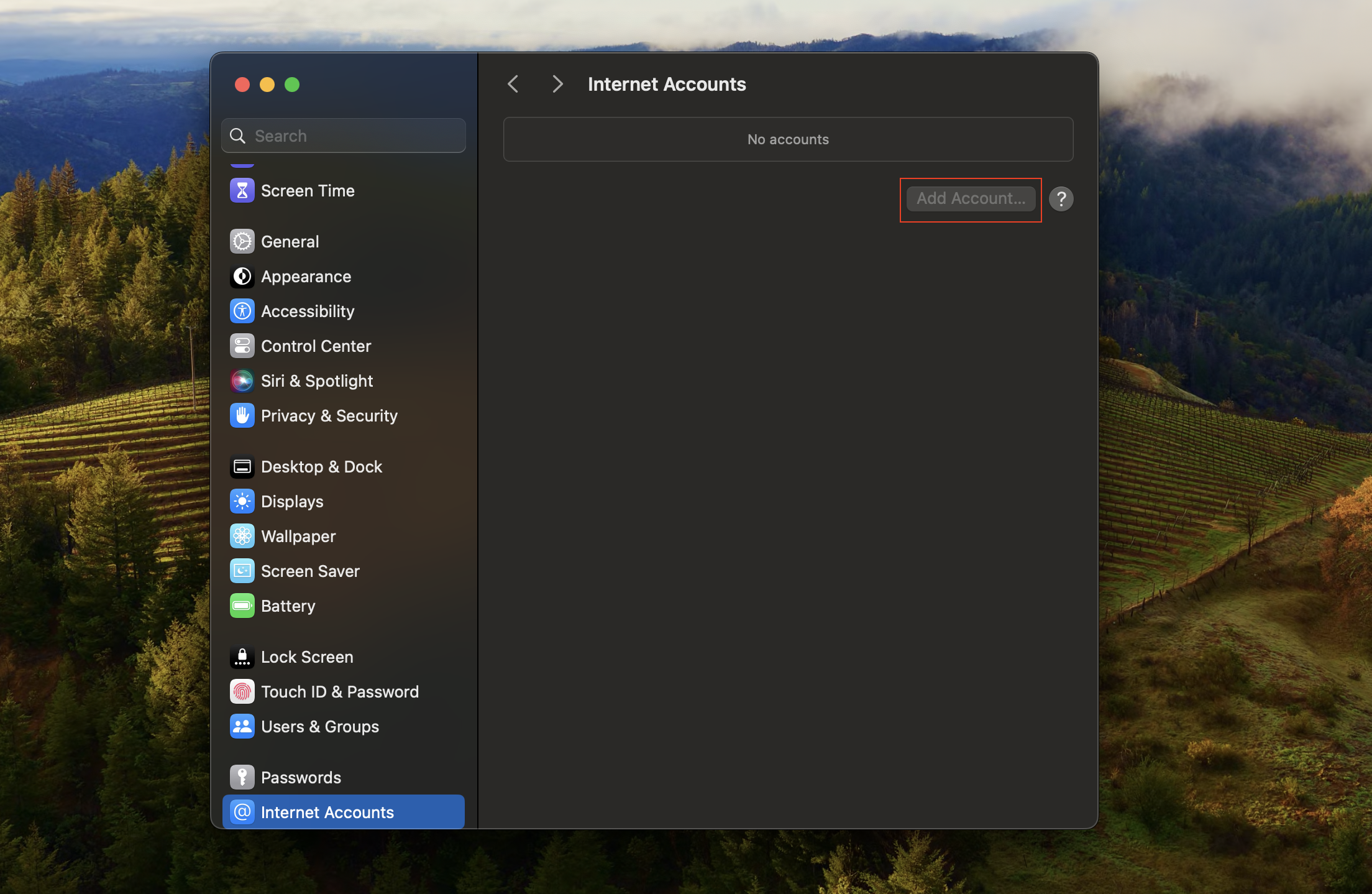](https://cdn.hexnode.com/mobile-device-management/help/wp-content/uploads/2024/07/Disallow-account-modification-on-macOS-devices-Internet-Accounts-disabled.png)
Likewise, the option to add an Apple ID will also be disabled. This can be confirmed by clicking on the **Sign in with your Apple ID** option within the System Settings.
[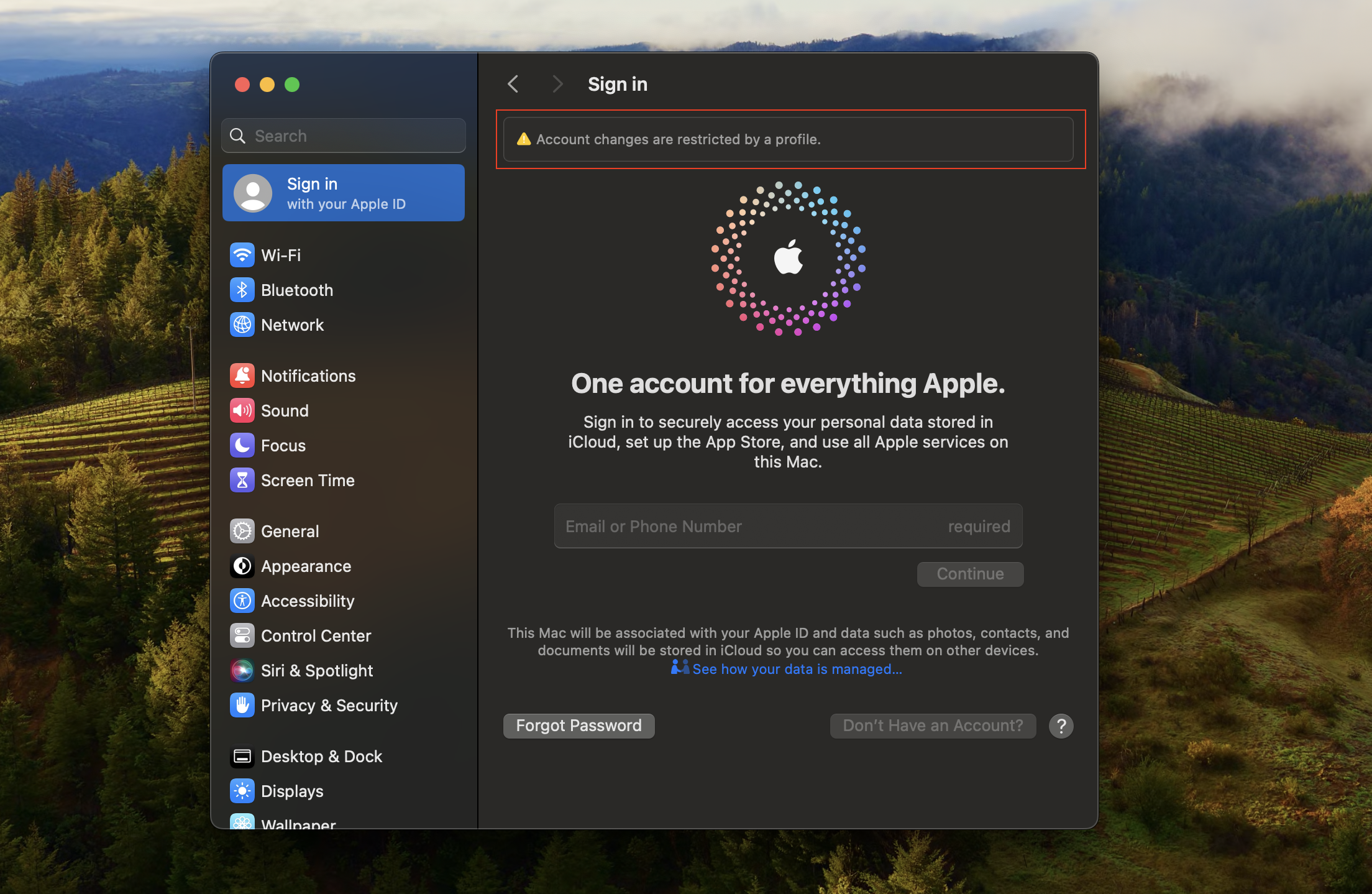](https://cdn.hexnode.com/mobile-device-management/help/wp-content/uploads/2024/07/Disallow-account-modification-on-macOS-devices-Apple-ID-disabled.png)
Notes:- To create and customize configuration profiles, you can use tools like Apple Configurator, Profile Manager or manually create them using text editors.
- Use non-encrypted .mobileconfig, .xml, or plist files to deploy profiles across devices.
- Ensure that you do not associate conflicting configurations with the devices.
- Use wildcards to fetch key values from the portal.
- It is recommended to manually validate the configuration profile on a system before executing it in bulk.
- Hexnode will not be responsible for any damage/loss to the system on the behavior of the configuration profile.