# Configuration profile to disable Siri on iOS devices
As an IT admin, you might want to disable Siri on Apple devices for various reasons. For instance, if enabling Siri is found to disrupt productivity it can be restricted. Or, it becomes necessary to disable Siri and other functionalities to achieve device compliance. Here’s a configuration profile to disable Siri on iOS devices. IT admins can deploy the configuration profile to multiple iOS devices enrolled in their organization by using Hexnode’s [Deploy Custom Configuration](https://www.hexnode.com/mobile-device-management/help/how-to-deploy-custom-configuration-profiles-to-ios-devices/) feature.
Disclaimer:
The configuration profile provided below is adapted from a third-party open-source site.
Disable Siri on iOS devices
-----------------------------
Configuration profile to add CardDAV account on iOS devices
PayloadContent PayloadDisplayName Restrictions PayloadIdentifier com.apple.applicationaccess.260DFA6B-534A-4AA0-B6A7-4304D25BB02B PayloadType com.apple.applicationaccess PayloadUUID 260DFA6B-534A-4AA0-B6A7-4304D25BB02B PayloadVersion 1 allowAssistant allowSiriServerLogging PayloadDisplayName Untitled PayloadIdentifier C5D66F5D-138F-4DD7-9206-5905FFCF2BC6 PayloadType Configuration PayloadUUID 84A50D14-2930-4903-A458-2F4A5B061B4B PayloadVersion 1
1
2
3
4
5
6
7
8
9
10
11
12
13
14
15
16
17
18
19
20
21
22
23
24
25
26
27
28
29
30
31
32
33
34
35
36
37
38
39
40
41
42
43
44
45
46
47
48
49
50
51
52
53
54
55
56
57
58
59
60
61
62
63
64
65
66
67
68
69
PayloadContent
PayloadDisplayName
Restrictions
PayloadIdentifier
com.apple.applicationaccess.260DFA6B-534A-4AA0-B6A7-4304D25BB02B
PayloadType
com.apple.applicationaccess
PayloadUUID
260DFA6B-534A-4AA0-B6A7-4304D25BB02B
PayloadVersion
1
allowAssistant
allowSiriServerLogging
PayloadDisplayName
Untitled
PayloadIdentifier
C5D66F5D-138F-4DD7-9206-5905FFCF2BC6
PayloadType
Configuration
PayloadUUID
84A50D14-2930-4903-A458-2F4A5B061B4B
PayloadVersion
1
**com.apple.applicationaccess:** This payload is used to configure access and restrictions for applications and services on Apple devices.
**allowAssistant:** This key specifies whether to allow access to the Siri voice assistant or not. If the key is set to **true**, users will be able to activate Siri and use its features. If the key is set to **false**, it restricts access to the Siri voice assistant on the device. Siri option will be disabled or hidden from the device.
**allowSiriServerLogging:** Specifies whether to allow Siri server logging or not. If the key is set to **true**, interactions with Siri will be allowed on the device end. If the key is set to **false**, user will not be able to interact with Siri and disables server-side Siri logging.
What happens on the device end?
--------------------------------
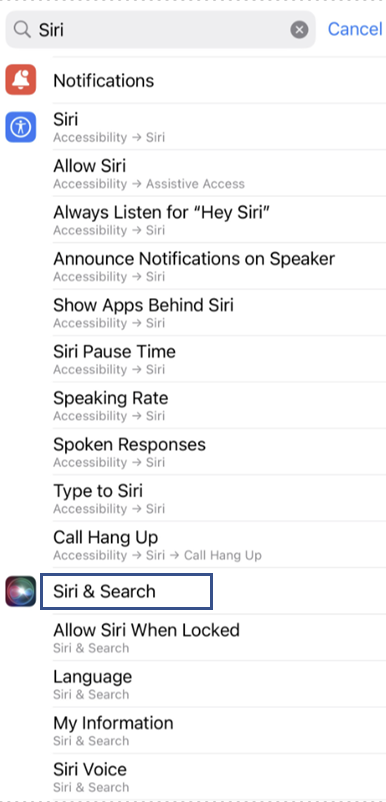
After deploying the profile on the iOS devices, the **Siri & Search** option in the Settings will be hidden.
[](https://cdn.hexnode.com/mobile-device-management/help/wp-content/uploads/2024/08/Disable-Siri-on-iOS-Settings-App.png)